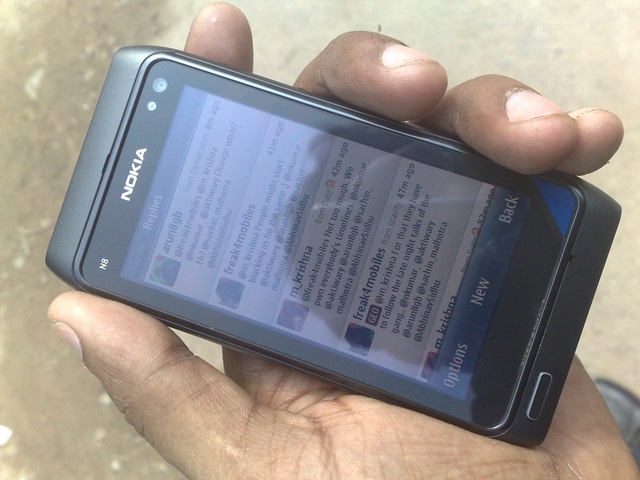
The power in hands of mass-Nokia E5-Unboxing and first impressions

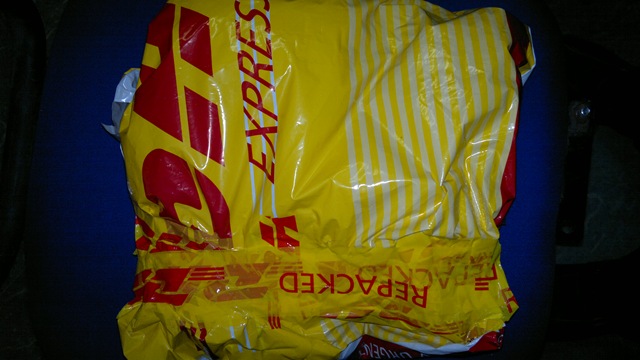
Sir! you got a parcel” – I got a call from the security in-charge of our office and I knew that it came.

27112010761

It would be wrong to say that I was not expecting the same. Great people at @WomWorldNokia and DHL both are transparent in their operations and being in New Delhi always come as advantage because I never had to wait for more than 4 days, once WomWorld people give it a go.

Happy to see a review unit back in house after a little pause. Thanks WOM people, thanks again.


This time, I thought to ask my friend Krishna to come up, so that I could get a fresh hand opinion from someone else as well. So, all the back ground stuff ends here …


So this was the shiny and slim blue box, we got for Nokia E5-00 and this time it was a white one. So it was the second white device to me in a row after Nokia N86.

27112010750 27112010756

After opening the box, I was greeted with the regular Nokia Accessories with white Nokia E5-00 taking the middle place.

27112010758

If you go by the specs, then a 600 MHz processor with 256 MB RAM that too with such a nice QWERTY, so reliable S60 V3 FP2 OS and an extended battery life with 1200 mAh battery sure deserves a price. Still for keeping the prices down, I was not expecting much of the goodies inside the box.

28112010786

Again that small tiny USB cable. I bet no other manufacturer would have been shipping such small cable. Oh! Com’on Nokia, it wouldn’t kill you if you keep on shipping those longer length USB cables.

28112010781

Matching with the colors of the device, we got the white stereo headsets as well, though for a surprise, those adjustable ear buds are not included in the package. May be price compromise. Fine with it.

28112010789 28112010791

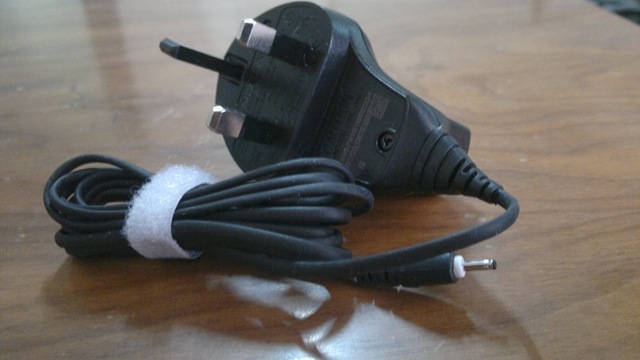
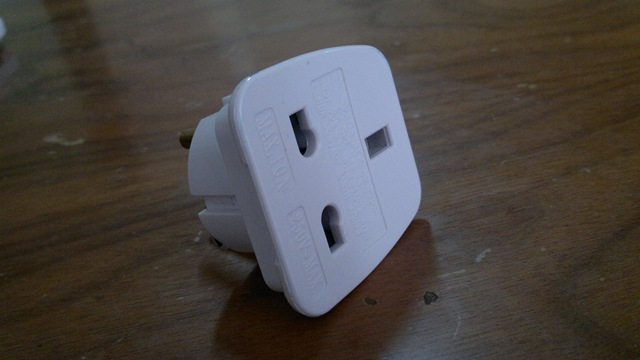
The charger was a UK one (Indian package would be different), but with a socket as well.


When taken out of the box, the white color was a real piece of beauty for my surprise otherwise, I always been a fan of Black/ Dark Gray devices due to rough nature of my work most of the time.

28112010779* Obviously the pics was taken after setting it up but this was a beauty, isn’t it?

28112010818

The front of the device has a nice speaker in front top and a light sensor at its usual place.

28112010817

At the bottom, there is a tiny microphone and obviously none of you might be asking for some noise cancellation second microphone here considering the price of the device that is around 11.3k INR.

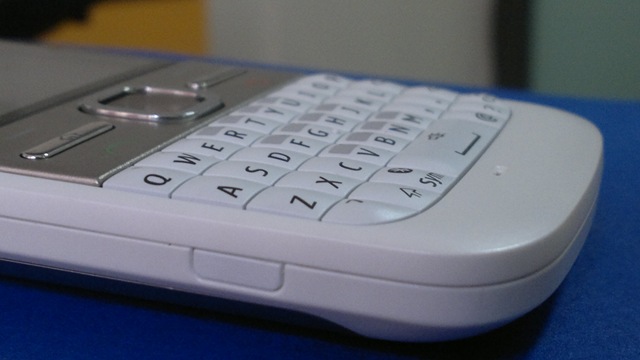
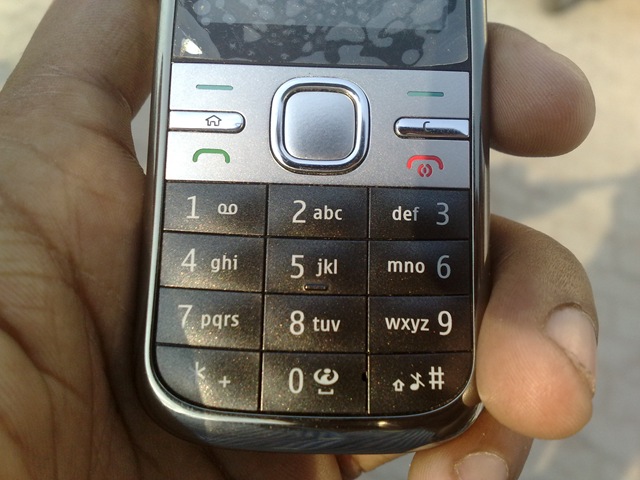
A richer and comfortable QWERTY with a longer space key in the middle and a metal plate featuring six buttons namely Left and Right Selection Keys in first row, Home keys and Messaging key in second row and finally Call key and End\ Power key in last row.

28112010795

I am trying to avoid the comparison, but let me mention few differences between Nokia E72 and this one. For me almost all of them been very positives.

  1. It removes Calendar and Contacts buttons (I wasn’t using them much in Nokia E72 either)
  2. It brings green and red colors to Call and End Call keys, which were plain in Nokia E72.
  3. It brings extra width for space key

If we rest of the device, then Nokia seems to have taken a very minimalistic approach in design.

 2811201081528112010811

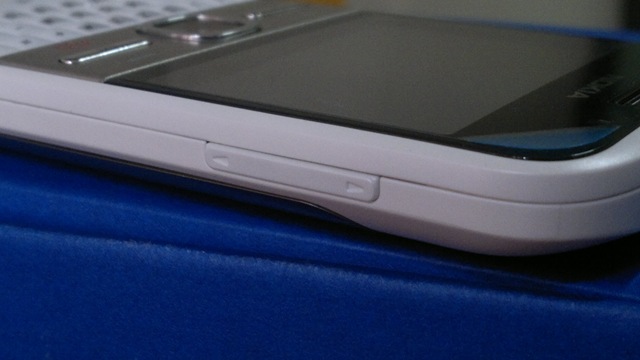
Not many buttons are around and as we already have seen power key been already merged with the Call End key (though I Haven’t been favour of this compromise, but its about habit only). There are two plastic buttons on the sides, which pushes the battery cover out, when pressed. There is no camera/ Gallery buttons neither many would have preferred so for not camera centric device. The Navi Key works as a Camera button as well.

28112010812

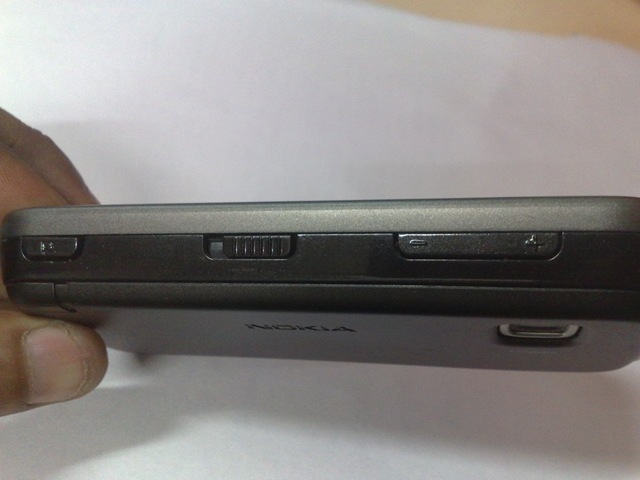
Upper portion has the volume key on the right side, for which I will say that the feedback could have been better as current one feels a bit extra tougher.

2811201081301122010047

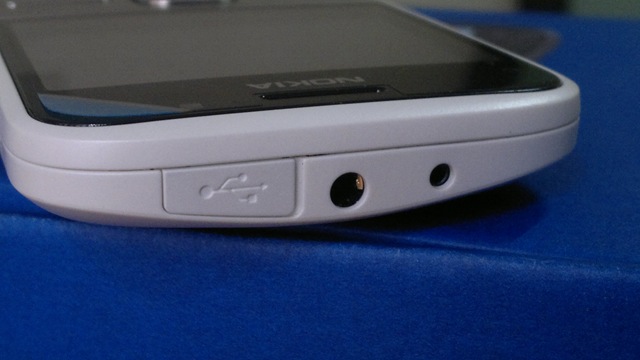
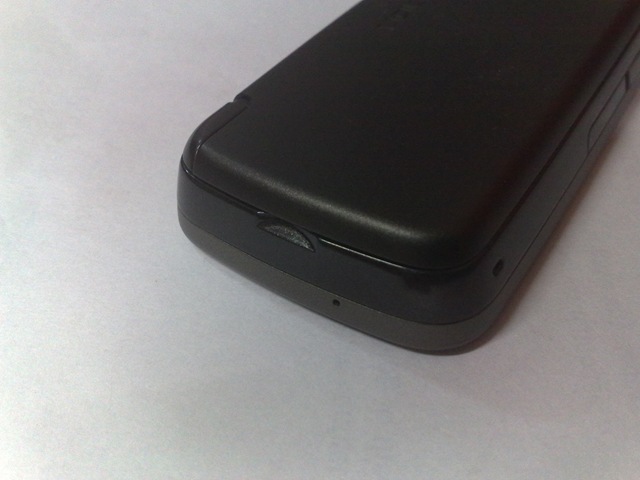
While there is nothing on the curvy bottom side, the top has the 2mm power jack, 3.5mm headset jack and one MicroUSB port covered with a plastic cap. Did I told you earlier that I always preferred devices without the plastic cover as such caps are always susceptible to be broken, but still I understand that many wants this to be in place as well.

28112010808 28112010807

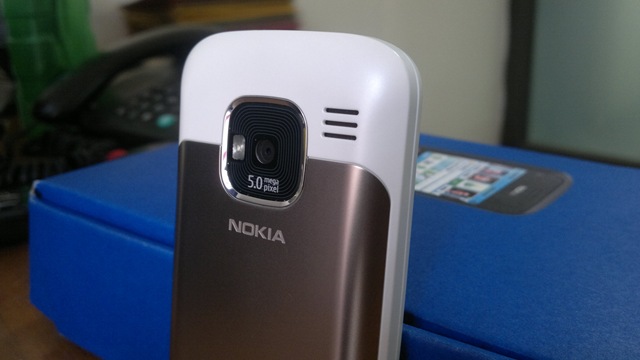
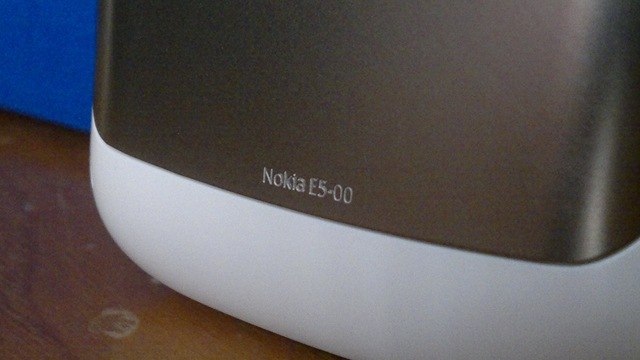
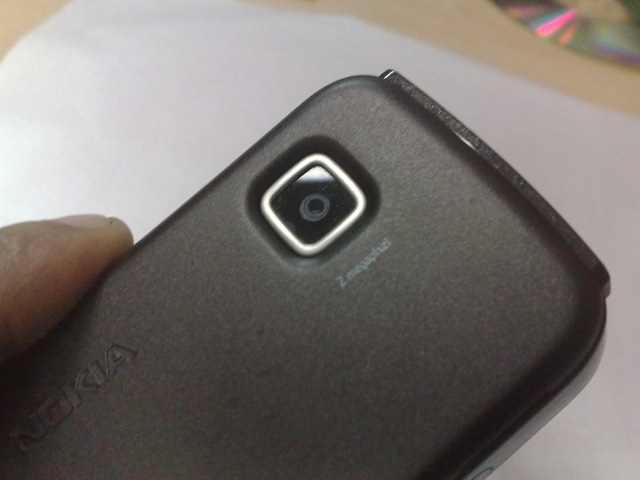
The back of device features the 5MP Full Focus Camera, a single LED flash (works as video light too) and a stereo speaker. Though I would have argued over the placing of speakers on the back, but the volume is such crisp that I still doesn’t mind it. We also find Nokia E5-00 engraved at the bottom of battery cover, that’s cute.

2711201076030112010035

The same 1200 mAh battery that I criticize up to some extent in Nokia N8-00 and E7-00, I seems to be loving in Nokia E5-00 for sure. You can really really rely on this device for the whole day and night too.

30112010033

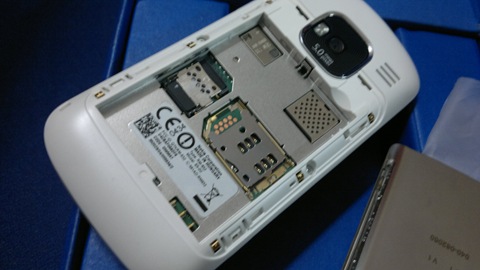
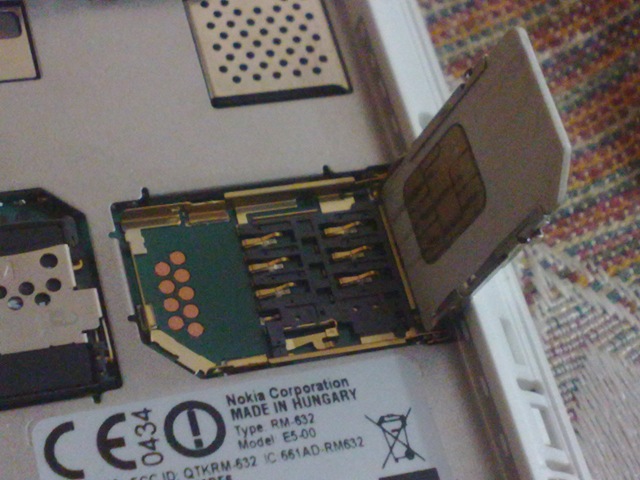
And may be many don’t stress over it, but for me placing of SIM slot always been important. We got exactly the same SIM slot as was there in Nokia N82 means no scratches over the SIM or struggling to put it right at first instance.

28112010800

While there are many arguments over the Full Focus cameras, but one thing is sure. Some casual snappers seems to be even liking it as I took opinion of some. No wait for getting focus right and you just have to keep the hands straight while taking pictures. Unbelievable for me, but many seems to be liking it. By the way, being a S60 V3 FP2 device, it also has advantage of having panorama mode inbuilt in camera.

30112010014

Some of the random shots in day light

28112010006 28112010004

And in night light. Yeah I will post Flash reactions later on.

30112010019

And at the end, let me tell you guys, just for sake of getting exact feeling of Nokia E5-00, I am keeping my Nokia N8-00 as retired and Nokia E5-00 has taken the driver seat. You know its not an easy job, is it?

28112010006

So, these were some of my first impressions on Nokia E5-00. All I can say is, this is a brilliant piece of hardware in a superb and very very well justified price. A device that you could live with for sure and still never regret like you never regretted with most of the E-Series devices.

You should expect some more coming in next coming days. Be tuned in ….

Layman Take on Nokia N8 – Part 5 – The New Gaming console

[tweetmeme source=”nkumar_” only_single=”false”]

Hi All, so the journey with Layman take on Nokia N8 reached to its fifth part today. Thanks for all the support, you have shown till now. This is what that keeps me going. You can check back again, if you might have missed any of the four parts of the loooong review.

1. Layman take on Nokia N8 – Part 1 – The detailed unboxing
2. Layman take on Nokia N8 – Part 2 – First look over exteriors
3. Layman take on Nokia N8 – Part 3 – Symbian Walkthrough – 1
4. Layman take on Nokia N8 – Part 4 – Symbian Walkthrough – 2

All of the above are pretty detailed in nature, so sure have some snacks and time, once you wish to read them. May be I have left some of the things here and there, but I tried to cover some of the points that might have missed from eyes of other bloggers. This is a layman take as you know it.


Playing engaging big games on mobiles might be yours choice or not, but no one could claim that they haven’t enjoyed the legendary Snake games, which was there on all Old Nokia. Later on some other games also started popping over Nokia and though people started enjoying them too, but J2ME based games were never a big fun, specially without those funky 3D graphics and hardware accelerations, which we were used to live with on our PCs now.

It was the flood of iPhone and iPod touch, which really changed the face of gaming. When Steve says that the world was changed, then the touch experience was first and gaming experience was making a big second to that. We seen Nokia N95 etc, Nokia tried to partner with N-Gaze etc, but touch screen gamming been a slippery side for Nokia till now.

Now, Symbian^3 has started with really big promises on gaming. With handsets like Nokia N8 and Nokia C7  on very reasonable prices, Symbian^3 seems to adding a new dimension to Nokia with excellent gaming potential and market growth, once people started to realize it.

Why one will buy an iPod touch in 16-18k, when you are getting world’s best signals and best navigation experience on just few thousands higher price? And yes .. that would be a phone rather than just a toy at home, so bound to be with you all the time.


Probably, all talking is useless, unless, I show you some real things. Its sad that people buying Nokia N8, will not find any games pre-installed on it and when they will go through Ovi Store, then will think twice before buying any game in price, due to experiences from older Nokia’s. Someone really need to convince them hard that it worth buying, as Nokia users are not used to purchasing apps like Apple ones.

Let me try… I am writing this specially for some of my readers who complained me about unavailability of games on Nokia N8. Yes! its not shipped with game, but there are many out there like you never might have seen yet.

Angry bird on Nokia N8


When you talk about gaming on Nokia N8 and Apple then Angry Bird comes to be a big name. While the price for the full game is around 2.99 Euro or around 180 Rs., you can get hold of lite version with a few levels from Ovi Store to just take the taste.

Butter smooth performance, almost instant startup and multi-touch pinch and zoom, if they would have make use of accelerometer as well, then Angry Bird was trying all the juice of hardware.

Probably what make a game addictive is its being so simple to play with and yet so hard to achieve the tasks which might seems so simple. Not sure about the replay value of the same, but when there are around 105 levels in the paid version and 45 more is coming soon, then sure it’s a fun of weeks. (I have completed only 21 till now).

Warning: This game is highly addictive and lite version may lead you to buying the full one very soon.

Nokia N8 download link from Ovi Store
Download Size: 6.71 mb
Price: 3 Euro

Asphalt 5 on Nokia N8

You should pardon me as I was my camera man myself, so was playing the game by one hand and was shooting with other, so couldn’t played well, but I hope the video is enough to show the potential. You will find it reasonable fast to load and then so smooth to play with. One fact which you will realize while watching the video that even the mono speakers of Nokia N8 are too loud and yet crisp clear.

There are games like NFS, Rally Master, GT Racing etc, but what I liked about Asphalt is, its being played by finger and touch only rather than accelerometer, obviously others will find that part more awesome, specially if you might have got some gaming wheels like Siraj @LoveMyNokia got. Its totally your choice, which kind of racing cars you prefer.

Nokia N8 download link from Ovi Store
Download Size: 144.45 mb
Price: 3 Euro

War Chess on Nokia N8


Remember those early study days, when we were used to enjoy ChessMaster Pro on our computers… war chess is here to bring similar experience for you with cool 3D animations. Don’t go by my missed touches on the screen as I was handling the camera by one hand, the game is butter smooth and so entertaining for the mind.

Nokia N8 download link from Ovi Store
Download Size: 17.2 mb
Price: 1 Euro 

Galaxy On Fire


Its one of the free games on Nokia N8 that make full use of accelerometer and so I was again finding myself little uncomfortable, but that’s a mind blowing experience for sure.

Nokia N8 download link from Ovi Store
Download Size: 16.15 mb
Price: Free

SIMS 3 on Nokia N8


When SIMS arrived to mobile platform then it was the big news of town and why not.. it was one of biggest name in 3D gaming. It’s still and addiction and another life for many. Deploying 3D animations and still keeping everything going so smooth needs a capable hardware and Nokia just did the same.

Nokia N8 download link from Ovi Store
Download Size: 47.89 mb
Price: 3 Euro

Micro Maze on Nokia N8


The game might be new and might not be that big name yet, but it really rocks. Use of accelerometer and rules of physics are so flawless that you really miss the fact that you are having a mobile in your hands. Though with free version there are only 10 levels, but sure you will wish for more. Though 5 Euro price for full 80 levels might seems on a little higher side as of now comparing prices of Angry Bird or Avtaar like games, but its sure a piece of art. Hope soon we will see some reasonable prices on it. Till then you could enjoy the free lite version.

Nokia N8 download link from Ovi Store
Download Size: 1.16 mb
Price: 5 Euro

Real Soccer on Nokia N8


Playing football, while your friend might be driving the car in the side, technology really has changed the way, people might have thought of their mobile few years back. I am yet a nob about the game, but details, graphics and smoothness are sure sure admirable. One must give it a try for sure.

Nokia N8 download link from Ovi Store
Download Size: 47.46 mb
Price: 3 Euro

Hero of Sparta on Nokia N8


Having an ancient battle in your pocket, oh… don’t race up your dirty mind, I am talking about Hero of Sparta here. Swords, magic and a price fighting its way out in kingdom, sounds interesting… watch it.. its even more.

Nokia N8 download link from Ovi Store
Download Size: 39.66 mb
Price: 3 Euro

Cricket T20 Fever on Nokia N8


It was that I loved most in my Nokia N82, Nokia E72 or Nokia E52. It was kind of default to me installing Gravity, Google Maps and T20 fever on each new mobile I get. I liked the non-touch version more, when I tried its lite version on Nokia 5800. But with Nokia N8, the story was entirely different. The graphics were too amazing and the experience was so so real. Suggestions that you missed the ball.. checking if a ball was really a no ball etc and of course the noise of viewers. Perfect.

Nokia N8 download link from Ovi Store
Download size: 22.62 mb
Price: 1 Euro


When it comes to gaming on Symbian^3, then its a win for all the side.

  1. Consumers They are getting full value of money as they are carrying only one device for all, which can do the best as phone as camera and even gaming. They are so occupied with it all the time and saving money on each of the genre. The same phone has value for each member of your family and with its robust build, you wont mind giving it in hands of your kids.
  2. Symbian They are showing Symbian’s potential via these games that what can you do with your coding skills. Attracting more and more developers is probably the first and most important thing that Nokia and Symbian foundation might be looking for.
  3. Game developers The biggest question for Symbian been that why should a developers spend his hours with C++ to design a game on Symbian when he has to fiddle with more than half a dozen OS platforms of different capabilities. S60 itself had many variant and all running on different capability hardware. With arrival of Qt, Symbian^3 and almost equal base hardware, Nokia seems to hit the nail finally, which Apple was enjoying till now.

For the developers writing games for Apple, a challenge was to reach masses, which they were able to do with iPod touch only as iPhone was sure out of reach for many (talking about Asia). iPod was still a thing of home as no one wishes to carry two devices with him. Symbian^3 and homogeneous hardware platform is like Nokia moving a step towards them and so are they coming back with so many amazing games.


What I love more about Nokia N8 gaming is the fact of having convenience of USB on the GO feature. It’s so easy for one to use their DSL connections to download these hundreds of MB for games and then easily transfer into their Nokia N8.

If you were thinking that Gaming is for only those rich lad.. then your Nokia is back again. This time it is Nokia: Connecting People to Gaming

photo of Nitish KumarNitish Kumar


Layman take on Nokia N8 – Part 4 – Symbian Walkthrough – 2

[tweetmeme source=”nkumar_” only_single=”false”]

Layman’s take on Nokia N8 been through three parts so far. This thing is too big to be handled in one at least in my ways. Thanks for all the support shown by readers out there writing to me. Feel great, when you say that it looked real and common man perspective. That’s what it always about.

Really wanted to say sorry to all readers as there has been insanely long delay due to some personal reasons though meanwhile I tried to fill in with short posts. But this was always in my mind as a guilt pending.

Check out if you might have missed last three, I hope they worth it.

1. Layman take on Nokia N8 – Part 1 – The detailed unboxing
2. Layman take on Nokia N8 – Part 2 – First look over exteriors
3. Layman take on Nokia N8 – Part 3 – Symbian Walkthrough – 1

While the earlier parts were kind of routine ones, here comes the fun part of Nokia N8, Multimedia, maps and gaming capabilities. In this part, I will take a look over Multimedia part.


Nokia N8-00: Music player

Every flagship speaks a language of its own and with every new device of yours, you need to find something big to show off. Something different from others, something that makes an instant connection. With Nokia N900, it was the integrated IM into contacts, while with Nokia N8, the show stopper is the awesome cover flow.

This cover flow on Symbian^3 runs so smooth that one can even ask iPhone or Android users that how easily it pushes theirs off the top. I bet if each and everything of Symbian may go this smooth and awesome looking, then no one wont even dare to say anything against it ever.

scr000251

While people keep on looking over UI part only, they must also consider that how smooth it operates and how much types of media it supports. Being similar to those of earlier in looks doesn’t mean that its the same. There are hundreds of sorting algorithms available in programming world to give the same output, is that mean all are the same?

scr000244

When in landscape mode, then the cover flow arrives by default or if someone might have messed with the settings, then you should choose Artists and Albums from options at bottom left after tapping the arrow key on the right top.

scr000273

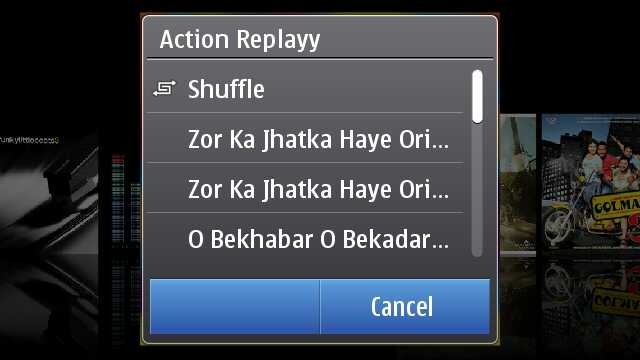
Touch any album and you will get a pop up in the middle of the screen with the choices of songs from that album or just shuffle the album songs to play.

scr000252scr000277


Finding the cover flow in the portrait mode takes another route, where you have to go Artists and Albums and then touch any one album to get into the cover flow mode as shown above. You just slide and list of songs keep on updating in lower part, press on album and it starts playing from the first song. Isn’t portrait mode bit faster than Landscape?

One thing about Nokia that is not getting due credits is Ovi Music unlimited, downloading free music from Ovi Music Store might not be getting such trendy in India as of now, but it will be soon at least after launch of 3G services.

scr000302

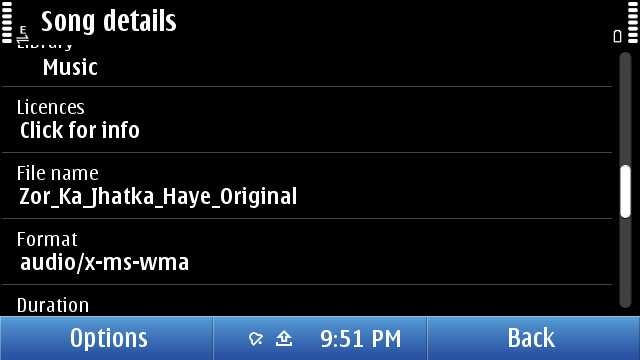
As usual, not only your can sort by genre, artist etc, you can get the details on the song as well. but sadly and strangely, there seems no way to search for some song. Might be a trouble, if someone has a huge collection inside their Nokia N8. I guess they will fix it by next firmware, they should.

Now over DRM, it may be annoying to few that they can not transfer their downloaded music through Ovi Unlimited to some other friend via Bluetooth, but that’s the way, Music Industry wish it to be. There been some confusions due to the post from Ovi Blog, but as much tested by myself, “MP3s downloaded from Ovi Music Unlimited is not DRM free”. May be sad news for some, but that’s the way it is.

Once running, Music player keep itself connected with Volume keys means whatever might be running in front, volume keys will serve only Music player e.g. Gallery.

scr000301

Some readers specially asked me about the Equaliser thing, so putting it here. Though honestly speaking, I am not that advanced Music freak to fiddle much with it. There are some default presets only. Handy, but you can make a custom preset as of now.


Nokia N8-00: Movie player

Movie player on Nokia N8 was something that cleared my dilemma of buying or not buying Nokia N8 in a blink of eye.

111120101152

Specs will say that it supports HD videos now and you say that one more addition. But hold it, do you know how big it is. See the above screenshot, check the resolution 1280×720, check the bit rate 2264 kbit/s, this is such a video that takes more than 50 mb for just 3 mins.

Do you really think that its just a simple addition? If so, then put a 2Gb BDrip file or VOB and try to forward by touch the progress bar. Its almost instant and now go to your PC with 2Gb or more RAM and then try the same on your VLC player with same video. Did you thought mobiles are always less performing that computers? Think again.

But HD video was not the part that won me, it was the support to multiple formats.

Even if it was not clearly mentioned on specs, it plays all your Xvid/ Divx/ Mkv/ mp4/ WMV/ 3GP/ H.264 formats, which covered almost 80% of my legendary collection of movies. What else would I wished for? Addition of USB on the GO means I could try any video instantly after borrowing some from PC of a friend.

Though true, its not a fool proof setup. There were some videos, special dual audio ones which will play without voice on it. There might be some strange or corrupted format that the video player of Nokia N8 cant deal with the way any VLC player of your PC does. There is no subtitles files support either (you can merge subtitles in movie file though via third party apps and play then), neither audio switcher if you are playing some dual audio file.

But hey!! are you talking about some media player on PC, its just a mobile. As of now, its a state of art best possible media support among the leading smart phones out of the box, not only Nokia. Yes! out of the box. You don’t need to install any core player, any smart movie player, you don’t need any converter on your PC to convert files for your Nokia N8. Just touch the file and it is.

041120101129

That’s how it changes everything. I was in a train journey and the above was my complete setup for the theater experience. Movie files if not in your Nokia N8, then USB OTG cable and a flash drive.. then those stereo headphones that come shipped with Nokia N8. That’s it.

061120101147

It was hard to take a snap of movie and forgive me for the blur here, but it was just crisp and clear as it can be.

111120101154

May be its asking a little too much, but there are not many advanced controls like next video, increasing brightness etc. Just a tiny set of controls which hide them smoothly within secs, when you play a video and come back again once, you touch anywhere. But each of them works perfectly.

If you touch and hold forward/ reverse icons then it first goes by steps of 5 secs and then faster. Aspect ratio icon changes the video to fit the screen or 4:3 or usual 16:9. And yes the player will always run in Landscape and will remain full screen always.

I know it sounds weird, but I had a wild dream that what if they give a cover flow like Music player to it? I know its not practical, but I thought.

Though many would be excited, when VLC arrives on symbian finally, but I would say that will also face a great challenge to meet the level of performance with Nokia one. You could understand that how big praise it is. Thumbs up for the guys working for the core of Symbian. Next generation Nokia will sure will define new levels of Multimedia.


Nokia N8-00: Web TV

Sometimes you get hands on a few things that might be ahead of its time. I guess Web TV is something like that for Indian Customers at least as of now, when 3G services are yet to arrive and Indian TV channels not well prepared for Web Contents in the way they should have been.

Scr000304

When it comes to TV on mobile, then I remember my first handset ever. Reliance Moon Light in 2004 that was an entry level LG Handset that was bringing some B/W TV content over CDMA. Definitely, I was expecting to see something like that here. But phones have changes a lot till now.

There is a Web TV Folder, which by default will carry above 6 icons representing 5 Web TV channels and one shortcut to Ovi Store. Unfortunately, some mismanagement here too. If you install a new one, then by default it seems to be going to Application folder rather than Web TV one or may be I might be messing up with something.

scr000306 scr000307

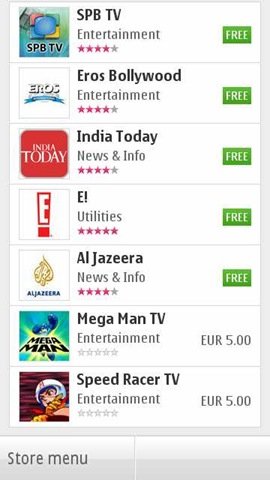
There are not much Web TV apps as of now. I seen two Indian names and downloaded them. Well.. I should say that they are not coping well. The apps are poorly made and neither are they service good quality video contents. And let me remind you, you better have a 3G or WiFi at least, if want an acceptable performance.

scr000310scr000309

Like this EROS one. Shows promise in start and then end up show not so good quality videos. But again, its a perspective of someone, who is so used of watching DVD/ HD quality videos on his Nokia N8 now.

scr000313

But with next app, I find that it was just a wrong apple. This time, its app from India today. Not a great navigation again, but sure, a better UI.

scr000314

I noticed one thing that all of them not using the default player of Nokia, but emulating of their own. Kind of strange to me as I expected the player to be same throughout.

While Nat Geo, CNN etc had good quality video stuff with them (not sure how current the content was), the best UI I found with Movie Teaser app.

scr000328

This sure seems to be designed for touch with Cover flow (that’s what I was talking about default Movie player). Not only UI is great but quality of videos too and this is one of those Web TV apps that like to play the videos in full screen with fit to screen mode.

scr000327

Not only that but it brings some basic level info as well about the movie of course.

So, in all I must say, its a great move and wish that Indian channels and others may adopt it more quickly to make it worth rather than making people watching irrelevant contents from English channels only.


Nokia N8-00: Video Editor

The world changes from here. Big bloggers and experts will say that Nokia did just the same like iMovie of Apple, but its lot bigger than that. First its free of cost, second its shipping with Nokia N8 that still costing half of the price of iPhone 4G. Point is… its gonna reach much more hands than it ever would have with some pricy Apple.

scr000329

Its gonna bring Video editing in hands of people, who would never experienced it ever before, not even on computers. And believe me, their start would be much more awesome than even the people who might consider themselves expert of movie editing now.

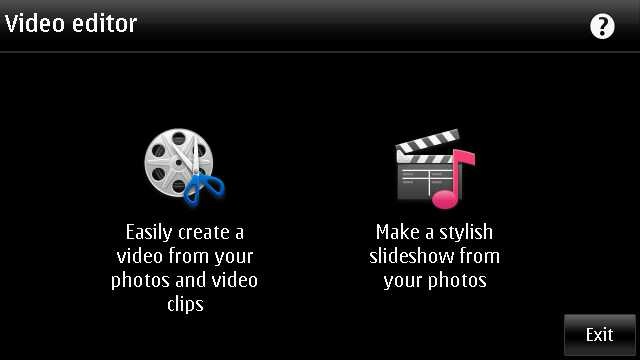
Let’s start with the simple option, creating a slideshow. You remember all the old Nokia phones were shipped with a Slideshow mode of showing pictures, we are not talking about just that. We are talking about creating a actual movie out of your chosen snaps and with different effects to choose from.

Scr000333

Sure its one of the most fun stuff on Nokia N8 and could keep you busy for hours if you had many awesome photos inside your Nokia N8 (who wont have) and its very pleasing that the design team behind this did a great job. Not stupid like you choose some pics and then choose some effect and then if not liked output then do whole thing again. You choose pics one and then could go for previewing it with each of the effect almost instantly.

Scr000336Scr000339

Either selecting media or inserting pics or it might be adding movie title (overlay text), everything seems to be so perfect and I would say people should try it by their own hands to see how fast it is. Making full use of hardware acceleration and GPU, it sure will bring those Androids without GPU out of water on this.

Scr000342 scr000332

Not only that the speed to saving the final video is awesomely impressive. Oh.. the output? Here it goes.


And one more

With Video editor, its the same awesomeness. Not only you can crop your videos in length, but could insert your own tracks and overlay effects in between when joining two videos. Most amazing part of it remains the speed. I never seen any of my phone going this much fast and even no desktop software handling video editing with this much ease let alone mobile aside. So intuitive .. so smooth ..


In the above video, I just added two videos in one. There is a lot more one could do with them like we seen in Slideshow.


This went long na.. I feel the same. Hope will be back soon with my review over Gaming part with big titles. Be tuned in and keep writing to me that what more you want me to write on. Nokia N8-00 still has more to write on… just I wish I would have had my hands on Nokia C7 as well to know that what’s more special: Nokia N8 or Symbian^3?

photo of Nitish KumarNitish Kumar

Layman take on Nokia N8 – Part 3 – Symbian Walkthrough – 1

[tweetmeme source=”nkumar_” only_single=”false”]

In case, if you would have missed then first two posts were:

1. Layman take on Nokia N8 – Part 1 – The detailed unboxing
2. Layman take on Nokia N8 – Part 2 – First look over exteriors

And depending on the responses I got over mail, twitter and other social mediums, made me think that everyone wanted more and more about the OS part itself. A big job to cover all those tiny details, but will try to cover things as much possible (fellow bloggers already did excellent jobs to come up with posts on each part, I am just late to the party).


Nokia N8 and Symbian^3 In recent times, we heard a lot on them and unfortunately it seemed negative many times. After giving it sufficient time, I have started to realize that in which way social media acts and what impressions it leaves.

Few big names with their complete bias start something and we find all the community following blindfolded. Such buzzes can create Antennagate from almost nothing or can find people crying on poor battery lives of Android without even giving them a fair try. You can even make someone cancelling out Nokia E5-00 purchase over the absence of Secondary Camera, while he wont be able to answer that when was the last time, when he made a video or was he ever made one?

Scr000017

Its nothing like that there are no flaws, where isn’t, but its the way, it gets presented. A few months before, just a review of some shitty ‘journalist’ and you were all convinced that Nokia N8 just got a special camera .. that’s it and now after few months, you say that its the best hardware from Nokia till date in every sense and that ‘journalist’ was shit?

Guys!! first go through things and then start saying …. and for God sake .. spare me from the utter kindness that “ok.. Symbian is not that bad, its pretty good, even if not that .. “ blah blah… please praise the part in loud what you like and then sure go on criticizing what you didn’t.


Many experts have spoken a lot about their perceptions on it and sure one has reasons to get confused, but I wish to come up with things what actually meant for me or any other laymas like me in real scenario. So.. here it begins… Will cover the customization part in this post, leaving Camera, multimedia and gaming aside.

Nokia N8-00: Booting and switching off

While it was scary for some that no easy battery removal option with Nokia N8, it happened to be rather easy job to live with it. Just press the power button for 8 seconds and it does it like we all live with our Netbooks or Laptop and who is saying that you will be needed to do that? Take Nokia N97 completely off from your mind.

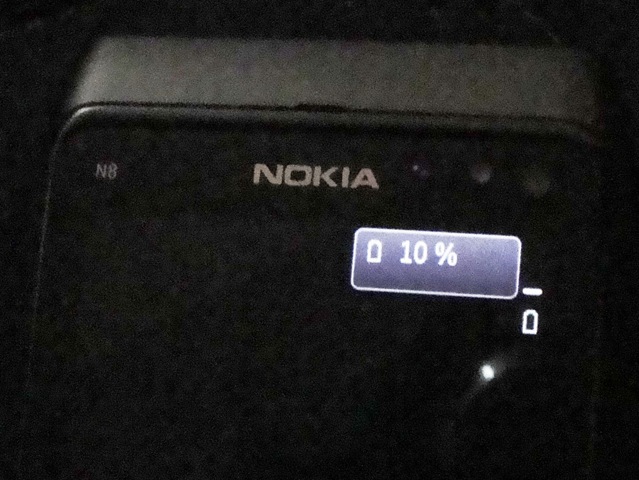
Anyway… Have you noticed or read anywhere else that when complete empty on battery and get plugged into recharge, it shows interesting battery dialogue on black screen for a while, saying 10% ? Is that mean this 10% is minimum level before it switches it off? This practice been here since long, but is it the first time, they kind of showing it?

We see other vendors putting an animated battery pics while charging the empty devices, but somehow I like this minimalistic approach. Why not to keep this percentage thing lit on all the time while charging?

DSC01687 281020101089

Another observation one can make is the landscape Nokia logo while starting. I am not sure that it was here with old devices, but while most of the time people will see only portrait one, if you switch off the phone with landscape orientation, then you will find it. But while starting up the device, it always go portrait only.

For unfortunate situations, option of hard reset the phone is here by pressing Lower volume button + Camera Button + Menu Button. But not only me, many other around the web, will say no on it as you loose many of the scripts and most importantly default Qt runtime.

Sure, its not a fault of OS itself, but failure of Nokia to bring more developers on board to push things more tightly in same way Nokia design their hardware. Its project management and change management, where Nokia seems to be lacking in past, due to the fact that they wanted to leave Symbian autonomous and truly open. It seems that tight control should have been the case. Is the new regime in charge going to change that? He had been known for this.


Nokia N8-00: The home screen

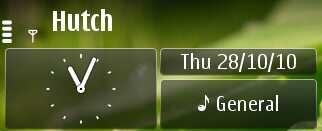
A total of three home screens like it was in Nokia N900, difference is….  in Nokia N8, we find a total of 18 WRT based widgets (like Nokia N97) available spanning across three home pages (6 widgets on each). Unlike Nokia N900 or Androids, these widgets are of fixed width (82 x 312 px). While the smaller width is sure issue for some of the part, a tighter and disciplined home page UI must be welcomed.

And by the way, in actual, 17 of the widgets are customizable as the Date/Calendar/Profile widget is fixed and not customizable/ removable, though you can change the format of clock display by going through the setting->date and time and obviously could change the position of the same, but it will remain on the first home screen only, not on rest two.

date widget datewidget

You will soon notice that Symbian^3 UI doesn’t rotate in all directions like iPad. Like it will remain in portrait mode only, if you turn it into landscape mode keeping the SIM/ MicroSD slot on top. Similarly no change, if you held it down toward the power button side.

So the working orientations are in portrait mode, when you hold it keeping power button upside and in landscape mode, when you hold it camera button up. Not a breaking news, its the same as with all.. just pointing it out, if some start bitching on it. I am marking it here because this was one of the comments that I got from my Company CEO, while presenting this in front of him. He said iPhone scores here, I said, its not about the capability, many games will show that Nokia N8 has it, but its the way, they want to keep the UI disciplined and it makes perfect sense, once you use it.

Scr000076

As you already know, you can drag and drop a widget to change its position on the same home page, though there are no drag and drop of widgets from one page to another as each page a separate entity at least till now, but look like the same gonna change in next coming firmware, probably by next month. Check the video.

As of now, if you have to move a widget from one home screen to another then you will be needed to remove the same from one screen and then manually add into another. Hmmm.. not sure that if the best way, but still I am comfortable with a disciplined UI layout more.
Scr000074Scr000075

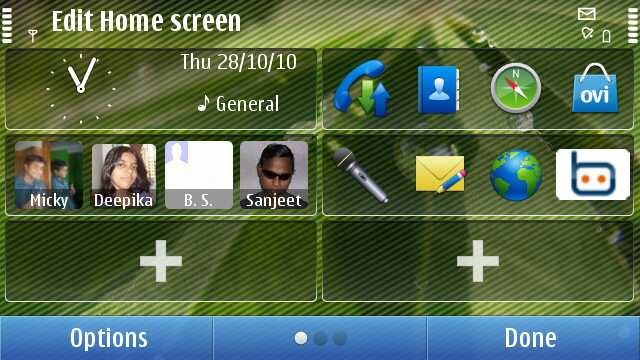
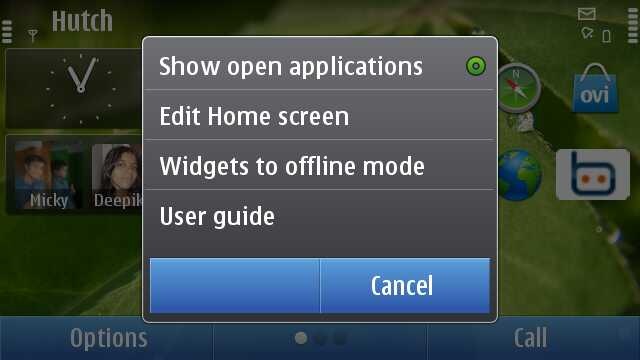
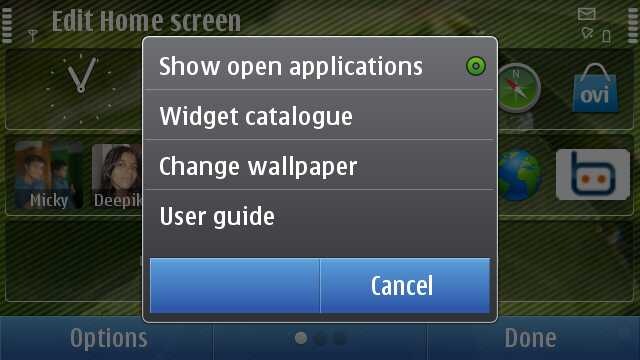
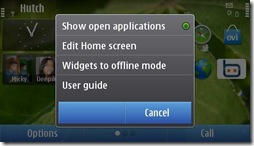
As you can see, you get the option of changing wall paper only when you go to edit mode by long pressing on home screen.

There are options to keep widgets to offline mode or online mode, which stands for all three screen at once, means its not like that you could keep social notifications on at the main homepage and mail widgets off at another (though there are workarounds to do so). I think that could have been a better way, though I know in backend its implemented in way that widgets get hidden only and they are at the same place. So, working that thing out will ask efforts.

While the bottom has tradition two button menu like S60 V5 or Symbian^1, we get a middle button here for switching between the home screens though that works unidirectional obviously from left to right side and I don’t think many of them will be using that in place of swipe that is more natural and work in both ways. But sure presence of that reminds you of the fact that you are on which screen. Handy in that way.

 Scr000062 Scr000086 Scr000063

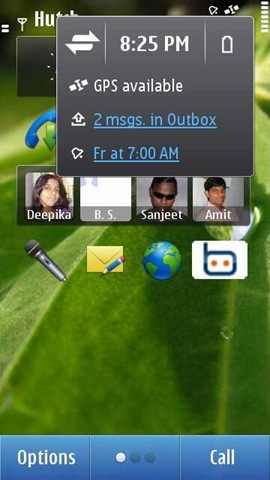
The right top on tapping brings a Menu that show the notifications menu as you can see. Tapping on connections takes you to active connection and tapping on battery, it shows you current battery status and option to change to power saving mode. Many would like to see fancy animated battery icon here, though I would say minimalistic approach is better while you can easily find some widget for same purpose.

Power saving mode is like the same it has been E-Series handsets means on activating, it will put your phone in 2G mode only, will lower down the brightness, will change the screen saver to remain the blank etc. I am coming over Screen saver part just after this section.

I think there are a maximum of three kind of notifications available here at a time, like you can see, when I connect a USB drive, then the notification removes the GPS icon out.
Scr000081Scr000083

Scr000082Scr000080  

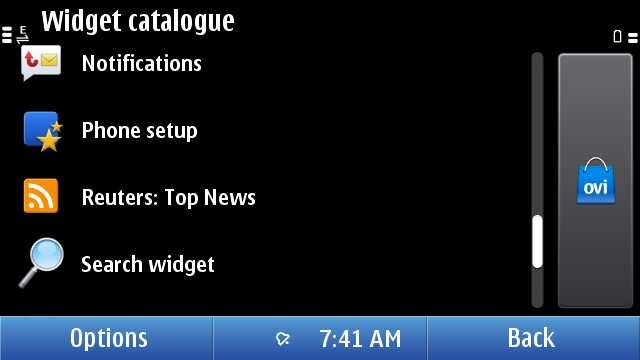
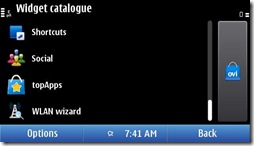
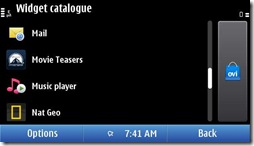
There are a number of widgets to choose from including the RSS feed you create in web app. Also you can always visit the Ovi Store to get some of your choice.

Shortcut widget allow you to put any four applications or bookmarks together in one widget, though I must tell you, if you use four five shortcut widgets with 16-20 app icons on the same home screen, then first loading might be delayed by 2 seconds, not due to symbian fault, but due to third party app implementations.

Social widget, which brings updates from your social networks, didn’t impressed me even if they actually did a good job in designing, otherwise one can’t imagine updates to be detailed in such a small place. Probably that’s the reason that some people saying that Nokia should have thought variable width widgets though its also clear that if they would have chosen that then it was likely to go little undisciplined like Maemo or Android home screen.

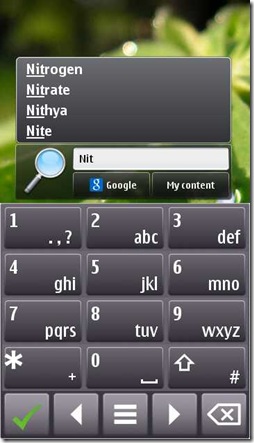
There are mail, music, weather, check-in and many other widgets, but what particularly interested me, was search widget. Though you wont be happy with the performance of search. Its kind of too slow, if you compare it with all other operations on Symbian, but point to notice is, its only Symbian native app with a split keyboard design.
scr000109scr000110

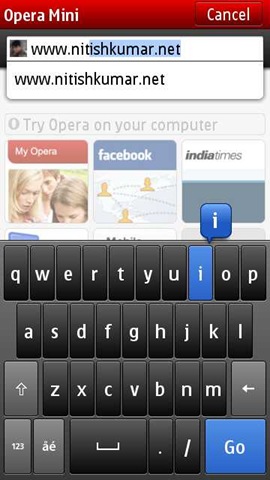
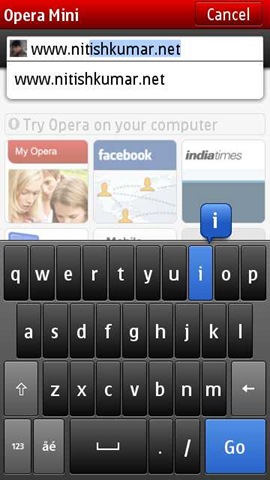
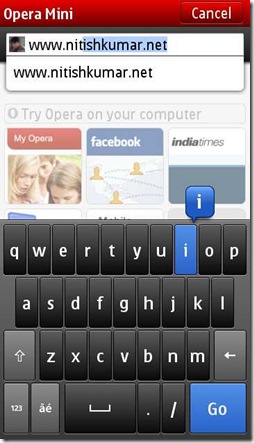
We have seen the similar design with custom keypad of Opera Mini or Opera Mobile as well. Though its not available system wide, may be with next firmware update.


Nokia N8-00: The Screen saver

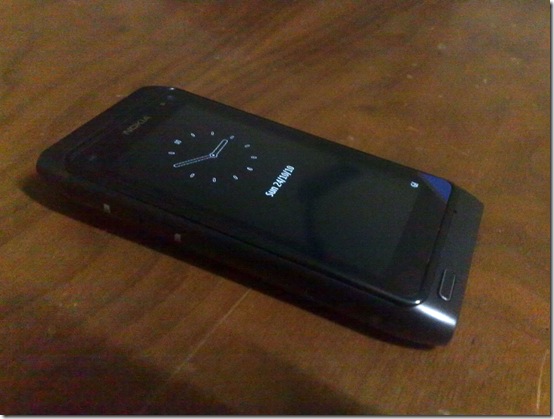
If you remember, then it was the swf based screen saver of Nokia N86 that attracted me once and now it was the one Nokia N8, which might be in eyes of many. I am pretty surprised because of the fact that at least till now, I am not been able to use a SWF as screen saver on Nokia N8 though I believe its sure supported.
241020101066

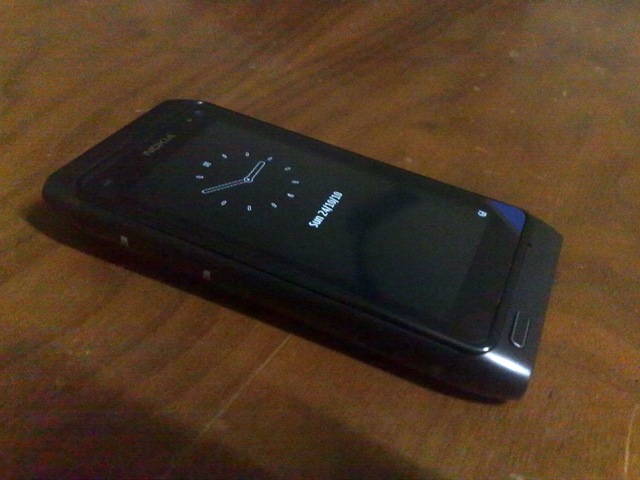
But the default screen saver on Nokia N8 is really really good.  Not only the fact that its extra bright and crisp, but it seems to be ultra low power one as well. You will find many complaining that why no notification icons are here. Even I mentioned once that if Janole could have bring the notification on this screen then why not Symbian, but after going more deeper, I found that this thing also had a purpose.

18102010986 

Its true that its annoying that if you find only a small light blinking at menu button for notifying you of your new SMS or miss calls, but think of another side. Keeping a screen updated and responsive take a toll over battery, when it might not be needed. The analog clock is also designed to tick only once a min. Though still I believe that putting a notification wouldn’t have did much harm, but still its fine from some other perspectives.

Scr000040

Yes! this is the same screen without unlocking. No change in configuration, no hacking. All the info, for what you were complaining till the moment is right there, just you have to press the menu button and not the unlock button. Is that really hard? I guess pressing the power button will also bring this screen. Though its not gonna respond any kind of touch before you bring this screen.

By the way, this screen get updated by each second, not only clock shows seconds ticking, but also battery and network icons are live too.


Nokia N8-00: Task manager and Menus

scr000105We all have seen that awesome looking card based task manager, which open up when you press and hold the menu button for long. The snapshots of the application aren’t real time by the way like Windows Vista and you might have heard complaints on the location of menu button itself. I also think that it was more better to have  a left top menu on touch screen to bring the task manager. Button based approach was fine with non-touch, but probably having an icon like Maemo had was a better way.

At least like Maemo, if you press by side of task manager, then it returns you back to the back screen, though same effect is not there in between the app icons. I think we should blame lower resolution on this. But hey.. we started comparing two different operating systems here.

Scr000073

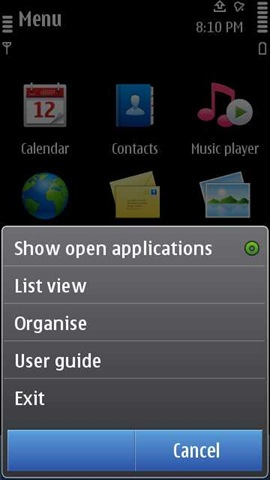
In portrait, you will get same two menus at the bottom saying options and exit while in landscape the middle button becomes multipurpose with notification place.

Scr000051Scr000052Scr000053

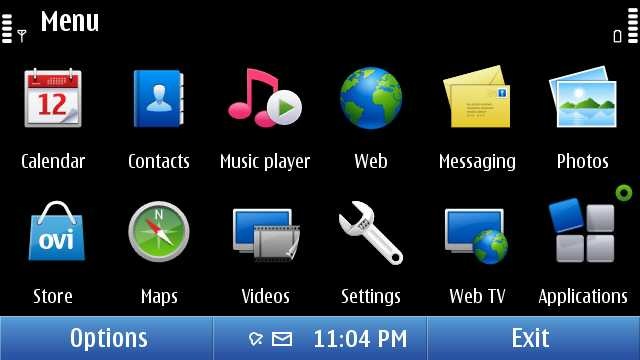
When you move inside the menus, then things seem to be same like earlier, but dig a little deeper.

Scr000054 Scr000057Scr000058

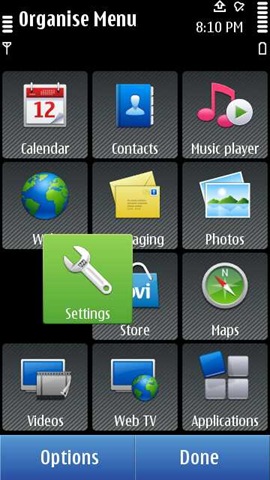
Its the same symbian flexibility that many of us actually loved.

Why to create folder?  Let me tell you my reason that is not related to the organizing only.

Sometimes the third party app don’t go in efficient way about icons. Usually the icons get stored in the mass memory, where we install the apps usually and so if you have so many apps, then opening such a folder that might be having too many icons, will take a little more than instant. So, why not to put games etc in some folder so that those icons wont take a toll, when you want to browse to others.

But these all things are already familiar to  us, isn’t it? You will be surprised with the speed and ease of use with single click operations, which is carefully optimized to avoid accidental clicks.


Nokia N8-00: The connections

With the old Symbian, one of the problem of mine been the performance when I have a weak WAP connection. Problems get worsen, when you use many SIMs, so many connection and many configuration. As a techie, you understand that when you are messing with things, then its not easy to cope up for the software itself.

Scr000064

Even if the above menu look like our very very familiar Symbian, finally, Symbian^3 has came up with a solution: One Click Connectivity (OCC). You should really go through the link to know what changes are employed here and you should have an N8 and N97 side by side to feel that what difference does it make. Now, it automatically tries to find that which connection is on and make ways through it. Obviously, you can customize it (I will say put your working connection on first priority in connection settings) though.
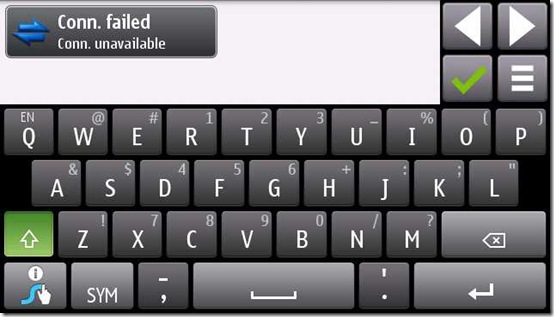
scr000118

Yes, there will be annoyance like above, like I find with WAP connection, which serve only one connection at a time and so when with Gravity, you want to geo-tag a tweet, then another connection for GPS bring the above scenario. But with Symbian^3, it settles itself automatically.

Definitely connectivity is a way smoother now.


Nokia N8-00: The messaging

The best place to go into details will be our own Rafe @aas always, but I will point out some minor things only here. For full details, read there.

Even if original keypad was so better than earlier, I never got used to it. Swype is what I went for and staying it with even now. Though its disappointing a little that its not available officially for Nokia N8 yet and I have to go through Nokia C7 version only.
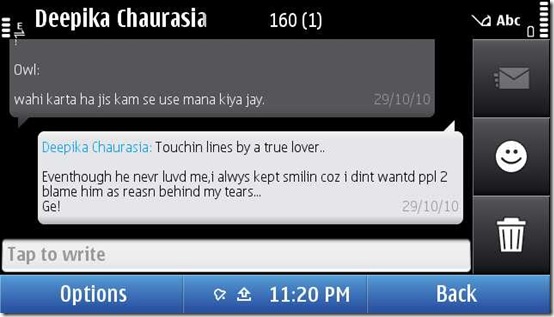
scr000119

Not going into the typing part and amazingly correct prediction and learning dictionary system there, what you find cool and noticeable here is the conversation mode. When it was introduced as a beta app, I thought it was messy, but after playing with it for a while, I don’t remember that when I am preferring to open an individual SMS. Though what gonna interest some of people is support for emocon, which we always knew as smileys.
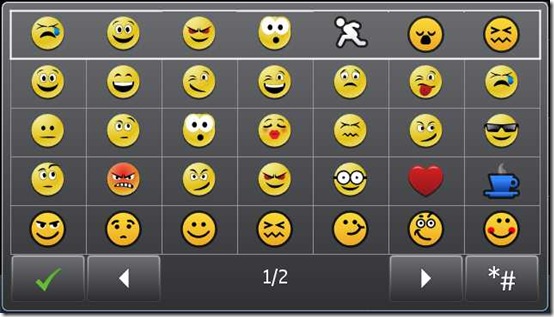
scr000120

I remember one of my reader commented that he hate the fact that Nokia E52/ E72 doesn’t support the smileys and I was to convince him that it was not a priority when they were designing a business specific OS version. But now like Nokia always does, the world is moving toward convergence. And yes.. these smileys are animated too.

Option message type

Rest everything seems almost usual as we know Symbian except few differences here and there.

fonts

By the way, I like to keep my fonts smallest, what you prefer?

There are some issues as well.

Usually it automatically decides on basis of content that you are sending a SMS or MMS, but if you reply a MMS, then even if you are sending text only, it will go as MMS with keeping the Re: Subject thing. True.. it seems logical, but it might have been intelligent as well.

Second issue I am facing is with Vodafone and MMS. Don’t know its an operator specific issue or Nokia N8 related, But as I read the same in their support forum as well from other country too, I guess there is something wrong with it. Many times, your MMS will be sent but still will be shown as deferred and then you can’t delete them as they are not actually there, but just being shown. Only remaining option goes to be using PC Suit and delete it (OVI suit wont work for that). Hoping that the next firmware update will resolve this.

Absence of portrait qwerty

As Rafe pointed out, there are differences in T9 layout as well as Landscape QWERTY one from Symbian^1. The tactile feedback and the vibrations on pressing keys work quite well.

input2 (1) inputold

But the thing that bothers many is the absence of QWERTY mode in portrait. So Nokia is continued on the same line that they chosen since existing portrait qwerty from Nokia X6 was removed in last firmware update. The excuse from Nokia was portrait qwerty has way too small buttons that asks for stylus only on capacitive to operate properly and hence destroys user experience.

I am sure that almost 90% will disagree on it. What about keeping the option and let use decide what to choose. Obviously you can provide it with T9 as default setting and qwerty as optional, but when your user base ever asked you to remove that at all?

As about small buttons, then most of us want qwerty there due to swype that is not currently supporting portrait mode because of the very same fact that there is no native support. I don’t think that with swype one needs to bother on smaller size of keys. And by the way, apps like Opera, still have the portrait QWERTY then why to deprive users from the same from your side natively?

scr000110

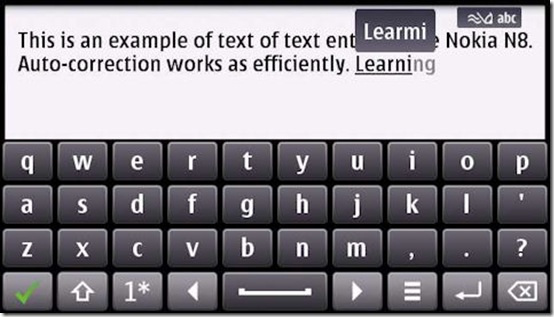
When it comes to landscape, then story is sure nice as Rafe shown in his post, though personally, I have not been used to of predictive inputs on any of the smart phone till now, though seen that my younger brother make use of the same very efficiently. Have to give my Nokia N8 in his hands soon to know this.
input4 (1)

And at last, there is no multi touch support in keypad as of now. I know not many supporting the same, but what about starting the same game?


Nokia N8-00: The Email

Again, I will point toward Rafe’s excellent post on this section for a complete read, but let me come up with some points of my own.
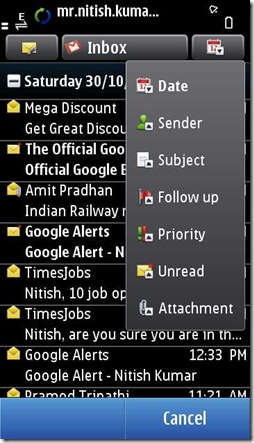
scr000127scr000128

The icons look good here and when you move inside then there is smooth pinch and zoom support as well. Notice the fact that pressing over some link brings the above shown menu, so it becomes easier to copy links from any newsletter and post on twitter with your favourite client.

On the bottom side, there are two transparent looking arrow buttons that are ready to take you to previous or next email, while on the top side, you see that there is a plus icon that brings detail about sender and receiver, while the default is showing sender only. I tried but there seems no options to show the complete header that might be a must to detect forgery emails sometimes though I guess that is not a use case for 90% of people.

scr000131

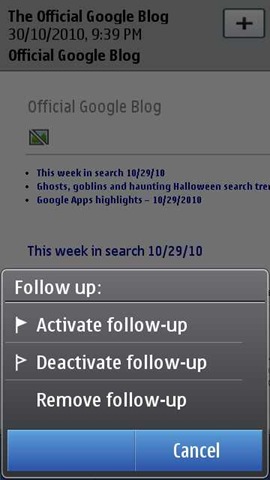
It was interesting to note that they are bringing the desktop level things like follow up etc on mobiles as well.

scr000132scr000133scr000135scr000136

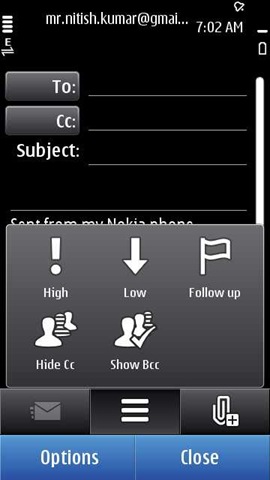
While its still the same non-text rich (font support, bold italic, HTML signature etc), when it comes to type a new mail, options are sure much more than earlier and nicely designed with icons. I guess experience of typing a rich text email is a little far, provided the tiny space.

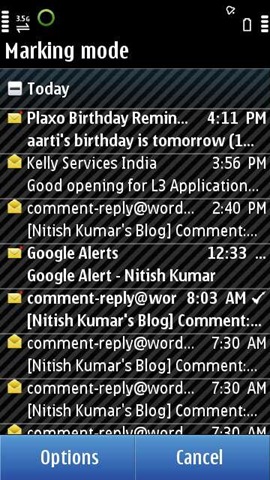
And yes.. have you checked the new mark method?

scr000138scr000139  

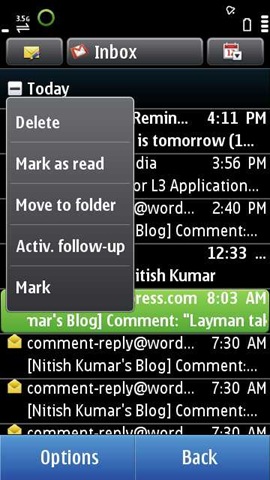
Hold your fingers on some message and then choose mark, it will make rest all mails available for getting marked in next each one click.

Someone also asked me that if we can read some hindi content in Nokia N8 or not? So the answer is given below.
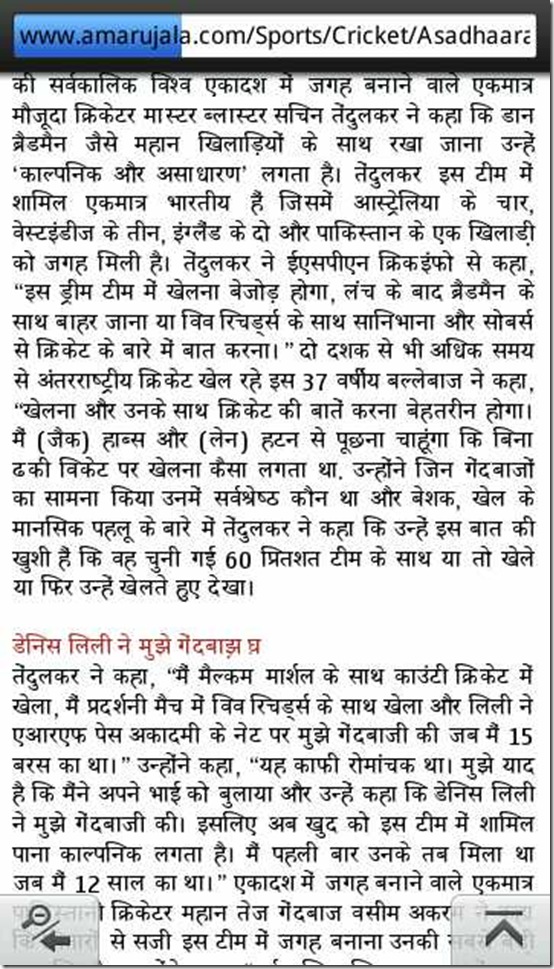
scr000020

But its true that its not supporting languages other than English as of now (so were the case with other high end devices as well). For some, it might be a big deal, but for that there are simple workarounds to install other languages without visiting Nokia Service centers. Find the link here


While I still need to talk over Multimedia, camera and gaming part, but I guess this post getting too long. So, closing it here and soon will come back with another post Symbian Walkthrough -2. Keep tuned in and send me suggestions that what I should look for more or where I should improve on this very post.

Remember, I read each and everyone of you and reply individually as well, I am just a layman like most of you, so be a part of conversation.

Layman take on Nokia N8 – Part 2 – First look over exteriors

[tweetmeme source=”nkumar_” only_single=”false”]

So here comes the another installment of my views over Nokia N8. In first review of mine, we taken look over what’s inside the commercial package of Nokia N8-00 and what’s about each and everything, while I intentionally kept mum over Nokia N8-00 itself. So, here is the time for the same.


First of all, I really wanted to express my joy over the last announcement from Nokia about Symbian’s future that marks the biggest make shift of recent days from Nokia and while it was much anticipated, the quicker announcements seems to be compensating many things happened in recent days and All of sudden investing in Nokia N8-00 became a bigger decision like once investing in Nokia N82 was.

18102010982

Nokia N8-00: The design

Whatever people might be saying around the globe about Nokia N8-00, the design is something that getting praises all over. While Nokia E72/71/52 were kind of looker in their range, the width and build quality in touch range was always like something to ask for more. While build quality of Nokia N97 mini was quite impressing, the world was like changing in favour of designs like Apple iPhone more (see SGS).

The challenge in front of Nokia was to incorporate a competitive design with all the Nokia legacy elements (no antennagate) and whether they succeeded or not, could be known by the fact that whoever taken it in hands said “wow!! its definitely solid”. Nokia continued their N-Series legacy very well.

The metal The Anodized aluminum grows over you like something that you like to keep the device in hands more than to keep it in your pocket. I mean I loved slimmer builds of Nokia E72 and Nokia E52, both of them were very nice to hands, but this thing is like silk.. just take in hands once and it makes you loving it.

Update: Don’t know how, while writing it last night, I missed the part of details on Anodized aluminum. Check out the great post from Aditya for the great pics and detailed comments over this part.

DSC01687

While I said once that having a bigger screen in pocket is always susceptible of damage and scratches, Nokia N8-00 with its scratch proof screen and build solves the issues in one shot. While you need to remove the plastic over screen and camera lenses to get the real thing, but after that you always feel assured that this device wont let you down in next coming years. A new device forever.

Non-metal parts But its also not like its a total perfect setup… nothing goes perfect. There are flaws (?) or design compromises as well.

241020101030 241020101028 241020101044

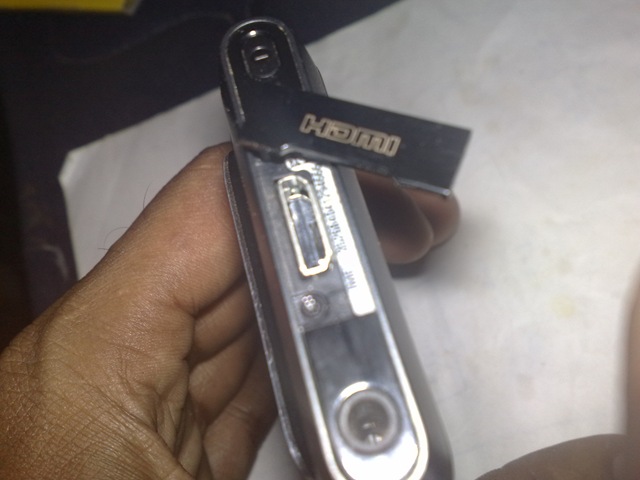
Look at the top and bottom, these are all the plastic, specially plastic cover of HDMI port scares me. We have seen similar mechanism in XpressMusic sets and many others. My experience says that one ultimately end up breaking and loosing the cap. Not a big problem for people, who are not gonna use this HDMI feature a lot, but sure will be an issue with people, who would.

I understand the dilemma as well, if they would have left that open, then it was neither good looking nor a long term affair due to dust particle etc and deploying some slider based approach was not only tough, but was going to put some extra fat. Probably, this was the best way to keep the integrity of design.

Interesting to note that this time, its written as Made by Nokia in place of writing Made in Finland or Made in China.

Thanks to Nokia that they made 3.5mm like some standard that many times we even miss to mention them. nothing to comment that how useful that thing is.

Second good thing is the presence of power button, though in case of touch devices, its obvious to be there, but let me tell, I hate, when they put power button near the cancel button.

241020101048241020101033 

At least I am happy to see the open MicroUSB port like it was in my Nokia N82, because I tether my 3G connection over my PC a lot. But the same time, we find similar MicroSD card and SIM slot as been with Nokia 5800 etc. With a bit better plastic, but yes that is plastic.

DSC01694

Trick to open slots is like usual, you need to open the MicroSD slot first and then SIM slot.

241020101036    241020101037

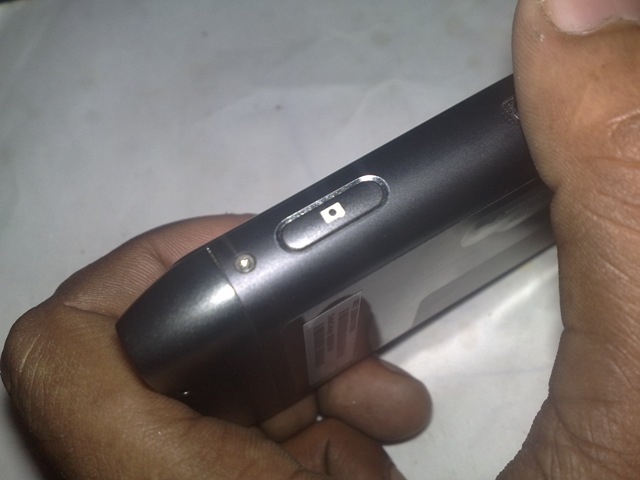
You will see a nice touch of silver outlining around volume buttons and camera shutter button. Yes!! the camera button, half pressing of which locks the focus is kind of essential thing, if you want to call something a photography flagship. Tap to focus might be stylish a little but doesn’t brings the natural feel of holding a camera. Thanks Nokia, you didn’t miss that.

Note that its the lock button, which stands for the only likely part that will get scratches due to the tiny and sharp edges.

241020101038241020101039

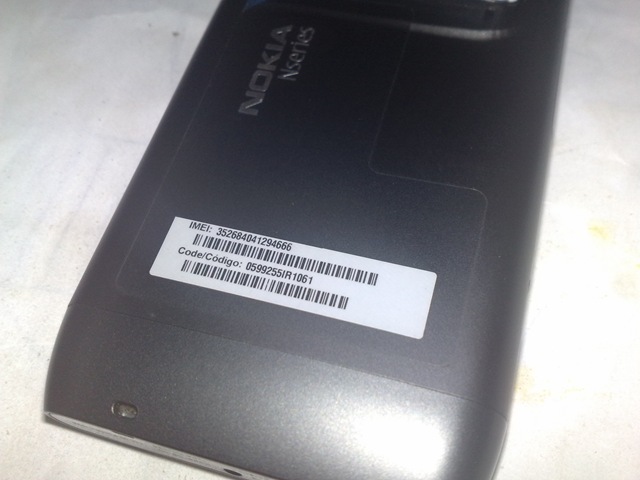
At first glance, you get surprised by seeing the IMEI and bar code as a sticker on the back but at the next moment, your mind reminds you that this is the first Nokia with non-removable battery, where else that information could have been? An engraved metallic Nokia Nseries logo is finally something that not gonna stripped even if you removed the back sticker.

241020101040

While many called it having a budge in back like feeling, but knowing the highly respected camera specs, its kind of crime to say something against it, but absence of camera cover sure pinches. Its more preferable for many of the apps not having a camera cover and even if it look like activating camera is a longer process now, its not true. Holding the camera button for just two seconds fires the camera app and opening time is sure lots better than that been with Nokia N82 or Nokia N86. In my view, its closing of camera that slows down, because pressing a tap is little position changing than closing the camera cover.

If some might be worrying about the scratches on glass, then the fact that its gorilla/ scratch proof glass gives you assurance that you not gonna loose the full functionality due to scratches over the lens.

But at the same time, there would be no denial of the fact that keeping camera lens open means inviting dust and grease particles, which sure gonna hut everyone and will be a point to care for before, you start taking your big shots. Definitely there is no easy answer to the question that they should have included the camera cover or not.

The another complaint might be about positioning of the mono speakers, which could muffle the sound, if kept at back on some bed or something like that. Though still no issues, if kept on some table, thanks to budge of camera.

Yes! Nokia N8-00 has the dolby output, but it doesn’t have stereo speakers; A single Mono Speaker (some Class D and bossed). Might look odd, but probably this is a compromise that most of the devices make to keep the form factor. People will not complaint much on it due to the fact that its has loudest volume among any of the Nseries ever. Not like those china based ones, but still louder than you would have expected.

Nokia N8 Nitish

Update: In last pics, the proximity sensor arrow was pointing wrong. Thanks @yogi_77 for pointing to the same.

People, who don’t know, proximity sensor is used to lock the screen motions when something comes near. Place your finger at the place and screen will stop responding. It holds the touch screen from misbehaving when device goes near your ears.

On another note, ambient light sensor is used to control the brightness of the device. Who wants to manually change the display brightness when light conditions around you changes. Face it against some light source and you will find it more bright and in complete dark, it gets lesser bright. big time energy saving that way.

At the front, we find a minimalistic approach with proximity sensor, front camera, headphone and first microphone. Proximity sensor really works very well about lighting control and also shuts the screen down when you bring the phone near your ears.

A single menu button, which also brings the all new task manager/ switcher where pressed for long. Though after a few days use, you will find that the lock button is also useful in a lot more cases than you were guessing that to be.

N8 2nd Microphone nitish

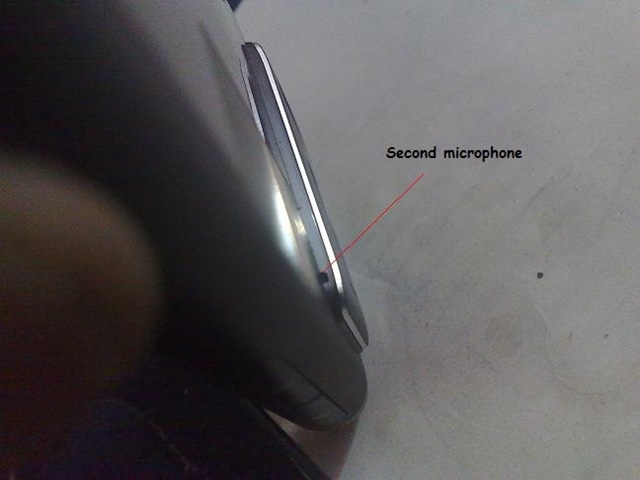
Finding the second microphone is a bit harder (see the small hole on the right edge of camera module), but works wonderfully to record the surrounding while making a video. Another purpose of the same is noise cancellation as well, but I have not found any visible differences yet.

241020101057

At the bottom, you can read FCC ID etc and also could see the 2mm charging point though the device could get charged by the 200 mA provided by the microUSB port as well. There is tiny light, if you would have noticed near the microUSB port, same get lit on, when you charge by any mean (by bottom pin or USB).

Notice in above pics, Nokia hasn’t forgotten their old age tiny slot to put ribbon or whatever we call it.

The camera part could take another post over the same on whole, but here I am talking about the exteriors

DSC01702

If compared with Nokia N82 Xenon, then its slimmer but longer and no where lesser powerful Xenon. I twice tried to take shot of lit Xenon, once succeeded to get it half lit and once it was complete white.

241020101058

Everyone is talking about the camera specs itself and what’s inside, while one has sure many reason to fall for the beauty of its exterior itself.

181020101001

While everyone talking about the game changing camera only, Nokia N8-00 has many other new things in bag as well. One of the greatest thing that will change the way, you live with your smartphone is USB OTG.

261020101075

Specially getting handy to me, like to check out any new software that you just downloaded on your PC, you don’t need to connect your phone to PC and even for some, it might remove the need of carrying MicroSD cards for data transfer now.

USB OTG goes beyond it as many already had found out. If you connect any other phone that has USB charging feature, then it charges the same as well. And if you thought this was enough then khouryrt has even connected USB FAN to it. Fun?? Isn’t it?

usb otg

I have successfully tried connecting Amkette USB Mouse with it and it worked great. 🙂 Will come up with details in some next post.


Nokia N8-00: The display

Let me tell you my experience. When I first seen the device then I felt the screen a bit smaller than I thought, I mean with the screen, if I remember right then screen of Nokia N900 and Apple iPod touch, I had hands on once, were like having a little bit bigger.

I sure got confused for a second and asked the retailer for a Nokia N900 unit* and I got my point as Steve @aas also suggested. This was to do something with the width and resolution of device. Nokia N8-00 is actually a bit taller than others and slimmer in width, which might give whatever impression to you, but once you start living with, within minutes you realize that this design is not only a lot more pocketable but works well while watching videos as well.

* though couldn’t take a photo and really wish that @nokiaIndia or @thebloggersmind will look at my side too someday for a review unit … @womworldnokia already has sent me that once, but then there was no Nokia N8.

181020101003

Though you find many on internet cribbing on the fact that it has a lesser resolution and that includes me as well, but still when you look at the screen, your heart really doesn’t wishes to make any of those complaints neither any long term usages seems to suffer. You find the resolution more like a gimmick and point remains the visibility of the same in various light conditions.

1810201099118102010999

Tell me, have you seen something this much clearly visible under day light? Do you ask for more?

181020101005

Check out it under direct sun in noon time. its still readable, isn’t it?


So, this was all about the exteriors of Nokia N8-00 .. I am sure you wanna hear much much more on it. In next, I will cover the OS experience … may be take a bit longer than this second review took, but keep tuned in for the layman perception.

Drop me comments, if you wanna hear over some specific portions.

Laymans Take on Nokia 5233 – The short review

[tweetmeme source=”nkumar_” only_single=”false”]

Since I wrote of Nokia C5, the leading shot of non-touch smartphones crop, some of the readers enquired me about the cheapest options about touch phones as well. The answer wasn’t that simple, but as their concern was price, so I suggested them of Nokia 5233 and Nokia 5235 and specially with a price tag of Rs. 6300/-, Nokia 5233 is sure a great deal for one kind of market.

Today I got my hands on Nokia 5233 finally via one of my colleague and I took the same chance to bring my first impressions about the device for readers.

04102010902

Why should one buy Nokia 5233?

We are not talking about the geeks here, who could argue on the specs sheet for hours. We are talking about the guys, who are much mean, when it comes to shed a few bucks from their pockets. I have seen people, who will buy some Chinese model in 5K saying it got all and will come behind you that yaar!! its not opening the sites very well or how to transfer all my contacts on this phone… bla bla.. Com’on .. who suggested you to go for a non-nokia? Even if its priced at 5k, do you really wanted to throw some phone in one year coz there will be no care center for that kind of phone?

People get a life.. Nokia is listening of you people too. Not just for sake of price, but for sake of engaging people in a better experience because only that can bring them in for the bigger things in next.

Have you lustfully taken a look on other people’s Nokia 5800 because of their bigger touch screens and the style with which their slide their fingers on that shiny thing? So what if you didn’t wished to spend Rs. 13, 000/-, you can get the same feel with Nokia 5233. This is a device made for people to have their hands on touch phones world in cheapest way without loosing an inch of the quality standards that Nokia maintains.

  1. ARM 434 MHz processor (Irony or proud! it has the same processor as ‘’lagship’ N97 had).
  2. 128 MB of RAM is more than enough for the target users in this price range.
  3. 70 MB user storage is not much but kind of super, if you remember 50 mb of C5 or E52
  4. A 3.2” resistive touch screen with a very good nice touch feedback.
  5. Proximity sensor, Accelerometer sensor and Handwriting recognition, while target users might not even know about worth of these features.

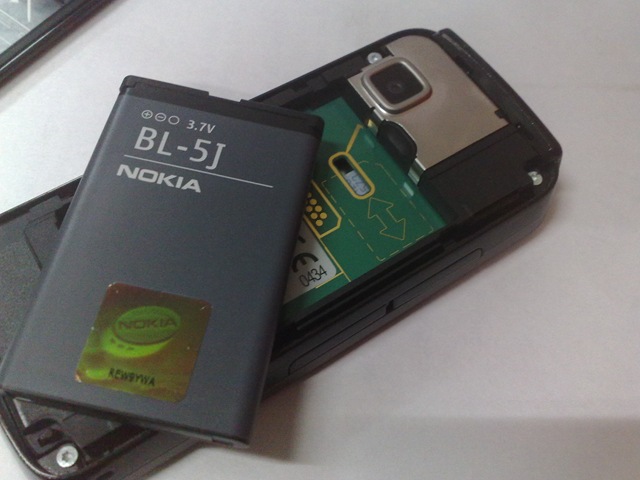
  6. Not only comes with Ovi Music service, but has 33 hours music playback with Li-Ion 1320 mAh (BL-5J).

  7. A stylus for precise touch input though you can do all kind of things with fingers as well.

Definitely, you can complaint a single line, when someone bring this much in just Rs. 6300/-.Though still I wish people a little more with Rs. 7500/- and buy Nokia 5235 with 3G and A-GPS added, but if you are too picky about the price, then sure Nokia 5233 fits the bill as I have seen with some people around me.


Some of my first impressions after taking it in my hands

If you have taken Nokia 5800 in your hands for some times, then it almost has the same feel like that one. Though you might start complaining only if you dig a little deeper, but that would be purely based on inner features, not the exterior, which is sure full plastic, but still its better than many I had seen. At least opening back battery cover didn’t scared me here.

04102010901

Well! as you can see, it wont be a great screen when come under sunlight, neither the build has features that could keep the dust particles away.

04102010903 04102010914

Though it doesn’t support the hot swap SIM feature, but sure you can insert the SIM without even opening the battery cover and same with Memory card that is hot swappable. Though disappointments are, you can not take the SIM out without opening battery cover and the package doesn’t include the MicroSD card.

But who cares, if you are looking for a cheap solution only, then in 1K you could get an 8GB card, while it supports up to 16GB and who takes out and in SIM daily, that could be managed for sure.

If you look more close in the first pics, then you could spot the mono speaker as well near my thumb. Well to say.. it wasn’t too loud, but not too low either. You can sure hear the calls on loudspeakers in normal scenarios, but don’t ask for the same in trains like noise.

04102010905

Well! I wont say that plastic buttons are all pretty, but still I would have loved more, if there was an always open miniUSB slot than the one covered with plastic on the top side.

What you love about Nokia is the fact, they still are the leaders when it comes to raise the level of common man. Here I am talking about the 3.5mm jack and 2mm charger that’s real democracy than some company running behind money only.

04102010906

I have got my hands on many of the devices, where the manufacturer decides that a dedicated camera key is kind of waste, like I seen in Nokia C5, but if you ask a user then nothing matches the feel of having a dedicated camera key on the side. Though the device doesn’t has a autofocus, so not like some half press to focus, but still you get a camera like feel.

With the volume rocker, you also got the lock button in the middle, quite handy and brings back the memories that how people were used to locking their phones by pressing Menu Key and * rather than waiting for the screen to get auto locked after a certain period.

04102010907

It got just 2MP camera full focus camera with focus range from 60 cm to infinity. It is very very ordinary and bigger disappointment is absence of even a single LED flash. I understand that it was a design decision to keep the cost at its lowest, but still it was better if they would not have compromised on this.

Probably for same reason that camera wasn’t the biggest attraction here, Nokia skipped the camera cover too.

04102010909

As I mentioned, due to a little easy slot there, it was not that hard to open the battery cover like others, where I always get scared that if opening battery cover may break it.

04102010915

Yup!! it got the stylus too though after using the phone for a while, I found that after sometime, you wont even need that. Having a resistive screen than a capacitive one, has some of profits too.

04102010913

Green, red and white; typical Nokia buttons, though reminds me of the Indian National flag as well in a way. Green one works as Call button, red as call End button and white one as Menu button. All these lights also serves as notification lights too in case of some incoming call or incoming message.

04102010911

Yes! there is no secondary camera, but that’s for a reason. It got no 3G support, so obviously no video calls, though you could spot the proximity sensors easily.

04102010926

Its the best thing Nokia does with such range of device, they don’t miss out the signal strength and battery, whatever low price might be. You are getting a 1320 mAh battery here and as no 3G, no A-GPS on board, nothing will stop this device from completing a day in normal usages.

In the same pics, you can also spot the mechanism to push the SIM out of it. The slider always go handy for that thing at least. And yes.. finally we see some metal here, the plates around the camera.

04102010927

If still some doubts, then sticker on back cover explains the basics.


So, while I will strongly recommend, a slightly higher priced Nokia 5235 over this, but sure if you gift this phone to your little sister or someone who is not much into tech, they sure gonna love it and you will be ensured that they wont bug you back that this is not working and that is not. Rs. 6300/- … what else you wish for?

photo of Nitish KumarNitish Kumar


Layman’s take on Nokia C5

[tweetmeme source=”nkumar_” only_single=”false”]

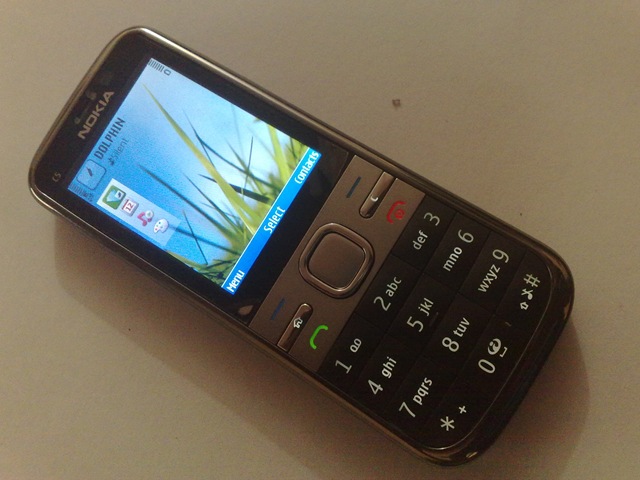
Finally after a loooong delay, Nokia C5-00 reached to Layman’s take today. I already heard and knew many things about it before even taking it in my own hands, but having it in hands for a while was just another feeling. After all, this was the phone that already had bring many of my non-tech friends in the smart phone genre.

26092010866

I remember my days of entering into Smartphone genre….. not many years ago and smart phone were something else, something pricy like today’s touch phones are. There was nothing like 3G in India and not even Ovi Maps/ Google Maps were that much famous (or might be my circle was not aware of that much). Criteria of buying a phone was just the call quality and music performance. Then some people like me, who wasn’t wishing to go for an E and wanted mails etc as well, chosen to go with Nokia N70, leaving cheaper N72 and N73 (which might have been a better decision).

Few years gone and everything has changed now. Social integration, A-GPS, IMs. Emails and most importantly 3G has became the new minimum. With a price tag of 7.5k, more than a Smart phone, Nokia C5-00 is a question that why you still wanna be with a dumb phone?


Its not going to be a review of kind provided the short stay of device with me, so for that thing, you could check out posts from AAS here and from CJ here. Its just about few of my impressions about the device.

Who should buy Nokia C5-00? Categories might be many, but I wish to target two kind of people here, who would find C5-00 interesting piece for purchase.

1. If you never had a smart phone ever and wont mind buying something better, if no where costing more.

Why you are thinking about buying a phone in some 5k without some proper brand name and with compromised features, when you can spend 7.5k for everything?

ARM 600 MHz processor (‘Current’ flagship Nokia N97 had 434 MHz processor)
128 MB RAM (Its a Symbian means still 50MB of RAM available on boot)
3G with 10 mbps download and 2mbps upload
S60 V3 FP2 (the same OS, I seen in Nokia N86 and will be coming with Nokia E5-00)
S60 means seamless multi-tasking means running many apps together and switching between them
A-GPS with free life time navigation Ovi Maps 3.04 (You need to update, not out of box)
2 GB MicroSD included in package and 16 GB maximum support for hot swap MicroSD

Tell me, if anywhere else, you are getting all these things with a price tag like this.

2. If you already have a high specs smart phone and looking for a simple yet elegant backup device.

We all love to take part in debates over Smart phones. We fight for the reason, one should love touch phones or non-touch. We argue about what features a phone should has and what should be left, but end of day, at the most minimum, phones are something to make calls, send messages and may be even updating your twitter/ facebook with geo-tags. Tell me, if anything more you wanted if left with no choice.

We all face situations, when our phone goes dismay and needs Service center or might be situations, when for any reason, our ‘high specs’ refuses to work in the way, we wanted it to do, then we run for the phone, we bought for our wife/ dad/ mom or little kid, who didn’t knew that what to want from a phone and put our SIM into that to take a breath. But what minimum even we ‘geeks’ want?

Nokia C5-00 serves you as a 3G modem, not to forget, even if you leave the profits of A-GPS on board.


Some first impressions after taking it in hands

The Build

26092010865   26092010853

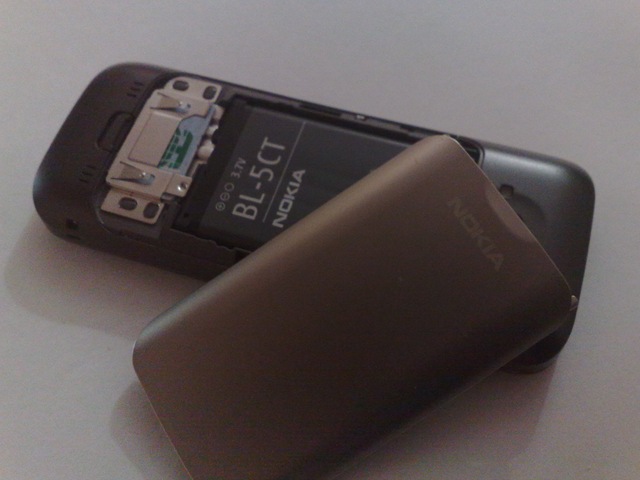
Such a light (just 89.3g) and yet solid device it is. Nokia E52 and Nokia E72 been like minimal standards for me for any of the solid design and even with some plastic on it, this thing completely surprised me. With a metal border surrounding the whole build and then metal plate covering the battery, this all make you feel very safe, Specially when you see it from front, then its just metal apart from keypad.

Display

The size of display is 2.2” here, while I have been with 2.4” most of the time and it was likeable when I was with 2.6” of Nokia N86. The same resolution on a smaller screen sometimes feel a little hard about fine print. The display of Nokia C5-00 seems to have a bit better brightness than the other handsets I might have seen in this range, but when I read tweets in gravity, then it seems a little bit hard over eyes.

May be my personal opinion, but its making some sense to keep the resolution of 240 x 320 for 2.4” now.

The keypad

2609201086426092010871_NLT

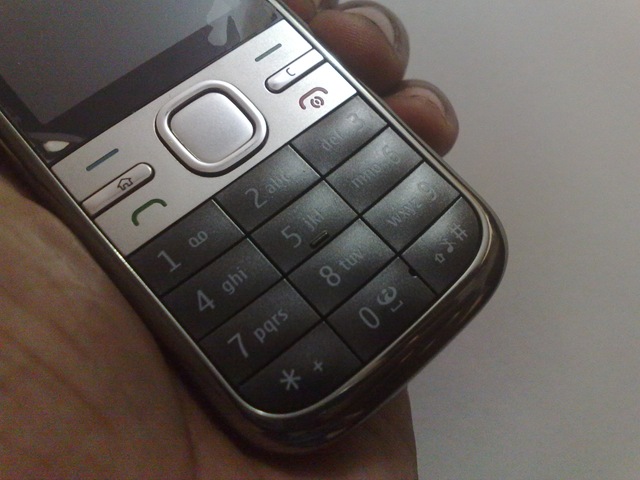
Even if the looks didn’t impresses much, the keypad is such a gem. The tactile feedback and effortless typing is such smooth that I started thinking that why I liked keypad of Nokia E52 more. I bet you can go on typing message on it for hours and still your fingers wont hurt. Wonder what they put inside, sponge?

Connectivity 

This thing is a bundle of joy with providing you all levels of connectivity and it can seriously hit the sales of Nokia E52 for people, who don’t care about the smaller screen.

For God sake, this beast has free life time navigation and upto 10 mbps high data speed that even my all time beloved Nokia N82 always dreams about.

Operating System and social integration

May be people saying nasty things about, when it comes to real thing on non-touch Symbian never had an alternative. My Nokia N82 did all whatever I wanted from it and I loved it when I seen Nokia N86 operating system doing better. Nokia C5-00 got the same operating system as was with Nokia N86 and so stands my detailed post about customizations of it.

Home screen with vertical standby and choice of contact bar, its right there, when you talk about latest. I hate you Nokia that why you can’t provide the OS upgrade to older but capable devices like Nokia N82 in the same way Apple or Google doing.

The facebook integration is something like we always wished. A free app that makes your contacts alive. You don’t need to place pics for your contacts anymore and even status messages from facebook will keep on following your contacts. Though what I badly missed here is the fact that it doesn’t seem to bringing anything more like Birthday syncing etc. It would have been a nice addition and I am sure not a very hard thing to do with Facebook APIs.

I also like the fact the way, transition effects are placed here. Not sure, if they were there in Nokia N86, but at least Nokia doing transitions like somewhere.

I tried a short little video in hurry. Sorry it was all blurry ..

Camera and LED Flash

When one might been with Nokia N82 for long, then it becomes impossible for any other mobile camera to satisfy you and even more than the Xenon Flash, what I missed badly was autofocus. Macro mode wasn’t even available in Camera settings. Is it with all Full Focus and even EDof cameras? Dammn!! I am throwing Nokia E7 likes of 8MP camera in dust bin.

Well!! I wont say that the camera was crap, it works enough well, when you talk about things placed after a feet (25 cm to be precise). It got even the panorama mode that isn’t here with Nokia N82 though there is shortcomings in panorama version of Nokia C5-00 due to absence of accelerometer, but still its right there and it works.

Well!! let me admit it, even if we crave and crib for non-Xenon Flash all the time, on the another side, we love the video light facility that only LED flash facilitate.


What annoyed me about Nokia C5?

Memory I really think that one should make 128 MB internal memory as a minimum now. Your Windows XP with its updates takes not more than 7Gb’s, but will you like if your vendor provides a C: drive with 7.5Gb?

50 Mb seems so low specially considering the fact that the installation of Ovi Maps 3.04 takes additional 8 mb from whatever remains from 50mb.

No extra keys At one side, you might like the minimalistic design, but no camera key somewhat diminishes some chances neither does it has a gallery key. I felt big troubles while trying to set up a shortcut key for Best Screen snap.

SIM Slot Its exactly not annoyance, but its like missing something after coming so close. Check the below pics

26092010852

When you see the SIM location above the battery, then at the first sight you get excited that you can change the SIM without taking the battery out, but its not … you just can’t. May be the reason that Nokia knew if they would have provided this then people will ask for hot swappable SIM. Isn’t it?

Nokia Messaging with NO default HTML view yet again Its getting out of every logic now and really demand a proper explanation from Nokia and their developers. What are they thinking of themselves that continuously ignoring such a small thing.

Nokia E52, Nokia E72, Nokia C5 and even Nokia E5, why there is no option of default HTML view? Why we need to open up that crap option of opening mail in web? When we can have it in older sets like Nokia N82, then what stopping you from providing it in firmwares for the devices that are dedicated for emails?

So, this was Nokia C5-00 from the eyes of Layman. Anything more you wanna know?