Symbian alternatives for Gravity – Snaptu, Socially, Tweets60, Trill and Dabr

[tweetmeme source=”mrnitishkumar” only_single=”false”]

I hope you all loved the last review of Gravity from me, which some even mentioned as the biggest review over Gravity till date. Thanks for the love shown by you all, which encouraged me to come up with another post showcasing other alternatives twitter clients.

Its never like that only few twitter clients out there, but if someone had tried Gravity once, then it becomes harder to settle for anything else. Still there are many, who search for other clients as Gravity asks for a little price. So, here I am trying to sum up some of the free alternative twitter clients than almighty Gravity, let’s see how much worth everyone of them has.

Scr000088 


Snaptu: This was probably the first ever twitter app that I installed in any of my Smart phone. A simple yet effective mobile app that could find its place in your phone even if not just for twitter.

Snaptu is not just another mobile app, but in fact its a widget platform in itself, which has very easy and open API to build widgets upon to bring number of services to your smart phone in easiest way possible, in form of widgets.

Most special thing about Snaptu, being widget based it works in same way from lower end S40 devices to higher end Nokia N97 Mini etc. Specially over S40 devices I found nothing as rich as Snaptu.

Installation is as easy as it could have been. One has to just navigate to http://m.snaptu.com and it will show up options accordingly.

Scr000089Scr000091Scr000092Scr000093

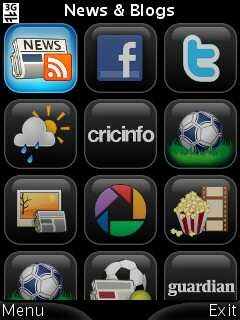
Snaptu caters a variety of services\ apps like CricInfo, FaceBook, AccuWeather, Picasa, Dictionary, Sudoku, Dictionary, Google Calendar and of course twitter. Twitter appears as a widget in Snaptu and serves all the basic purposes in simplest possible way.

Though Facebook app here is also worth special mention as that one works better than the official facebook client app, but this post was intended for twitter service, so let’s move that way.

Scr000094

The login screen is simplest yet include the search twitter option and view public timeline option as we find on twitter official site. Quite handy to start with twitter, if you are new to it.

User name and password fields take you to Nokia native text input screen that might feel annoying to making, but its a thing that you have to live with as it will continue in rest all experience with Snaptu. Wherever there will be option to input some text, it will be the same native screen. Though that’s not exactly annoying as it include the familiar experience and also shows the counter on top.

But I should say that putting a checkbox like Follow Snaptu is un-necessary pushing, which they should have avoided. You should not ask people to follow you in this way.

Later it comes to the twitter experience,
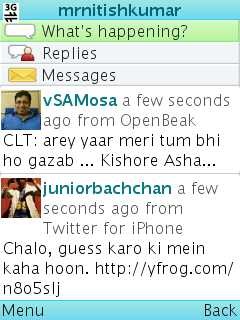
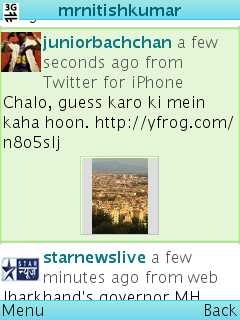
Scr000095  Scr000099Scr000098Scr000096

I would like to see better fonts, geo-tagging and pics upload support essentially here, but still it presents all the basic functions, one might be looking from a twitter client. Not only you have options like reply-to-all, but you can check the profile and have the preview of pics as well (though I am not sure, how many services it supports, but being web based, it should support most of them).

Though I didn’t found any pics upload option, but I think as Snaptu handle Picasa very well, there are other pics upload widgets for sure and that could serve the purpose, but again a unified experience is what we don’t get here.

One thing that I would admire here, which we always wished to have in Gravity as well is picture zooming option like given below, sometimes we really need that only.


Scr000104Scr000105Scr000106

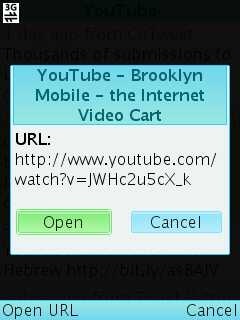
As you can see picture viewing screen also has Open in browser option. And yes like almost all of twitter clients, it also doesn’t make use of Flash Lite for showing previews of videos posted rather than showing the screen like the above when clicked. Is video playback that hard to implement?

Scr000103Scr000100

With settings, Snaptu is as basic as it could be. I wish if they would have given options like theme etc here. Still it has enough to show off the twitter, see how updates appear with notifications. It got most of the basic things that you require from a twitter client and it supports touch phones as well.


Socially: Like Snaptu, Socially is also an app that could find its way in your smart phone, even if you didn’t wanted it for your twitter needs. Not only free, but it also brings some functions like even Gravity trying to reach now.
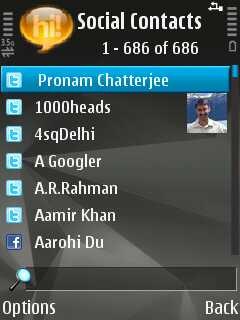
Scr000095Scr000092Scr000094

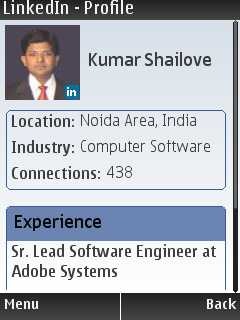
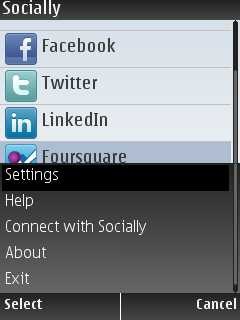
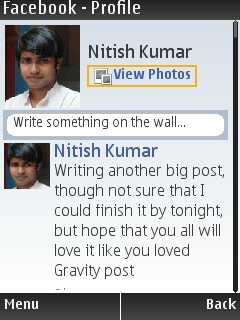
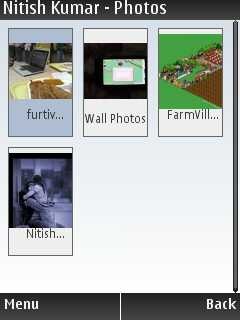
Socially facilitate not only integration with Twitter, LinkedIn, Facebook (though the same is having some problem now days) and Foursquare, but goes beyond that. These social services get integrated with your contacts in a very good way and facebook app is much richer than Gravity has. I mean browsing through profiles of friends, photos and options to have birthdays from Facebook or to sync profile pics with contacts pics just by one click.

Scr000071Scr000070Scr000078  

The UI might not seem that cool after you might have seen Gravity itself, but still its cool and effective enough with a desktop alert (last 15 updates) kind of thing for even non-touch phones.
Scr000075Scr000077 Scr000081

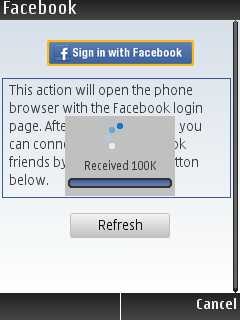
Initial steps to connect the services are kind of naive and the facebook one is facing some issues right now due to some changes from Facebook side, though you can easily connect the facebook via browsing through given URL on your PC and it will automatically connect your socially with your facebook account after you authorize the same from web.
Scr000071Scr000072Scr000074

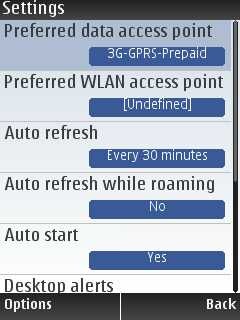
Unlike the other apps, I will talk about in this post later on, this one has plenty of settings to fiddle with. Not only auto start, preferred Data Access Point, preferred WLAN Access point and even prompt for Foursquare Check-Ins since the latest version arrived. You say… WOW!!!
Scr000087Scr000088Scr000090  

Though I am not able to find some way to upload photos through it, but if it was there, then was picture perfect as we already have features like browsing through pics.


Scr000096 Scr000099Scr000097

Definitely, its likeable when some app brings your favourite business networking site directly into your phone. After all, its not only about twitter and social networking, when you talk about social. Though haven’t started using LinkedIn that much from cell till now, so can’t figure out the use cases, but I know many people, who could make out a good deal of it.
Scr000079Scr000082Scr000083

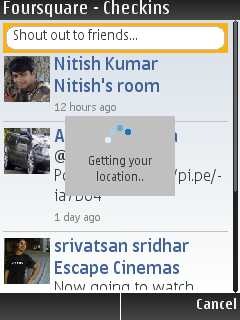
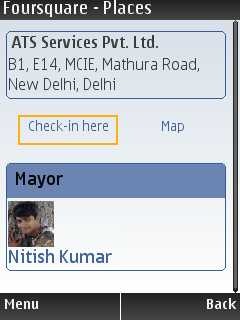
But yes! I would say Gravity reminds you at many places, like when you try to check in Foursquare. You think that it could have been easier like the way Gravity does, so simple, so natural, so tight.

Scr000078 Scr000100

The home screen displays photos of your contacts (twitter/Facebook etc), which got recent updates and the updates could be scrolled right to left below to it. Not only that whatever you say from the home screen in updates, goes across all the services means one door, one update to all Facebook, Twitter, Linked and Foursquare. I am specially happy about this app that it adds the geo-location options, which Snaptu misses badly.

Scr000105Scr000104Scr000102  

Yes! there are no picture previews, pics upload options and no Reply-to-all in socially’s twitter experience as of now, but still no naive typing screen and option of geo-tagging makes socially is exactly the thing, which you wanted as alternative to Gravity, if didn’t wished to pay any price.

Scr000106Scr000107 Scr000108

If you thought that’s enough about Socially, then you probably missed the fifth icon in top row of home screen. Yes! Socially has a very very surprise package for you, if you leave it running in background, then it also tells details about incoming calls like from where and from which provider someone is calling and also when the last call or SMS was made from that number, not only that but also a blacklist function for incoming calls. Definitely, there are many thing in Socially that even gravity could learn a thing or two from it.


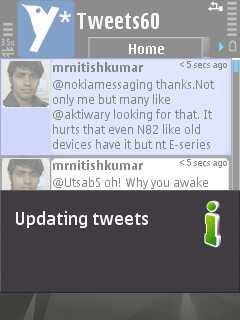
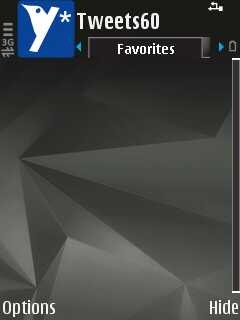
Tweets60: Its only non-free product in my list and I have taken a lite product for review (free version), so there are many things I might miss about this. This app even gotten a mention over AAS, so you might check out a thing or two from there as well.

Scr000109Scr000110  Scr000112

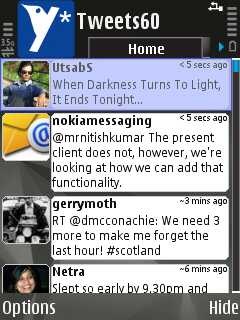
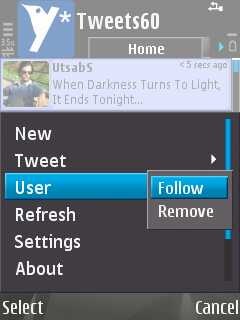
When you open the app, the first thing that strike your mind is, how much similar it looks like Gravity, but as you move further, you start finding differences. There is no full screen mode (or may be in lite version only), no control over font size like gravity, no themes, no image upload, no under the tweet options of reply, reply-to-all or conversation mode.

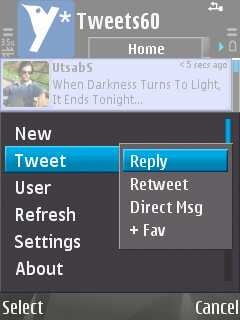
Scr000113Scr000114Scr000115

As much, you try to move in, the disappointment gets bigger. Again saying that its not because it has something lesser than the two mentioned before it, but its because it reminds you too much of Gravity and when you try to do things in Gravity way then you suddenly woke up from the dream.
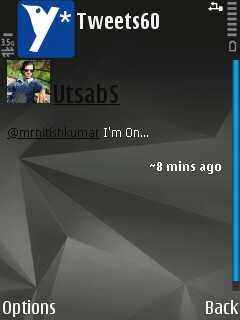
Scr000116Scr000117Scr000118   

This app has own way of handling basic twitter operations and though no geo-location support or reply-to-all option, but its good enough to live with sometimes.
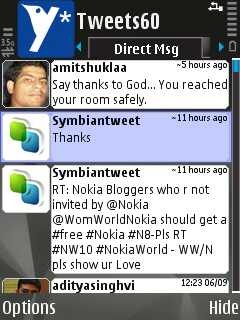
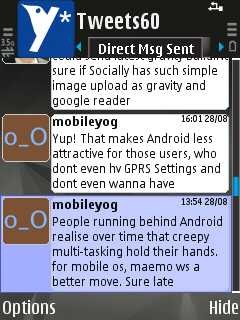
Scr000122Scr000121 Scr000120

There are common tabs like Home, Replies, Direct msg, Direct msg sent, favorites and updates. No options for conversation or like who replied to whom, I was not even able to find the way to view someone’s profile.

Nothing much to talk about more in it, I guess, but please remind me, if I would have missed something.


Trill: This client has recently joined the game and people loved the bird way of tweeting specially. After Gravity, only the interfaces of rounded buttons and inline options here touched me somehow.
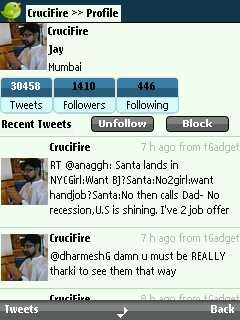
Scr000126Scr000128Scr000130

Not only, you can view any profile in best way,but also the inline buttons to reply or anything been something one get addicted to, if would have used Gravity. Definitely, its a good design in comparison to rest all free product dealing with twitter.

There are again tabs like Home, Replies, Direct messages and Public timeline. One must not miss the bottom center icon as well, which shows possible navigation ways. simple yet Innovative.

Its design has taken many elements from Gravity and though misses things like picture preview, reply-to-all and geo-tags, but they could really built it upon this base.


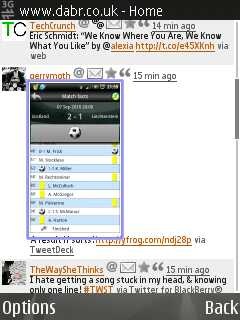
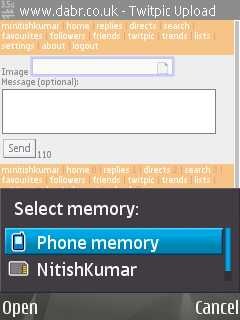
Dabr: And here comes the only mobile site of the all names I mentioned above. If some mobile site get higher ratings than even the official mobile site of twitter, then it has to be something. Dabr.co.uk is probably the simplest way available on planet as you can find it running in same way even on lowest GPRS supporting phones and that too with much needed pics upload option.
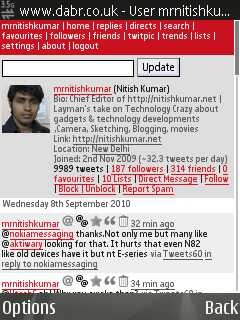
Scr000133Scr000132Scr000138

At the first sight, you might find it a mess of links only, but once you start with it, then you find all the functions built in. Though no reply-to-all option here, but It also got reply-to-all option and you can even view if someone sent a geo-tagged tweet. There are previews available for pictures too.

dabrSome of my friends told me that dabr has option to send geo-tagged tweet, but I am not able to find that yet. After making this post live, James from @1000Heads confirmed me that as per dabr’s own blog post, Geo-tagging available for iPhones, iPads, Android phones and the N900 too.

Why not Symbian, dabr? Why not?

Scr000135 Scr000136Scr000139

It supports a number of themes to choose from and even choice of modes that which kind of phone, you are using dabr on. But what I liked most about it is its simplicity yet capability of doing most of things like picture upload.


So, that was my attempt to bring some info about free twitter clients for people, who couldn’t afford to buy a Gravity license, but still I will insist that one must see Gravity once before thinking that how much price its asking for.

Please add your comments, if you like the info and wanted to add something.

Update: On suggestion of one of the friend, I decided to add a poll here


Layman’s Take on Gravity – Big review of biggest twitter Client

[tweetmeme source=”mrnitishkumar” only_single=”false”]

Do you know what is Gravity? If you are not part of the online social crowd of twitter that may know each other sometimes better than the family itself, then sure your answer might be something else, but if you know twitter then you know gravity more than the twitter itself. No matter, you are a Nokia user with Gravity installed or on some other platforms, who never got the taste of awesomeness of Gravity. That’s probably the height of brand name that stands higher than the service, higher than OS experience itself. That’s our Gravity- The best Twitter client of the planet.


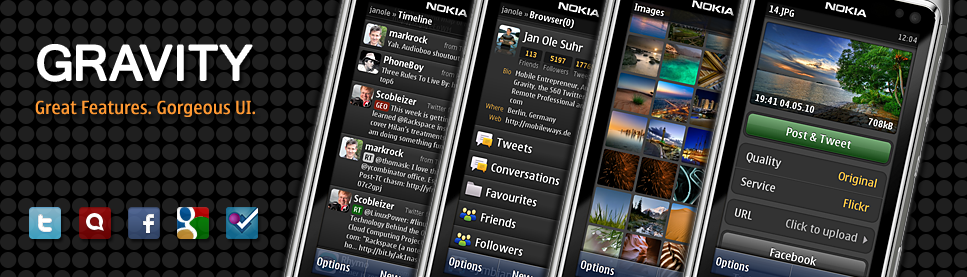
The above is the preview poster that Janole, the creator of Gravity posted on his twitter profile for suggestions few days back. The poster displays the previews of interface in dark theme with brand new Image section and support for services like Twitter, Foursquare, Facebook, Google Reader, Status.Net. Obviously, the best way to present the latest version 1.32 6601 was to showcase it with Nokia N8 itself (the best a Symbian can get till date).


I must tell you, writing review over something you been familiar since long might be much much tougher to start with sometimes. I remember my Nokia N82 review that was so obvious thing always with me in last few years and still no words over it. Same with Gravity, each of us know about, use every minute, but its so simple, so obvious that what to write, what left to be told like simple questions becomes tougher than revealing secrets behind some prototype.


Gravity: First released on March 30, 2009, Gravity started with a simple interface covering all the basic things about Twitter and with continuous positive feedbacks, grown to improve the experience better and better in just few months. With October 21, 2009, it started becoming your one point social communication client by inclusion of service like Google Reader and all of the services were always sharable to twitter. Though we miss things like pictures or videos in Gravity’s Google reader section, but still it stands as perhaps the best RSS client for Symbian and smaller screens.

Scr000077

What makes an awesome UI? The Simplest Interface- Everything right there where you expected them to be and functioning much better than the expectation itself and The Performance- all of sudden, you stop blaming that your phone is under powered or cheap coz gravity does the same wonder, if you pick an old phone like Nokia N82 with me or a cheap Nokia C5 or faster non-touch like E72 or even touch screens like N97 or N8 (touch screen versions have kinetic scrolling as well).

What makes the performance special is the fact that it’s programmed in Symbian OS native code. In practice, this means that the developer can create a feature rich, slick and complicated UI and user interface, compared to a J2ME based application. More of it, it handles the internet connections pretty well though there are not options for controlling A-GPS settings that way, but hey!! you are talking about a twitter client here


Let’s try to introduce the awesomeness of Gravity with the readers, who don’t know about it yet (if really there are any)

Installation Mobile installation never been any headache like Windows or Linux ones, so the installation will go straight forward though you are required to allow all applications from the application settings by changing the default of signed only.

Usually the size of gravity been around 450-500 kbs, but with arrival of combined installer for all platforms, it has changed to a single 1.69 mb installer.

Scr000068 Scr000069 Scr000070

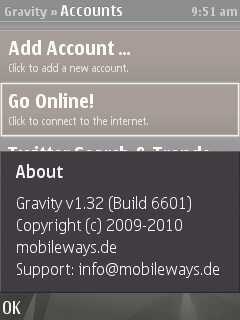
Yes! you are always recommended to use the latest version of software and here you have the best reason for that. @janole has introduced the all re-designed super awesome image section since version 1.31 6575, I guess. The latest 1.32 6601 is supposed to be most stable, efficient and Symbian^3 supported version of gravity.

Scr000071 Scr000073 Scr000074

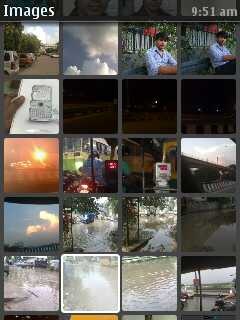
Like most of the products, I don’t remember that gravity ever changed its icon, but the new version now greets you with much more behind the thumbnails of six images in image section as the limit of last few images only as was just one month back, has been removed now.

Scr000077 Scr000078Scr000079


First look and services Interface and UI is what keep Gravity apart and ahead of any twitter client in the world and even all other Symbian apps, you might have ever seen. If you check twitter and blogs then you will find really many advocating that Nokia should give @janole the charge of UI design section with Nokia as its Gravity specially, that one misses if moves out from Symbian world. That’s why, when I say that can an app could be bigger than the OS itself in fame? then no one think of any other name than Gravity.

Scr000082Scr000081Scr000085

The very first screen greets you with five initial sections: Add Account, Go Online!, Twitter Search & Trends, Images and Info & Updates. As you can check in options->View, current screenshots shows Gravity running in Full screen mode, which really shows that how UI’s should be actually designed to take full potential of smaller 2.4” screens.

As you see, in Options->Tools, Gravity make full use of A-GPS for twitter geo-tagging and FourSquare and even you can utilized the Geo-Co-ordinates obtained from Gravity to send via SMS by copying on clipboard.

Scr000086Scr000087

The version 1.32 is sure a big mark about Gravity as not only it brings support for upcoming Symbian^3 (N8, C7 etc), but the services like Google reader is out of beta stage now.

More of it, as Gravity supported the OAuth from the start, so its surely not among those ones, who gonna be affected by twitter’s recent announcement about OAuth. I am also looking for videos using Gravity with recently arrived Swype, would be awesome experience for touch users.

Scr000089Scr000102Scr000104Scr000109

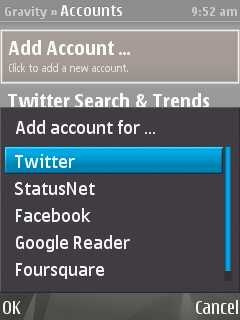
As @janole seems to have removed one of the services here, so now it remains with five services as shown in screenshot-Twitter, StatusNet, Facebook, Google Reader and Foursquare, but under the hood there are many more services as well.

Listing a few here ..

  • Is.gd as a URL Shortener for Google Reader links though I would like it if @janole brings options about this as well. What about adding options for bit.ly and goo.gl?
  • Flicker uploads are supported via image section, you can put your Flicker code in Image Section -> Settings. Same about Facebook posts, which are natively supported. Though you can’t choose the folder in which the image will go with any of them. I guess, we just missing Picasa here. Isn’t it?
  • The other image upload services are Yfrog, Img.ly, TwitPic, MobyPicture, Posterous and TwitGoo.
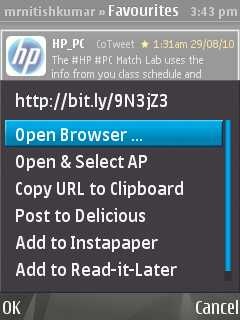
  • There is support for other link services ike Delicious, Instapaper, Read-it-Later and also Ping.fm support by simply sending “p message” or “p #group message”

Have I missed any other service?


Connection Handling The connectivity thing suddenly gets a new meaning, when we talk about any mobile client as it was simple with Desktop ones. I means it was enough to have a single internet connection in your PC to run any internet based app, but when you talk about mobiles, then WiFi, 3G, APN and Wap like many things start circling in your mind.

Scr000114Scr000115Scr000117

With the inbuilt Zlib compression option, though it may be the case, you wont mind running on lower connections, but at time, when you are going to open some heavy link, then sure you think if you would have started with the higher speed connection. Don’t worry, here you love the connection handling of Gravity with Open and Choose APN option

Scr000095Scr000075

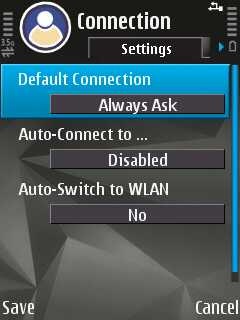
As you seen in screenshot, you can always choose Auto-Connect to any Access Point and Auto-Fallback to WLAN for the simplest of configuration.


Twitter Gravity might not be supporting the option to make a twitter account from the client itself like Ovi tools support, but rest everything seems to be under full control of gravity and that’s most efficient and beautiful way possible for Symbian Clients.

If you already have checked out many twitter clients, then you really know that why people choose to buy Gravity even if there are many other free apps available for twitter and even the mobile sites like dabr.co.uk, itweet.net or twitter’s own mobile site itself.

Scr000080Scr000081

The first twitter screen go just in simplest way, lists your timeline, twitter handles of people, how much time back the tweet was and from which client they tweeted. in non-touch phones, for a few it might be confusing in start that where to type, but you just fall in love by the first sight when you just start typing and the type pad appears with GPS icon in left top and count being shown on right top. Once, you finished with your post, you just need to hit the update button.

With GPS icon, you need to press the up key while keeping the cursor at very first place and it tries to get the Geo-Location if haven’t already got. Green means it has locked the location and orange means it got the nearest tower but not the satellites.

Not only that if your tweet failed or if you pressed Close in place of update for some reasons, then it goes to Drafts section of gravity and yes!! it supports multiple drafts (didn’t check how many). Cool na??

Scr000082 Scr000083 

As you can see, there are nine tabs, you can navigate in smoothest manner possible and covers almost all whatever you thought that a client could have done.

Scr000097

Not only that you can view yours and others profile in Gravity in the above manner, but you can also check for the profile picture, Lists and link if they would have given in their profile text. Just perfect…

You already seen that there is a section of Twitter Search and Trends, you can configure as many searches there and Gravity handles them in tabs.

Scr000084Scr000086 Scr000085

Not only that, but you can see that how many options you get by pressing over any tweet depending on the nature of tweet and the text inside that.

We have Reply, RT, +/-FAV, Reply-To-All, FWD, DELETE, Map/ Nearby and >> symbol for following up the conversations in other tab. The same interface goes with gravity everywhere, either it be following from someone profile or Facebook or Foursquare. Its same everywhere, click on the status and get the options whatever might be possible as per the text.

Not only that but you also have option of forwarding tweets on SMS or even by Email. Did you knew that?

Scr000096Scr000097Scr000098 


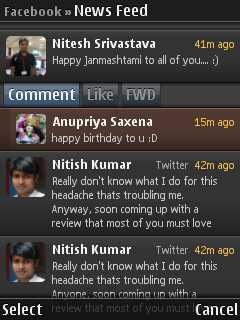
Facebook The facebook section of Gravity is kind of very limited now. You can check out updates on your wall, the news feeds and also could update, comment, like or forward the updates.

 Scr000089Scr000090

You can see that the options are pretty basic here, but still sufficient for status updates and catching up with your friends.

There are issues like you can’t watch the full pics that easily, you do on twitter or if you wanted to watch some video then it downloads that first. No list of friends or birthday updates, neither can you view the profiles of others or browse their photos.

Its a due over @janole since long and he has promised up to come up with a complete Facebook section very soon. We are very much looking for that @janole.


Google Reader Perhaps no one would have expected that such a small client could have handled a thing like RSS Reader that well without going through the browser way and this is exactly what we call as brilliance.

Scr000105 Scr000091

And that’s not the all, but there are other handy options like +/- FAV, Read, Keep Unread, Mark as Read, Share, Tweet and URL. You can set that which feeds should be loaded (default is Unread Items only) and can decide the fetch time. Tweet option uses the link shortener Is.gd by default and URL opens the link in the browser, if one wishes so.

Scr000094Scr000092 Scr000093 

Though I could very well understand the reason, but the only thing remains in this section is images/ video and options to create folders, subscribe or unsubscribe. But Gravity was targeted to be an efficient RSS reader not the complete handler, isn’t?


Foursquare Not much to say about as I am new to Foursquare, thanks to Gravity that I joined this service, otherwise would never have joined as there was no foursquare apps before for my N82 or may be I wasn’t trying that harder.

Scr000111A nice view, plenty of options, controlled sharing with Facebook or Twitter, what else you want from a Foursquare client?


Images Section Here comes the recent and most noticeable addition to gravity with the latest version. A complete redesigned, beautiful and much more capable Image section.

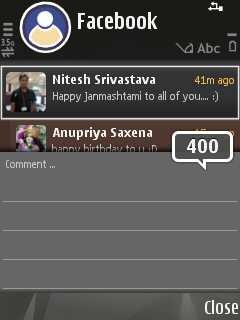
Scr000080The new image section not only supports much more number of pics from your smartphone memory, but there are plenty of options for sharing as well.

Scr000071Scr000074Scr000070

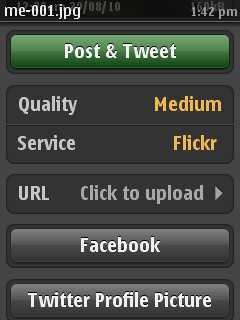
You can now upload a pics to some service (like Yfrog, Img.ly, TwitPic, MobyPicture, Posterous, TwitGoo or Flicker) without even tweeting the same activity and you could make use of generated URL in your tweet later on by copying it on clipboard.

You can choose the quality of pics to be uploaded like Medium, Low or Original.

And the recent version also have added the option to upload the pics to Facebook (though it shows on the wall as well, may be some option in facebook settings to hide that) and also option to update the twitter profile pics, like I recently did.


Purchase and Price Yes! Its not a free app, but comes for a price around Rs. 500/-, but hey!! isn’t this much amount you spend on any ordinary weekend?

Gravity is licensed per IMEI. When purchased from share*it! or fastspring, you do not need to enter the IMEI during the order process! You can conveniently register your IMEI after the purchase has been completed through our self-service portal.

If you experience any problems during or after the order process, please immediately contact us viainfo@mobileways.de and we will help resolving the issue as fast as possible. If you do not receive your software or your registration code, please immediately contact: info@mobileways.de!

And yes! you can have rebate on multiple copies as well. Please send Mobileways.de a request for a bulk rebate to info@mobileways.de if you are planning to order more than 3 copies.


While my review was based on non-touch Nokia N82, enjoy the following videos about Gravity on touch interface ..

Via FoneArena

Via TheNokiaBlog


Beautiful and cool, isn’t it?


rowing-ole

What makes this app more worth is the creator @janole itself, who is probably most accessible developer  celebrity on twitter. you drop something about Gravity on twitter and its almost 60% likely that he will respond (he is human after all, can’t make it 100%). Not only respond, but he keeps on working over Gravity again and again to sort out issues anyone reports to him.

Do you know that much of the image section was designed by him, when he was in hospital on bed? That’s call dedication and humbleness.

So, this is plenty much about the Gravity. A review in tribute to the best mobile Apps I would have came across. Please comment, if you wanted to add some more in it.

Digg This

Nokia C1-00 and Nokia C2 in India-the twin story begins

[tweetmeme source=”mrnitishkumar” only_single=”false”]

Try to remember that which local brand has released a non-dual SIM phone recently? Leave it, we don’t even know that when they ‘launch’ their phones as everyday there seems to be a new copy of E71, 5800 or Blackberry look-a-like on the roads in just 3-4k with big list of features and prominently one thing that they claim that you wont find in your long trusted brand, the dual SIM feature. We all know that what quality they offer in their other features and as about dual SIM, yes!! now we have an answer …. Nokia C1 and Nokia C2 have arrived in India by yesterday itself.

After continuous rants from the bloggers, the pressure finally seems to be mounted on Nokia about their India operations. Though Indian Launch of two cheapest phones by Nokia’s Executive Vice President Mary McDowell should not be exactly taken as some big sign about change in preferences as the visit might be more related with ongoing issue of push emails as well. But still we should be happy that some Nokia device is finally launched here in India within three months of announcement.

I was aware of arrival of her, when one of my tweeps told me in morning that she has arrived on Chennai Airport and it was clear from recent device orders arriving to India that its gonna be C1 and C2 for sure. but the announcement was made in New Delhi.

McDowell’s official world were ….

As per our deep consumer insights, entry level consumers need dual SIMs for various reasons including economizing time and costs, improving efficiency and for increased convenience. To address these consumer requirements, Nokia has launched these two devices that offer multiple SIM capabilities with a balanced feature set and ‘relevant innovations’ at affordable price points.


Let’s know more about Nokia C1-00 and Nokia C2 ….

Nokia C1-00: With the very first line, let me be clear, its not a dual SIM phone as many might be confused about. But its sure marks the first ever ‘Double SIM’ phone from Nokia.

Now what a dual SIM and what a double meant to be?

A dual SIM or dual standby as per wiki comes with many kind of adapter and first of entry category was the kind of adapter that allows only one SIM active at a time means even if your phone has two SIMs inside, you can’t receive calls on both of them. One would be main SIM and other will remain as standby (not active unless you make that active manually). So, in actual, if you are looking for receiving calls on both of your SIM, then skip it, its not your choice.

Next spoiler is, its C1-00 that is launched in India, not C1-01 or C1-02, both of which as series 40 devices with better capabilities (C1-02 even has basic camera).

Its a very basic model with a price tag of Rs. 1, 999/- and a color screen, probably its more of targeting the users, who loved Nokia 2600 or Nokia 1400. Some other regions has it in price around 1k-1.2k as well, so you could expect the prices to go down here as well very son.

Now, for people making complaints about the price tag, lets see what are the offering with a brand value, reliability and best of the service from biggest mobile brand of planet.


It might be looking like old phones, got no GPRS\ EDGE means no MMS, just GSM 900 / 1800, No Bluetooth, No Infrared, S30 Interface and no memory card support, but other than Double SIM, it got many more things.

Design, T9 and Flashlight With dimensions of 107.1 x 45 x 15 mm, 63 cc and weight as 72.9g, its not a bad design at all. No one would be expecting metal here, but T9 keypad is as good as it can be and left bottom key works as shortcut for SIM change as well. The power down key is not at top as many might be used to and located under the cancel key. The five way scroll can be used as shortcut for Flash light as well. Scroll up twice,  Flash light on and scroll once, Flash light off.

It would be available in blue, red, light grey and green colors.

Dual SIM Yes! it has no capability to keep both the SIMs active at the same moment, but it has the capability to divert the calls means you can configure it in way that you wont be missing any call on the other number as well.

Display Interesting display of size 128 x 160 pixels, 1.8 inches this beast has. It got 16 bit colors means total of 65k colors like high end Nokia E5 is supposed to have.

FM Radio The cheap phone not only got a FM radio under the hood, but also got it with a 3.5mm jack means you could hook your phone’s FM with your PC’s speakers as well. Unfortunately there is no shortcut key for this radio though and you have to navigate through menu to find it.

Phone Book If I remember right, then older phones from Nokia at this price point never had more than 200 phonebook entries, but this one got 500 along with usual multiple fields\ numbers and image entries. Though call records are still 20 dialed, 20 received and 20 missed calls means very basic.

SMS I am not expecting S40 like smiley’s and icons here, but in place of usual 20 SMS space as we remember about our old phones, we have space for 250 SMS here, if you were discarding it at the first place.

Battery It seriously urges you that you buy this inexpensive one just for its battery. It uses the same Li-Ion 1020 mAh BL-5C batteries as were in its many leading models like Nokia 1100, but call it evolvement of technology, you received ever best battery life out of it.

Talk time for 13h straight and a standby like of Up to 1152h or around 7 weeks feels like some kind of dream. Think you will find your phone on after some summer trip, if you forgot that back home.

So, if you thought this is just a useless another double SIM phone, then think again.


Nokia C2-00: In a price tag of Rs. 2, 500/-, C2-00 actually stands as first ever real Dual SIM Nokia, not just that unique to Nokia, the second SIM is ‘hot-swappable’ means it could be changed/ removed while keeping the phone on. Note that its with only one SIM as the other one will be situated under the battery. So, obviously you got very good reason to spend some more than buying Nokia C1-00.

Let’s know what more it offers ..

Design and T9 Keypad Its plastic, but definitely much impressive looks wise than Nokia C1-00. Dimensions are a little slimmer with 108 x 45 x 14.65 mm and 67.9 cc, while the weight is slightly higher at 74 g. As you can see that keys are divided in four row with no separation in individual keys in a row. Must be a class experience to type on this grid key design.

Same way, the left bottom key serves as selection key for SIMs, while the right bottom one provide the convenience of mute button and shortcut to radio or Music player. The location of power key is again below the cancel key.

It will be available in grey, black, magenta, dark blue or white. I guess, white would be nice in hands.

Dual SIM As I already explained in first para, we got both the SIMs active here for calls, SMS, MMS or GPRS usages and very unique to Nokia, for the first time we got option of hot swappable SIM as well. I am really looking for knowing that how Nokia software will handle two SIMs together on a S40 interface as the Chinese ones and even Samsung ones freak me out sometimes.

Display The same display of size 128 x 160 pixels, 1.8 inches with 16 bit colors is included in the package, though I think a little higher resolution would have make better use of S40 interface, but anyway same 65k colors are here.

FM Radio Yes! it got Stereo FM RDS Radio with 3.5mm jack and nice to hear that it comes with Radio recording feature. You can say Hurray!!!

Multimedia You get a VGA Camera here with 4x digital zoom and ordinary 10fps video recording. Camera Image format would be JPEG, though the software will support viewing BMP, GIF87a, GIF89a, JPEG, OTA, PNG and WBMP. Impressive for the price range.

Video recording resolution will be 128 x 96 and format H.263, while the device will be capable of playing 3GPP formats (H.263), ASF, MPEG-4 and WMV.

Same time, you could think this as complete music package with support for almost all common music formats like AAC, AMR-NB, AMR-WB, AWB, M4A, MIDI Tones (poly 24), Mobile XMF, MP3, SP-MIDI, WAV and WMA.

Memory It sure surprises you with the support of MicroSD card up to 32 Gb that too with hot swap feature. Maximum User Storage of 10 MB, SDRAM Memory 16 MB and NOR memory 64 MB must not be very less for such a device.

Connectivity It has not Wi-Fi or 3G, but it got GSM 900 / 1800 with GPRS\ EDGE support for both the SIMs. Bluetooth 2.1 is here for transferring your media files with ease, though I wonder if anyone will also think of connecting Bluetooth headset with it, but it supports.

Though USB charging is not here, but it has a microUSB as well.

Phonebook, SMS, MMS, Email, Chat and other features With the support of memory card, obviously the phonebook will be unlimited and SMS and MMS expected to do well with same ease as other S40 devices do. What real surprise here is inclusion of Nokia messaging Service v1.3  and Nokia Email Client means you can have Ovi Mail, Gmail etc and also chat options via Gtalk, MSN, Yahoo and Ovi Chat.

As a surprise, Ovi Contacts are not here, but this device supports  FOTA Firmware over the Air, Nokia Life Tools, Nokia Money and Themes.

Battery Don’t know what to say, but this part is a real let down for this otherwise amazing device for its price. We got the same BL-5C 3.7V 1020mAh here, but its told to provide only 4 hours of talk time that is not a very bad one, but still considering the performance of C1-00, people must have expected more from it. Standby time is also not a very higher side with 16 days only.

I wont say a disappointment here, but will say that expectations were raised by C1-00, which C2-00 misses.

We have a 2mm charger here as MicroUSB wont charge the phone.


So, this is all about Nokia C1-00 and C2-00 that would be available in India in 2k and 2.5k. Please remind me, if I missed something you might wanna know and also tell, are you buying anyone of these?

Are you waiting to buy Nokia E5 over Nokia E72? Think again

[tweetmeme source=”nkumar_” only_single=”false”]

It got many people excited when Nokia announced arrival of many cheap devices back in mid april. Nokia C3, C6 and E5. Nokia E5 was something people were most excited about and even me. I am sure that there are many, who waited this much long for E5 and pushed the purchase of E72. But when the dust gets settled, its time to analyze that how much it really is worth to wait for Nokia E5 over Nokia E72.

Call it success stories behind Nokia E71 and Nokia E72 due to probably best qwerty out there with best battery lives or the professional looks, but people still waiting for Nokia E5 to arrive in cost of 12k INR (as announced), which still stands decent 4.5k INR or around $100 below Nokia E72. But the question to ask is, if this wait worth?

Thanks to Forum Nokia, one could take a closer look over finer prints behind the specifications.

Lets see, where Nokia E5 looses points against Nokia E72 big time …

e5 Nokia-E72-Review


Design: It was a challenge to make a device in a lower budget keeping all the good points intact and one should praise the Nokia design team for keeping the same layout of qwerty. As I’d mentioned in my earlier post, it was more innovative to give colors to call end and receive buttons rather than keeping it strictly white as in E71 or E72 (business people don’t like colors?).

Now what have we lost in comparison to E72 here?

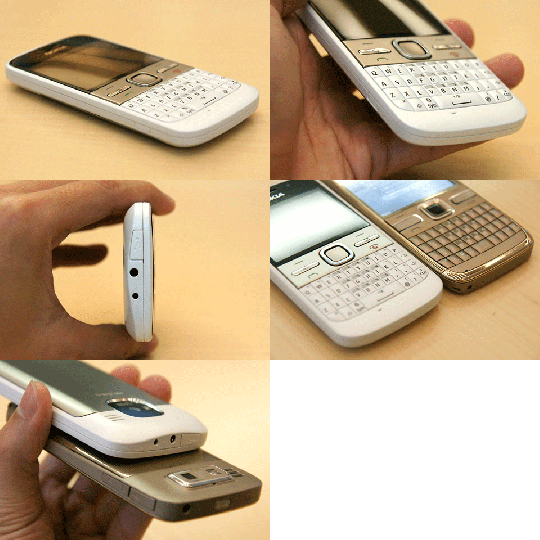
We lost that shiny metal surrounding the body, which was the core attraction of the Nokia E72. Also,, but the dimensions got bulkier. Nokia E72 had a 114 x 58.3 x 10.1 mm, while the Nokia E5 came up with 115 x 58.9 x 12.8 mm. Thanks to Nokia, that back cover is still metallic (plastic back covers scares me), but the extra plasticy bulk sure  doesn’t interest the user, who might have had his hands on Nokia E72.

nokiae5keypadright

More of it, we are back to D-Pad like Nokia E71 (already 13k nowadays) rather than the optical navi-wheel which was one of the biggest attractions to the E72. People who use Blackberry and cry after a year because of its bullshit trackball will surely understand  the losses.

Nokia E5 is sure 2g lighter than Nokia E72 (126g in place 128g), but absence of metal justifies that and don’t forget volume of Nokia E5 is 75cc, when that of Nokia E72 was just 65cc.


Display: Business devices till now, never been known for the great resolutions. Reason is, the focus always been on the text reading, which is crispier on a resolution of 320×240 only rather than bigger resolutions, so been a standard always. Same is here in Nokia E5 and Nokia E72, then what’s the catch?

A resolution is not only about the pixels, but also about the color depth. While with 24 bit colors, Nokia E72 was on the par with best of the devices, Nokia E5 took a step back with 16 bit colors means not those 16m color, but only 65000. If only these numbers doesn’t lower your excitement about E5, then next is the transmissive screen in place of transflective screen of Nokia E72, which was known to perform much better in sunlight, while E5 will go blank.


Connectivity, processor, RAM, Memory: Good thing about Nokia E5 is in this section, where its neck to neck with Nokia E72, at least as it seems on paper. It would be more reasonable to compare, when the actual unit will be in my hands, but still it got exactly same processor, exactly same level of all around connectivity.

What’s a win for Nokia E5 here is

With Nokia E5, we enjoys doubled RAM that is 256 MB now in place of 128 MB of Nokia E72. Sure one could expect this thing to be snappy when Nokia E72 was never a let down in performance. The reason for bigger RAM might be integration of Social services in contacts and home screen widgets, but the more RAM means more advantage for sure. Next is the support of 32GB memory card while Nokia E72 supported a MAX of 16 GB only.

While business people wont care much about extra 16 GB support as both the devices are never big about media playback and video recording, but sure 256 MB RAM makes a better deal for Nokia E5.

Note that without the extra RAM, I don’t think that better social integration as in Nokia E5 ever coming to Nokia E72, even if people kept asking for. Remember Nokia 5800, which never got the home screen widgets.


Battery: May be I never exactly got that how mAh works otherwise, I could have got some idea that how a 1200 mAh battery is being told to perform better (even if with minor margin) than a 1500 mAh. Though the improvements are minor in terms of talk time, which already at a great level of 13 hours straight in Nokia E72, but battery utilizations is greatly enhanced in case standby battery life, where it stands on 26 days in place of 16 days of Nokia E72.

I guess standby time doesn’t matter that much (at least doesn’t make a difference or me at all), but it would be interesting to see with actual unit that if the claims stand right with a 1200 mAh battery. If they have implemented some good things in their firmware, then those improvements may do more wonder with God battery of 1500 mAh in Nokia E72.

And yes!! both the devices have USB charging as well as 2mm port. Did I told you that I hate only USB charging option as was in Nokia N86?


Camera: Nokia E71 was one of legend from Nokia and people loved Nokia E72 for the reason that it brings fun to Business people as well. One of the biggest attraction was the competitive 5MP camera, biggest in Business phones. With Autofocus and LED flash, it was able to serve you not only for personal needs, but was serving you a good macro mode to get snap fine print on business papers due to its sensor that works from 10cm to infinity. But when you look over E5, then probably in cutting cost, Nokia forgotten that why people loved a 5MP camera.

nokiae5backpanel

Camera on Nokia E5 may be a 5MP, but its a camera of lower focal length 3.3 mm than that of Nokia E72 on 4.7 mm and aperture stands at f/2.4 as usual for Full focus camera in comparison to f/2.8 of Nokia E72.

Nokia E5 has just a full focus, which means 50 cm to infinity, no macro mode therefore. Not only that but with Nokia E5, if I am right, then you will be missing the still image editor as well (though I don’t believe on it, but their official forum page says so).Video and Still digital zoom will be reduced to 4x with Nokia E5, which were at 5x in Nokia E72.

Do you think that its enough to blow the excitement around Nokia E5? Here comes more ..

Nokia E5 doesn’t has a secondary camera. So forget about the video calling and those business video meetings. Sorry


Extra features: Sure cutting the price takes its toll and manufacturers try to cut it from where its least visible or may have a direct impact.

Did you knew that you are going to miss Compass (Magnetometer Sensor) and accelerometer in Nokia E5? Not only that but you miss Line Printer Daemon Protocol, Print to file option, Lotus Notes Traveller, stereo FRM radio with RDS (just a plain FM radio here in Nokia E5) and Bass Boost.


Sure, Nokia E5 might not be all, like you felt with Nokia E72. Yes!! it brings the same solid feel and performance to people, who didn’t wished to cross the 12k INR mark ever, but don’t you think that it was more worth loosing a better camera, a secondary camera, 24 bit screen, Compass (magnetometer), Accelerometer, optical navi wheel and metallic slim body for doubled RAM, better software and 4.5k INR?

Nokia E72 Black/ Chrome stands on 16.5k or less as of now and majesty white Nokia E72 now available in India for 17.5k. What you say?

Update: Make sure not to miss my full review on Nokia E5-00 for some of the great pictures and details about Nokia E5-00.

Update: The always great review from All About Symbian again adds up the confusion about E5 as the screen is sure not a good compromise, but snaps didn’t looked that bad and if people could live with a dull screen in daylights, then the recent video of multitasking, addition of more 128 mb RAM is more than enough tempting for making people buy it.


We will keep on crying that why it’s late or why Nokia doesn’t come up with E6 with same features as Nokia E72 without compromise, a better camera, 256 MB RAM at least, may be Bluetooth 3.0, USB OTG, but still will end up buying Nokia E5. Yes! it will make many happy to get a powerful thing in such a price, but still …

I must say that I tried to put an end over the confusions around Nokia E5, but it breaks on…

photo of Nitish KumarNitish Kumar
http://nitishkumar.net
http://scifireviews.wordpress.com

Digg This

Touch and type Nokia X3-02 brings X-Factor to S40

[tweetmeme source=”mrnitishkumar” only_single=”false”]

When it was announcement of Nokia C3, C6 and E5 from Nokia, then out of other things, what made me more curious was the home screens of Nokia C3 and Nokia E5. The favorite contact bar, which we were introduced with Nokia N97 and Nokia 5800 was always denied the share of the same citing memory limits. I always wondered that how much tempting it would be for people to hold their fingers not touching the big contacts picture icons like they did with Nokia N97, X6 and others?

Then there was a debate started from Nokia Conversations over buttons and touch, where I even replied quite many a comments (should have got some clue right then) and when Blackberry launched its torch, then it was obvious to boil up the conversions that when Nokia coming up something like one handed touch with HW-Keypad?

So, here is the day, August 17, 2010, in contrast of expectations of some E6 with QWERTY and touch in shape of E72, Nokia sure given a new innovation to mobile world with a T9 with touch screen and that too in price of just 7.5k and the name was strangely Nokia X3-02 (probably people will call it by name of X3 touch to avoid confusion).

As Nokia says, it takes something so familiar and makes it new again.

The simple but slim looks like old T9 and S40 phones, but with a 3 row keypad rather than usual 4 rows, we grown up using and a very welcome large 2.4 screen like Nokia E52.

Read till the end, I bet you will know many more things about Nokia X3-02, which you don’t know about it at least till this point.

Special features slowly get disclosed in front of your eyes like favorite contacts bar on the home screen (photo calling available) and cool Date and time bar (we will be see in video later). It got dedicated message key, dedicated music key and a rather larger speaker at the bottom and if that’s not enough then it got brushed aluminum body. Not only this, but this only 9.6 mm thick and 78 gm device also got Wi-Fi, 3G, HSDPA Cat9 10.2 Mbps, HSUPA Cat5 2.0 Mbps and a 5 MP Camera and let me mention it again, the price is 7.5k.

When we moved into more details as Nokia’s official forum page says over Nokia X3-02, then its surprising that most of the blog got it wrong or someone correct me, when I say that this might be the first S40 device to support up to 32 GB microSD card.


Till it don’t get right on high end devices, since the announcement C3, C6 and E5, its already clear that Nokia is betting big on cheaper devices now. Sure, the consumers are what on the profit side. First was the very capable, E52 like C5 in around 8k and now another under 8k device feature quad band and 3G.

Let’s go by the features now

Operating System: When we geeks hear about S40 devices, then what pushes us back is lack of multi-tasking like we seen in earlier iPhones. Only bit of multi-tasking here might be music/ radio app running behind.

But with the launch of Nokia X3-02, we also got updated Forum Nokia page about S40 platform, which talk about availability of even gesture related controls now (remember spiral zoom feature on Nokia N900?). Though not big on multi-tasking, but you will get a revamped media player, integration of Facebook and Twitter in contacts and updates on home screen, conversation view within the contacts and also chat featuring MSN, Gtalk, Yahoo and Ovi.

So, even Dumb phones got sexier now.

Design: I read somewhere some Eldar saying that its bullshit that Nokia experimenting with design material and came up with brushed aluminum and I swear nothing could be more bullshit than that line. Brushed aluminum doesn’t only make the build solid but saves it from scratches as well and in the way lengthening the life of the product. NO more scare of breaking it while opening the back cover to remove the batter.

Technically the dimensions are 106.2 x 48.4 x 9.6 mm, 45.2 cc and weight 78 gm, so finally we are getting Nokia making really slim devices and sure you could hope one day they will give something slim like iPhone or Galaxy and that too with all typical Nokia features, not some stripped bluetooth that don’t let you transfer the files between phones over Bluetooth (read Apple).

Like the tradition has began, Nokia started offering their device in many colors (may be on footprint of Dell Studio) and Nokia X3-02 is expected to arrive in Q3 means latest by September 2010 in five colors: White Silver, Petrol Blue, Lilac, Pink and Dark Metal. So, which color would you prefer?

Display: People already not expecting big from a cheap touch and type device that is first of its kind to showcase a 2.4” touch screen. Not on higher side of resolution, it just fare with a 240×320 screen, which has a color depth of 16 bit means 256k colors.

Its a transmissive LCD that would be glossy for sure, but I am not getting mention of its being scratch resistant anywhere, so better be careful about that, they are expecting light touching not gaming kind of.

Camera: Earlier Nokia X3 offered a 3.2 MP camera, but Nokia X3-02, which we call Nokia X3 touch now, is much more generous to offer a 5MP camera. But its not one of the greatest for sure.

As expected, there is no flash, not a single LED. The 5MP has a resolution of 2592 x 1944 and aperture f2.4, but the camera focus range just starts from 50 cm and goes to infinity means nothing like Macro mode. It got 4x digital zoom and Picture format is JPEG only.

But you get video recording that is on 640×480, but got better frame rate of 18 fps, which could record in two formats H.263 and MPEG-4. Not bad for a device in this segment.

Memory: Series 40 device never known much demanding over memory due to non-multi-tasking nature, but still it got adequate specs. Maximum User Storage of 50 MB, NAND Memory of 128 MB and SDRAM Memory on 64 MB. Impressive for a S40.

And while most of the blog seems to mentioning that it supports up to 16 GB microSD card, office specs says it supports up to 32 GB, which makes it first S40 to support 32 GB I guess.

Connectivity: That’s something so so special about this device. People already overwhelmed over its looks and touch, but its bigger underneath. You are getting Quad band support here means GSM 1800, GSM 1900, GSM 850, GSM 900, WCDMA Band I (2100), WCDMA Band II (1900), WCDMA Band V (850), WCDMA Band VIII (900) and much more than average HSDPA Cat9 10.2 Mbps, HSUPA Cat5 2.0 Mbps. Even my Nokia N82 didn’t got such support. Not only this, but you have Wi-Fi (802.11b/g/n) available that supports WEP, WPA, WPA2 (AES/TKIP).

Now hold your breaths, although not advertised, but their official page says that it got USB-OTG 1.3. Is it the same, I am thinking? Nokia N8 has the same OTG profile, so??? Should we be prepared for some upcoming video displaying the same feature? Will they ship the cable together?

I am sure even Geeks could find it an affordable alternative to keep with them as a 3G modem and storage device, isn’t it?

Messaging: With support of around 600 kb size of messages, S40 devices been center of attraction for messaging only and this one sure has no reason to disappoint. You are getting Nokia Messaging 3.0 here and with the integration of twitter/ facebook, you also have the leading IMs in pocket. Social media is in reach of everyone now.

It supports IMAP4, POP3, SMTP, but asking for PUSH will be sure a joke on this price point.

Browsing: If some device supporting connections at a speed of 10 mbps, then browsing capabilities becomes a must. Nokia X3-02 comes with WebKit Open Source Browser and Opera Mini that will support Flash Lite 3.0. So even if not much big expectations, you could find it doing all the tasks at a satisfactory level for sure.

I am yet to see if the browser will support spiral zoom like Nokia N900 here with resistive touch.

Ovi Services: Though things could be region specific, but as much their official page says, it will support not only FOTA, but also Nokia Music Store, Ovi Music, Ovi Store, Ovi Sync, PictBridge, Themes and VoIP.

Isn’t that exciting for a sweet little device?

Battery: No one expected a bigger battery in a S40 device, when such device already known for much better power management due to lack of multi-tasking basically. It has a BL-4S 3.7V 860mAh battery that supports 5.3 hours talk time on 2G and 3.5 hours talk time on 3G. It has a music playback of big 28 hours and video playback of 6 hours. Average for music series, I guess, but there is a great news too.

Nokia X3-02 not only supports regular 2.0mm Charger Connector, but also supports charging over USB.


It will initially be offered in China, Ireland & UK, Russia, Australia & New Zealand, Singapore, Germany, Spain & Portugal, France, Mexico and Saudi & Yemen. Other markets will follow later.

This was all about next coming Nokia X3-02. So, if you were thinking that its about only some specific people, which will say “hurray” when their dumb S40 devices sudden get magic of touch, then think again… isn’t USB-OTG and an up to 10 mbps 3G modem could lure the Geek inside you?

So, this was Layman’s take on Nokia X3-02, what you think, let me know.. I am all ears for you.

Nokia N86 Camera insights – All about it

[tweetmeme source=”mrnitishkumar” only_single=”false”]

My last weekend with Nokia N86 and sure this comes the time, when I should write about the specific thing for what I asked for a trial of Nokia N86. The Camera … I am not saying the 8MP camera only as most of the called it … its much more than just the megapixels. We will see in next why …

But before starting I must tell you that all these stuff are purely tech and will be of more concern for people knowing a thing or two about camera technology …

What a Bad Ass Nokia N86 camera is?


The Lens: Everyone talk about Megapixels and says that what if your N82 has 5 MP, mine has higher, what’s the difference? Dude! Its just not about Mega Pixels. But lets start from that ..

Mega Pixels 8 MP means 8 millions of pixels in one particular pics that makes the resolution of 3264×2448 (=79,90,272), but beyond that there is Carl Zeiss; the most renowned name among the lens manufacturers and the Tessar Lens.

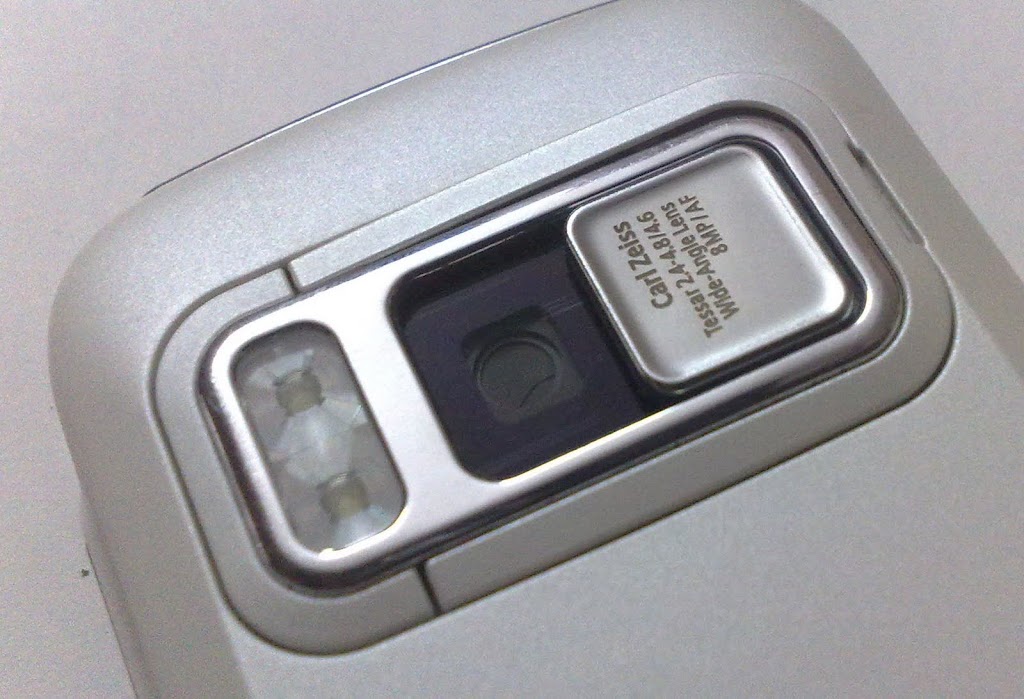
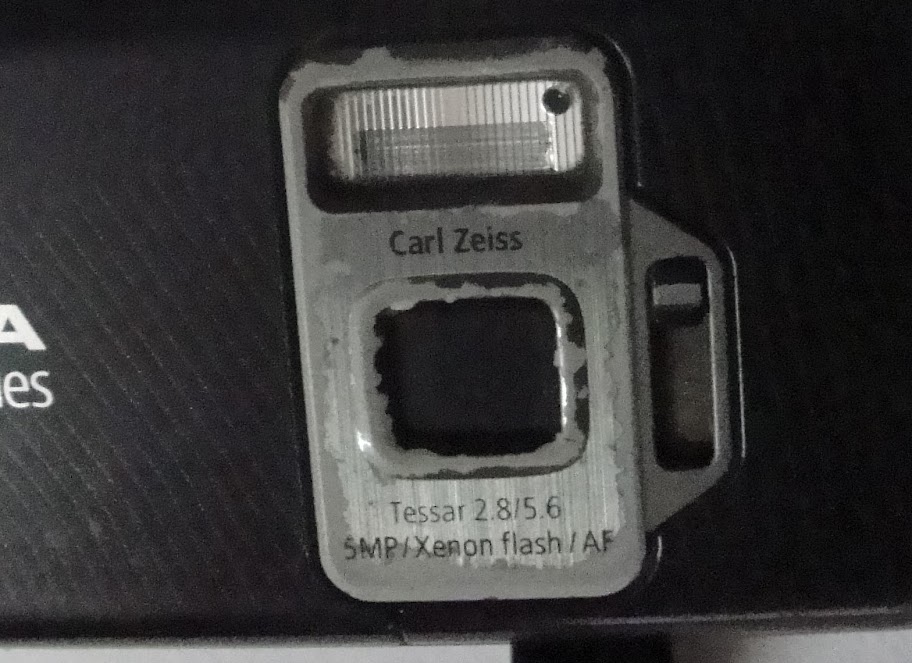
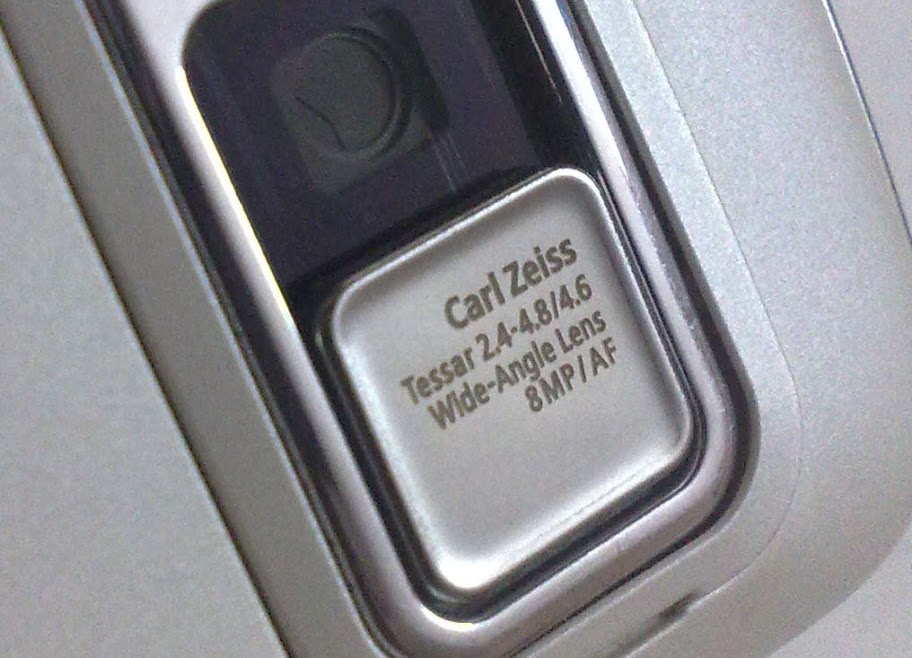
Aperture You can notice the changes in my Nokia N82 Tessar and Nokia N86 Tessar … Nokia N82 had Tessar 2.8/5.6 while Nokia N86 got Tessar 2.4-4.8/4.6. Sorry about the condition of my Nokia N82, but its more than 2 and half year old now and has seen lots of things.

What these numbers mean? Its about aperture, the opening that allows the light to pass in. Larger aperture means better performance for low light conditions and lower means better in illuminated environment. It actually says that Nokia N86 has a variable aperture, while Nokia N82 has only one setting F2.8, Nokia N86 boosts on three options F2.4, F3.2 and F4.8 as their specification page says.

Not only me, but many other people trying to find that where are the settings to control the aperture manually, but it seems that they decided to keep it automatically controlled only (after all they were making phones not DSLR).

Wide angle Do you know that Nokia N86 was the first phone ever to offer a 28mm wide angle lens? As the GSMArena link says, it offers your around 20% more larger view angle means you could expect much better landscape and scenery shots now. Wide angle lens get lower focal lengths that reflects in numbers (4.8mm which was 5.6mm in Nokia N82).


Mechanical aspects: 

Shutter speed When you talk about taking instant pics and get irritated of blurs then you must be actually talking about the term shutter speed. Not exactly sure that how much it was in Nokia N82, but Nokia N86 sure has a high shutter speed that could go max up to 1/1000 secs, sure you can’t drop your eyelids faster than this 😉

Camera Cover Nokia N86 got Slide Lens Cover for Protection & Camera Activation and the difference in mechanism could be spotted in the above pics. Sure its way smoother than we seen in Nokia N82. Good news.

Dual LED Flash Technically they call it Third generation of Dual LED Flash and even if many might be pissed off over Nokia for dumping Xenon over LED flash, it had its part of sense. LED is more favorable for phones due to lower power consumptions and size and for the consumer side, the profit is video light. Let me show you two videos: one with Video Light and one without video light.


I am sure you could spot the difference.


But adding to the conversation of Xenon Vs LED, I would also like to show you the difference of color re-production with a LED Flash and a Xenon Flash.. or may be its feature check out


And as AAS pointed out, Xenon also do well about freezing the objects at the moment better than LED. Check out their post for sure, though my results are opposite about illumination where N86 is better and natural.

Though I am still trying to find the way to use LED as a torch without any software, just from some hotkey like it was in Nokia E72. Anyone got anything?

Dedicated Camera Key Yes!! with Nokia N86, we got the camera keys again. After using Nokia E72, I really felt that how important it is to have a dedicated camera key and that should be well built too. After years of using Nokia N82, I really found the metallic camera keys of Nokia N86 a superb and solid upgrade over Nokia N82.


Software aspects:

Well! Living with similar software world for years spoils you this much that in first sight every symbian looks same to you and you think that things not moving. May be even I might have thought so, when first seen the interfaces, looked similar, familiar.. but it was to take a few days, when it started revealing that how much improved things have became with special focus over Camera improvements.. and its about each and everything.

Speedy processor makes processing of photos after shooting them like instant. Panorama mode was never like this much smooth. Everything feels like the way it should be even if symbian interfaces feel older than we might have seen in Maemo or other OS’s, but they work and they work superb.

Unfortunately, I lost the part of post, I was writing over software aspects… writing it again ..

Starting from the settings, there are the usual options available…

Menu –> Tools –> Settings –> Applications –> Camera –> Image

Menu –> Tools –> Settings –> Applications –> Camera –> Video

Even more details about the quality ..

After that we get around ten options, when we customize the toolbar displayed on right of the screen, when we open the camera …


Camera view is the old one, but one could notice the details

The left bottom side has the battery icon and then quality icon next to that (showing 8M means 8MP now), in next to that its the count of remaining photos that could be snapped with current remaining free space, I am not exactly sure about the icon next to that, but that’s probably says the same the remaining space.. the last icon is GPS one. If its not showing x then it means that location is locked and you are ready to go with GPS info tagged inside the pics.

As told by one of my friend on twitter, I noticed a probably bug in Nokia N86. After taking an image with GPS info on, even when you close down the camera, you find a GPS icon on the right top of your phone screen, when nothing is using GPS right then. Not sure what it is..

I find myself specially hooked up with panorama mode of Nokia N86. Its nothing that we haven’t seen it earlier, but it never seem to be this much smooth and perfect in any earlier camera. Earlier only right and left key, now have became four ways. The speed of processing makes it instant to move on after it takes one shot and the results..

Though things get changed with moving object and situations a little, but its sure not a fault of Nokia N86.


Image editing options are like they were always… very basic.. same contrast, brightness, frames etc..

But what’s the big deal here is the basic video editing options..
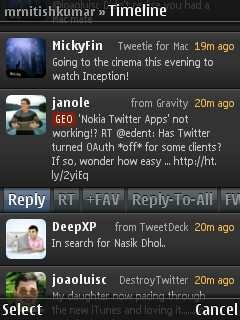
So.. what you say… wow!!!


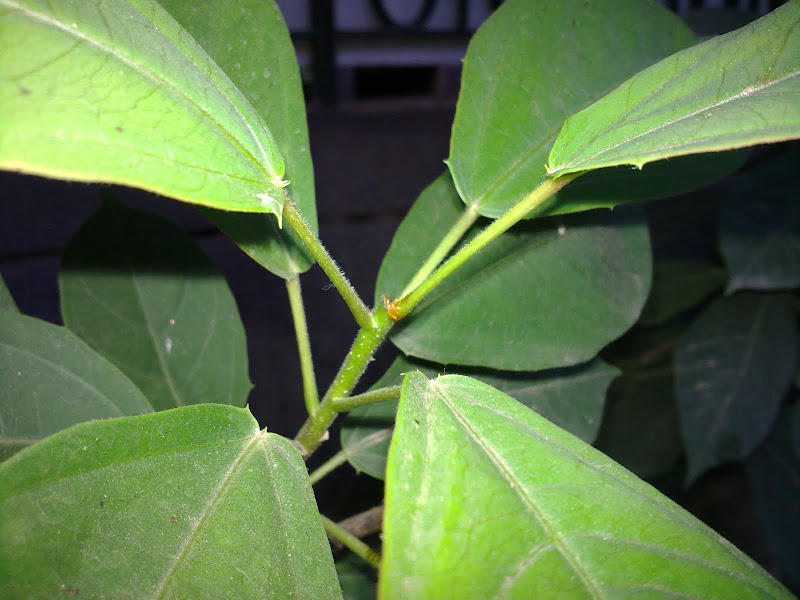
Do you know what impressed me about Nokia N86 most? It was the macro mode performance of wide angle lens. Its just not the pixels, but see the finer details in next few random samples I took in my office…


So, what’s say? Do you still believe that there was nothing in this world better than Nokia N82?

Digg This

Nokia N86-New Customization Options

[tweetmeme source=”mrnitishkumar” only_single=”false”]

When I took Nokia N86 in hands then it seems just the same software wise as I have seen with Nokia N82 or any other Symbian OS v9.3, S60, but this time it was rel 3.2. Let’s see what made me excited about it.

When taken the first look, it was like any other non-touch home screen, I would have seen. Same vertical top configurable icons on standby and then a list of services like Chat, Mail, Calendar, Sharing .. just the same, we are so used to see in other Nokia Smartphones series …

In the first look, it was just the flash based screen saver that was new and good thing to me about Nokia N86 (though thanks to my twitter friend, I got the same on my Nokia N82 as well) and really made me realized that I should have explored my Nokia N82 much more.

But the magic begins, when I went more inside, inside the customizations .. ..

Even the themes option was much more richer and cooler than Nokia N82 or Nokia E52. There were plenty of options for standby itself in terms of four standby themes and sure vertical Icon bar became my choice and still the same.

I seriously looked back in Nokia N82 and Nokia E52 that are with me, but these were sure new options that I seen and now I wonder if there was something such in E72 or other devices that I have gone through. Don’t remember that anything such was anywhere. Why I am so happy about it? See yourself the new look of the screen, just after the vertical icon bar standby screen.

I really wonder that if Vertical Standby screen is a much better idea than the traditional horizontal ones.


Not only standby themes were new, but even our Menu view got some new options ..

May be most of the people are happy with grid and list views only, but what about these two new options?


Call Image option works in both ways, either you call or receive and there is more of it, you can even set a video as your ringtone for some particular person. Isn’t it cool?

Video Ringtone Call Image


Loads of event options: You can set tones for many things here like when the battery is charging, when battery is empty and like that ..
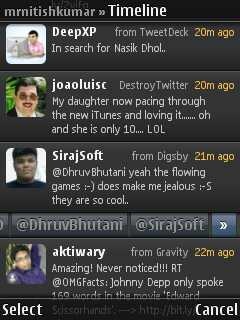
Not just that but the theme options extends to much more …

Here is what kind of Audio theme you want to choose for whole phone use experience …

This is where you define that what background your phone will carry, while calling someone. ..

This is the place where you choose.. you can check the left pics of N82 that how much more options are here now ..
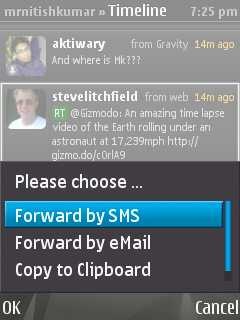
Sure, the animated Time screen is my favorite, but many might have liked Slideshow more, though I still think that if someone was using the Music player option as ‘power saver’ 😉

Even the kickstand that seems to be a new showoff for probably the biggest non-touch screen, have plenty of options to configure about.

And it found the lovely feature that was not available in the times of my Nokia N82.. the over the air update ..  though mine has already the latest one. I love to get updates myself 😦 don’t you?

I used video calling as well, with my youngest brother on the other side using E52 and same complaint.. why can’t Nokia start using more than just VGA for front cameras? I mean I understand that better pixels will ask for more data, but you can make that vary from settings.. at least people who have better data plans, wont complaint .. yourself check how the pics might look like in low light conditions..

Yeah!! you are fully allowed to use the pics above for scaring your kids .. he he he

Obviously, it inherits Full Quick Office and PDF reader from Nokia N82 .. and Zip too.

What I wish more for.. if Nokia  starts adding popular services like Flicker, Picasa, Facebook etc in their list of Share Online services by default.


Lots to say about … but how could I have left the mention of FM transmitter even if it has a very simple interface …

The camera interface wont be covered all in this post itself, but keeping it short.. it adds much expected Panorama mode

I really really think that if Android or iOS has something like this panorama mode… just see what results it could obtain from even a newbie …

Options for customizing the much richer toolbar now…

It also adds geo-tagging, though I was just surprised to see record location option in my Nokia N82 as well. Just for that purpose, I installed Location Tagger from Nokia Beta Labs, is that brings Record Location in or it was the last firmware update? Anybody?

If you think that these were the minor updates then one more feature is here .. Face Detection

For people finding about the most important feature of Nokia N86 camera .. the variable aperture… check out the exposure setting thing..

So, anything I missed that is new in Nokia N86? Sure tell me… I wanna know…