More over Nokia N8

[tweetmeme source=”mrnitishkumar” only_single=”false”]

Lots of talks were going on over Nokia N8 from long, we even seen the early pics from a russian blogger on last day, but still many were wondering if Nokia going to miss the dates as rumors were saying that Nokia going to unveil this device in April 2010 only. So, today was April 27, 2010 and with only 3 days more remaining in April, rumors got it exactly right, when Nokia Conversations probably became the first source to announce the next generation of Camera Phone series.

Nokia-N8-Vasco-full-specs

This was the sneak peak into the device, we seen early the morning.

In first few mins, the official site had some issue with authentication and was asking for username/ password probably for the active content. But even if one was cancelling prompts, site was ready to reveal the show stopper Nokia N8 in complete day lights. I already have mentioned about the specifications and price from the same source. Now, even officially product page arrived. Head there to know more about it.

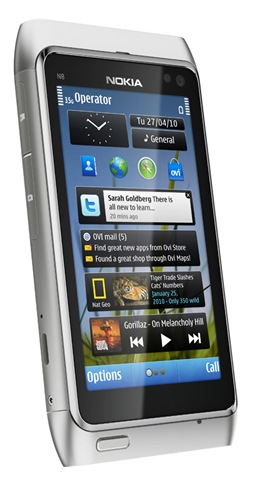
The site has an emulation of Nokia N8’s screen on the front, you can watch the video and increase the volume, forward, pause etc. Not sure, if it has the same messaging apps as Nokia C3, Nokia C6 and Nokia E5 going to have. (Just checked the official page, it will have the same Mail/IM support as upcoming Messaging devices), not sure why Nokia kept the resolution 640×380 in place of 800×600 of Nokia N900? But still if price remain on Rs. 22, 000/-, then Nokia did an amazing job like always to bring the capacitive screen in such a ‘small price’.

Nokia-N8-03

Yes!! the price is small about this device as I bought my Nokia N82 two and half years back in Rs. 19, 500/- and its still pricing around Rs. 17, 000/- at least I guess. Leave the brand new amazing Symbian^3 a side, leave the costly but lovingly smooth iPhone like capacitive screen a side, its going beyond double of your mega pixels in Nokia N82, bring 12 MP with HD recording @30fps with same Xenon Flash everyone of us was craving for.


Let me add one thing on disappointment side, its expected to be launched in the countries given below only in first phase:

Finland, France, Germany, Italy, Netherland, Poland, Spain, Sweden, United Kingdom, United States, Brazil, China, Portugal

Why you skip India all the time? A reader mentioned that release will be worldwide and I re-checked. Sorry for early excitement. Hope it true.. want it soon in my hands.


Geeks might be out to complain abound lower battery of 1200 mAh, few might mourn about RAM still on 256 MB and CPU on 680 MHz, but no one could deny the fact that only Nokia could have done this by bring a full fledge connectivity device, 3.5” capacitive screen, 12 MP Camera with Xenon Flash and HD Recoridng, 16 GB eMMC Internal Memory (expandable to 32 GB via card), FM Reciever/ Transmitter, finger/ stylus touch over Capacitive screen and what a look.

Updates: Adding few videos about Nokia N8

Nokia!!!! only you could have done it. Hard to wait for it. WomWorld/ Nokia!!! are you listening me? 😛

Nokia N8 Finally Brings Multi-touch to Nokia

[tweetmeme source=”mrnitishkumar” only_single=”false”]

Here comes the reason to believe on rumors. Nokia announced the long awaited and rumored device Nokia N8 today. The first to bring Symbian^3, the first to bring 12MP Camera, the first to bring Multi Touch capacitive screen to Nokia, probably first to bring HD Recording in Nokia Smartphones and finally it brings back the beloved Xenon Flash. Dreams came true.

n8-2

Available in a number of colors and a big 3.5” screen with most of space making the screen only not button, its set to be a great multimedia device for sure. Am I going to get complete replacement for my Nokia N82? Falling in love with lovely looks … though missing the while color from the bunch. Will Nokia Launch the same in white as well?n8-5 n8-1 

The most awaited device is expected to arrive in market by third quarter only with a price Rs. 22, 000/- around (hope taxes wont axe a lot).

Available colors
Dark Grey, Silver White, Green, Blue, Orange

Operating times

  • Talk time (GSM/WCDMA) – 12/5 h 50 min
  • Standby (GSM/WCDMA) – 390/400 h
  • Video record – 3 h 20 min
  • Music playback – 50 h
  • Video playback – 7 h
  • Video playback with HDMI – 6 h
  • Web TV – 3 h 20 min

Nokia Original Accessories:

  • Nokia Wired Headset WH-701 (in box)
  • Nokia Bluetooth Stereo Headset BH-905
  • Nokia Bluetooth Headset BH-608
  • Nokia Extra Battery DC-11
  • Nokia Bluetooth Stereo Headset BH-214
  • Nokia Bluetooth Stereo Headset BH-505
  • Nokia Mini Speaker MD-9

Technical Profile:

  • System: WCDMA 850/900/1700/1900/2100 and GSM/EDGE 850/900/1800/1900
  • OS: Symbian^3
  • Form Factor: Touch screen monoblock
  • Dimensions: 113.5 x 59.12 x 12.9 mm (L x W x H)
  • Weight: 135g
  • Display: 3.5 inch widescreen (640 x 360 pixels) capacitive touch
  • Battery: 1200mAh BL-4D
  • Media Storage/Memory: 16GB mass memory + micro SD card slot, 135MB internal memory, support up to 32GB memory cards. RAM256 ROM512
  • Video Playback: Video recording, Performance: encoding 25fps, decoding 30fps, File Formats: H.264, MPEG-4, VC-1, H.263, Real Video 10, ON2 VP6, Flash video
  • Music Playback: FM radio, FM transmitter, MP3 player, Supported codecs: MP3,AAC,eAAC, eAAC+,WMA,AMR-WB, DRM support, DRM: OMA DRM 2.0
  • Main Camera:
    • Lens: Carl Zeiss optics
    • Image capture: 12 megapixels
    • Video capture: HD 720p
    • Aperture: F2.8
    • Focal length: 5.4
    • Flash: Xenon flash
  • Connectivity:
  • HDMI adapter CA-157
  • WLAN IEEE802.11 b/g/n
  • BT2.1 with support for stereo headsets
  • Positioning with GPS, A-GPS, WLAN and Cell-ID
  • Micro-USB 2.0 high speed for file transfers and charging
  • USB On-the-Go
  • Nokia AV connector 3.5 mm for audio input/output and TV out

You can download the official press release with docs from here.

Just placing the quick info from the official site, will be back with details soon.

Digg This

SpiceWorks IT Desktop: IT Management for Dummies

[tweetmeme source=”mrnitishkumar” only_single=”false”]

Add to Google Buzz

While managing IT infrastructure for any organization, over the time, things grow up a lot, only to make you feel that you can’t be everywhere, can’t keep eyes over everything, specially when management seems to squeezing human resources all the time. In place of delegation of things, responsibilities seem to get centralized over few and one just find frustrated with the tiny details he needs to care about all the time. Is it time to be negative about the responsibilities or come up with a new and positive approach? Do some more hard work or keep yourself updated with cleaver work? Really being an “IT Guy” sounds tasteless … here comes SpiceWorks … spicing up IT as it says.

What is SpiceWorks?

Spiceworks provides a free systems management, inventory, and helpdesk software application, Spiceworks IT Desktop, designed for network administrators working in small- to medium-sized businesses.

Spiceworks IT Desktop is used to inventory, monitor, manage and report on software and hardware assets. It also includes an integrated help desk system. Spiceworks runs on Microsoft Windows and discovers Windows, Unix, Linux and Mac OS X machines along with other IP-addressable devices such as routers, VOIP phones, printers, etc.

An adware and is written in Ruby on Rails, Its not a complete and detailed Monitoring Solution like Zabbix (I already wrote about), but for me it covers another other aspects of your IT management that Zabbix left, in a powerful way like Inventory, events reporting like installations/ updates and complete out-of-the-box-Helpdesk segment.

Login Page


Here is feature list:

  • Scan SNMP Devices
  • Linux Scanning via an SSH login
  • Scan Windows Devices via WMI
  • Ability to manage your software licenses
  • Alerts on customizable definitions (eg machines with no anti-virus or low printer toner)
  • Software automatically categorizes machines into groups. eg Laptops, servers, routers etc
  • Ability to define custom devices
  • Ability to compare one machine with another
  • Ability to manage services on remote machines
  • Plugins
  • Reports
  • Network Map (Beta)
  • Helpdesk with user portal

Having Inventory of all your hardware’s and Software’s is something as important as having control over each aspect of your servers. An Inventory not only helps IT staff, but could be a key document for management as well. But the most tedious part is to keep it updated and you always wish that there is some solution that might be doing the job for you without any manual intervention. SpiceWorks does the same job very well, lovable because it doesn’t requires any client side installation and still keep you updated about any changes done in your infrastructure.

Customized report

The other important aspect of SpiceWorks in my scenario is Out-of-Box ready to roll Helpdesk solution. A helpdesk keeps your support efficient and ensure resolution of issues within time frame. Not only evaluate individual’s skill sets, but also provide a complete view for IT Staff and management that how well or worse they are providing support. Not only that it may also reduce common calls that requires little IT interventions and could be dealt by non-IT Staff because, it grows up with an open database of resolved calls with causes and comments about the resolution.


Enough with dry talk, now let’s engage ourselves in some real things

Installing SpiceWorks IT Desktop:

A 23.3 MB Download from the link, the spiceworks.com web site claims the software is an IT manager’s dream – asset management and help desk, all from a simple Windows PC. As the site mentions

Spiceworks IT Desktop is designed for

  • IT Pros who have admin rights on their network.
  • Organizations with less than 1,000 devices on their network. It will work with more but it won’t be as fast.
  • Running on a PC. It discovers Windows, OS X, Linux and Unix but you need to run it from a PC on your network.

System Requirements

  • Windows XP Pro SP2, Windows Vista, Windows 7, Windows 2003 Server SP1, SP2 and R2, & Windows 2008 Server
  • 1.0 GHz Pentium III class processor
  • 1.0 GB RAM (Notice that this one is trickier as it has to cover a lot of aspects)

Browser Requirements

  • Firefox 3.0 – 3.5
  • Internet Explorer 7.0 – 8.0
  • Google Chrome 2.0

As its not always the case that you get a fresh server to install a new application, one should worry about two things with installing any of the web solution, first if its going to take the default http port 80 and if the database its going to use already exists on the same server, you are going to install SpiceWorks IT Desktop. Thankfully, SpiceWorks goes well about both the cases. It takes port 9675 (Of course, choice is yours) for HTTP and the database used is not MySQL, but is a SQLite database.

End of worries. Could go for installation now…

~24 M of installation take a little while to install and greet you with a couple of questions about your network like range of IP Addresses to scan, various Windows username/ passwords details possibly across your network, ssh credentials and you are ready to scan your network for finding devices. Yeah! As the very first step, it asks you to get registered with Spiceworks, which would be your one point help system and integration of your account with web resources.

There are also services related requirements on client side like WMI related services should be in running mode and firewall should not be blocking SpiceWorks access. I am not sure that Remote Registry Service is required or not, but possibly that is also in set of requirements on client side.

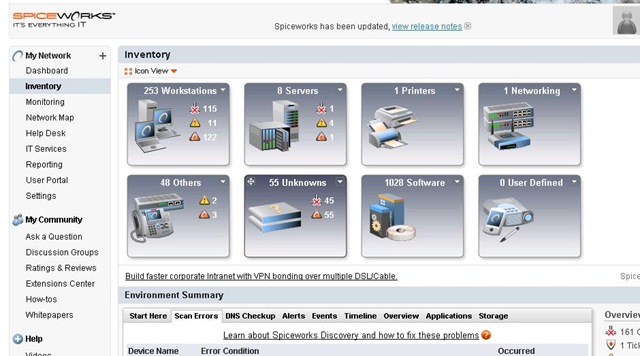
typical dashboard

Go for a complete network scan and in just few minutes, you should start getting discovery, monitoring, and alerting items from all over your connected network.


Inventory

I think it would take a few days for you to manage all of the devices showing up in Inventory Dashboard of SpiceWorks. After the same, one could go for the first amazing part.

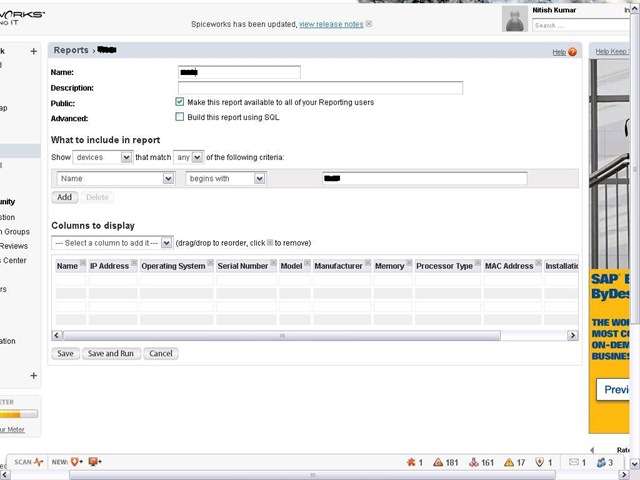
Click on reporting (http://localhost:9675/reports)

Reports page

Create a new report, name it and add columns as per your requirement or even add conditions for making inventory for some specific group of devices/ workstations like I went for all workstations, whose names might be starting with “IT-“. Columns added in my case were Name, IP Address, Operating System, Serial Number, Model, Manufacturer, Memory, Processor Type, MAC Address and Installation Product Key

Customized report

Click on Save and Run and few minutes more will present you a perfectly made, Excel/ PDF/ CSV exportable inventory of your network. More of it, this report will be saved with you to re-run later on for finding more current status of devices.


Helpdesk

Adding a new face to your IT Support, profits of a fully equipped Helpdesk really could amaze you and your clients, if you never worked before with any kind of IT Helpdesk. Many even might be running their home made CRM to keep it flexible for meeting their needs. This might come to surprise many in the fact that its totally free of cost and still works like a charm.

HelpdeskTicket

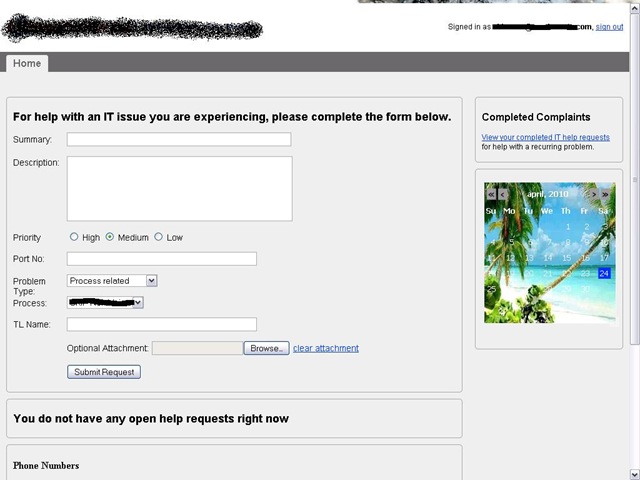
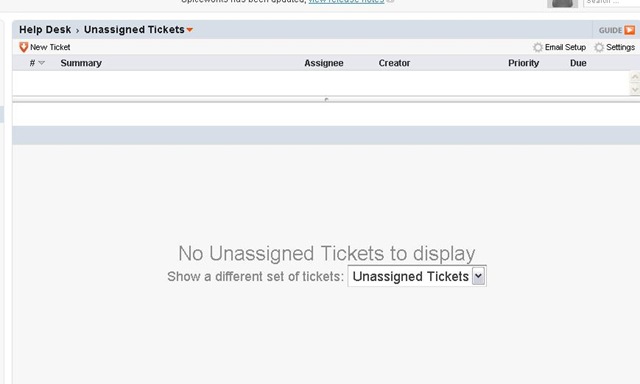
Just click over Helpdesk to find the tickets (http://localhost:9675/tickets) being displayed there with filters like Open Tickets, Closed Tickets, Unassigned Ticket etc. Now you have two ways; either let IT Staff lock the complaints themselves with details or even pass the responsibility to actual users themselves via portal (http://localhost:9675/portal) that could be flexibly customized through (http://localhost:9675/user_portal) like let me show you mine one..

Helpdesk view

There are many details left to be explained in this article, much left for even me to understand and learn through, still waiting for some book (SpiceWorks community seems to be working on the same http://bit.ly/antjqa) … even then like Zabbix, I find SpiceWorks IT Desktop kind of must recommend for any IT Administrator.

SpiceWorks official Twitter page has introduced me with their few free training and demonstration videos, which you can go through to know that what this could do for you.

Videos | Events

Let’s spice up IT a little (in fact a lot).

Add to FacebookAdd to DiggAdd to Del.icio.usAdd to StumbleuponAdd to RedditAdd to BlinklistAdd to TwitterAdd to TechnoratiAdd to Yahoo BuzzAdd to Newsvine

Digg This

Zabbix Monitoring-Simplest becomes more simpler

[tweetmeme source=”mrnitishkumar” only_single=”false”]

Add to Google Buzz

Remember that IT guy from the movie “Hello” based on Chetan’s One Night @ Call Center? So many USBs hanging around neck, some screw drivers in the pocket, some wires here and there … and don’t know what else. A funny sight to laugh about, but little does you realize that life of us, we ‘IT guys’ somewhat really become the same.

Month by month reduced manpower and day by day getting complex infrastructure really make we IT people, (even if equipped with most powerful and expensive hardware on our side) running every moment of each day. Even sometimes, we find ourselves fed up of our own jobs and issues popping around from all over, try to come up with new energy at every next day and tired at the end of day thinking that will ever we going to get some productive time to block issues before rising rather than facing issues which most of the time arise due to the fact that even after knowing rules, we can’t keep an eye over each and everything by own.

Monitoring solutions do the job for you. You know that problems come due to grown logs, low disk spaces or any such parameter, which could be monitored easily if individual, but monitoring all at one place is what these monitoring solutions are all about.


I already have recommended Zabbix as complete monitoring solution and even wrote a dummies manual about deployment of the same on your Windows/ Linux workstations and Servers. Once I even been complaining about the complexity and confusions around simple yet very complex in nature Zabbix Solution.

Genuinely, having a cool product in your hands solve many things, but it frustrates you a lot, when you get lots of questions hitting your mind and no authentic solution over the same other than random answers in forums or hit-n-trial experiences of other users. You wanted to have command over what’s going on in your infrastructure and you not confident about the product itself?

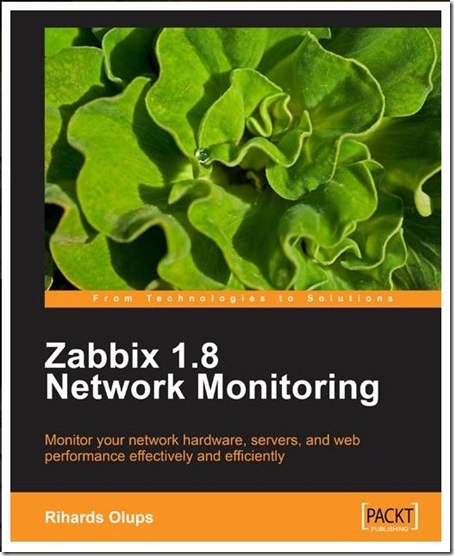
After receiving and reading the Packt Publications book over Zabbix written by Rihards Olups, I really feel getting the same confidence I always wished for. The book really clears around tiny details of Zabbix. As I promised in my last introduction post about the book, allow me to share detailed summery about the book now…


Zabbix 1.8 Network Monitoring
Language :
English
Paperback : 428 pages [ 235mm x 191mm ]
Release Date : March 2010
ISBN : 184719768X
ISBN 13 : 978-1-847197-68-9
Author(s) : Rihards Olups

428 pages are like nothing, when you talk about something that covers really a lot, but the step by step and Layman’s approach make each of the page of real worth.

Chapter 1: Getting Started with Zabbix

This chapter covers almost all what in first place, you may come to know after installing not one, but a few Zabbix servers. It starts from what Zabbix is, what are the features, how it will look like and then how to install and configure. Yes!! even the first chapter leaves you with completed installation and web frontend with brief explanation of each step and command you went through while installation.

Chapter 2: Getting your first notification

Zabbix is much bigger thing than just the installation. by looking at the default provided graphs and monitored data of the server itself already gives you an idea that what Zabbix is going to do for you, but knowing the details like creating a host, items to monitor, defining triggers, email notifications, creating actions etc are what concerns this chapter. It explains in details that how we can monitor some particular element of consideration in Zabbix terms.

An experienced learner could gather the details at his own pace, but having the correct manual about each and everything makes your life easier about the product and enables you to concentrate more on your scenario itself.

By the way, this chapter could be downloaded as sample chapter from here

Chapter 3: Monitoring with Zabbix Agents and Basic Protocols

Zabbix usages client-server way to bring the most from the monitored host. You are needed to install Agents on client side (already discussed in earlier chapter). This chapter deals with more finer elements of Zabbix Agents and show the way to use them all over the Zabbix frontend.

Chapter 4: Monitoring SNMP and IPMI Devices

Once I mentioned that it requires installation on client side, few of you might have started to think that not each device will be like that you could install something up on like your DSL, your UPS, your EPBX etc… what about that? Don’t get worried, Zabbix isn’t only for typical specialist Server Administrators, but it does the job for more complex scenario as well, where the infrastructure to be monitor includes more variety of devices.

This chapter deals with how to monitor SNMP devices and how to get along with other monitoring interfaces and real worth reading for people, who wanted to extend their capabilities/ responsibilities at another level.

Chapter 5: Managing Hosts, Users and Permissions

This chapter is about the instructions that how to behave with frontend about managing hosts, users and permissions as the name hints. It also shows that how you can create different groups for different monitoring responsibilities and in this way delegating the works and rights that might be more suiting to your environment.

Chapter 6: Acting Upon Monitored Conditions

A monitoring solution is not only about knowing whats going on, but also doing corrective measures at first place, if harmless. This chapter deals about the same like how to create triggers on specific scenarios, putting human readable constants and using scripts/ remote commands to deal with situation in first place with human intervention. One of most worthy chapter of this book.

Chapter 7: Simplifying Complex Configurations with Templates

Templates are like standards or tailor made copies for scenario and having lots of customizable ones make your life more easier. This chapter deals with various templates available with Zabbix and also how to use them.

Chapter 8: Visualizing the Data & Chapter 9: Creating Reports

These two chapters deals about the presentation part, which would be actual impression when people other than administrators go through them.

Chapter 10 to Chapter 13

These four chapters dig deeper into advanced item configurations, scenarios, later included proxy method for monitoring remote locations and database itself. Worth reading for administrators, who feel themselves comfortable with day to day tasks with Zabbix and want to go geeks with it now.

Chapter 14: Upgrading Zabbix

This chapter deals with one of the most important aspect. Zabbix is a constantly growing application and sure we find ourselves in front of another version with new features in short intervals. Knowing exactly that how to make the transitions without loosing data is what concerns this portion of the book.

Chapter 15: Taking Care of Zabbix

My experience says that even beginners should read this chapter for sure otherwise they are bound to pass through un-necessary worries like I went. Having a good thing is good, but best is to keep it good. This chapter not only talks about performance and efficiency cautions, but also give good instructions about backing up and restoring data.


There are two Appendix A & B after these all chapters, which deals a little with troubleshooting in a few scenarios and things like Global support through online documentations, forums, wikis, IRCs.


If you know the worth of a monitoring solution like Zabbix, then more than anything else, this book makes the place in your closest book self for any free time reading more than anything. Its not about impressing others with some tricks around Zabbix, but its about real living with it.

Add to FacebookAdd to DiggAdd to Del.icio.usAdd to StumbleuponAdd to RedditAdd to BlinklistAdd to TwitterAdd to TechnoratiAdd to Yahoo BuzzAdd to Newsvine

Nokia C3, C6, E5-Reality check

[tweetmeme source=”mrnitishkumar” only_single=”false”]

Add to Google Buzz

Nokia C3 Unique S40 device with 2MP Camera, qwerty keypad, 3.5 mm connector, 55 MB internal memory, supports up to 8GB Memory card, WLAN support,  Inbuilt support for ‘Game changing’ Nokia Messaging for mails and IMs. and price? just RS. 5, 500/- to Rs. 6, 000/- as announced. May be even more lowered down after production.

Nokia C6 A device that seems to fare even more better than Nokia N97 Mini (Rs. 19, 500/-) and even if not, then passing the very popular Nokia 5800 (Rs. 13, 000/-) for sure. Same Symbian OS as Nokia N97 Mini, same processor as Nokia N97 Mini, same 128 MB RAM, 5 MP Camera with LED Flash, secondary camera, sliding qwerty keypad, 3.2” resistive touch TFT screen with nHD 16:9, 640x 360, Free Ovi Maps voice navigation with A-GPS support, WLAN, 3G, Inbuilt support for Game changing Nokia Messaging for mails and IMs and same battery as Nokia N97 Mini… price? just Rs. 14, 000/- – Rs. 15, 000/- at max.

Nokia E5 Top class business device fairing even better than even Nokia E72 (Rs. 18, 500/-) due to many email supports, Lotus/ Exchange support, same 600 MHz processor, 256 MB RAM, 250 internal memory, 5 MP camera, Free Ovi Maps voice navigation obviously, HSPDA/ HSUPA, WLAN, same sleek looks as featured by E72 or E63 and battery life said to be  18.5 hours on GSM…  price? Rs. 12, 500/- or Rs. 13, 000/-

nokiac5c6e5

Enough excitement naa??? Get a read over David Gilson post about detailed comparison of these devices with ones, they going to replace. With excitement, Its also a good question to think up on that where are the hidden compromises to present such mouth watering prices? Coz on specification sheets, it seems to bringing the best elements of successful Nokia Smart Phones, but how much we should actually expect coming for us ????


Well.. if we talk about Nokia C3, then if you really think then only addition is WLAN and qwerty keypad or you could add up support for bigger memory card into it as well. Internal Memory boosts up from 30MB as was similar priced Nokia 5310, shouldn’t be that much of price concern as launch dates have years between them. I don’t count Nokia messaging integration on costlier side.

What’s on costlier side is QWERTY and WLAN. but Nokia, Apple already shown that they  could sport WLAN on cheaper rates with their E63 and iPad respectively.

Nokia C3 is a great device for lower end market and might be a big success like old sets like 3300, 3310 and 1600 been. So far, I guess no compromises made as prices are reasonable with a little brave push. Hope as it looks in pictures, Nokia coming with metallic body for C3.


Next is Nokia E5 … those who might have missed from specification sheet, let me remind you neither its coming with Carl Zeiss lenses nor I am expecting it to sport that metallic tough looks as E72 had. More of it, what made Nokia E72 standing out of crowd, the Optical Pad is also missing from Nokia E5. At the end, what’s most wrong part is, its loss about battery, in place of BP-4L (1500mAh) we are going to get BL-4D (1200mAh). Even if its being shown with more talk time, it can easily be expected that battery performance might get crucially lower than its competitor. Current price of E72 has been lowered to 299 Euro and Nokia E5 is being launched on around 190 euro. Less battery and missing optical pad seems to justifying the lesser price.

Also I am thinking about the compromises made around functioning, as increased battery life on lower battery means there are some energy saving techniques applied within and as it happens usually it going to cost over performance from somewhere. Yet to see.. and if Nokia really have found some special technique, then why not it’s there with other two? Future will reveal.

Sure, there are compromises and I am okay with them as its going to allow a broader audience to receive the business series with full feature. Though one shouldn’t expect it going to be great on Camera (provided the Non-Carl Zeiss and No Auto Focus), which is bad as many times a business person uses camera for taking scan like images of documents. Don’t know without Auto Focus and Carl Zeiss, how that would fare. Just could hope that they don’t get plasticy in the  way, as the body of Nokia 5800 was and they will sure get an additional sale from my side .

For me, still E72 after next firmware updates (might include this Nokia Messaging into that) fares better due to better battery as Business users tend to use WiFi and 3G than GSM.


People always said that Nokia N97 and even N97 Mini are overpriced in a way and it was sure evident then one looks over the other successful one Nokia 5800. Nokia C6 seems to giving answers to all those people. Disappointment is on air for few, who expected at least 256 MB RAM and 600 MHz from the successor of Nokia N97 Mini, but let me tell you all of these devices are never meant to be successor of any. Neither E5 nor C6. They are in league of their own and an attempt of Nokia to show that still they rule on the scale they have defined.

The  highest priced among the three, Nokia C6 sure reasons the price due to addition of QWERTY and OS capability of Nokia N97 in Nokia 5800. We have lost tilt slider and 82 MB internal memory, when compared to Nokia N97 Mini. Charging got powered by Micro USB, which is nextGen but still… as I have seen that if we use 3G connection at full force on Laptop via Smart Phone, then it drain battery faster than it charges. I am not sure that should call it a positive addition or not, but its sure convenient for majority.

What are we going to miss most with Nokia C6 is again Carl Ziess and dual LED flash, which will sure make the Camera go completely ordinary. I was not even happy with Nokia 5800 and don’t know how C6 will fare in Camera side that way. I never come to know that why Nokia used lesser battery in N97 Mini and higher in 5800 and same question hits back here as well.

Yes!! there are compromises and some are even painful like camera and battery. 128 MB RAM is not going to take it very far the way it seized sale of N97 Mini and if it lacked anything in A-GPS in comparison to N97 (compass already not there), then it would sure be lesser popular than other two models. The only place where it fares better than other two devices is screen size, which facilitate comfortable browsing and navigation experience.

The only touch screen device of the three model sure would be crucial as still many people wants touch devices. But don’t know why I am feeling that it has less brighter future than other devices and upcoming devices (To be frank)…


So, as a conclusion, I think ‘inclusion’ of Nokia Messaging and Chat (that was already there  in Beta Labs from 8199_h some time available for few select models) sure ground breaking for NextGen communications and a sign of the shift that how seriously various businesses taking social networking. Nokia really went aggressive by including WLAN and all comprehensive features at such mouth watering prices coz sometimes we don’t consider worth of some good things till don’t use them due to price. These devices will bring the power of QWERTY, multitasking, heavy storage support and strong connectivity to mass.

I once said that there are so many features in advance Smart Phones, like we could send co-ordinates that where are we or could upload pictures or could communicate with international friends so easily but that doesn’t make effective appearance till we get such smart phones reaching to all your friends. It was always hard to convince any friend of yours to buy a handset of Rs 20, 000/- as you will always be asked that what’s point of buying a smart phone in such a price, when could buy whole Netbook in same price easily?

You check your Ovi Contacts and find only a few online. You check Google Maps Lattitude and find only two three friends have updated their locations (coz they don’t have smart phones with GPS) You left being lonely many times. I am sure that these new device gonna change the same experience. But sure, we need to keep the expectations realistic as its not gonna be a biggest Multimedia experience for sure. Should wait for next move from Nokia.

Just got more updates today

Check out the video showing C3, C5, C6, E5


Few observations ….

C6 It’s good to see that there is no tilt slider in C6 as for me, I was always susceptible about the same in Nokia N97 Mini and loved the smooth slider experience of Nokia N900. Hope this would be the same. There are physical buttons for receiving and rejecting calls, but the whole body seems to be similar to that Nokia 5800 means no metal in this one at least.

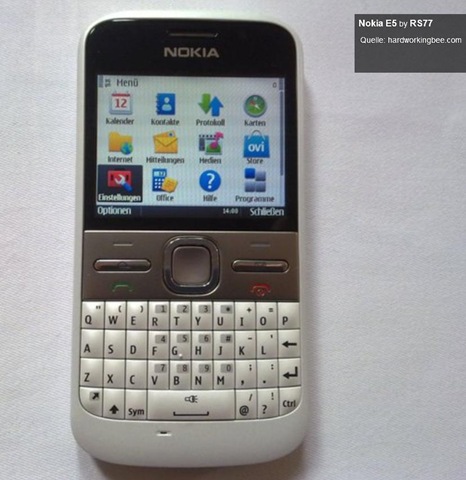
C3 and E5 It seems that I shouldn’t be that worried about the build of these two as both of them seem to sport metallic back and build. Sorry I doubted in first place.

Waiting that when I would be able to take my hands on them….


More updates

Got to see flicker stream of RS77 and view of E5 and C6 there. Interface-wise not much seems to be changed, but I am happy to see the solid looks of E5. Wait continues …

e5-1 e5-2

photo of Nitish KumarNitish Kumar
https://nitishkumar.wordpress.com
http://scifireviews.wordpress.com
http://nitishkumarsays.blogspot.com


Add to FacebookAdd to DiggAdd to Del.icio.usAdd to StumbleuponAdd to RedditAdd to BlinklistAdd to TwitterAdd to TechnoratiAdd to Yahoo BuzzAdd to Newsvine

Zabbix 1.8 Network Monitoring Book from Packt Publishing

[tweetmeme source=”mrnitishkumar” only_single=”false”]

Buzz

Sometimes big things come in your way in unexpected manner. Happened to me when I was contacted by Sandeep Patil from Packt Publishing to take a look over their book over Zabbix. I have seen the book earlier and was already knowing that its one of the biggest book on the subject for sure. Chance of reviewing the same would be like chance of interviewing your favourite star. 🙂

This would mark my first time, when might have been requested for reviewing some book otherwise, it has happened once for movie, many times for reality shows, many times for websites or services and in recent months a few times for smart phones, but I was never on reviewing some book. I could bet you that even thinking to review a book that too a tech book was harder or may say boring for me, if it would not have been on my sweet heart Zabbix. Zabbix and Squid been my most favourite Open Source applications and these are truly a must for any IT Infrastructure. I have even wrote dummies manuals over them on my blog.

Here is the front cover of the book and if you click over the same, then it would take you to the site itself with the details/ pricing etc of the book. Just taken a sneak peak till now, but I could assure you that its definitely worth taking a look for anyone managing small or big Network Infrastructure.

booka 


I have written a couple of posts over Zabbix and deployed it in a few scenario in current job as well as test environment at my home, but definitely that doesn’t stand for a chance to get compared in anyway against the author, Rihards Olups, who had straight nine years experience with Zabbix (since first releases). Recently he joined Zabbix SIA and the gained internal knowledge reflects in the book.

This book really fills up the vacuum about Zabbix related books and will really help people, who find it hard enough to deploy confusing NagiOS and then integrating it with other reporting solutions. Even I struggled a lot with countless customizations and template tricks in last many months and always cried if there was a better manual than forums only.


Consisting of 428 pages and 15 chapters, the book not only covers the installation, frontend customizations and extensive configuration instructions, but also includes well worth mentioning chapters over upgrading, maintenance and troubleshooting instructions. The book goes through command-by-command, example-by-example and scenario-by-scenario, not only that but it also includes very useful sources for templates/ rules etc. It really makes the simple yet powerful application experience more wonderful than ever.

As about the structure of the book, then it seems to be really compact and very much to the point (that’s what matter most for any book) along with the same it also impressed me with the way of putting thoughts. Take a look over one example that I got to read, when was just taking a look over introductory lines around backing up Zabbix …

Real men make no backups
And use RAID 0, right? Still, most do make backups, and for a good reason. It is a lucky person who creates backups daily and never needs one, and it is a very unfortunate person who needs a backup when one has not been created, so we will look at the basic requirements for backing up Zabbix.

I’ll take my time to go though the whole of the book and will be back soon with some more thoughts over the book. Meanwhile I want to take this place to thank Sandeep for providing me this licensed electronic review copy to me with personalized footer as given below

footer

Be tuned … will wait for your comments ….


Digg This

Nokia C3, Nokia C6, Nokia E5-What you always wished for

[tweetmeme source=”mrnitishkumar” only_single=”false”]

Add to Google Buzz

It was just last day, when I wrote over the invitation received from WomWorld. I was wondering that what it will reveal? Why the card was required to sent in place of a simple email? Wished if they could do that integration of IMs again the way they did in Nokia N900? Was thinking about the price on which the new device will come? Was thinking that if they will be worth thinking about? Will they be touch devices again? Are we going to see the first MeeGo? Is the most rumored N-8 is about to unveil?

Lots of questions and answer was just …. Wait!!!! speculations all around .. even if myself and many got the bit that it has to do something with Nokia Messaging and IMs, but still wait was wait..

I really never took part into such an online event and unfortunately even today wasn’t available due to loads of work, but even sneak peak was enough to excite and I was waiting to reach home to write upon it. And here I am …


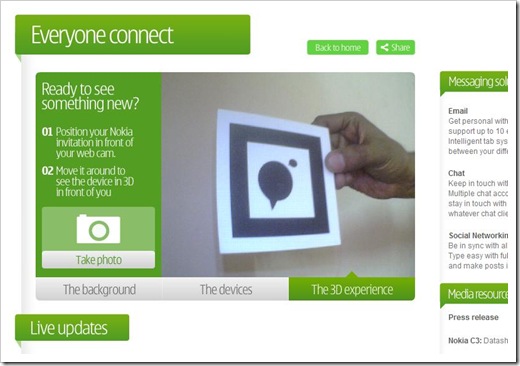
What was that invitation card about? We have seen many type of campaigns, remember those empty banners saying something is coming… advertising needs lots of creativity and sometimes with so simple ideas. So was the invitation card. Yes!!! I am smiling when writing that the black backside of the card was really cryptic and of actual worth.

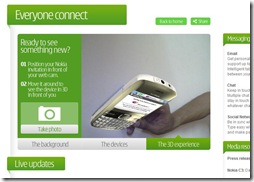
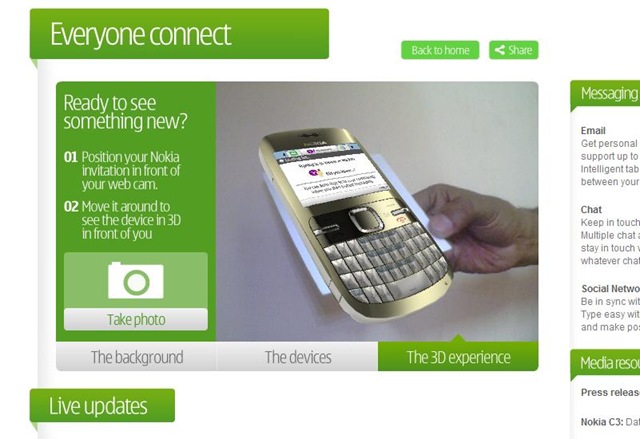
There was a screen on the site, which presented a flash based app asking for allowing to access your webcam and then asking to show your card from backside.
 3d

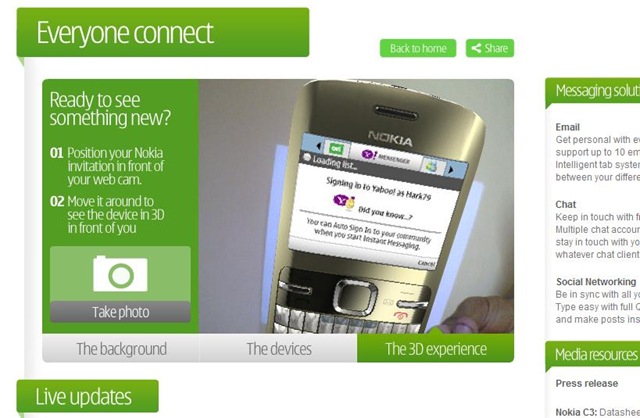
Nothing happened …. ??? Now move the card a bit …. unveiling the new device in front of you … amazing…
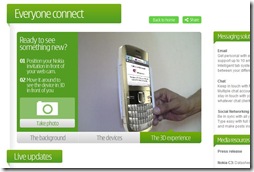
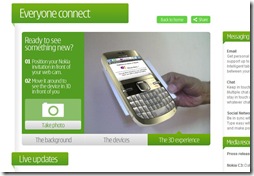
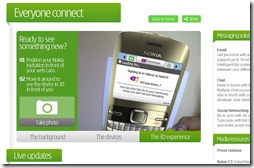
devicesideposecarddevice3


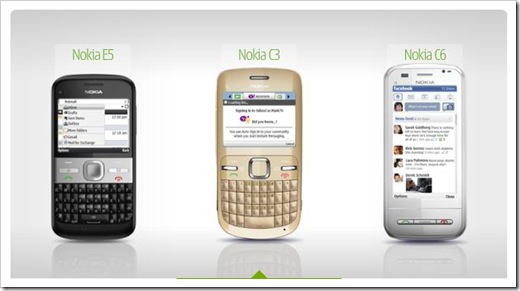
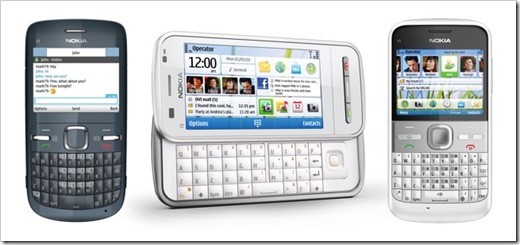
Yes!!.. Nokia really unveiled the next gen of messaging and more exciting the way it got everything right either it be price or battery life or connections or apps coz only that thing matters more than anything about the real connections. I am just left thinking about my old post on what a dream phone should be like? What should Nokia give a thought? And I am really really overwhelmed that its like getting prayers heard. I am still fascinated that how much of my thoughts coincided. Nokia unveils three new dream devices centered around Nokia Messaging and Social connections.
devicesnokiaaa 


Yes… not only Nokia N900 like IM integrations and conversational approach will be common to all three of them, but all are having qwerty keypad, WLAN and heavy batteries > 1200 mAh. It really seems that Nokia getting things perfectly right and taking the best elements of its own experience from all of its successful devices rather than thinking about wide spread fever around Touch-Phones.

Let me Introduce the device one by one ….


Nokia C3 Series 40 devices.. like the one I had Nokia 5310. Many loved them due to their price and C3 functionality. It was not for those people, who are very much concerned about browsing over phones, but wish to have cool camera/ music phones in hands with best talk-time.
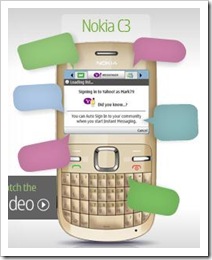
Nokia C3 represents the same class. You get connectivity with Gtalk, Yahoo, Live Messenger and Ovi chat, conversational view, One click access to mail via Nokia Messaging (Graduated from beta), favorite contacts on home screen, just like you seen in Nokia N97 etc, easy updates/ uploads to Facebook, Twitter etc, Wireless Lan with easy access point authentication (No 3G though), 2 MP Camera, 3.5 AV connector, FM Stereo Radio, 55 MB internal memory (more than enough for Series 40), though no memory card included but supports up to 8 GB and amazing 1320 mAh battery with 7 hours talk time.

Though searching over web didn’t confirmed me about the processor, but it seems that it would offer 64 MB RAM and 128 NAND ROM. Enough for a Series 40 na????

Could find the official specifications here


Now the best part of the deal. What’s the price? 90 Euro before taxes means should stand somewhere Rs. 5, 500/- or Rs. 6, 000/- if I am right about conversion rates.


I know you cant believe it.. but the world is sure going to change and the ruler is back. Really will be interesting to see if it returns back the era of non-touch phones. And don’t run to Nokia Priority shops, it’s scheduled to be released in Q2 means somewhere around June/ July 2010.


Nokia C6 Do you think that something holding you back, when you take a Series 40 device in your hands? Do nokia_c6 you think that a Series 40 device is made for only school going teenagers? Do you think that you can’t live without latest Symbian 9? You think that it would be like living in some village without the cool apps you had in your N82, N97? You still don’t want to loose the grip with touch device. Nokia still with you 🙂
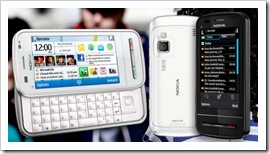
Nokia C6 represents surprisingly the only touch device among these three next gen messaging devices. Nokia N97 like full keypad, Nokia 5800 like screen, full Email support for Gmail, Yahoo, Live Mail, Ovi Mail, IM client available from Ovi Store for Gtalk, Live Messenger, Yahoo or Ovi Chat. Almost exactly same or better customizable home screen than Nokia N97. What more you could wish for?

Here comes more … nHD 16:9, 640x 360, 3.2” TFT screen with 16M colors, 5MP primary camera with Integrated Led Flash, secondary front camera for video calling, FM Stereo Radio, feee ovi maps voice navigation with Integrated A-GPS (No compass though), WLAN, 3G, 200  MB Internal Memory, 2 GB Card included and supports up to 16GB, Micro USB Connector (Not sure that it could be charged through the same or not) and the amazing 7 hours talk time with 1200 mAh battery, What else you wished for?? Really pushes N97 way behind. rocessor will be the same as Nokia 5800, 434 MHz ARM11 and will feature 128 MB RAM

Could find the official specifications here


Again the best part of deal. Nokia really got the point right what I mentioned in my Nokia 5800 post and my dream phone post. The price is highest among the three but still just 220 Euro means will stand somewhere Rs. 14, 000/- – Rs. 15, 000/- obviously if I am right about conversion rates.


You are really thinking na.. if have already bought Nokia N97 Mini or didn’t bought due to high price or even if you started loving your Nokia 5800 like some die hard. Why Nokia does this? Why their own products stands like best rivals? Its time to enjoy and make fun, for them who waited for better. Yes!! this one is also scheduled to be released in Q2 means somewhere around June/ July 2010.


Nokia E5 Do you think that IMs and Social updates are for only kids and youth? Do you think that  being ae51 professional meant to keep you away from social? Do you think that business phone are made of something else and fun phone of another? You ask that why a strictly professional boss or executive can’t be a active socialite? Yes!! Nokia heard you ..
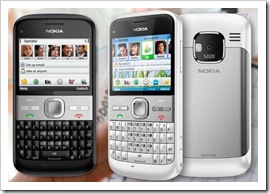
Nokia E5 brings best of their business phones like E63 and E72. Same qwerty keypad, same long battery life, best 5MP Camera with full focus, best of the connectivity with 10MB upload speed/ 2MB download speed with HSPDA/ HSUPA, favourite contacts with images on home screen, One click IM/ mail clients, support for Microsoft Exchange and Lotus Traveler means covering 90% business mails all over the world and never to miss free Ovi Maps Voice Navigation with Integrated A-GPS Support. Yes!!! this one also packs the same conversational view of IMs/SMS and graduated Nokia Messaging.

You may be disappointed that why business devices still has those 2.4 “ QVGA LCD 320×240 as this one has, but 250 MB Internal memory and support for 32 GB card (2GB included) really come to blow your mind. Here comes Nokia to take you in wonderland, the talk time of 18 hours 30 mins on GSM. Really some trick behind this as its still 5 hours and 30 mins on 3G and battery is BL-4D 1200 mAh. Really wish to know details behind this GSM optimizations. But its amazing for people, who finds them travelling most of the time. This really seems unbelievable when you know that it features the same processor earlier Nokia N900 & Nokia E72 and more of RAM will be 256 MB. Great!!!! Superb!!! Really making me restless …

Oh!!! you are waiting for the price na… here it comes … 180 Euro before taxes means somewhere Rs. 12, 500/- or Rs. 13, 000/- I guess. Same price as Nokia 5800. I really love this price tag. The next few month will be hard as this device is not gonna released in Q2, but Q3 means in September/ October I think. Let’s see when it will make it to India. I hope very soon.


I was already impressed with Nokia E72 and it was being loved all over the world… its like overkill. I love you Nokia. Anyone still holding BlackBerry?


For me, the announcement came like a dream came true and Nokia seemed to be like some Santa giving all my wishes. As Thomos on Engadget wrote, Nokia bringing the best of smart phones in affordable ‘dumb phones’ market. The world is sure about to change. The complaints seem being over now that Smart Phones prices are getting as high that people started thinking about buying Netbook and doing compromises. I always said Smart Phones will realize into connections, when many will hold high end devices … it really about to happen. 🙂

For me, it will be more interesting to watch that how webkit based browser will fare in all of these device and what processors and how much RAM these are going to get as the same is not mentioned in press released but means a lot. Also have to see that if they will release the same IM client for other devices or not? Again … wait not over even now 😦 ….

Paul@WomWorldNokia already assured me that I will be on their mind once they get access to these dream devices. So, I will sure be back with more details, when get one of these in my own hands. Clocks started ticking slow .. 😦

Update: Updated the link for Dream Phone post. Was pointing to wrong article. Check again.

Add to FacebookAdd to DiggAdd to Del.icio.usAdd to StumbleuponAdd to RedditAdd to BlinklistAdd to TwitterAdd to TechnoratiAdd to Yahoo BuzzAdd to Newsvine