Nokia E72 Diary-Day 7-Camera Review

[tweetmeme source=”mrnitishkumar” only_single=”false”]

This time, I needed to start from apology that it’s not been a possible post by yesterday as I didn’t got much time to play with Nokia E72. Today my day is going with full jealousy all over my mind with people getting #NokiaNav shiny cars. But still I am back with one of the most important aspect of Nokia E72, which caught people’s attention more than anything, the 5.0 MP camera. Read more to know few things about it.


Do you think that its worth talking about a device on scale of its camera that is supposed to be a Business Device ? Perhaps that is the pain of Business people. Aren’t they human? Are their requirements completely in contrast with other common users? Why should they be deprived of a decent music player in their phones or FM receiver or a real good camera? OK!! first two might be personal requirements, but why not a decent camera? Trust me, most of Business users get disappointed that what Business phone they are going to get are without even “basic” features, they lived with till now.

Think of a day, you hear that Bill Gates decided to visit your office or some other star just arrives all of sudden in your office in next cabin. Believe me, no matter how much professional you are, you sure get excited and wish to capture a glimpse of them (with you may be 😉 ). Is it crime to keep a proper camera phone with you?

Leave that fancy thing, take a real one. You got a doc that you urgently needs to send on Fax for info or for some approval or any other formality and your IT guy tells you “Scanner already faulty since last two days and Fax Machine down since morning”. You say “What the f***? what I am supposed to do now? Isn’t there is a option to take a very clear snap of the doc and send it on mail? Sure only if you have some 5MP Nokia E72 with you.


Megapixels … does they matter a lot? My first proper admiration for mobile cameras started with Nokia N70. People will laugh about 2MP cameras now, but at that time, it was very fine with me and I didn’t even mind taking prints of snaps taken by Nokia N70 then, but what changed the game completely was well known Nokia N82. The almighty 5MP camera with Xenon Flash came in to completely surpass my Kodak Digital camera.

Definitely, since when I heard about Nokia E72, then I was excited about it that if its camera could do the same job as Nokia N82 did for me. Because then it was perfect to switch over that because of other amazing features it offers like due to strong battery and connectivity, I am peaking on about 4GB downloads daily, which was sure limited with Nokia N82 due to less powered battery. So, I took the Sunday, day 7 of trial as the day for camera comparison.
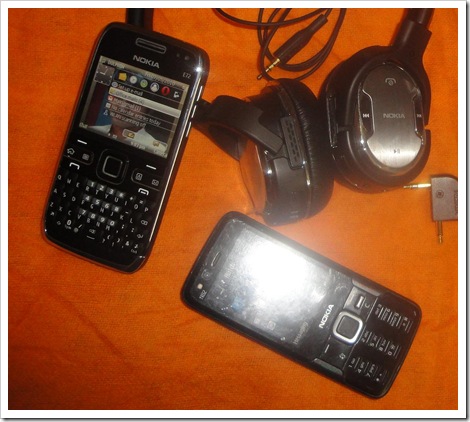

nokia n82-e72

First of all, I let you know that its not that fair to compare a Nokia N82 and a Nokia E72 as the earlier one is blessed with a Carl Zeiss camera (only name is enough), while the later has same megapixels but No Carl Zeiss. The other compromise for the business device is No Xenon Flash and not even dual led like Nokia N86, just Single Led Flash. But like I always said, its better to take your hands on first before calling it off. Moreover, com’on we are talking about Nokia N82 here for comparison, which doesn’t got a match in real till now from anywhere and only N8 seems to be challenging the legacy. But let’s discuss that how much Nokia E72 fairs with its camera…

CJ got a good lead over Nokia E72 Camera, for the details, you may look over there, I am here with my little observations only.

Nokia E72 doesn’t have dedicated Camera keys and you left with only the optical navi wheel taking for the same part. Moreover, might be the case that I am not getting used to that well, but somehow it seems that focusing is tougher than Nokia N82 here. Though as I get comparable pictures with similar quality, but I think its due to adjustment with sensitivity of Optical Navi Wheel. Somehow, it was better to have a dedicated Camera key somewhere.

Good thing is, Led Flash may be called lesser for Stills but become better for videos because the technology allows them to keep lit on while making the video (same explains how Nokia E72 works like a torch when we press space for a while). Definitely a good thing and I will sure come up with a video made in some dark soon.


Scr000062[4]10052010038

The above is a simple comparison of camera interfaces on both the phones. The point to notice was inclusion of panorama mode in Nokia E72, though some may be disappointed by non-availability of geo-tagging, but I wonder that how many actually use that? Must be hard on battery I guess. Though the same feature wasn’t there in Nokia N82 as well and all I have heard of is an application from Nokia Beta Labs to bring this capability. There should be one for Nokia E72 as well, if someone really want to.

Well!! with time, things get advanced so with the camera interface as well.

camera settingscustomize tool

You can customize the toolbar here, which was not there in Nokia N82 for sure.

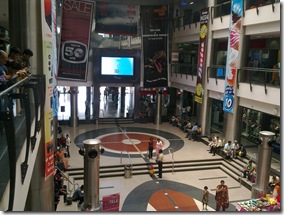
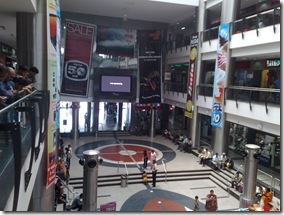
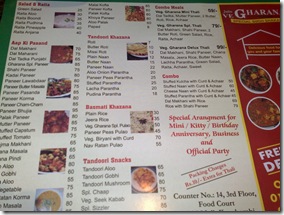
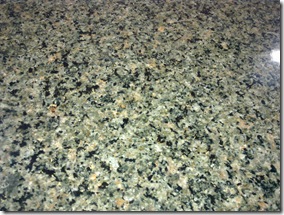
Sure I didn’t took much of the pics today, but putting some of them here for comparison. All the time, Flash is on Auto for both the devices and I tried best to focus before shot. (Nokia E72 left and N82 right)
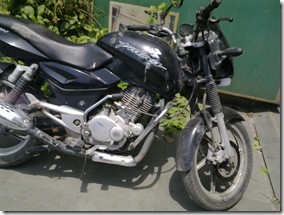
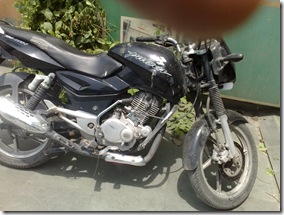
Bike before server - E72Bike before service - N82

EDM Mall - E72EDM Mall - N82

Menu Card forText - E72Menu Card for Text - N82

Texture on E72Texture on N82

Closeup and colors on E72Closeup and colors - N82

Bright colors - E72Bright colors - N82

Honestly speaking, I am not able to figure out the difference, but experts might sure find. Though I still insist that Nokia N82 is more convenient tool to snap due to dedicated camera keys.


The other part on negative side of Nokia E72 is somehow with the resolution. Don’t know but Nokia N82 and Nokia E72 both technically has the same resolution screens, but even though Gallery makeover is great in Nokia E72, but I found somehow pictures doesn’t look that great on screen in Nokia E72 in comparison to Nokia N82. May be I should give some more time before coming to this conclusion or may be I am too much used to of my beloved N82.


In all, I must say that competing with the legend is hard, but except for two points, Nokia E72 not leaving on any place and even scoring on Video light side. Technical details on other side, but I don’t think that anyone is going to find any difference in two. After all, all we want is a best camera to be with us and still one device for all.

Guys!!! here you go. This is the business device you always wanted. I mean there might be many business phones out there, but tell me which one got it all like the way Nokia E72 got?

Now you could download the app for this blog on your Nokia (Symbian5) via  this link or widget via this link.

Digg This

Nokia E72 Diary-Day 5-Nokia Messaging

[tweetmeme source=”mrnitishkumar” only_single=”false”]

Starting from the same first paragraph, where I left in last post, what more you wanted from your Smartphone? A wireless phone, a music device, a gaming device or all of these? Is something remained? Do all Smartphone buyers see their  phone as fun devices only? Don’t they ask for some more?

Mobile Emails! Many of you like me loved the simplicity of Gmail’s naive Mobile Email client and many other mobile clients like the same, but still felt troubles with handling of HTML, Attachments and data/ battery usages. Sure! they brought convenience but a few limitations too like how much crucial your mails are for you? How many times you check for your mail in an hour? Does it look good when you find yourself checking mails while in some important conversation with some client subordinates? Will a non-HTML mail could serves the purpose for you all the time?

There were different set of challenges while making a business device than normal users. Your customers were bound to be very demanding, very calculating and asking for things that might be little bit hard over current stage of technology.

Push Mail! This was first introduced by Research In Motion (RIM) and even if little slow in start, later caught huge attention from corporate. Push e-mail is used to describe e-mail systems that provide an always-on capability, in which new e-mail is actively transferred (pushed) as it arrives by the mail delivery agent (MDA) (commonly called mail server) to the mail user agent (MUA), also called the e-mail client.

Wiki reference explains more Post Office Protocol (POP3) is an example of a polling email delivery protocol. At login and later at intervals, the mail user agent (client) polls the mail delivery agent (server) to see if there is new mail, and if so downloads it to a mailbox on the user’s computer. However, outgoing mail is generally pushed directly from the sender to the final mail delivery agent. Extending this push to the last delivery step is what distinguishes push e-mail from polling e-mail systems.

The next problems was with rendering of HTML content and handling of attachments for which different vendors kept on coming with different solutions. This time I am here for discussing Nokia Messaging Solutions on Nokia E72.


Nokia E72 Diary – Day 5 – May 07, 2010

Initially started as a trial beta product, Nokia Messaging comes as in-built and ready-to-go on Nokia E72. I already installed and tried the same on My Nokia N82, Nokia 5800 and Nokia N97 Mini earlier, but all of them were for limited period and having only the full fledge product in your hands was the real time to evaluate the features. Getting your mails delivered almost instantly on your handset like some SMS is an awesome experience. Definitely I am loving it and counting it as the top three profits of having a Nokia E72 in your hands.

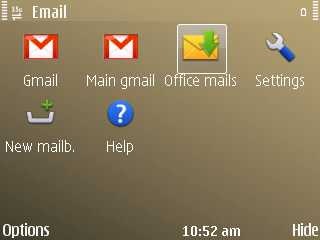
Not only it allows you to connect a total of 10 Email accounts with Push mail, but also provide compatibility with 99% mail providers around the world with inclusion of Lotus Traveler and Microsoft Exchange support. Not only this, you are provided an effective and intuitive interface to deal with, which works very efficiently in background to deliver the best mobile experience for you. As you will see in next screenshots, you will get an effective rendering of HTML and for people, who don’t get please by even this, there would be a link on the top to open the same mail directly in web browser. Great intuitiveness.

Much has been written about the technology and how it works. I will keep it simple and will present the screenshots only that how it go and how it feels for the people, who still haven’t experienced the glow.


Configuring and customizing Email Accounts in Nokia Messaging

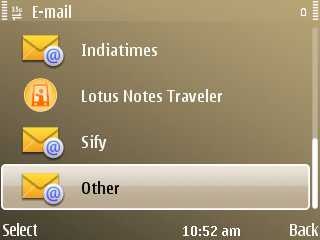
Welcome screen for configuring MailAvailable options 1

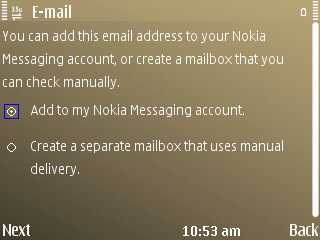
Available options 2Available options 3

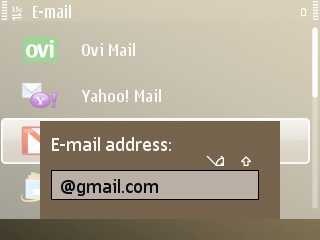
For known mails only Email ID/ password is enoughYou can add 10 of accounts and additional too but that wont be Nokia Messaging

All mailboxes at one place.Settings

How you want the inbox look likeI like popping up of message list when I hover on link of home screen

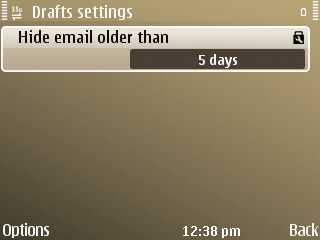
Gmail has options to show mails of only two weeksDrafts could be accessed only if they are within 5 days

The last few in above are settings for my Gmail Account, while the below screen shots are for office account that doesn’t support IMAP or Active Sync.


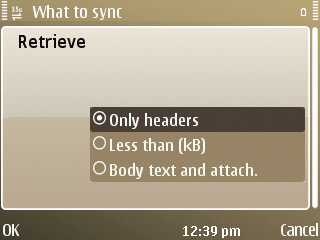
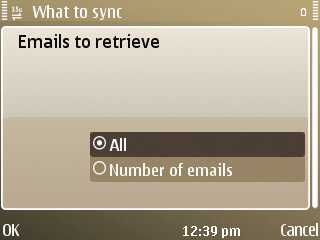
Corporate Mail 1Corporate Mail 2

How many emails?Its only about mails that are non Exchange or Lotus. My case is SmartMail

Market might be fighting over one click-two click configurations, but its always about making the process of configuring an account as simple as it could be. I don’t think any need left here for messing up with advance settings of configurations except your corporate environment has some specific alteration with settings.

I don’t think anyone should be having any complaint with configuration steps of Nokia Messaging at least. 🙂


Intuitive Interface of Nokia Messaging

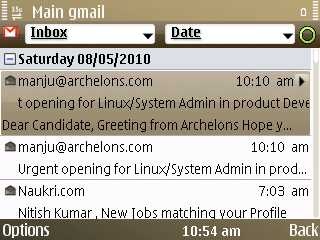
Folded mails by dateInbox View

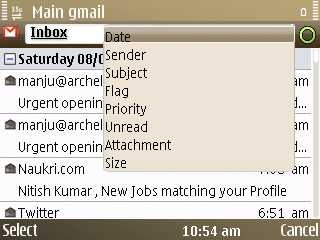
Available options 1Available options 2

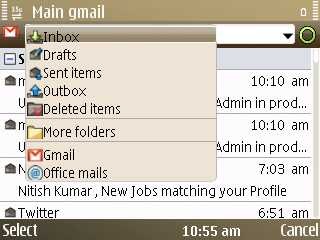
Soft by any of the attributeNavigation from one place

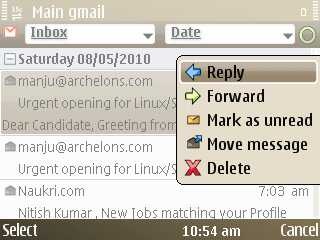
Reply/ Forward like option in same way as some SMSUnread Message size whenhover over them

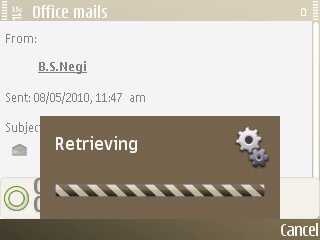
As the screenshot 1 shows the folded view, while the screenshot 5,6 show how you can sort mails based on various attributes or could navigate through folders. Moreover, last two screenshots show that how its shows the size for unread mails and also has option for replying, farward etc without even opening the mail. Moreover auto scrolling for long subject lines just like SMS previews on S40 device make it perfect inbox view.


Rendering of mails in Nokia Messaging

Yes!! things take time for big attachmentsView HTML LInk

Got a number, save itContacts are always accessible  

Hmm.. space to get improved for sureHTML view seems natural

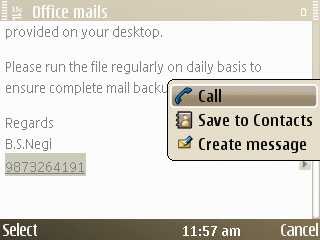
Ok! here comes the mail reading experience. There are little tweaks like direct options for saving any number to contacts or calling the same or even going through any email id and using it for Email/ SMS/ Call or saving to contacts.

Some might still complaint about rendering of HTML as it seems to try for showing HTML links only, not HTML format itself. But as a technical person, I understand that delivering the full HTML experience needs high data usages and Nokia came up with another way out by providing the View HTML message link, which opens the mail in browser as shown in last screenshot. Clever Nokia!!! But still I think some customized and trimmed down technique could be devised to show a minimal HTML experience (if not fonts etc then at least Bold/ Itlic/ Underline etc.)


So, are you still complaining about terrible build of some Blackberry or confusing icons on your mobile home screen, failed trackball of your current QWERTY? You are missing a Nokia E72.

Now you could download the app for this blog on your Nokia (Symbian5) via  this link or widget via this link.

Digg This

Nokia E72 Diary Continued-Day 4-Review on Nokia BH-905

[tweetmeme source=”mrnitishkumar” only_single=”false”]

Just a few year back, when we were waiting in front of post offices in late nights to get some cheap rate calls and were envy those rich fellows, who were able to afford even @Rs. 3/- for ‘incoming’ calls. We just wished that when this technology will go cheaper that we will be able to afford that?

It didn’t took longer than one year or two and most of us were with mobile sets in their hands. We were enough enough happy to enjoy the freedom of calling anyone, anytime or being in touch with SMSes. Time passed and criterion of buying a phone started changing, phone was not just for taking calls, but it took place of Camera, watch, pager etc and also it became your most beloved entertainment device.

Not just addiction for legendary ‘Snakes’ game on Nokia, but soon our phones transformed into 24×7 music devices with Built-in FM and memory card support for keeping many songs inside it. Today it became a one stop solution for all your needs starting from calls to social updates, with free Ovi Maps with descriptions about nearest fun places, it now has became even your friend, your guide. Do you think technology will ever stop? Is there anything remains to do more about it?

Let me see ….

Nokia E72 Diary – Day 4 – May 06, 2010


Do music helps you concentrating things you really wanna do? Do you keep your music enough loud to keep the outside voices away? Does it annoy you that even loudest voice can’t keep the outside noise apart sometimes? Do you love being lost for a while hearing music? Do you curse yourself for being in some noisy office or urban flat and think if there was a switch that could have taken you in some other reality? Do you complain that the wired stereo headsets with you are not only a pain in neck, but also not worthy to be companion in some flight?

So, here I am introducing, the next generation of technology, claimed as “The best headset ever made” and “Symphony of Sound and Silence”, Nokia’s premium Bluetooth Headset Nokia BH-905.

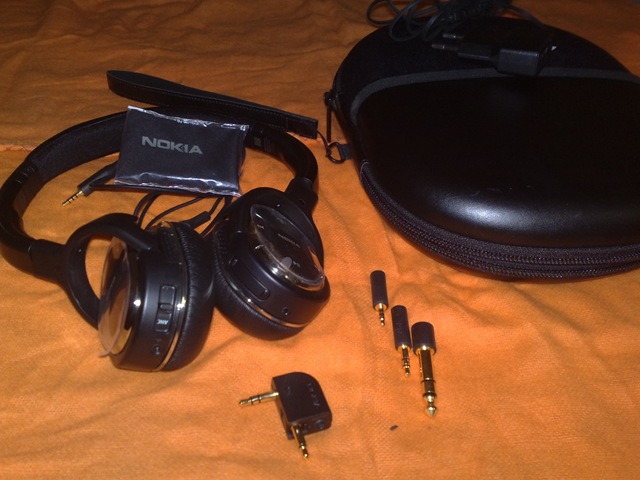
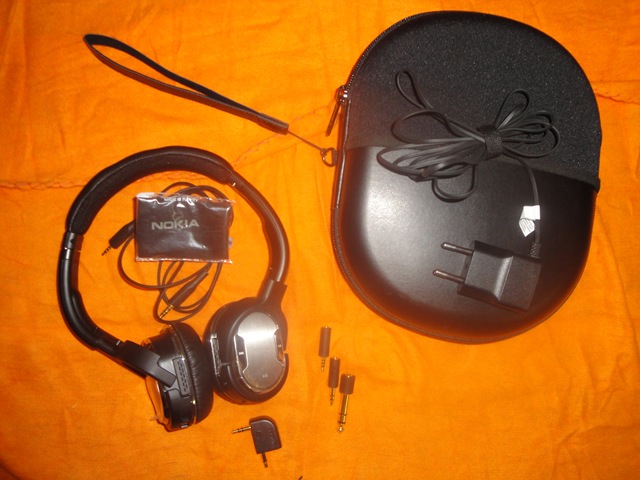
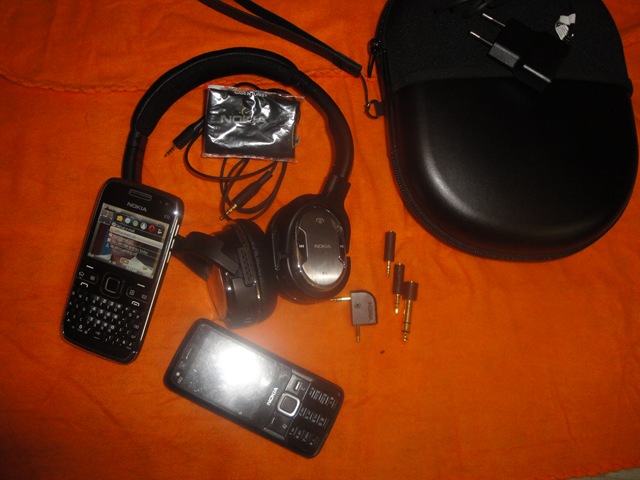
BH-905 package


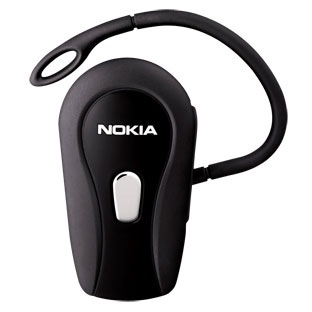
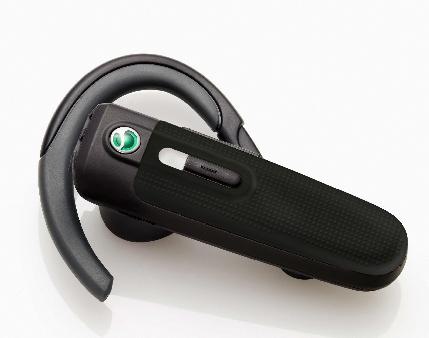
The other Bluetooth headsets, which had been with me were Nokia BH-204, Nokia BH-212 and Sony Ericsson HBH-PV702. Pictures given below:

Nokia BH-204 Nokia BH-212 Sony Ericsson HBH-PVH702

Definitely, this was a much bigger box (even bigger than any Smartphone’s box) to be something of a Bluetooth Headset, but I was having a few reviews over the same and was seen it in pictures, so wasn’t to be surprised. But definitely curiosity was on peak about going close to such a device.

Sure as the trial contract reads it 165 Euro, even after knowing about high praises all around about it, the price was much higher to afford for someone just to have some more fun, more of it the size of the device was nothing comparable with my earlier Bluetooth headsets or even my wired one (given below in pics)

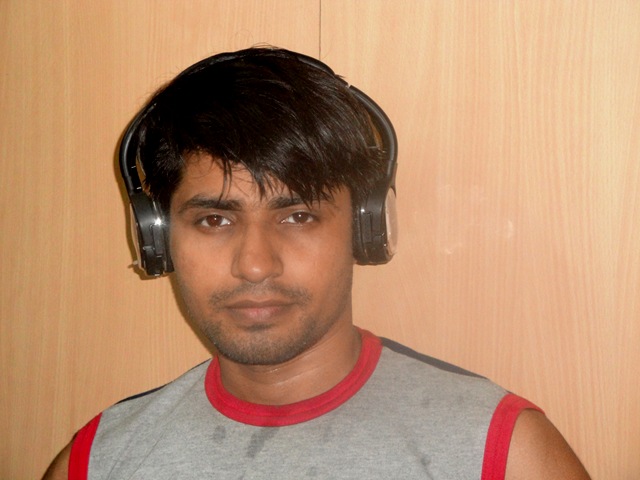
product2763 So, sure I was to look over it from a biased state. I was to more to dig deeper into it from technology point of view, while from the heart I was in thinking that if the same will suit me or fit me that well? Take a look yourself and tell ….

DSC01001Definitely it doesn’t look that bad even if I might be looking a bit in unshaved casual looks (at least Paul wont be having a complaint now about my modeling of devices). In fact, for the persons like me, who might be much into mobile devices and gadgets (Smartphones, Laptops), definitely, it seemed a great asset due to the level of comfort it provides to ear.

I must say, for the first time some headset came to fit my head exactly cutting it from outside sounds completely and not hurting a bit even after keeping it on my head for an hour or more. Some hours with it and I was tempting to buy the same if it was anywhere in my range. Sigh!!!


Lots have been said about the specifications and the patented active noise cancellation technology that Nokia BH-905 uses, but still echoing the same here again.

Dimensions
7.08 in x 6.1 in x 2.32 inches

Weight
6.17 oz

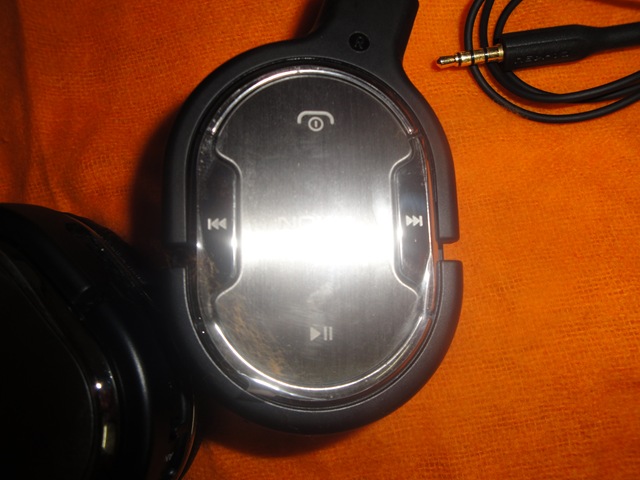
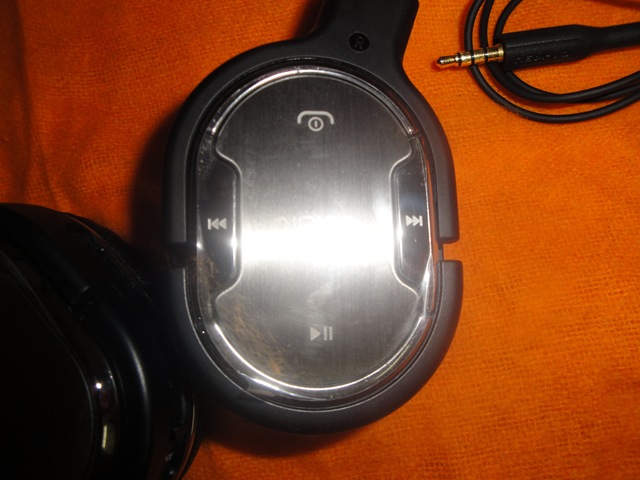
Operating keysDSC00980
Multifunction key for power on/off, answer/end, voice dial, and redial
Volume up
Volume down
Play/pause
Next track
Previous track
Active noise cancelling on/off

Connectors
3.5 mm Nokia AV connector
Supporting adapters for:
– 2.5 mm Nokia AV connector
– Standard 3.5 mm jack
– Standard 6.3 mm jack
– Standard airplane jack

Operating range (maximum)
Up to 33 ft (Bluetooth use)

Power supply
Rechargeable 600 mAh Li-Ion Polymer battery

Operating time (maximum)
Talk (Bluetooth): 24 h (Isn’t it amazing?)
Music (Bluetooth): 25 h
Talk (Bluetooth, with active noise cancellation): 15 h
Music (Bluetooth, with active noise cancellation): 16 h
Music (Wired, with active noise cancellation): 40 h
Hands-free phone calls and music listening (without active noise cancellation) possible even with empty battery (wired connection)

The last feature makes it truly awesome as it means that you may enjoy the headset even when it get discharged like some ordinary wired one (obviously ANC wont be available).

Standby time (maximum)
With Bluetooth: 600 h

Charging time (maximum)
2 h

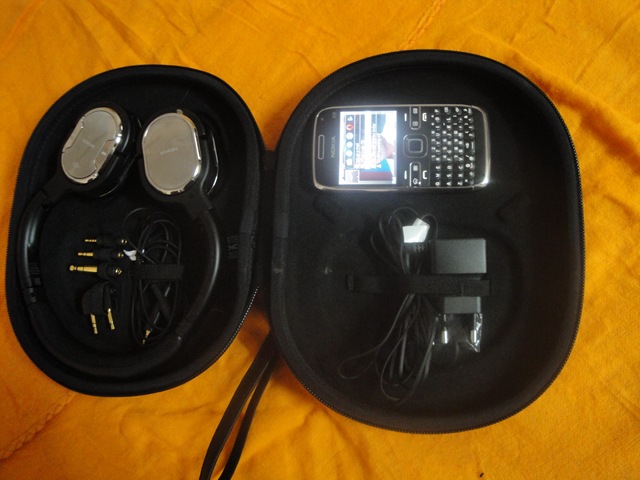
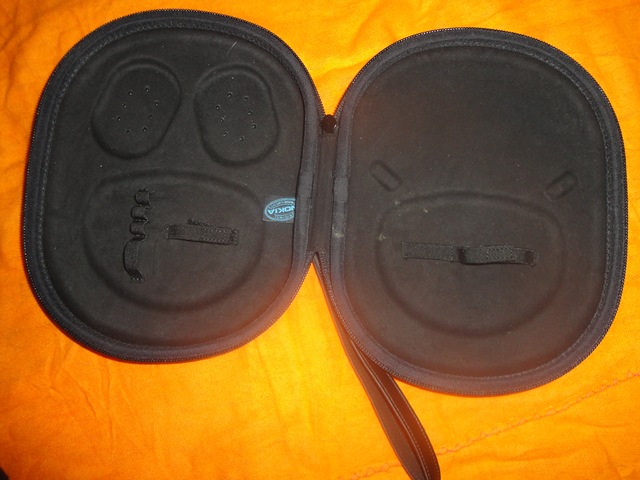
Special praises for wide range of accessories it provides. The awesome battery life, much wider range (33 Ft and I was knowing that Bluetooth could support only 10 Ft), wide compatibility options, royal leather bag to keep it with you and not only this much wire as well coz not every device may have Bluetooth.

Definitely its grand. A royal thing for people as you would never seen so many things in package. Its wired, its wireless, it connects to almost all kind of devices you know, has an awesome talktime, has all controls built-in on body itself making it completely wireless, a royal luxury/ designer case to carry it on and a body made of stainless steal.

As about the price, then it could seem a little bit more, but a little bit only. Considering my earlier three headsets in 2k range and BH-904 offering in 6k INR, definitely its not that far, if you know what Bluetooth headsets costs in real. Current 10k offering (if I believe on mentioned price in Trial) is sure not a bad one, if you consider the technology, versatility and convenience it offers to you for long time.


Before cancellation part, one needs to know that what is noise in scientific terms means how come a digital device may identify that what is voice and what is noise? A must question to raise, because one man’s music might be another man’s noise. Simple explanations says that natural audio or music follows a sinusoidal kind of or rhythmic kind of pattern and so the voice suits to our years. Audio waves without any pattern or rhythm come as disturbance over our ears and we call them noise either it be scratching your nails on Blackboard or hitting some tin drum. By the way, the term to be called precisely for it, is ambient noise and we are talking about cancelling the same.

Noise cancelation has been very new or unknown term now days, even my Sony’s Bluetooth claimed the same. One must read this interesting article to know a little about normal noise cancellation actually work. Then we proceed about the patented technology Nokia uses with BH-905, that is in exact terms is Multi-Microphone-Feed-Forward-Active-Noise-Cancellation.

Whatever the name might be, basically it works by generating an anti-noise signal of same strength but of opposite cycle means like you put two coolers face to face and cover their faces with two big towels and switch both of them on. Opposite forces on two towels cancels the wave motion of towel and collapse kind of. Yuck!!! you must be thinking what a stupid analogy but what to do, I took a layman’s term 😉

So, this goes in this way, there are a total of 10 microphones inside this one device. Yes! you heard it right 10 microphone in one (hope you don’t mind the size now), out of which 8 are for noise cancellation part while rest two do the job of receiving the voice in crystal clear from a louder environment.


Here is the press release, which says the launch price was 285 Euro, while trial agreement from WomWorld/Nokia showing me the price as 165 Euro. Prices seemed to be dropped significantly. For people, interested in more, the technology is from Wolfson Microelectronics, may be you could find some insiders there otherwise you may take a look over Nokia’s standard data sheet only.


Pictures section

DSC00974

DSC00979 DSC00980

06052010175  DSC00983  DSC00987

 DSC00998 DSC00988

DSC00989

DSC00990 Sorry about not including Nokia E72 experience in the diary today, but keep tuned in more will be coming by each day.

photo of Nitish KumarNitish Kumar

Now you could download the app for this blog on your Nokia (Symbian5) via  this link or widget via this link.

Digg This

Nokia E72 Diary Continued-Day 3

[tweetmeme source=”mrnitishkumar” only_single=”false”]

Its really hard to cope up writing everyday while you own busy personal and office lives, but here I come again, keeping my promise at least for the first day 😉

May 05, 2010

First starting with the issues related to  Connect PC to Web Mode. After a day, now its a little easier to connect, but what I have figured out is this

  1. The cable provided with the set seems to be a little different than usual cables provided with other models. I have at least three cables with me from Nokia N82, Nokia 5800 and Nokia 5310, but I found that it never connected internet with any of them even though it was connecting well in other modes.

    Strange!!! not sure, if this is right conclusion, but this is what I found. Particularly annoying due to much small size of cable, I mean what you thought when provided an around 6” cable with it?

  2. I guess as the trend started with NSeries devices, Nokia keeps the data settings burned inside the Smartphone and though that works with most of the connections, probably that didn’t happened with my case. 3G is not wide spread in India till the moment and still its in process of Auction. MTNL/ Providing the same in selected areas and might be the case that Nokia chosen not to burn in the settings before it get full-fledge.

    I am not sure about my this observation particularly, as theory says it should pick any web connection from your E72 means Wi-fi, 3G, GPRS whatever. If this is so, then it must be reading from the device itself (same it says). But if it so, then why missing the settings I have made?

NetAnyway, end of story,now I am able to connect well but may be need to figure out what are the manual ways, so troubleshooting (if ever required) would be easier.


Exploring the home screen of Nokia E72

Might be  the case that I was not that into home screen customizations with Nokia N82 or Nokia 5800, but home screen of Nokia E72 seems quite fascinating. Well built professional look keeping things low yet effective enough.

scr000022

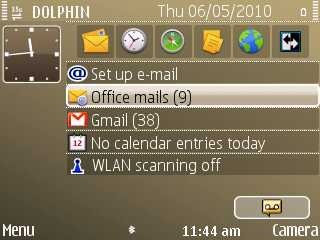
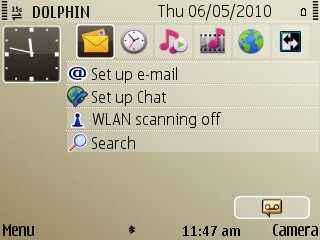
You could see, how much informative the little screen is. More of it, things are much customizable for almost everything here, after all its a Nokia.

Right and left Menu could be set for any of the app, so are the apps on the standby screen (first horizontal row). The vertical row get chosen from 15 options and though you are allowed to configured at most 10 email accounts through Nokia Messaging, but on home screen, you could choose any two of them to get displayed (one will be called as primary mail and the other will be called as secondary). By the way, Nokia Messaging works flawlessly and I think only delay between getting your mails might be of 1-2 mins. More of it, the way it renders the mails is also much efficient. You may expect another review of mine around Nokia Messaging soon.

Once you rover over the SMS notification or Missed call notification, its shows you info without even opening SMS inbox or Call logs in form a lightweight pop screen. Same you could choose from setting for any of the mail account or both of the mail account and then when you will point over the account, it will pop up a little note showing sender, subject and time about unread mails only. Definitely, business class.

Though I am not using the same, but there is an option for mode switch (right top of the screen in pics, could be customizable), which may be used to switch from Business mode to personal mode. It means you will have two home screens that could be customizable as per your need, with different preferences and different themes. Sure a good idea for people, who don’t like being boring professionals all the time, probably Nokia E72 is all about such people only.


The third point to notice was Typing on Nokia E72:

05052010173Yes!!! we all have seen and heard about the legendary keypad of Nokia E71 and Nokia E72. They have really became kind of benchmark for this shaped Smartphones in real. So, what’s more about them?

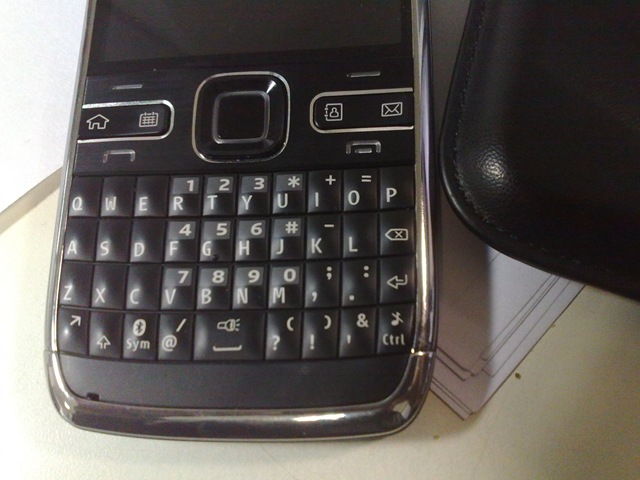
We get the numeric keys in the middle in the similar way, we always had in our old Nokia phones except the fact that ‘*’, ‘#’ and ‘0’ keys are on right side this time not at the below of the keypad. Interesting additions are ‘Enter’ and ‘Ctrl’ keys at right bottom. Just above them there is also a backspace key, which works for cancel/ delete key (as were in older Smartphones). Good is to have keys like ‘@’, ‘?’ and ‘!’ directly on single keystrokes as these one go quite of importance while typing business mails, though I missed an ‘_’ key on one or two strokes here, but you cant please all in such a small space. Rest of the symbols are under Symbol key that uses the same pattern of keeping recently used symbols in first line.

There are other functions on long press of keys as well. Though I am not yet aware of them all, but as you could see yourself, long press on Ctrl Key make music muted/ unmuted, long press on Symbol key makes Bluetooth on/ off and for making many people out there smiling, long press on space key makes your Led Flashes on like a white light torch. Don’t know how that would go over the battery, but the light of the torch is this much good that you could use the same for studies for a while. 😉

Really the space provided for Keypad seems to be very very efficiently utilized and remains as an inspiration of design for other companies coming up with their QWERTY models.

Yeah!! as one should expect, if you start type a number directly on blank screen then it takes numbers as input and if you type on some SMS or Mail, then numbers go behind to be secondary keys (activated via function key at the left bottom). Seems a natural thing, but keeping the natural thing working well in design is what make something likeable.

Next lovely things that I experienced first time in Nokia N900 was again back here; predictive typing. Yes! there might be dictionaries in other models as well and predictive typing might be kept on in other Smartphones as well, but these two experiences were only two that felt practical too me. In start, suggestions might be little annoying sometimes, but it learns really fast, like which words you used, what spelling you use, which are the name, everything goes really natural the way Microsoft Office does. Auto Completion of words is something hard to forget or to be without once you get used to of it.


Not to mention like other ESeries models, we have full version of Quickoffice (Editing and creating new documents allowed) here compatible with Office 2007 files and so for Acrobat files as well.

scr000025scr000024

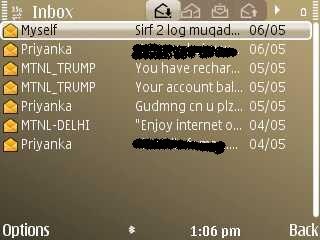
Interesting was to see the informative view of SMS inbox, even better than S40 devices view that I always loved.

scr000023 


So, here I am ending Nokia E72 Diary of today. Still not getting time for the other trial device Nokia BH-905. Very bad of me, I know, but office taking me 8:00 AM-9:00 PM, what more you could expect after 9:00 PM?

Now you could download the app for this blog on your Nokia (Symbian5) via  this link or widget via this link.

Digg This

A Nokia E72 Diary-Day 2

[tweetmeme source=”mrnitishkumar” only_single=”false”]

14 days, two new devices. You know you gonna miss them badly, when those will leave you. A precious chance, new experiences, tempting innovations  and golden moments. You wanna take each of the event to your heart, wanna to know each aspect, wanna to shout about each glitch or awesome features and more importantly wanna to live the legacy. Why to miss any of the day?

Don’t know in the busy life, I will be able to cope up, but starting my ‘Diary with Nokia E72’. Rest 13 days and 13 posts about Nokia E72. Will I be able to do that? Never been even able to write 13 posts on even different topics in 15 days. Let me try this new challenge.

03052010155 


May 04, 2010, Day 2

  1. Are you among people, who think that their laptops with 3-4 GB of RAM shouldn’t be burdened with eye candy of Windows Vista or Windows 7? Who are fine with Windows XP, because it does everything well and providing more resources will make it more responsive, more resourceful and more great.
  2. Are you among people, who think that why so much stress on touch screen devices that drains power like insane, while the same power and cost could have been used to make already well worth Symbian UI more powered?
  3. Are you among people, who still keep a standby age old lightweight phone like Nokia 1100 or Nokia 1400 with you for backup, if you ran out of power anytime?

Here comes the answer for your wishes. The real runner, Nokia E72. Because for many like me, its always about how much you do rather than how styling way you do.

Joyful Girl


Detailed views will come after a few days of usages, here comes some early impressions ..

The Positives Ones

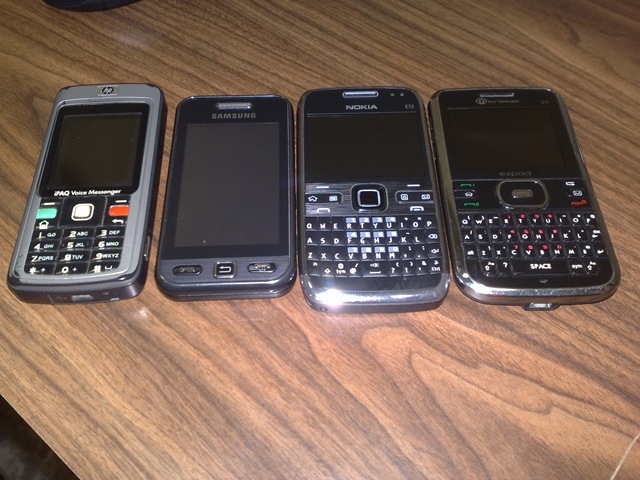
Amazing and solid build: Remember those days, when you were used to accidental dropping of phone as you were assured that it wont be broken. Nokia N97 Mini and now this. Solid looks are back. Such a lightweight, thin yet completely solid with Stainless teal device really matches with your all in control young business looks rather tying with the bulky competitor. You may check the pics given below where I kept it various brands, soon will post the pics with iPod Touch and Blackberry possibly.

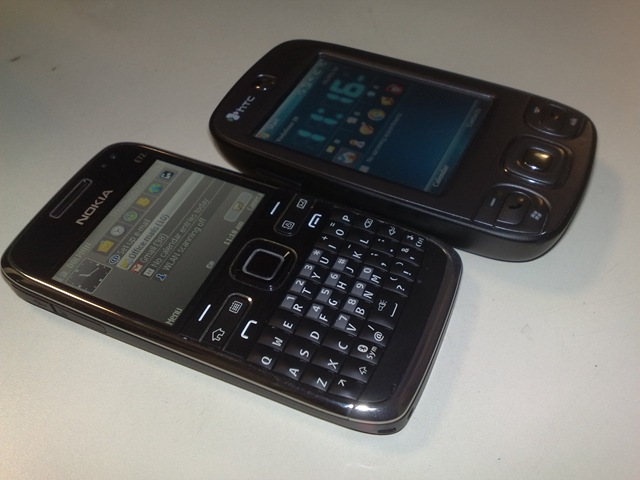
Nokia E72 with HTC HP, Samsung, Nokia and then MicromaxIn fact, weight and build were on such a lighter side that makes me feel like checking out the phone, while driving bike etc. Picture perfect for your pocket and super elegant for your hands.

Keypad: I heard about this keypad that many love it. I always thought that how people could be preferring this keypad even over the horizontal ones like N97 or N900. Always was thinking that how numbers were working, were we need to press some shift and then dial numbers?

The keypad is truly awesome. What makes you liking something? You like something that you feel natural means you thought that this key we use often, there should be some direct key for that. Nokia E72 keys work in multifunction way, either it be “@” or “/”, we get all important keys ready for you in single stroke (only for “_”, I was needed to go into symbols). I was also wondering that why no contacts shortcut on the screen and just was going to complaint…. and I got the contacts, calendar, home and message key built it. More you live with it, more you fall for it, the way the space it utilized and still doesn’t feel like cluttering, really makes this like a full time device you wish.

05052010173Optical navi wheel was a good edition, but may be like few others, I felt some complaints as well. I means it is perfect for many scenarios, but sometimes it stucks for a user starting with for first time like you stuck from coming on search button from text windows in Ovi Store. The direction keys always should be ready rather than completely rely on Navi wheel. Still think that this is something that will improve later on. But its also lovable for the ease it provides you while navigation web pages. I have kept the vibration on navi wheel on from settings and it feels good.

Strongest on connectivity side: What the best you expect from a phone, strong on connectivity. No matter which area you live, no matter how much less signals you have, all you want crystal clear sound without any breaking and no fear of loosing calls because of being a little less network area.

Nokia E72 really rules in this department. You will say that connectivity is always been strong point of Nokia and all of its sets keep the legacy, so what’s special about it? I will say, you need to use it to believe it. Not a single complaint over connectivity issue. I used Wi-Fi, I used 3G and used usual GSM, no matter how long you use it, no matter how frequently you switch, its away from bad habits like draining battery or heating up of device.

GPS: This has probably became the strongest selling point of Nokia now days. The free voice navigation. I already have said that navigation looks superb, when you use some 3.2” or 3.5” screen (that’s why I am particularly looking for Nokia N8), but the most important factor is how fast it gets the grip.

I have used GPS over Nokia N73, Nokia N82, Nokia N97 Mini and Nokia N900 and undoubtedly its best of all. For me, Nokia N900’s one was no mature, when I reviewed, Nokia N97 Mini was creating much heat and N82/ N73 were a little bit heavier for their corresponding devices. But Nokia E72 gets it just perfect and it has the compass as well. Use Navigation with compass for a while, you will find it like something navigation is out of context without it and above all its free for lifetime. Great package Nokia!!!

scr000020Note that this lock I have got inside the room, where GPS signals are how much low, you may notice from the bars.

Super amazing battery: ‘Amazing’ word has been used to things so often that we need to call the battery something more than that. As I mentioned in un-boxing, this is the battery, one wanted in each phone. As a heavy user, who likes to keep the phone busy, I never expected my phones run more than 6-7 hours. It was always like even if your phone was full charge in morning, you gonna need to charge in eve or worse you loose battery while travelling back to home. This really frustrates to loose battery in odd situations coz many times, we need the phone most.

03052010164Don’t know rigorous and formal testing, but practical my phone went for like one day and 4 hours straight. Even when I tried each of the function including the stress test. For me, I expected it to loose battery completely in between the stress testing, but it didn’t and went much further than that. I love you E72.


The Annoyance

Connecting PC to web via phone: With Nokia E72, functions of Smartphone modem seems to have changed a little. Now we don’t only get PC Suit and Mass Storage options, but we get one more like PC to web. Seems to make the use of mobile internet connection on PC easier, but for me story was downside. Yes!! it might not be fault with Nokia and more to do with my MTNL connection, but I felt that basic things were more perfect. I mean getting a modem in your control panel after connecting in PC Suit mode and then making a dialup with that, but this PC to web seem to have messed up things.

I struggled for get the 3G net connected over my PC via E72 and till now not sure exactly how it works. I mean I try and try, restart the phone sometimes and then it gets. I understand that this must something with multiple settings available on phone as if I try Vodafone, then it instantly detects the connection. Internet on E72 has no complications in itself, a completely smooth experience, but I wish with PC too, it was a simple story like always (never struggled with N73, N97, 5800, N82 or N900)

May be I need tips on it, anyone of you who might have used Nokia E72 for internet on PC?


Yeah! some screenshots, though I am not getting enough time to play with this review unit. Office go bad sometimes, when you need little relaxed time 😦

scr000013 scr000002 scr000005

scr000004 scr000003 scr000008

scr000009scr000007scr000006

scr000011scr000014scr000016     

And yes, I haven’t forgotten the royal one, Nokia BH-905, will come back over the same. Might be you will find me recording own Ovi Map instructions via the same 😉

Now you could download the app for this blog on your Nokia (Symbian5) via  this link or widget via this link.

Digg This

Here arrives Nokia E72 and BH-905

[tweetmeme source=”mrnitishkumar” only_single=”false”]

Great people at WomWorld/Nokia and 1000Heads, my journey of trial devices from them started with Nokia N900, passing through Nokia N97 Mini, now has reached to Nokia E72 and BH-905. Yes!! two devices this time. There was two choices on accessories; HF-510 car mount or BH-905 and I decided to go with BH-905 because of my own curiosity around the device known as the best bluetooth headset available till date.

I already mentioned in my Nokia N82 post that I was very much interested in Nokia E72 as in my views for the real work touch screen never work the best as they sure drain batteries more than the non-touch ones and if you run out of power before you reach home, then it doesn’t matter that whatever other exciting/ awesome features your device has. After all, a Smartphone is intended to be the best companion of yours and should run as longer as it can to do the tasks you actually need not just draining batteries for some cool gestures of fingers or anything less productive. Nokia E72 seems to be doing exactly the same what a smart phone should do.

As about BH-905, then I admit that I wasn’t sure about liking the same due to bigger size and price than one could afford and so I was more interested to know that what the thing is and what’s it intended to. Let’s see, will come back with my thoughts over it once start using it.


For now, presenting the early pics (un-boxing)

03052010140

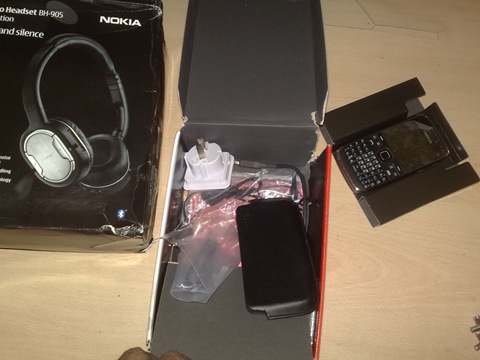
So, this was the box. Obviously bigger than I received earlier due to two devices inside and big Nokia BH-905 box. Unfortunately, I paid for custom duty of around Rs. 545/- that I later was told from WomWorld/Nokia that I shouldn’t have paid. But anyway …. they are looking into that.

03052010141 Here comes the device packaging. Don’t go over rough and non-recyclable looks as these are trial devices and already been used. Nokia must be offering the same black recyclable packaging with these devices too.

03052010142 Ok!! I opened the package of Nokia E72 first. I was already knowing that its black (white was my favorite color for the device, but availability is limited to some specific markets till now I guess. What was loveable was solid and slim looks of device, you will see in later pics.

03052010143 Opened a little more. Sigh!!! its a US version for sure (though unlocked obviously). Such power points don’t work with India. Not an issue as I have at least three-four chargers from other phones. Interesting was to note the fact that charger was MicroUSB one though the device has the Thin Universal Nokia slot. Sure another trial device effect. Praises for including strip, cleaning cloth and cover for the device, disappointment for much shorter data cable. Nokia!!! not all of the people use Laptops only…

03052010156First close pics of Nokia E72. I was taking all the pics from my Nokia N82 with Xenon flash on, but as a shiny device it is and it was a day time (though inside a room), so I decided to switch off the flash for this pics. Its so light to be such a powerful device. I only could have compared it with my old Nokia 5310 XpressMusic that I gives to mom.

03052010158Yes! its stainless steal. I wondered that why design was chosen to keep stainless steal in natural color than colouring it in way, its in Nokia N97 mini, but sure it give a tough look and made me think that I should subject it with a heat test by today only.

03052010160

Yes!! its not Carl Zeiss. I was to sure look for this as next three four Nokia devices are coming without Carl Zeiss (Nokia X2, C3, C6 and E5). I was sure not that excited with a camera with Single Led Flash and No-Carl-Zeiss (you may check my comments in reply of a reader on own post about Nokia N82). But should tell you, the camera on Nokia E72 completely surprised me. Dual Led wasn’t looking anyway lesser powerful whatever I might be knowing about both the technologies, so was the Camera without Carl Zeiss. I didn’t seemed to missing anything. Sure I need to go into some deep comparisons between my Nokia N82 and Nokia E72 in next posts. But its genuinely superb and now I am not suspicious about next coming ‘consumer’ devices from Nokia. Thanks E72, you made me excited about Nokia E5 camera again.

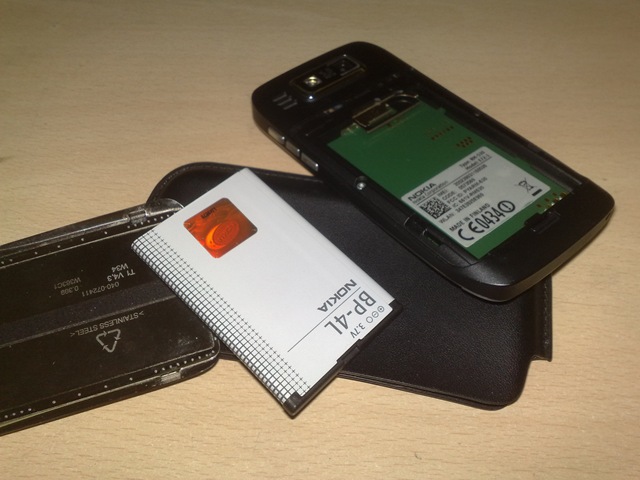
03052010163This is the battery, I wish to have in each of the Smartphone may have;  Nokia BP-4L. Battery sure going strong as I used it rigorously but no sign of that much draining. Nokia E72 also have the SIM card slot in similar ways like Nokia N97 Mini though the fear of loosing the metal holder is no more here as its fixed with the body. You taken the point.

03052010165So, I am inserting my MTNL 3G SIM into it. A real thing with me and you should expect me to be more on web in next few days. 🙂

03052010146Here comes the Giants; Nokia BH-905. A much more interesting device to know about. Will see it later on. Lime light will remain with Nokia E72 first.


The First Stress Testing:

I given a stress test to the device that even Nokia N900 and Nokia N97 Mini failed earlier. While leaving the office, I placed a Megaupload download of 850 MB file inside the Nokia E72 and also opened Ovi Maps. Locked my positions and compass too. As my home was around 20 km far and thanks to Delhi traffic, I was expected to take at least 40 mins before reaching there, there was much of time, much of fluctuations in connectivity and much of load for device to get heated up (as my complaint was with Nokia N97) or drained down.

Do you know the results? The cooling of Nokia E72 is the best I might have seen till now and of course, the file was downloaded successfully and still battery was showing 60-70%. Unbelievable.

And Man I must tell you, this one has the real GPS. Best I seen till date. Even better than I seen Nokia N97 Mini or Nokia N900. Though I wonder that all three seems to have same hardware.

Rest will come.. keep tuned in and leave comments.