A Step by Step Guide about Spiceworks

[tweetmeme source=”mrnitishkumar” only_single=”false”]

Wrote twice about Spiceworks, once for just introducing and once for showing a preview of upcoming Spiceworks 5.0. But I always thought that there is a vacuum, when we try to find some proper book over this great IT tool. The only resource is their very active users forum (really serves the purpose in superb way), which sure does the job, but I thought there must be something out there like step by step as well. Why to just think, when I could come up with one of my own? Here I am with a step to step guide about Spiceworks.

Introduction

Spiceworks provides a free systems management, inventory, and helpdesk software application, Spiceworks IT Desktop, designed for network administrators working in small- to medium-sized businesses.

Spiceworks IT Desktop is used to inventory, monitor, manage and report on software and hardware assets. It also includes an integrated help desk system. Spiceworks runs on Microsoft Windows and discovers Windows, UNIX, Linux and Mac OS X machines along with other IP-addressable devices such as routers, VOIP phones, printers, etc.

Spiceworks is an adware and is written in Ruby on Rails, It’s not a complete and detailed Monitoring Solution like Zabbix as of now, but it covers other aspects of your IT management that Zabbix left, in a powerful way like Inventory, events reporting like installations/ updates and complete out-of-the-box-Helpdesk segment.

What are the main features available with Spiceworks?

Here is feature list:

1. Scan SNMP Devices
2. Linux Scanning via an SSH login
3. Scan Windows Devices via WMI
4. Ability to manage your software licenses
5. Alerts on customizable definitions (eg machines with no anti-virus or low printer toner)
6. Software automatically categorizes machines into groups. eg Laptops, servers, routers etc
7. Ability to define custom devices
8. Ability to compare one machine with another
9. Ability to manage services on remote machines
10. Plugins
11. Reports
12. Network Map (Beta)
13. Helpdesk with user portal


For whom Spiceworks is designed for?

Spiceworks IT Desktop is designed for

  • IT Pros who have admin rights on their network.
  • Organizations with less than 1,000 devices on their network. It will work with more but it won’t be as fast.
  • Running on a PC. It discovers Windows, OS X, Linux and UNIX but you need to run it from only one PC on your network (which might be even just a desktop with provided resource requirements).

Advantages of Spiceworks:

Though Spiceworks integration with active directory is still a work in progress from Spiceworks community end and complete performance monitoring like Zabbix or NagiOS is not available with Spiceworks, but there are two areas, where Spiceworks is very useful for our scenario.

1. Inventory of Systems: With the changing requirements and movement of systems, it’s a hard and purely manual work to keep track of updated inventory of workstations with us in some particular campaigns as earlier it involved going PC to PC and collecting detailed profiles of workstations.

Spiceworks solves the same issue with collecting the system related info like Serial number, MAC Address, RAM, HDD, Processor, Product Keys etc from a centralized location. Though the setup requires specific changes in system firewalls, but it works for covering almost all the workstation with little troubleshooting skills. Most favorable thing is, it doesn’t works on agent-less way means it could start it work without affecting current existing scenario and without installing anything on production machines that might raise issues for any compliance.

2. Web Based Helpdesk Solution: Centralized helpdesk is a proven resource to keep the cost and quality of support optimized and after searching a lot of open source Helpdesk solutions for a web based helpdesk solution, there was no satisfactory solution matching our requirements. Most of the solutions out in market assume an IT Helpdesk person logging and assigning calls after receiving telephonic or mail based complaints as that’s a standard in most of the places.

Spiceworks was only available for free solution that provides a very flexible and customizable Helpdesk solution that could address most of the needs in our environment with continuous learning and efforts to improve it.


Installation procedure and requirements:

The Spiceworks software as a less than 25 Mb download file (as of now) could be downloaded from the www.spiceworks.com. The same executable is inclusive of all basic requirements for Spiceworks that includes the SQLite database for storing settings-n-stats and Apache web server (need to check if installations already there to avoid conflicts).

System Requirements

1. Windows XP Pro SP2, Windows Vista, Windows 7, Windows 2003 Server SP1, SP2 and R2, & Windows 2008 Server

2. 1.0 GHz Pentium III class processor

3. Minimum 1.0 GB RAM (Notice that this one is trickier as it has to cover a lot of aspects)

Browser Requirements

  • Firefox 3.0 – 3.5
  • Internet Explorer 7.0 – 8.0
  • Google Chrome

As its not always the case that you get a fresh server to install a new application, one should worry about two things with installing any of the web solution, first if its going to take the default http port 80 and if the database its going to use, already exists on the same server, you are going to install SpiceWorks IT Desktop.

Thankfully, Spiceworks goes well about both the cases. It takes port 9675 (Of course, choice is yours) for HTTP and the database used is not MySQL, but is a SQLite database.

~24 M of installation take a little while to install and greet you with a couple of questions about your network like range of IP Addresses to scan, various Windows username/ passwords details possibly across your network, ssh credentials and you are ready to scan your network for finding devices. As the very first step, it asks you to get registered with Spiceworks, which would be your one point help system and integration of your account with web resources.

There are also services related requirements on client side like WMI related services should be in running mode and firewall should not be blocking Spiceworks access. File and Printer sharing service and Remote Registry Service running on clients are the other main requirements for Spiceworks.


Working with Spiceworks:

There are two portions of the jobs that Spiceworks does in our environment and below is the details:

Inventory: The very first step to start with Spiceworks is running a Network scan from settings options. The following will be required inputs for the same:

1. It will require the credentials like Administrator passwords that are allowed to access registry of the clients and active directory info, SSH logins etc. Many times, it also requires to give local administrator auths than domain one.

2. Define the network range to scan. This has to be chosen systematically because scanning extra IPs increases overhead over Spiceworks and thus affecting other things.

3. After scanning, there must be many device mentioned in Inventory section and may be few reporting errors while scanning, which will be needed to sorted.

4. Once done with scanning all and sorting out error, you can always take a very flexible and customizable excel based inventory report based on almost every accessible info.

Helpdesk:

You have to go through http://<Server_IP&gt;:9675/user_portal to design the portal as per requirements and design preferences. For adding custom fields, there are plenty of options at the advanced setting page http://<Server_IP&gt;:9675/settings/advanced. For additional and useful customizations, there are many extensions and plugins available like we are making use of following plugins.

1. My Ticket Rules
2. My Ticket Views
3. Helpdesk only User Roles
4. Ticket Auto-Assign

After the required customizations, you can navigate to http://<Server_IP&gt;:9675/tickets for tickets being displayed there with filters like Open Tickets, Closed Tickets, Unassigned Ticket etc.

Now you have two ways; either let IT Staff lock the complaints themselves with details or even pass the responsibility to actual users themselves via portal (http://<Server_IP&gt;:9675/portal) that could be flexibly customized through (http://<Server_IP&gt;:9675/user_portal).

There are other options available with Helpdesk like Active Directory auth, so that clients could make use of their normal domain login to login into Helpdesk and many minor options in advanced pro configurations to suit the needs.


Backing up configuration:

For backing up the configuration, the settings page is on http://<Server_IP&gt;:9675/settings/backup, which defines the location for the backup and also option to schedule the backup on daily, weekly or monthly basis.

You can set it at automatic, which create a job in Windows Scheduled Tasks that will make use of the command Spiceworks.exe backup, where the exe is located at

C:\Program Files\Spiceworks\bin

The backup job creates zip files in C:\Program Files\Spiceworks\backup folder (by default) in the format

spiceworks-backup-[Vversionnumber]-[YYYY-MM-DD].zip

Restoring Spiceworks data:

There are following steps involved in restoring Spiceworks from the backup done in above way:

  • Right-click system tray and select exit (or stop the service if running as a service)
  • Verify that all Spiceworks* processes are no longer running
  • Delete the db and data directories in the Spiceworks installation folder
  • Copy the db and data folders into the Spiceworks installation folder
  • Start Spiceworks


Moving your Spiceworks installation to a new computer

If you’d like to move Spiceworks from one machine to another, the following steps will work for you:

  • Download and run Spiceworks installer on the target machine
  • Important: Use the same installation directory and port as the original installation
  • Do not complete the registration process
  • Follow the steps above to copy the data and db directories into the new installation


Troubleshooting:

Problem 1: Spiceworks not starting, unable to access.

Solution: Spiceworks is proactive over such issues and updates are smooth at 90% occasions, so in most of the scenario re-installation of Spiceworks from the same exe will restore the configurations without any loss of info, which is most clean way than messing up with the configs.

Problem 2: Scanning errors for workstations.

Solution: There might be many reasons for the same like WMI services not enabled, remote registry not enabled, auths wrong or firewall denying the access. If everything is proper then running the following batch instruction should resolve the issue in most of the cases.

Net Stop WinMgmt /y
sc sdset winmgmt "D:(A;;CCLCSWRPWPDTLOCRRC;;;SY)(A;;CCDCLCSWRPWPDTLOCRSDRCWDWO;;;BA)(A;;CCLCSWLOCRRC;;;AU)(A;;CCLCSWRPWPDTLOCRRC;;;PU)
Net Start WinMgmt

The above commands basically set proper permissions on WMI Management Service of the client PC and restarts the WMI Management Service. It works in most of the cases, if all above precautions are taken.

One can make a batch file to run on problem PCs locally or remotely via using XCMD application to access the command prompt of the remote PC from a central location.

Problem 3: User not able to login into Helpdesk. Login failed.

Solution: This may happen due to two reasons:

1. The user has no read permissions on the Spiceworks folder of the server

2. The user’s LAN ID is restricted to login on some specific workstation and so denied login over other workstations.

Solution for the first is to provide read permissions to authenticated users on the following folder

C:\Program Files\Spiceworks

Solution for the second is to adding Server’s name in Logon To field of problematic LAN ID.


So, this is just a naive guide from my side, but I hope that it will help the people, who wants to know, wants to start with Spiceworks. Welcome friends.. let’s spice up the IT.

VLC Player got updated to 1.1.3

[tweetmeme source=”mrnitishkumar” only_single=”false”]

Code RED!! Code RED!! Charlie reporting… something just happened.

VLCplayer

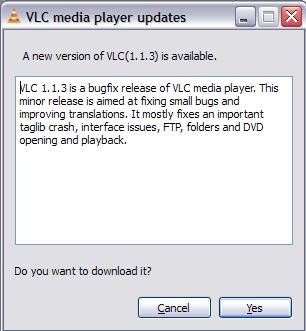
I just reported earlier about VLC 1.1.1 (not even a month before) and VLC 1.1.2 (just 15 days back) and we find a new update here. We really love open source projects for this, frequent updates and superb fast big fixes.

And its not only just another open source, but its our most favourite open source product

formats

As you can see, its not some major upgrade, but just a bugfix release , but who cares, I am updating my VLC Player. Aren’t you?

VLC2

And for the brave people out there, there is also a pre-release under development VLC player 1.1.4 version available for download. Developer version means it could have some bugs, so check out on your risk.

photo of Nitish KumarNitish Kumar


Touch and type Nokia X3-02 brings X-Factor to S40

[tweetmeme source=”mrnitishkumar” only_single=”false”]

When it was announcement of Nokia C3, C6 and E5 from Nokia, then out of other things, what made me more curious was the home screens of Nokia C3 and Nokia E5. The favorite contact bar, which we were introduced with Nokia N97 and Nokia 5800 was always denied the share of the same citing memory limits. I always wondered that how much tempting it would be for people to hold their fingers not touching the big contacts picture icons like they did with Nokia N97, X6 and others?

Then there was a debate started from Nokia Conversations over buttons and touch, where I even replied quite many a comments (should have got some clue right then) and when Blackberry launched its torch, then it was obvious to boil up the conversions that when Nokia coming up something like one handed touch with HW-Keypad?

So, here is the day, August 17, 2010, in contrast of expectations of some E6 with QWERTY and touch in shape of E72, Nokia sure given a new innovation to mobile world with a T9 with touch screen and that too in price of just 7.5k and the name was strangely Nokia X3-02 (probably people will call it by name of X3 touch to avoid confusion).

As Nokia says, it takes something so familiar and makes it new again.

The simple but slim looks like old T9 and S40 phones, but with a 3 row keypad rather than usual 4 rows, we grown up using and a very welcome large 2.4 screen like Nokia E52.

Read till the end, I bet you will know many more things about Nokia X3-02, which you don’t know about it at least till this point.

Special features slowly get disclosed in front of your eyes like favorite contacts bar on the home screen (photo calling available) and cool Date and time bar (we will be see in video later). It got dedicated message key, dedicated music key and a rather larger speaker at the bottom and if that’s not enough then it got brushed aluminum body. Not only this, but this only 9.6 mm thick and 78 gm device also got Wi-Fi, 3G, HSDPA Cat9 10.2 Mbps, HSUPA Cat5 2.0 Mbps and a 5 MP Camera and let me mention it again, the price is 7.5k.

When we moved into more details as Nokia’s official forum page says over Nokia X3-02, then its surprising that most of the blog got it wrong or someone correct me, when I say that this might be the first S40 device to support up to 32 GB microSD card.


Till it don’t get right on high end devices, since the announcement C3, C6 and E5, its already clear that Nokia is betting big on cheaper devices now. Sure, the consumers are what on the profit side. First was the very capable, E52 like C5 in around 8k and now another under 8k device feature quad band and 3G.

Let’s go by the features now

Operating System: When we geeks hear about S40 devices, then what pushes us back is lack of multi-tasking like we seen in earlier iPhones. Only bit of multi-tasking here might be music/ radio app running behind.

But with the launch of Nokia X3-02, we also got updated Forum Nokia page about S40 platform, which talk about availability of even gesture related controls now (remember spiral zoom feature on Nokia N900?). Though not big on multi-tasking, but you will get a revamped media player, integration of Facebook and Twitter in contacts and updates on home screen, conversation view within the contacts and also chat featuring MSN, Gtalk, Yahoo and Ovi.

So, even Dumb phones got sexier now.

Design: I read somewhere some Eldar saying that its bullshit that Nokia experimenting with design material and came up with brushed aluminum and I swear nothing could be more bullshit than that line. Brushed aluminum doesn’t only make the build solid but saves it from scratches as well and in the way lengthening the life of the product. NO more scare of breaking it while opening the back cover to remove the batter.

Technically the dimensions are 106.2 x 48.4 x 9.6 mm, 45.2 cc and weight 78 gm, so finally we are getting Nokia making really slim devices and sure you could hope one day they will give something slim like iPhone or Galaxy and that too with all typical Nokia features, not some stripped bluetooth that don’t let you transfer the files between phones over Bluetooth (read Apple).

Like the tradition has began, Nokia started offering their device in many colors (may be on footprint of Dell Studio) and Nokia X3-02 is expected to arrive in Q3 means latest by September 2010 in five colors: White Silver, Petrol Blue, Lilac, Pink and Dark Metal. So, which color would you prefer?

Display: People already not expecting big from a cheap touch and type device that is first of its kind to showcase a 2.4” touch screen. Not on higher side of resolution, it just fare with a 240×320 screen, which has a color depth of 16 bit means 256k colors.

Its a transmissive LCD that would be glossy for sure, but I am not getting mention of its being scratch resistant anywhere, so better be careful about that, they are expecting light touching not gaming kind of.

Camera: Earlier Nokia X3 offered a 3.2 MP camera, but Nokia X3-02, which we call Nokia X3 touch now, is much more generous to offer a 5MP camera. But its not one of the greatest for sure.

As expected, there is no flash, not a single LED. The 5MP has a resolution of 2592 x 1944 and aperture f2.4, but the camera focus range just starts from 50 cm and goes to infinity means nothing like Macro mode. It got 4x digital zoom and Picture format is JPEG only.

But you get video recording that is on 640×480, but got better frame rate of 18 fps, which could record in two formats H.263 and MPEG-4. Not bad for a device in this segment.

Memory: Series 40 device never known much demanding over memory due to non-multi-tasking nature, but still it got adequate specs. Maximum User Storage of 50 MB, NAND Memory of 128 MB and SDRAM Memory on 64 MB. Impressive for a S40.

And while most of the blog seems to mentioning that it supports up to 16 GB microSD card, office specs says it supports up to 32 GB, which makes it first S40 to support 32 GB I guess.

Connectivity: That’s something so so special about this device. People already overwhelmed over its looks and touch, but its bigger underneath. You are getting Quad band support here means GSM 1800, GSM 1900, GSM 850, GSM 900, WCDMA Band I (2100), WCDMA Band II (1900), WCDMA Band V (850), WCDMA Band VIII (900) and much more than average HSDPA Cat9 10.2 Mbps, HSUPA Cat5 2.0 Mbps. Even my Nokia N82 didn’t got such support. Not only this, but you have Wi-Fi (802.11b/g/n) available that supports WEP, WPA, WPA2 (AES/TKIP).

Now hold your breaths, although not advertised, but their official page says that it got USB-OTG 1.3. Is it the same, I am thinking? Nokia N8 has the same OTG profile, so??? Should we be prepared for some upcoming video displaying the same feature? Will they ship the cable together?

I am sure even Geeks could find it an affordable alternative to keep with them as a 3G modem and storage device, isn’t it?

Messaging: With support of around 600 kb size of messages, S40 devices been center of attraction for messaging only and this one sure has no reason to disappoint. You are getting Nokia Messaging 3.0 here and with the integration of twitter/ facebook, you also have the leading IMs in pocket. Social media is in reach of everyone now.

It supports IMAP4, POP3, SMTP, but asking for PUSH will be sure a joke on this price point.

Browsing: If some device supporting connections at a speed of 10 mbps, then browsing capabilities becomes a must. Nokia X3-02 comes with WebKit Open Source Browser and Opera Mini that will support Flash Lite 3.0. So even if not much big expectations, you could find it doing all the tasks at a satisfactory level for sure.

I am yet to see if the browser will support spiral zoom like Nokia N900 here with resistive touch.

Ovi Services: Though things could be region specific, but as much their official page says, it will support not only FOTA, but also Nokia Music Store, Ovi Music, Ovi Store, Ovi Sync, PictBridge, Themes and VoIP.

Isn’t that exciting for a sweet little device?

Battery: No one expected a bigger battery in a S40 device, when such device already known for much better power management due to lack of multi-tasking basically. It has a BL-4S 3.7V 860mAh battery that supports 5.3 hours talk time on 2G and 3.5 hours talk time on 3G. It has a music playback of big 28 hours and video playback of 6 hours. Average for music series, I guess, but there is a great news too.

Nokia X3-02 not only supports regular 2.0mm Charger Connector, but also supports charging over USB.


It will initially be offered in China, Ireland & UK, Russia, Australia & New Zealand, Singapore, Germany, Spain & Portugal, France, Mexico and Saudi & Yemen. Other markets will follow later.

This was all about next coming Nokia X3-02. So, if you were thinking that its about only some specific people, which will say “hurray” when their dumb S40 devices sudden get magic of touch, then think again… isn’t USB-OTG and an up to 10 mbps 3G modem could lure the Geek inside you?

So, this was Layman’s take on Nokia X3-02, what you think, let me know.. I am all ears for you.

Nokia N86-New Customization Options

[tweetmeme source=”mrnitishkumar” only_single=”false”]

When I took Nokia N86 in hands then it seems just the same software wise as I have seen with Nokia N82 or any other Symbian OS v9.3, S60, but this time it was rel 3.2. Let’s see what made me excited about it.

When taken the first look, it was like any other non-touch home screen, I would have seen. Same vertical top configurable icons on standby and then a list of services like Chat, Mail, Calendar, Sharing .. just the same, we are so used to see in other Nokia Smartphones series …

In the first look, it was just the flash based screen saver that was new and good thing to me about Nokia N86 (though thanks to my twitter friend, I got the same on my Nokia N82 as well) and really made me realized that I should have explored my Nokia N82 much more.

But the magic begins, when I went more inside, inside the customizations .. ..

Even the themes option was much more richer and cooler than Nokia N82 or Nokia E52. There were plenty of options for standby itself in terms of four standby themes and sure vertical Icon bar became my choice and still the same.

I seriously looked back in Nokia N82 and Nokia E52 that are with me, but these were sure new options that I seen and now I wonder if there was something such in E72 or other devices that I have gone through. Don’t remember that anything such was anywhere. Why I am so happy about it? See yourself the new look of the screen, just after the vertical icon bar standby screen.

I really wonder that if Vertical Standby screen is a much better idea than the traditional horizontal ones.


Not only standby themes were new, but even our Menu view got some new options ..

May be most of the people are happy with grid and list views only, but what about these two new options?


Call Image option works in both ways, either you call or receive and there is more of it, you can even set a video as your ringtone for some particular person. Isn’t it cool?

Video Ringtone Call Image


Loads of event options: You can set tones for many things here like when the battery is charging, when battery is empty and like that ..

Not just that but the theme options extends to much more …

Here is what kind of Audio theme you want to choose for whole phone use experience …

This is where you define that what background your phone will carry, while calling someone. ..

This is the place where you choose.. you can check the left pics of N82 that how much more options are here now ..

Sure, the animated Time screen is my favorite, but many might have liked Slideshow more, though I still think that if someone was using the Music player option as ‘power saver’ 😉

Even the kickstand that seems to be a new showoff for probably the biggest non-touch screen, have plenty of options to configure about.

And it found the lovely feature that was not available in the times of my Nokia N82.. the over the air update ..  though mine has already the latest one. I love to get updates myself 😦 don’t you?

I used video calling as well, with my youngest brother on the other side using E52 and same complaint.. why can’t Nokia start using more than just VGA for front cameras? I mean I understand that better pixels will ask for more data, but you can make that vary from settings.. at least people who have better data plans, wont complaint .. yourself check how the pics might look like in low light conditions..

Yeah!! you are fully allowed to use the pics above for scaring your kids .. he he he

Obviously, it inherits Full Quick Office and PDF reader from Nokia N82 .. and Zip too.

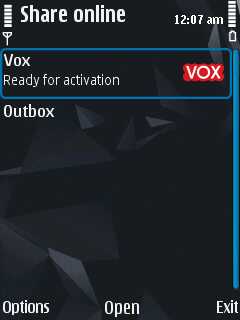
What I wish more for.. if Nokia  starts adding popular services like Flicker, Picasa, Facebook etc in their list of Share Online services by default.


Lots to say about … but how could I have left the mention of FM transmitter even if it has a very simple interface …

The camera interface wont be covered all in this post itself, but keeping it short.. it adds much expected Panorama mode

I really really think that if Android or iOS has something like this panorama mode… just see what results it could obtain from even a newbie …

Options for customizing the much richer toolbar now…

It also adds geo-tagging, though I was just surprised to see record location option in my Nokia N82 as well. Just for that purpose, I installed Location Tagger from Nokia Beta Labs, is that brings Record Location in or it was the last firmware update? Anybody?

If you think that these were the minor updates then one more feature is here .. Face Detection

For people finding about the most important feature of Nokia N86 camera .. the variable aperture… check out the exposure setting thing..

So, anything I missed that is new in Nokia N86? Sure tell me… I wanna know…

Gmail Contacts got a makeover

[tweetmeme source=”mrnitishkumar” only_single=”false”]

So, finally the wait is over and Gmail has rolled out the new redesigned  contacts from today itself. If you have not noticed yet, then  its time to login and explore the new things out there for you in your favorite Email service.

New Gmail

Well, we were already hearing about the same from quite some time that Gmail is about to roll out a new redesigned Gmail for us, specially contacts and tasks. It was even pointed that contacts might get a call button though Google Voice is not rolled out for whole world as of now, so it was something not to be expected. New Place

The very first thing to notice was the placement of contacts. Just below the Gmail logo now, along with the  Tasks icon as well. The contacts sure gonna get more attentions and tasks too. There blog post discusses much more about it in details here.

The other place to look for, was the detailed view of any contact that was also redesigned in a very effective and detailed way as given below:

contacts

Even there help page also has been updated to provide info about the new smoother ways with Gmail contacts now.

Sort gmail contacts Gmail

So, if you have not checked it out yet then go and take a look. Its always pleasant, when your one of the favorites get updated. 🙂

Nitish Kumar
http://nitishkumar.net
http://scifireviews.wordpress.com

Digg This

A closer look over N86 exteriors and hardware

[tweetmeme source=”mrnitishkumar” only_single=”false”]

You must say that I am late to the party to take a trial of Nokia N86, but being with this beast for just a few days, sure make me realized that it was a sin to be lost in amazing world of Nokia N82 only. Its nothing to offend Nokia N82 and its Xenon flash, but sure N86 seems to be a worthy successor for Nokia N82 and amazingly on each ground. Thanks WomWorld/Nokia, I really wanted to get in touch of advanced camera feature before Nokia N8 arrives itself.

Even since the rumors, the focus has been on wide lenses and high megapixels though a closer look over Nokia N86 features really makes you thrilled that how much thoughts were given over the making of Nokia N86.

Nokia N86 was always compared to Nokia N82, even when it was close of being a proper successor of Nokia N95 (dual slider with GPS and 5MP, which once broken new grounds for Nokia and been a longtime success story). It was beautiful to watch how Nokia was learning from experiments like Nokia N96 and Nokia N85 to put itself back on the charge of camera phone fight again, a journey to beat itself for the first spot.


Since I own Nokia N82, so it was more relevant for me to compare it with and to understand that what it got more …

Size and shape: Like Rafe from AAS said, I also would agree that Nokia N86 got just a very different world than the one, which made Nokia N95 form factor a huge success once. After Apple and Google, the market was being dominated with slimmer and touch oriented devices and when there were less of physical buttons, people were asking for slimmer and slimmer devices. Sure, the heavy shape was not that much welcome than it would have been then.

Though it looks opposite, but it was thinner and shorter device than Nokia N82 except extra width to incorporate 2.6” screen.

Nokia N86 dimensions: 103.4 x 51.4 x 16.5 mm, 69 cc
Nokia N82 dimensions: 112 x 50.2 x 17.3 mm, 90 cc

There were many other exterior changes for good like dedicated unlock key, removal of kind of extra gallery key (not needed actually), card slot was pushed under the battery cover and with metal piece covering the body, we got a tiny charging light as well… ye!!!!!!

And who could forget that kickstand that was wonderful when one wanted to enjoy the movie play.

Not only that it was also possible to define some app to be fired when you open kickstand, probably due to the small ‘click’ under the kickstand as shown

Screen: Nokia N86 was probably the second device from Nokia to feature an AMOLED screen (N85 first), when Nokia N82 had only a TFT screen, not only that but it was a 2.6” screen than earlier 2.4” screen of Nokia N82.

Lovely were those brighter colors and even if there were words of poor performance in direct sunlight, for me, it was sure much much better than my Nokia N82 screen. But sure, it wasn’t something comfortably usable under direct sunlight thing.

Keypad: The keypad of Nokia N82 was something unique about that device, I really don’t remember any other with similar keypad. Even if smaller and of more height buttons were annoying to some of people, they were proven to add blind typing much better than anything else in the smart phone world.

In comparison of that, Nokia N86 keys were also a much better improvement from flat keys of Nokia N95, Nokia N96 or Nokia N85. Very very good tactile feedback and amazingly spaced, Nokia N86 were sure a dream for even normal candy bar shaped non-slider devices and it was impressive that how slider was working even after leaving almost no visible spacing.

Speakers and music keys: Specs says the same about both, but I found Nokia N86 seriously louder. Someone asked me that if its louder than Nokia 5800 or Nokia N73 and I said it is. The incoming calls or SMS seriously surprises people with a loud tone, when you are with a Nokia N86.

Though its not the same with the loudspeakers. I tried to took some calls on loudspeakers and it was sure not that louder than even cheaper Nokia phones might have been. Music is enough loud, but not sure if that is reaching as high as people told me about Nokia N95, but for me, its louder than Nokia N82 for super sure.

Scratch resistant: The word was attractive to me, but I got disappointed when seen the scratches on my trial Nokia N86 on very first day. Hold your breaths, its not against the claims, but actually was the lamination on the screen that got the scratch, not the screen itself nor the other parts (lower parts around navigation keys, call, end call buttons also have a the same scratch glass surface as screen). Sure a must thing for any mobile you going to purchase.

I am not removing the lamination as its a trial device, but sure could assure that its pretty strong thing when it comes to resist scratches.

Internal build and back cover: I must say, I am hugely disappointed with the back covers that take much scary physical pressure to open them. I mean its plastic and you place a mechanism that need pressure and nails? It will break, may be not today, not in few months, but its always susceptible for the same and its not a good thing.

Though what’s likeable  is the camera cover that is sure a good improvement than Nokia N82. A metal slider (plastic beneath) that slides over a glass surface, smooth, light and protective. Something like people even wishing in Nokia N8.

When we dig more deeper then there are two things, one that I like and one I hate. What is like is battery is loose and easy to remove and what I don’t like is SIM slot is something like those Blackberry models that needs you to slide in the SIM card, sure prone to scratches and ultimately destroying the SIM, if you have habit of changing the SIM frequently.

But there is something that I am still wondering about what that might be. May be readers will suggest something. There are two metal points just in side of SIM slot that seems to be pushed by the back cover, may be some way to tell the phone that battery cover is open or close. But the question is where this thing is being utilized in software?

Processor, RAM, Internal Memory and Card: This must have been one of the fastest processor in non-touch, when it was released. An ARM 11 343 Mhz processor, which was same with Nokia N97 and N97 mini, sure does an impressive job, specially with the camera itself.

RAM is on the same point with 128 MB, which has been considered adequate since long until touch screen and whole new world of heavy apps arrived.

Interesting was to see that even if it has 8 GB internal memory, the C: drive or the phone memory itself seems to be going lower than Nokia N82 (last snapshot). Strange!! Isn’t it? Though one could not expect every device to have application memory as high as 1 GB, but still less than N82? I must say Nokia N82 showing an impressive 81 MB free, while just 54 MB in case of Nokia N86. Haven’t seen any performance issue or memory full till now but …

The biggest missing thing been 3D Graphics HW Accelerator that Nokia forgotten after Nokia N82. Really Nokia was some extra generous, when making Nokia N82. Has the same guy sacked out from Nokia?

GPS Unit: You would be surprised that Nokia N86 is probably one the very few lucky ones (in fact the last one) among S60 3rd version to receive life time free ovi map navigation (Ovi Maps 3.03 here). Not sure why, but I find the GPS performing lesser than Nokia E52 in low signal areas, while in open both perform similar. I found it similar to GPS of N97 Mini or Nokia E72 as it was locking in half a second when I was trying tweets from Gravity from a cold start and that too over edge connection, not over 3G connection.

FM Transmitter: A thing that I came to know about only when was with Nokia N900 and still wonder that why Nokia doesn’t implement a way that you might enjoy the music while transmitting it … Use cases are infinite. I was happy to feel it again with Nokia N86, think you are in hostel and could broadcast your channel on daily basis or exciting things like that.

Camera: I am talking in last, making it short, but it doesn’t mean that camera is one of the features of Nokia N86, its the whole N86. Superbly quick camera and turnaround time, inbuilt geo-tagging, fine tuned and more intuitive panorama mode now, macro shots now more closer and sharper and not to forget variable aperture that’s changing the entire game about colors and low light performance.

Is it hard for you to spot the differences between the four pics above? Two are from Nokia N82 with Xenon Flash and two with Nokia N86 with dual leds. No prizes for guessing…

Though front camera is crap like always.. just VGA. Hope Nokia will read someday that Facetime and video calling like things might need a better camera at par with the growing data speeds on Smart phones now days.


Well! I was thinking to finish it in one shot, covering camera and software details, but its sure a big task to cover the tiny details and will be also boring for readers if the post goes around 5-6 pages. So though to take a break here. Will be back with the words over Nokia N86 camera and improvements it got from Nokia N82 (Sure the most exciting part as it was not easy to win a Nokia N82 fan) and then finally the software tweaks like new home screen (people might not notice the change initially).

So, keep tuned in, if wanna know more about Nokia N86 and sure send the suggestions in my way that what you wish to see in my posts more.

Unboxing Nokia N86

[tweetmeme source=”mrnitishkumar” only_single=”false”]

Like Apple fanboys, there always been many Nokia N82 fanboys all around the globe, those who never given up over this device and same keeping the legend alive even after three years when people have completely forgotten that how first iPhone was. Living three years straight and still roaring to continue the journey that could be only some brave heart, that was our beloved Nokia N82.

Collecting fanboys all around the world, with Nokia N82, all of sudden, Nokia, who always liked to challenge its own device with new variations, found itself against its own device as ‘a rival’ that seemed to be invincible to get challenged. Was hard to challenge the legacy of Nokia N82, but Nokia given a try with Nokia N86 with high pixels and so many other features. Before getting hands on Nokia N8, I thought to just get familiar with evolutions of camera technology with a new trial from WomWorld/Nokia, a successor of the legacy, Nokia N86 and ….. I was not knowing that this going to surprise me this much.

Lets see… Layman’s un-boxing today and some boring blah blah…

After a long wait after requesting a Nokia N86 from Katie, finally yesterday was the day, when that DHL guy arrived at the gate of my office. I am sure that he and my office colleague might have started to think that I am some kind of import/ export guy or smuggler 😉

That’s a tough thing to be a office person. You get a trial device delivered and you know that out of all excitement, you wont get time to open it before the late eve, when you reach home. But, thanks to WomWorld and my office routines, I feel myself much patient person now 😉


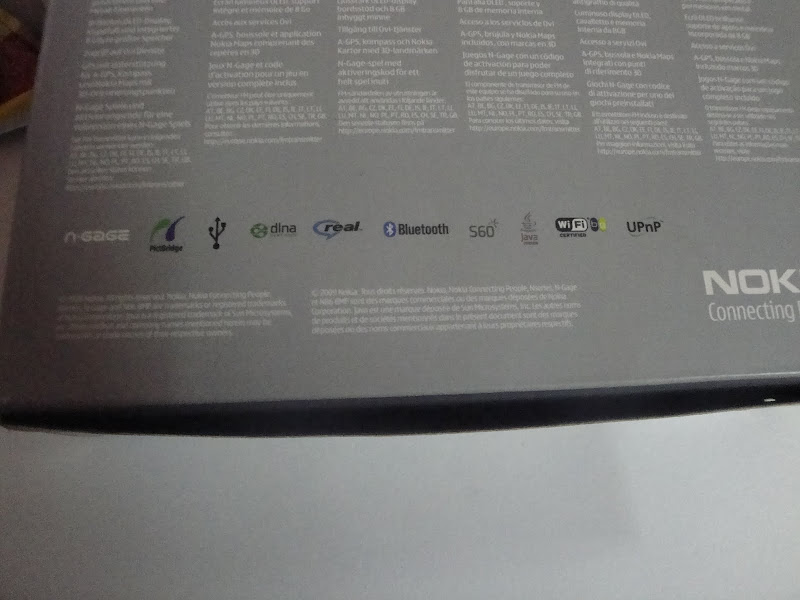
The package: The package shouts camera first even if Nokia N86 now have free ovi navigation as well. All around the name was mentioned as Nokia N86 8MP, sure the first new thing in comparison of Nokia N82 package.

The strange thing was the mention of N-Gage as I didn’t found any N-Gage game icon in the phone, while it was there in my Nokia N82 as well. Is the free game offer with Nokia N86 discontinued? Not sure!! Will try to look into it.


The contents inside the package: A slimmer box than Nokia 5800, Nokia N86 comes with all the usual accessories, we have been familiar over the years except two possible missing components; TV-Out cable and might have been important traditional to USB power converter (it has a mini-USB port for charging).

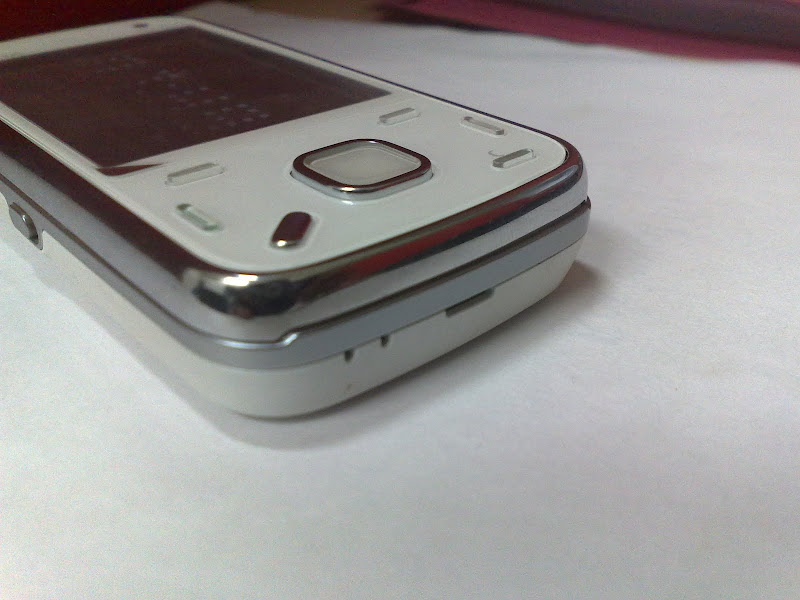
But there was one thing, I was most happy about … it was the first time, I was trialing a pure white device (I wished to have hands on while Nokia E72 in past). What is beauty to watch …

Matching white stereo headphones and upgraded battery 1200 mAh (in comparison of N82) sure going to be treat to me 🙂


Specs: If you start comparing on specs sheet, then you will find that Nokia N86 wasn’t only ahead of Nokia N82 on megapixels, but there were many new things in this worthy successor.

Connectivity

GSM 850 / 900 / 1800 / 1900
HSDPA 900 / 2100
HSDPA 850 / 1900 / 2100 – American version

Size

103.4 x 51.4 x 16.5 mm, 69 cc

Weight

149 g

Display

AMOLED, 16M colors
240 x 320 pixels, 2.6 inches
– Accelerometer sensor for auto-rotate
– Scratch-resistant surface

Speakers

Yes, with stereo speakers
– 3.5 mm audio jack
– Dedicated music/gallery keys

Storage

8 GB storage Internal , 128 MB RAM

Card slot

microSD, up to 16GB

Data

GPRS Class 32
EDGE Class 32, 296/ 177.6 kbits
3G HSPDA, 3.6 mbps
WLAN Wi-Fi 802.11 b/g, UPnP technology

Bluetooth

v2.0 with A2DP

USB

v2.0 MicroUSB

Camera

8 MP, 3264×2448 pixels, wide 28mm Carl Zeiss lens, autofocus, dual LED flash
Variable aperture, geotagging, ISO 800
Video VGA@30fps
Secondary Camera VGA videocall camera

OS

Symbian OS v9.3, S60 rel. 3.2

CPU

ARM 11 434 MHz processor

Radio

Stereo FM radio with RDS; FM transmitter

GPS

A-GPS Support, Ovi Maps 3.03

Others

– Dual slide design
– Digital compass
– WMV/RV/MP4/3GP video player
– MP3/WMA/WAV/RA/AAC/M4A music player
– Document viewer (Word, Excel, PowerPoint, PDF)
– Voice memo
– Kickstand
– Flash Lite 3.1
– TV-out

Battery

Standard battery, Li-Ion 1200 mAh (BL-5K)
Standby Up to 312 h (2G) / 264 h (3G)
Talk time Up to 6 h 18 min (2G) / 3 h 54 min (3G)
Music Play Up to 25 h


Build: Complaints first …

Call it raised expectations due to E72 and N97mini like premium devices, but now I have started expecting more metal in Nokia devices. So, it was disappointing to see a hard to open plastic back.

The other complaint was from the SIM slot. The mechanism of inserting and removing SIM seems prone to scratching SIM due to pure mechanical nature. I was really more happy, if they would have placed the similar tray mechanism as was in Nokia N97mini or even slot mechanism like Nokia N82.

The good points ….

First is the beauty


Though it feel almost the same bulky as was Nokia N82, but addition of kick stand was a fantastic decision and same was the metallic border.


Same way, I think that the new keypad design was to answer the complaint of tiny keys in Nokia N82 (but I loved that design) and dedicated music keys were sure a wish granted people demanding for the same in Nokia N82.

No pen key as its already discontinued withy almost all Nokia phones, but notifications lights on Menu key and a tiny charging light was absolutely making the design ticking all boxes.

The placement of Memory card is under the back cover seems fine, because for inserting/ removing card, you wont be needed to remove battery and also protects from dust etc.

Same way, we find a smooth and improved camera cover with Nokia N86 here


Nokia N82 and Nokia N86

Leave the build and superb camera a side, geo-tagging and FM-transmitter are something that making me excited enough. It looks like Nokia was thinking to remove all the complaints from Nokia N82, when they made Nokia N86.

Though processor and RAM specs are the same, but we got a huge 8GB internal storage than 100 mb internal storage of Nokia N82. With upgraded OS, option of geo-tagging, complaint of dedicated music keys, metal casing, better camera cover mechanism and addition of un-lock button in side.

What I liked after starting the device was the screen saver… well I am sure that there might be a screen saver like this for Nokia N82 as well, but where you will get an Amoled Screen like Nokia N86. I agree with all the talks that might be going around super amoled and all. It rocks.

 scr000007

I also placed both the devices into a macro test and below were the result. Guess yourself that which one is of Nokia N86 and which one is of Nokia N82?


Any differences here?


Though one thing that made me worried was scratches over the lamination of screen. If it was my own device then I should have changed the lamination, but now I have to live with it in next two weeks. Again mind asking the same question, how safe the big screen touch device are from such scratches??

So, this was it … there gonna be many talks around this new member of the family, keep tuned in and guide your questions/ suggestions in my way. What I should do more with Nokia N86?