Now its Telangana

Telangana: What’s this now? One more state? On what basics? How fair the demand is now?Telangana“ Dec 10, 2009, at 11th day of “fast unto death”  by K Chandrasekhara Rao: the president of Telangana Rashtra Samiti resulted in ‘meltdown’ of Government of India announcing to initiate the process of state of Telangana in Andhra Pradesh assembly. ”


What’s this now?

Its not a new demand, but been here since independence, just like as we have issue of Kashmir. In fact, even States Reorganization Commission (SRC) wasn’t in favour of merging Telangana and Andhra due to the proportional distribution of resource-n-profit issues, just like  Jharkhand movement. In fact, there was a "Gentlemen’s agreement" to provider reassurances to the Telangana people as well to Andhra people in terms of power sharing as well as administrative domicile rules and distribution of expenses of various regions, which shows that it was not a minor issue from the start.

The issue rose again by 1969, when the guarantees that had been agreed on were supposed to lapse by Gentlemen’s agreement. Student agitation for the continuation of the agreement began at Osmania University in Hyderabad and spread to other parts of the region. Government employees and opposition members of the state legislative assembly swiftly threatened "direct action" in support of the students. This movement, also known as Telangana movement, led to widespread violence and deaths of hundreds of people and students of this Telangana region. Approximately 360 students gave their lives in this movement.


One more state?

The movement got new wings in 1990, when Bharatiya Janata Party (BJP), promised a separate Telangana state if they came to power. BJP even created Jharkhand, Chhattisgarh and Uttarkhand states in year 2000 as promised. But the BJP could not create a separate Telangana state because of the opposition from its coalition partner, Telugu Desam Party. These developments brought new life into the separatist Telangana movement by year 2000. As an opposition reaction, Congress party MLAs from the Telangana region, supported a separate Telangana state and formed the Telangana Congress Legislators Forum.

“ In another development, a new party called Telangana Rashtra Samithi (or TRS) was formed with the single point agenda of creating a separate Telangana state, with Hyderabad as its capital lead by Kalvakuntla Chandrasekhar Rao popularily known as KCR. ”

The point was “If we could have three new states added, then why not one more, which is equally demanded since long?”


On what basics?

Before the independence, India was consisting of around 500 states (I am not counting estates a.k.a. jagirs here), out of which list of around 200 could be found here. This long list somehow was managed to be shortened by Sardar Patel to 28 States and 7 Union territories. Among many other factors, the basics of combing many states into one, were linguistic. Although that was not very prominent or strict, otherwise, Telangana was a separate state since right then, due to its Telgu speaking community.

One more interesting comment was made about danger to national unity, if states keep on creating like this.

“ Out of the 35 states currently in India (28 states and 7 central possessions), 70% are smaller than Telangana. Telangana’s population is 30 million plus. There are 25 states that are smaller than Telangana. If these twenty-five don’t cause national unity issues, why would creation of a larger state be any dangerous? ”

So, there are basics, but the question is continuation.  You take one right demand through and get more wrong demands in with more violent means.


How fair the demand is now?

As far as the demand is concerned, theoretically it was already approved, when on 9 October 2008, in a historical turnaround from its 26-year history TDP announced its support for the creation of Telengana and in February 2009, state government declared that it had no objection, in principle, to the formation of separate Telangana and that the time had come to move forward decisively on this issue. To resolve issues related to it the government constituted joint house committee. Ahead of the 2009 General Elections in India all the major parties in Andhra Pradesh supported Telangana state.

So, it was just matter of time and of a stone in pond anytime. Telangana movement also has a blog, you can check.


Conflicting issues:

If we talk about issues of conflict, then there are plenty and the biggest issue is Hyderabad.

Hyderabad: As per proposed structure of Telangana, Hyderabad: one of the most developed city is going to the about to be created state and this is sure a reason of agony among people of Andhra, who says that they built Hyderabad in the shape, it is today and snatching it from their hand, is plain injustice and none of Andhra people are ready to accept this.

On the other side, people from Telangana says, Hyderabad was a famous, richer, beautiful and developed city even then when Andhra took over it against the will of local Telgu speaking people there. Its kind of taking back, which was taken once, which seems no where wrong. Moreover, its just re-organization of political regime and machinery otherwise whomever staying where, will be continued to be there, whomever working where, will continue to work in the same way. If you wish to take profits from our resources, then should have given the same share back to our community as well.

“ In my opinion, this is sure a tough issue and that’s why many big political leaders from here (like PV Narasimha Rao, Marri Chenna Reddy , T. Anjiah) tried their best to stay away from it. In most of reasoning, it seems to be personal interests of Telangana Leaders as they will receive all the attention and powers, which they are not getting in proper proportion right now. But the trend is far more dangerous as the same reason is underlying many other fair/ unfair demands which gonna be flooded after this. Even it may push Kashmir and Arunachal Pradesh movements in wrong directions as well. ”   

so, here is another local vs migrates issue, even Indian-British, BiharJharkhand, ChhattisgarhMadhya Pradesh and Uttar PradeshUttarakhand been of the same nature, will it be accepted?


Implications of acceptance for a new state:

If accepted, then the creation of Telangana is going to generate thrust for other demands as well like some already announced. Some majors are:

  1. First come from Andhra itself, where not to be left behind on the statehood issue, politicians from Rayalaseema region have demanded separate statehood for the backward region, saying they would agree to division of the state to create Telangana only if their demand for Greater Rayalaseema is acceded to.
  2. The next is Assam tribes (Bodos, Karbis and Dimasas) demanding Bodoland, Dimaraji and Karbi Homeland respectively.
  3. Uttar Pradesh is also not behind in these demands with the names Harit Pradesh, Bundelkhand and Purvanchal.
  4. From Maharashtra, its Vidarbha, who wants to be separated as a state.
  5. Bihar has demands of Mithila state comprising of some part of West Bengal as well.
  6. In Himachal Pradesh, GJM claimed to have its demand since 1907 for separate Gorkhaland.

“ We are about to invite some more movements, precisely ten of above at least with the announcement of new state for Telangana. Question is “Can we afford? and is it really that important for development of Telangana people? Cant it be done while being united?

I could have wrote that decision is yours, but I know common man can do nothing about it. These kind of politics will move on with their extreme necessity coz that’s their job. Here I am doing my part by writing a few facts about.

Comments are most welcome.


Merge Duplicate contacts in Gmail

“ Dec 15, 2009, Gmail added a new feature to its contacts module, which lets one to remove every single duplicate contact entry at once from his Gmail contacts. I means to say that if you have many email ids saved against same person name and same email IDs saved more than once, then it consolidates them at once and so saves a lot of your tedious and time consuming manual work. ”

gmail logo


Managing a big address book can be a challenge, so it’s no surprise that the top request for Google contacts is a fast, easy way to merge duplicate contacts. So, here comes Gmail again with its unique innovations with your emailing experiences. Did you remember that when you started with Gmail, then what was special about contacts? They were being added automatically once you reply to any of their mail. Its been a nice feature. There were more related to contacts, like importing addresses from contacts of other email addresses, importing contacts from csv and many other means to make your contact list grew bigger and bigger.

You are sure not that worried from the bigger size of your contacts due to innovative and efficient auto-complete feature of Gmail, but for most of us, to avoid confusion, while mailing or for people, who like to keep them organized, this is a very very welcome idea of having a one-click-merge-button, otherwise it was a just one-by-one process. The implications are more real for those, who might have started syncing their phone contacts with their Gmail account.

Gmail-merge


The basics of how it works is quite simple. This new system runs  a simple scan on your contacts and the one button solution merge the information for each duplicate contacts. It’s a non-destructive method, so you are not going to loose any contacts, but if you have organized your Contacts in some certain way, then only you have to check whether the new system suiting to your method or not.

“ This feature is sure targeting users thinking to make use of Google Sync and will be sure handy for most of tech-savy people.What’s interesting is that why such a delay in announcing such a feature, when Yahoo and Hotmail have given similar long back in 2007 only?”

photo of Nitish KumarNitish Kumar

LinkedIn now with Faceted Search

Look like Recession really has plugged in some great innovations back on track. Scared from apparent downfall of Facebook and MySpace, almost all the social media sites are on revamping of their interface and features. Here is the another update from LinkedIn: The Giant Business Networking Site.

linkedin

“ Dec 14, 2009, Esteban Kozak from LinkedIn announced the release of another huge improvement to LinkedIn’s people search experience, “Faceted Search”. “Faceted Search” offers dynamic filters that are automatically generated based on your actual query results. These filters let you quickly and easily hone your query over 50 million LinkedIn profiles based on 8 facets: current company, past company, location, relationship, location, industry, school, and profile languages. ”

The concept is based on the fact over what all the network sites were once based upon. “Finding the people, what you exactly wanted to find”, thus improving the technique of searching people faster and efficiently.


Now, how this “Faceted Search” works: As you search for something or someone, this technique automatically generates search filters, based on your query results, which lets you quickly refine your search. Check out the snapshot attached below, find the all new “Refine By” module there. This is what we are talking about.

linked

Currently these filters are based on 8 facets: Current Company, Past Company, Location, Relationship, Industry, School, Groups and profile languages.

“ In practice, it really makes your search queries more efficient like you need to search for an engineer in NCR (Location), has great interest in .Net technologies (Groups), who speaks english and hindi (Profile Language), have working/ worked for TCS (Current/ Past Company) and either in my friend list or in friend’s friend list (relationship). As the LinkedIn implementation is, the search results adapt the filter quickly and thus makes the entire process quick and effortless. ”


As their blog says:

Faceted Search offers the following benefits to your search experience on LinkedIn:

  • Enables True Guided Navigation: A list of filters are generated dynamically for every search in order to guide you through the optimal path to find the most relevant people
  • Provides Intuitive Interface: Refining your search is easier than ever with an intuitive user interface that allows you to slice and dice search results by 8 facets
  • Improves Precision: As LinkedIn continues to grow by the millions, increasing search space requires increased precision to help you find exactly the right people
  • Increases Efficiency: Find talent, business partners, customers or a former colleague faster than ever before.
  • Reduces Need for Complex Queries: It significantly reduces the need for complex Boolean queries. This was a particular need we heard from many of our power users.


Here is the official video of the same feature :—>


While this is going to make work smoother for people, who were taking help of LinkedIn Connections for their businesses, here I am just wondering on the basis of Google’s Launch of Goggles that when this limited feature to Android only, will be released to other platforms as well and we will have capability of searching someone by his/ her face only in Google Search or Orkut search (already picasa started name tags). Its pretty possible technology and its very about time, when Google must have launched the same. Waiting for that. 🙂

Till then you enjoy video about Google’s Goggles.

Get back to reading with FeedDemon and Google Reader

online-journalism“ Have you ever noticed that most of us haven’t wrote a full page by pen from long, even if might have tons of tweets/ scraps, thousands of blog posts or hundreds of email of their own. In the same way, have you noticed that how your regular reading habits slowly shifted to web more than the traditional books and then shrinking to headlines from twitters or some random blogs from search results only. If you made the notice then its high time to make yourself managed to get time for more awareness and energy like your early best days. ”


This post is for layman’s like me, who really needs to pick upon basic things.

First of all, its all about how you read web.

Blogs? Obviously!!!
Famous ones?
yeah Sure!!!
Official ones? Definitely, whenever required for authentic info!!!
How many of them you read?
As any info required or have spare time, not a fixed number!!!
How do you manage to remember addresses? Bookmarks!!!


Here I am to introduce a very basic yet most powerful thing about reading web, many of layman’s like me might not have yet started with: web feeds (RSS). Have you ever noticed the very common orange icon Feed-icon.svg, which appear in almost every site you surf to read for. Its the thing called web feed.

A web feed (or news feed) is a data format used for providing users with frequently updated content. Content distributors syndicate a web feed, thereby allowing users to subscribe to it. Making a collection of web feeds accessible in one spot know as aggregation, which is performed by an aggregator (like our Google Reader, newsgator or FeedDemon is).

In Simplest words, web feed brings content to you via an aggregator (generally summaries) and an aggregator brings many feeds means variety of contents to you in their short forms, so that you may take a look over all of them without any need to visit all the sites to just looking for that if anything might have been updated.


feedDemon_logo google-reader-logo

There are many aggregators around like Bloglines, MyYahoo, Windows Live, netvibes, myAOL and Google Reader and sure Google reader like other Google products has taken most of the users attracted towards itself due to its simplicity and intuitiveness. Moreover, with features like reading from Mobile and reading offline, it doesn’t leave much of the space for most of the users to think for any other RSS Reader.


A simple account of how Google Reader works, could be found in video given below:


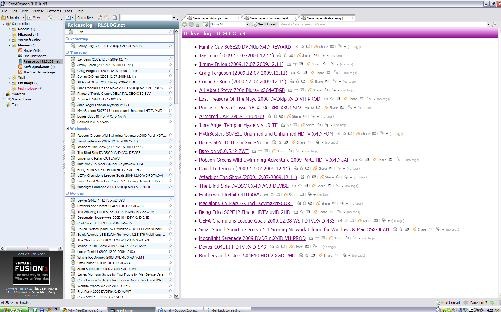
Lets see what FeedDemon offering more with existing Google Reader Account and subscriptions in it (Courtesy Labnol Article).

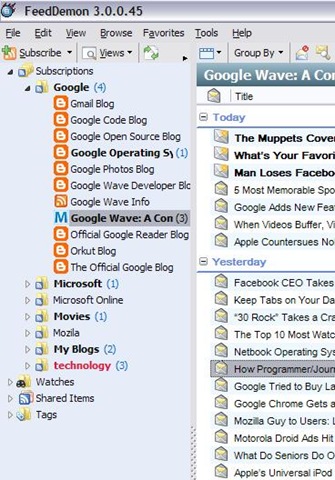
    1. Integration with Google reader: Its close integration with Google reader makes its able to follow you anywhere you  go. You might categorize your subscriptions into folders and as the same change will be passed to Google Reader itself, you will get the same structure everywhere, you use FeedDemon or even Google Reader’s online account (means you might have FeedDemon installed at your Office workstation/ Home one, both of the same will have the same folder structure, same subscriptions).


      feedfolders
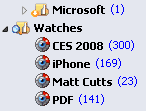
    2. Real Time watches and Desktop alerts: You could set keywords to be watched for, so that any of news item having the same keyword will undergo that watch item and you may easily choose them to read. Moreover, you could put FeedDemon running in tray icons and it could show whenever a new feed appears in your inbox.


      rss-watch
    3. Deleting unused feeds: It shows you subscriptions/ feeds that are not being updated from last 2-3 months, so that you may unsubscribe from them, if you wish so. It also shows feeds, which are in your subscriptions, get updated, but you rarely read them, same could be deleted as well.
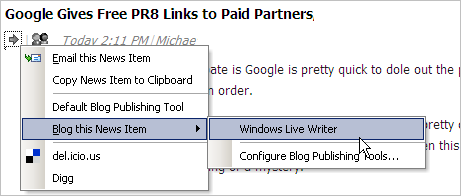
    4. Integration with Windows Live Writer: This is a particularly special feature for blogger. You may directly take any of the feed entry to Windows Live Writer or clipboard from FeedDemon easily.


      windows-live-writer
    5. Offline reading: With FeedDemon, you can choose to download all the unread subscription to be downloaded to your local disk for reading offline later.


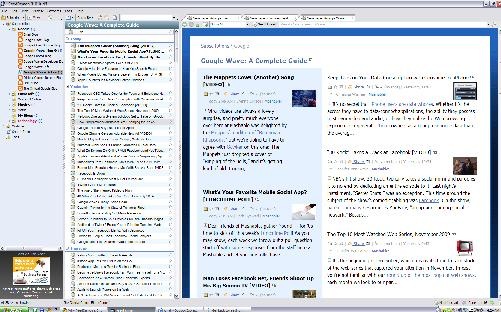
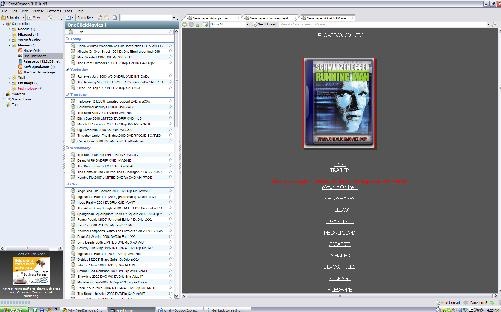
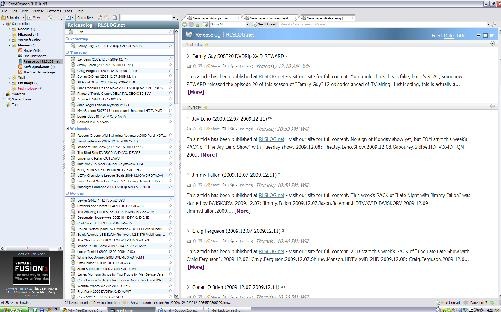
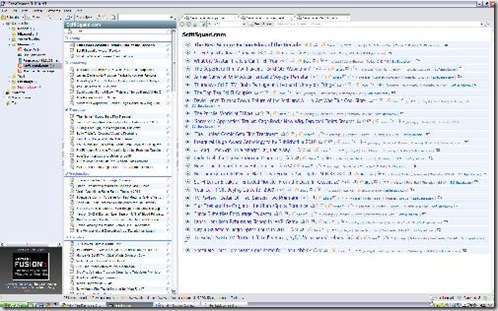
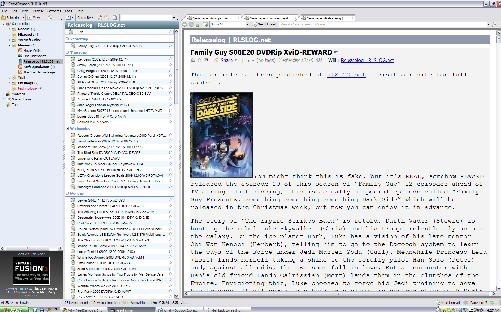
    6. Themes per folder/subscriptions: That’s a particular thing, I like most about FeedDemon. Currently there are six cool themes (Blue Vista, Expando, Outland, Photo Strip, Prince, Surfer) to choose from to set over any folder/subscription and all these theme are particularly useful for reading different type of blogs (like Photo Strip suits better than anything else for Photo Blog). I am also putting a few screen shots for each theme to let you feel, what the experience is.


  1. blue vistaphoto strpsurferexpandooutlandoprince So, what are you waiting for, you will come to feel the power of information management, once you start with something like Google Reader and FeedDemon. Just give it a try, I am sure its worth it.

    Download link

  2. Missed deal hints new plans-Google for music

    google-audio-music-logo“ It seems that the Cloud technology opening its wings one by one, Google’s try to acquire one silicon valley startup La La Media Inc. even after loosing the turf to Apple kind of made a clear announcement in a way, that what might be the next milestone for Google: A Full fledge service like Google Books to cater music only for free (running over ads). ”

    It might be one of the good guess only, but Google has already launched such a service in China with partnering with 110.cn to offer legal MP3 streaming/ download with a large MP3 collection and this shows that its very likely that after getting right deals (like it got in case of Google books with various publishers), Google might move into music as well like iTune.


    If you think that what one uses while using computers, except internet, chatting and searching web, then its editing photos, documents, presentations, watching movies and hearing music etc. Google had already covered many of the points like Picasa for Photos, Google Docs for Documents/ Presentations and YouTube for watching media. What just remains is Music.

    Although there is a YouTube category for music videos, a very limited music search engine, an online music player and a media server for Google Desktop, but currently Google doesn’t has any full-fledged music related service product.


    With Google Chrome, Google wants to start an era, where your every need will be online and will go along with you, no matter where you are or what you are using for your connection, your desktop, your docs, your bookmarks, your web history, your videos, your books and everything else will follow you.

    So before the launch of Google Chrome OS, we could sure expect Google to fill up this gap by acquiring some company in similar domain and in next probably its gonna to be Google online games service. Sure, due to copyrights, its not gonna to be as open and simple like Picasa webs but you may sure hope for products having capabilities like Google Books (limited preview/ full).

    What’s your opinion? please write to me.

    Google’s Picasa 3.5-Now with Face Detection

    The last article was about managing your e-books and now here comes the management of pictures and videos all around scattered all around over PCs. We attend parties, roam around places and have fun moments in schools, colleges n offices and with sophisticated mobile cameras and cheap digital cameras available all over make us end up number of images growing up in our PCs all the time.

    We go after the collection, sometimes saving by dates, sometimes saving by occasions, sometimes saving by people’s name and sometimes in the name of places. When we get finished of this all work, there is still remain lots of work of visiting them, editing them, using them in various ways and need of lots of different tools like Photoshop etc. Ever wondered if it was easier? I am sure that you must have heard the name of Google’s Picasa somewhere even if not used yourself.

    ss2

    Firstly introduced to world in October 2002 by Idealab and then owned by Google in July 2004, Picasa now has become one-stop-solution of all your general image collection, editing, distribution and archiving needs. It may be used to arrange the photos to various ways and then provide ways to touch ups, edits and enhancements. Once the images are ready, there are many options for output like traditional slideshows, posters, collages, web albums, blogs and email.


    Firstly introduced through Picasa Web Albums (its web version), name tabs (means the face detection technology) is now part of the latest Picasa build as well and you can’t feel how exciting it is without actually going through it.

    Picasa scans your computer for photos and videos of almost all the formats and start arranging them automatically. With the latest version now, it also scan all the pics for the faces (obviously takes time and resources) and ask you to name tag them. Once you tagged, it also search all the similar faces and start sending you suggestions to add them under the appropriate names. I was really amazed that how much speedy the process is. On my own PC, in a matter of 2 hours, it got more than 2000 faces under my own name and more than 4000 faces under other people’s name.

    The algorithm was good enough to group siblings with similar faces under one group suggestions, if we have not named them separately and once named separately, it was not confusing them next time again like it’s learning things very fast.

    Nitish Kumar

    As about features, then there are number of features in picasa, which could be categorized as follows:

    1. Organizing Photos and Videos. Using name tags, geo tags.
    2. Face detection technology now makes it simple to organize the photo collection by what matters most in those photos; the people.
    3. Integrity of Google Maps makes it simple to geo tag photos over map.
    4. Creativity unlimited through lots of editing options
    5. Sharing made simple through blogs, Picasa Web Album Upload/Sync and emails

    If I go through number of features and details about what Picasa has and what it can do for you, then it will take books, but if you just download it to your PC and start living with it, then it would be a tremendous experience for yourself. I really thank to Google and the technology world, we are living in. 🙂

    Other links:

    http://googleblog.blogspot.com/search/label/photos

    Making an E-Library and Content Server with Calibre

    “ I know the name Calibre is a complex-n-typical one and lengthy details about the product might bore you out before you even think about downloading and using it. But I bet, you are missing all the fun of E-Books word, if you are not using it. If you like read/ collect e-books over different interest to your hard drive or more better using Sony E-Book Reader, Amazon’s Kindley or Arnoid, then introduction with this simple yet amazing piece of software going to be a life turning experience for you.”

    Many times you must have come across websites having lots of e-books and been impressed with the way, you could search and find e-books of your interests. By collecting from Campus LAN or over own searching efforts from Internet, we could soon obtain Gb of PDF, CHMs and other format e-books, but the part of managing this always growing collection has always been a tedious task (to me at least). Ever wondered, if you would be having such an E-Library of your own? 


    Here is an Open Source Solution for the same, a product named Calibre. The simplest use of the software is searching and adding or manually adding books to it and then obtaining a list to navigate and search through. In the process, it takes a folder and saves all the e-book files in it according to its own hierarchy of author name/ owner name etc. As output, it returns us a simple, yet sophisticated enough interface to deal with.

    calibre

    Calibre is primarily an open source e-book cataloging program, which is designed around the concept of logical book, where a single database entry may correspond to a variety of formats. It stores your book catalog as a database entry with easily editable metadata.

    The exciting features of calibre could be categorized into six categories:


    Library Management: It could sort your e-book collection by Title, Author, Date-Added, Date Published, Size, Rating, Series etc. In addition, it could work out extra searchable metadata like Tags and Comments. You can even export selected subsets of your collection to your hard disk or any external device in a fully customized folder structure.

    convert


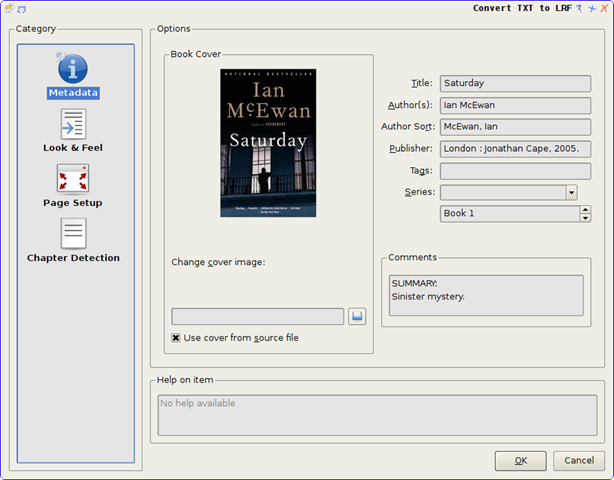
    E-Book Conversion: Calibre supports conversion of lots of E-Book formats to one- another and has supoprt to almost all known e-book formats, which makes it very special for collectors. The full list of supported formats could be found here. The conversion engine itself has many powerful features like generating table of contents, scaling fonts and creating book structures/ chapters etc.


    E-book Reader Devices Support: Calibre has a modular device driver design that makes adding support for different e-reader devices easy. It has support for a large number of devices. It supports synching of metadata of the device with the metadata of library. While sending to device, calibre either automatically chooses the best format available or convert the e-book to a format suitable for the device.


    Converting News and Blog Entries into E-Book Form: Calibre can automatically fetch news from websites or RSS feeds, format that into an e-book and upload to a connected device.


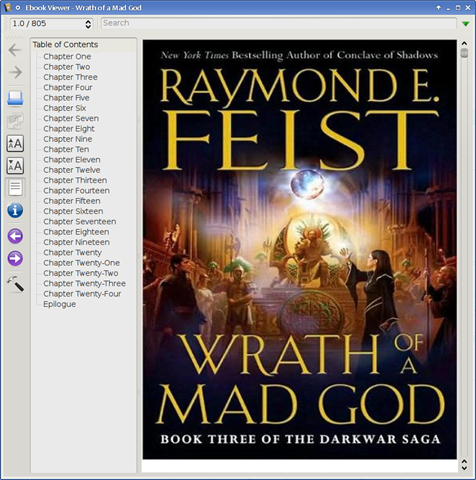
    Comprehensive E-Book Viewer: Calibre has a built-in e-book viewer that can display all the major ebook formats. It has full support for Table of Contents, Bookmarks, CSS, a reference mode, printing, searching, copying etc.

     viewer


    and last but my favourite feature

    Content Server for online access to your E-Library: Calibre has a built-in web server that enables others to access your e-book collection using a simple browser from any computer anywhere in the world. It can also email your books and download the news to you automatically. With support for mobile devices, you can always browse and download books from your smartphones and readers like Sony, Arnoid or Kindle etc.

    server2

    Just think once, how exciting it would be sharing your all –ebook collection over the LAN and even over the internet (if you are making your PC a web server over internet).


    So, what are you waiting for? Make a move to manage your digital habits effectively. Its sure going to be your one-stop solution for all your e-book management needs.