LinkedIn now with Faceted Search

Look like Recession really has plugged in some great innovations back on track. Scared from apparent downfall of Facebook and MySpace, almost all the social media sites are on revamping of their interface and features. Here is the another update from LinkedIn: The Giant Business Networking Site.

linkedin

“ Dec 14, 2009, Esteban Kozak from LinkedIn announced the release of another huge improvement to LinkedIn’s people search experience, “Faceted Search”. “Faceted Search” offers dynamic filters that are automatically generated based on your actual query results. These filters let you quickly and easily hone your query over 50 million LinkedIn profiles based on 8 facets: current company, past company, location, relationship, location, industry, school, and profile languages. ”

The concept is based on the fact over what all the network sites were once based upon. “Finding the people, what you exactly wanted to find”, thus improving the technique of searching people faster and efficiently.


Now, how this “Faceted Search” works: As you search for something or someone, this technique automatically generates search filters, based on your query results, which lets you quickly refine your search. Check out the snapshot attached below, find the all new “Refine By” module there. This is what we are talking about.

linked

Currently these filters are based on 8 facets: Current Company, Past Company, Location, Relationship, Industry, School, Groups and profile languages.

“ In practice, it really makes your search queries more efficient like you need to search for an engineer in NCR (Location), has great interest in .Net technologies (Groups), who speaks english and hindi (Profile Language), have working/ worked for TCS (Current/ Past Company) and either in my friend list or in friend’s friend list (relationship). As the LinkedIn implementation is, the search results adapt the filter quickly and thus makes the entire process quick and effortless. ”


As their blog says:

Faceted Search offers the following benefits to your search experience on LinkedIn:

  • Enables True Guided Navigation: A list of filters are generated dynamically for every search in order to guide you through the optimal path to find the most relevant people
  • Provides Intuitive Interface: Refining your search is easier than ever with an intuitive user interface that allows you to slice and dice search results by 8 facets
  • Improves Precision: As LinkedIn continues to grow by the millions, increasing search space requires increased precision to help you find exactly the right people
  • Increases Efficiency: Find talent, business partners, customers or a former colleague faster than ever before.
  • Reduces Need for Complex Queries: It significantly reduces the need for complex Boolean queries. This was a particular need we heard from many of our power users.


Here is the official video of the same feature :—>


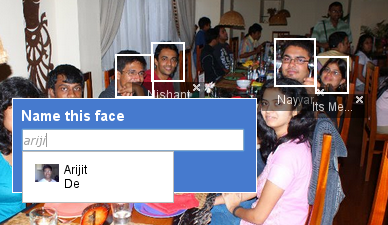
While this is going to make work smoother for people, who were taking help of LinkedIn Connections for their businesses, here I am just wondering on the basis of Google’s Launch of Goggles that when this limited feature to Android only, will be released to other platforms as well and we will have capability of searching someone by his/ her face only in Google Search or Orkut search (already picasa started name tags). Its pretty possible technology and its very about time, when Google must have launched the same. Waiting for that. 🙂

Till then you enjoy video about Google’s Goggles.

Now its 4G – Not in India but in Sweden :(

Sometimes, we really think that if we could have born in some other developed country… just for joke.. don’t mind.

Here is the news from techcrunch that caught my attention by this morning:

“ Dec 14, 2009, Teliasonera became the first company in the world to launch its 4G services (Currently limited to Stockholms and Oslo). Afterwards, the company is planning to extend the services to other areas (currently the license covers Sweden, Norway and also recently Finland) ”

4 G

So, here poor we, still waiting for affordable and workable smooth enough 3G services (MTNL is sure not that cheap and competent enough) and some other part of world is going to get speed around 100 megabits per seconds.


Although interesting to note that despite the launch of the network, no handsets can yet use 4G. Initially customers will connect via a dongle and a laptop.

“ Fourth-generation, 4G, networks are based around the Long Term Evolution (LTE) technology and downlink data speeds can hit 100 megabits per second – about ten times quicker than the fastest 3G networks. The technology has been designed to overlay existing 3G networks and most operators have committed to upgrading to the faster system. ”

As per BBC News, the company has released no information about the cost of connecting to the high-speed network. The dongles for connecting to the LTE network are made by Samsung, while Phone equipment maker Ericsson has put together the network in Stockholm, Sweden and Chinese firm Huawei is behind the one in Oslo, Norway. Both networks cover the central regions of both cities.

At the end, Handsets that can use LTE are expected in mid-late 2010. 🙂

Faster and more effective photo updates in orkut

Last many news from Google side only and I was thinking to make the next post on something else, but here Google again got my attention, this time by Orkut.

After the complete makeover of Orkut and revamped interface from the scratch, a few of good things that came out was expected addition of slideshow etc into photo album of orkut and top of all, it was much faster than ever in facebook way. Although there were a few annoyance like recent photos going at the last of the photo album, but over all, it was faster than anything earlier.


“ Here comes the another addition in features, In-line Photo Browsing: means now if you click on photo update thumbnail from a friend then you will be treated with full photo at the same place with options of navigating to other updated snaps in the same sliding way as it is album (kind-of-brining his album to your profile without your opening a new page), not only that but you can comment or tag over the photos as well from the same place. Not only that but now you could see a slideshow of the same photos as well from the same place. ”

In-Line Photo Browsing

Name tagging from In-Line

The slideshow


The new interface is in-a-way keeping users on the same home page most of the time as they can perform many things from there only, either it be commenting, tagging or most of the daily stuffs, they were used to do by visiting others profiles.

I am also noticing one trend from Google side. They first launch the feature itself and then after hours or a day, the same come through some announcement or via blog. Interesting

Here is the official blog post about In-Line Photo Browsing.

Google Namebench to hunt down fastest DNS

Few days back, I wrote over the promising Google product Google DNS and today I am choosing to write over another related utility from Google side.


Tell me!!! How you perform the task of choosing best DNS server? The famous one? The default ISP one? The knowingly reliable one? Don’t you think that its not a good practice to rely on things without self testing. Technically, DNS is one of most crucial point about your browsing experience, so how can you choose a DNS with not-so-well-defined process? Let’s see, what Namebench does here for your in place of just simplest tests, you might have done for testing the best DNS out there.

Google's Namebench

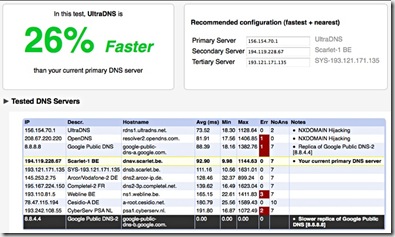
Namebench: One of 20% projects at Google, is basically an Open-Source DNS Benchmarking Utility. It hunts down the fastest DNS Servers available for your computer to use with a detailed method and report. Its written using open-source tools and libraries such as Python, Tkinter, PyObjC, dnspython, jinja2 and graphy.


Namebench runs a fair and through benchmark using your web browser history (after all, browser behaviour changes over what you visit), tcpdump output, or standardized datasets in order to provide an individualized recommendation. It also determine cache-sharing relationships between different IP’s and removes the slowest of these servers to avoid improperly benchmarking them solely on cached results. It also reports on DNS misbehaviour such as DNS hijiacking and censorship. Moreover, its completely free and doesn’t modify anything in your system. 

Screenshot


It runs on Mac OS X, Windows and Unix and is available with a graphical interface as well as a command-line interface.

Running the Windows/ Mac Version is kind of simple (and even Linux version, if you have right libraries python-tk in your system), you get greeted with a simplest interface as shown in pics, which is almost perfectly fine to run with default settings it appear with. Although, for more detailed description of the options, you may check the official wiki.

People, who like command-line tools more than GUIs, will get disappointed in case of its Windows version, but rest two versions has a pretty efficient command-line. You could find the info related using Namebench command-line here.


So, what you waiting for? Wanna be a geek? With Namebench, get a reality check yourself that are you in safe hands (right DNS server)? or which DNS is more better and how much better? Download it from here.


Here, I also want to comment over that “What a Google 20% project means?”

Google offers its engineers “20 percent time” so that they are free to work on what they’re really passionate about. Google Suggest, AdSense for content, Orkut and this Namebench are among the many products of this ‘perk’.

🙂

photo of Nitish KumarNitish Kumar

Get back to reading with FeedDemon and Google Reader

online-journalism“ Have you ever noticed that most of us haven’t wrote a full page by pen from long, even if might have tons of tweets/ scraps, thousands of blog posts or hundreds of email of their own. In the same way, have you noticed that how your regular reading habits slowly shifted to web more than the traditional books and then shrinking to headlines from twitters or some random blogs from search results only. If you made the notice then its high time to make yourself managed to get time for more awareness and energy like your early best days. ”


This post is for layman’s like me, who really needs to pick upon basic things.

First of all, its all about how you read web.

Blogs? Obviously!!!
Famous ones?
yeah Sure!!!
Official ones? Definitely, whenever required for authentic info!!!
How many of them you read?
As any info required or have spare time, not a fixed number!!!
How do you manage to remember addresses? Bookmarks!!!


Here I am to introduce a very basic yet most powerful thing about reading web, many of layman’s like me might not have yet started with: web feeds (RSS). Have you ever noticed the very common orange icon Feed-icon.svg, which appear in almost every site you surf to read for. Its the thing called web feed.

A web feed (or news feed) is a data format used for providing users with frequently updated content. Content distributors syndicate a web feed, thereby allowing users to subscribe to it. Making a collection of web feeds accessible in one spot know as aggregation, which is performed by an aggregator (like our Google Reader, newsgator or FeedDemon is).

In Simplest words, web feed brings content to you via an aggregator (generally summaries) and an aggregator brings many feeds means variety of contents to you in their short forms, so that you may take a look over all of them without any need to visit all the sites to just looking for that if anything might have been updated.


feedDemon_logo google-reader-logo

There are many aggregators around like Bloglines, MyYahoo, Windows Live, netvibes, myAOL and Google Reader and sure Google reader like other Google products has taken most of the users attracted towards itself due to its simplicity and intuitiveness. Moreover, with features like reading from Mobile and reading offline, it doesn’t leave much of the space for most of the users to think for any other RSS Reader.


A simple account of how Google Reader works, could be found in video given below:


Lets see what FeedDemon offering more with existing Google Reader Account and subscriptions in it (Courtesy Labnol Article).

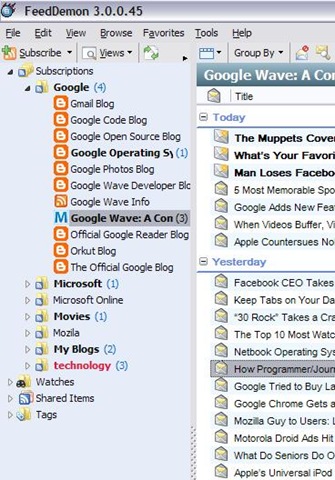
    1. Integration with Google reader: Its close integration with Google reader makes its able to follow you anywhere you  go. You might categorize your subscriptions into folders and as the same change will be passed to Google Reader itself, you will get the same structure everywhere, you use FeedDemon or even Google Reader’s online account (means you might have FeedDemon installed at your Office workstation/ Home one, both of the same will have the same folder structure, same subscriptions).


      feedfolders
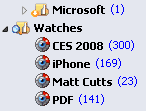
    2. Real Time watches and Desktop alerts: You could set keywords to be watched for, so that any of news item having the same keyword will undergo that watch item and you may easily choose them to read. Moreover, you could put FeedDemon running in tray icons and it could show whenever a new feed appears in your inbox.


      rss-watch
    3. Deleting unused feeds: It shows you subscriptions/ feeds that are not being updated from last 2-3 months, so that you may unsubscribe from them, if you wish so. It also shows feeds, which are in your subscriptions, get updated, but you rarely read them, same could be deleted as well.
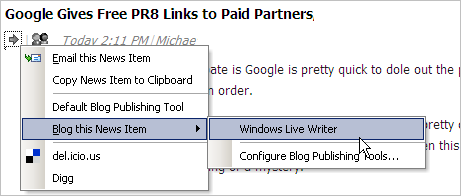
    4. Integration with Windows Live Writer: This is a particularly special feature for blogger. You may directly take any of the feed entry to Windows Live Writer or clipboard from FeedDemon easily.


      windows-live-writer
    5. Offline reading: With FeedDemon, you can choose to download all the unread subscription to be downloaded to your local disk for reading offline later.


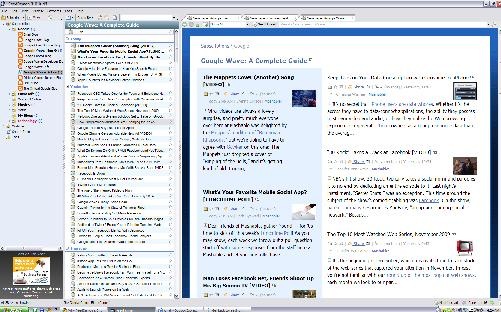
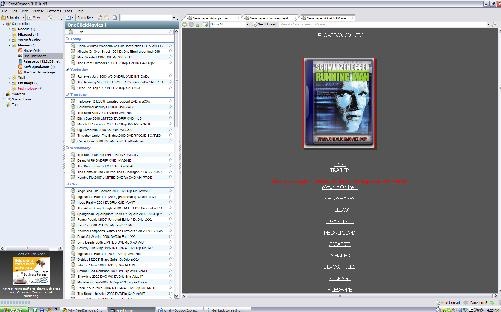
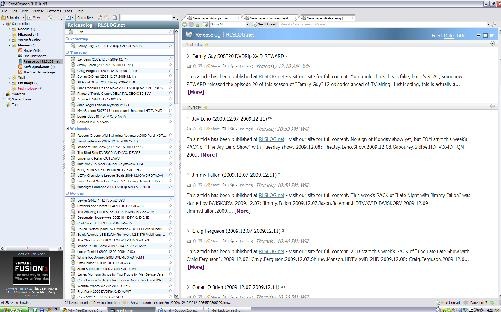
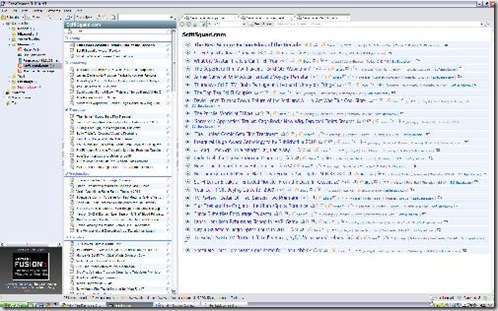
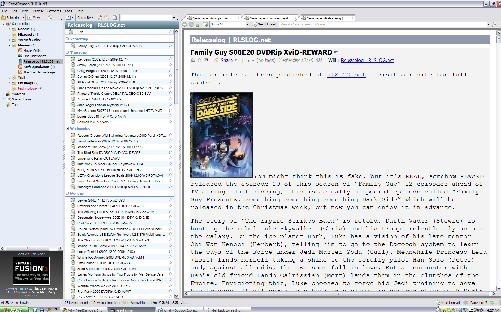
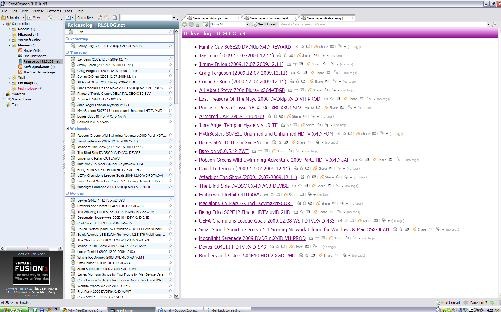
    6. Themes per folder/subscriptions: That’s a particular thing, I like most about FeedDemon. Currently there are six cool themes (Blue Vista, Expando, Outland, Photo Strip, Prince, Surfer) to choose from to set over any folder/subscription and all these theme are particularly useful for reading different type of blogs (like Photo Strip suits better than anything else for Photo Blog). I am also putting a few screen shots for each theme to let you feel, what the experience is.


  1. blue vistaphoto strpsurferexpandooutlandoprince So, what are you waiting for, you will come to feel the power of information management, once you start with something like Google Reader and FeedDemon. Just give it a try, I am sure its worth it.

    Download link

  2. Missed deal hints new plans-Google for music

    google-audio-music-logo“ It seems that the Cloud technology opening its wings one by one, Google’s try to acquire one silicon valley startup La La Media Inc. even after loosing the turf to Apple kind of made a clear announcement in a way, that what might be the next milestone for Google: A Full fledge service like Google Books to cater music only for free (running over ads). ”

    It might be one of the good guess only, but Google has already launched such a service in China with partnering with 110.cn to offer legal MP3 streaming/ download with a large MP3 collection and this shows that its very likely that after getting right deals (like it got in case of Google books with various publishers), Google might move into music as well like iTune.


    If you think that what one uses while using computers, except internet, chatting and searching web, then its editing photos, documents, presentations, watching movies and hearing music etc. Google had already covered many of the points like Picasa for Photos, Google Docs for Documents/ Presentations and YouTube for watching media. What just remains is Music.

    Although there is a YouTube category for music videos, a very limited music search engine, an online music player and a media server for Google Desktop, but currently Google doesn’t has any full-fledged music related service product.


    With Google Chrome, Google wants to start an era, where your every need will be online and will go along with you, no matter where you are or what you are using for your connection, your desktop, your docs, your bookmarks, your web history, your videos, your books and everything else will follow you.

    So before the launch of Google Chrome OS, we could sure expect Google to fill up this gap by acquiring some company in similar domain and in next probably its gonna to be Google online games service. Sure, due to copyrights, its not gonna to be as open and simple like Picasa webs but you may sure hope for products having capabilities like Google Books (limited preview/ full).

    What’s your opinion? please write to me.

    Google making its search result Real-time now

    “ In today’s running world, many a times, the delay in reaching to the information by a fraction of minutes could cause you loose the gears. After Bing and Google both partnered with Twitter and Facebook, the world was waiting for the concept of real time search to appear in ‘real’ and here Google finally joining the race again (with in-depth preparations), by moving into real time search while Bing was already started with it by Twitter Searches since July 01, 2009. ”

    googlelogo_thumb1 bing-logo


    As the phenomenon of Twitter risen up, it given strength to concept of real time information search. In early days, any news before getting pitched up in print or television media was hitting the web first via blogs with sometimes more details than other media, but even then there was a delay of hours/ days in getting the information live. Now, the birth of Twitter changed the scenario and now days, whatever happens around the globe, first hits Twitter, Facebook and Orkut updates first then anything else and people were looking for information there than any of news results or blogs.

    The real time information search for headlines is moving towards Twitter, Facebook and Orkut updates now days and it’s been inviting the searching giant to move into the race sooner or later. Microsoft became the first to hit the chord by Partnering with Twitter and Facebook by Oct 22, 2009, while Google announced on Dec 07, 2009 its collaboration with Facebook, MySpace, FriendFeed, Jaiku, Identi.ca and most importantly with Twitter.


    So, you might be getting the idea that what the real time search is; its the concept of searching for and finding information online as it is produced or in other words it’s the advancements in web search technology coupled with growing use of social media enabled online activities to be queried as they occur.


    Let us know that how to use it:

    Google’s Real Time Search

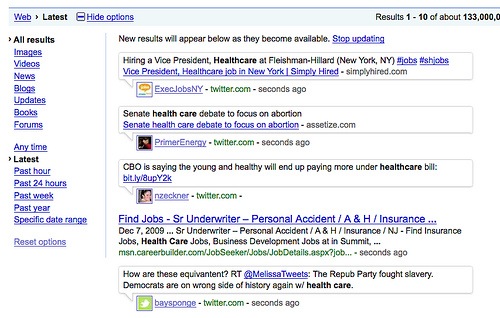
    For reaching to Google’s Real Time Search, You have to go to normal Google Search, after searching some query press Show Options button (its there at left top of the search results) and then press latest as shown in image given below. You could see results are coming up with time given next to them in seconds, minutes. 🙂

    google-bing-search_original1

    Note that as per Google’s usual practice in past, this feature is release as a beta feature only and suggestions are always invited to make more improvements in it.


    Bing’s Real Time Search

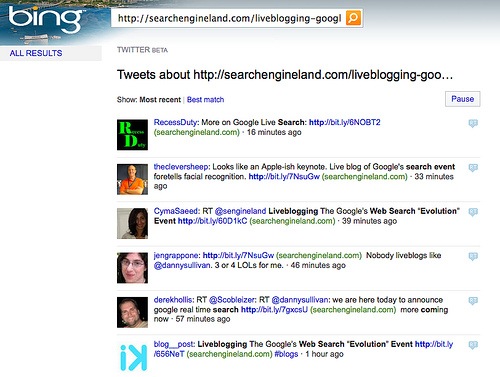
    For search through Bing, you need to go on http://www.bing.com/twitter and then you could make your search within Twitter, while I am not able to figure out yet that how its working with Facebook.

    bing real time search


    Now, there are reasons that why Google Real Time Search is better than Microsoft’s Bing (courtesy CRN) and even if its declared as war between the two, many of us already have declared Google a Winner.

    “ Not only Google has a much better and proven search technology than Bing could have, but also Google has designed its search results more better in visuals than Bing and as a final reason, you can see that sure Microsoft hit the chord first by integrating with Facebook and Twitter, but it couldn’t match the breadth and depth Google’s real time search is going to provide by partnering with wide and diverse range of Social Network Sites. ”

    So, finally we sure has many reasons to look forward that how much more innovation is about to come from this rivalry between Microsoft and Google.