Nokia N86-New Customization Options

[tweetmeme source=”mrnitishkumar” only_single=”false”]

When I took Nokia N86 in hands then it seems just the same software wise as I have seen with Nokia N82 or any other Symbian OS v9.3, S60, but this time it was rel 3.2. Let’s see what made me excited about it.

When taken the first look, it was like any other non-touch home screen, I would have seen. Same vertical top configurable icons on standby and then a list of services like Chat, Mail, Calendar, Sharing .. just the same, we are so used to see in other Nokia Smartphones series …

In the first look, it was just the flash based screen saver that was new and good thing to me about Nokia N86 (though thanks to my twitter friend, I got the same on my Nokia N82 as well) and really made me realized that I should have explored my Nokia N82 much more.

But the magic begins, when I went more inside, inside the customizations .. ..

Even the themes option was much more richer and cooler than Nokia N82 or Nokia E52. There were plenty of options for standby itself in terms of four standby themes and sure vertical Icon bar became my choice and still the same.

I seriously looked back in Nokia N82 and Nokia E52 that are with me, but these were sure new options that I seen and now I wonder if there was something such in E72 or other devices that I have gone through. Don’t remember that anything such was anywhere. Why I am so happy about it? See yourself the new look of the screen, just after the vertical icon bar standby screen.

I really wonder that if Vertical Standby screen is a much better idea than the traditional horizontal ones.


Not only standby themes were new, but even our Menu view got some new options ..

May be most of the people are happy with grid and list views only, but what about these two new options?


Call Image option works in both ways, either you call or receive and there is more of it, you can even set a video as your ringtone for some particular person. Isn’t it cool?

Video Ringtone Call Image


Loads of event options: You can set tones for many things here like when the battery is charging, when battery is empty and like that ..

Not just that but the theme options extends to much more …

Here is what kind of Audio theme you want to choose for whole phone use experience …

This is where you define that what background your phone will carry, while calling someone. ..

This is the place where you choose.. you can check the left pics of N82 that how much more options are here now ..

Sure, the animated Time screen is my favorite, but many might have liked Slideshow more, though I still think that if someone was using the Music player option as ‘power saver’ 😉

Even the kickstand that seems to be a new showoff for probably the biggest non-touch screen, have plenty of options to configure about.

And it found the lovely feature that was not available in the times of my Nokia N82.. the over the air update ..  though mine has already the latest one. I love to get updates myself 😦 don’t you?

I used video calling as well, with my youngest brother on the other side using E52 and same complaint.. why can’t Nokia start using more than just VGA for front cameras? I mean I understand that better pixels will ask for more data, but you can make that vary from settings.. at least people who have better data plans, wont complaint .. yourself check how the pics might look like in low light conditions..

Yeah!! you are fully allowed to use the pics above for scaring your kids .. he he he

Obviously, it inherits Full Quick Office and PDF reader from Nokia N82 .. and Zip too.
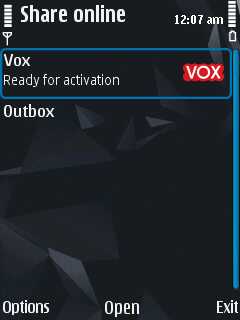
What I wish more for.. if Nokia  starts adding popular services like Flicker, Picasa, Facebook etc in their list of Share Online services by default.


Lots to say about … but how could I have left the mention of FM transmitter even if it has a very simple interface …

The camera interface wont be covered all in this post itself, but keeping it short.. it adds much expected Panorama mode

I really really think that if Android or iOS has something like this panorama mode… just see what results it could obtain from even a newbie …

Options for customizing the much richer toolbar now…

It also adds geo-tagging, though I was just surprised to see record location option in my Nokia N82 as well. Just for that purpose, I installed Location Tagger from Nokia Beta Labs, is that brings Record Location in or it was the last firmware update? Anybody?

If you think that these were the minor updates then one more feature is here .. Face Detection

For people finding about the most important feature of Nokia N86 camera .. the variable aperture… check out the exposure setting thing..

So, anything I missed that is new in Nokia N86? Sure tell me… I wanna know…

Gmail Contacts got a makeover

[tweetmeme source=”mrnitishkumar” only_single=”false”]

So, finally the wait is over and Gmail has rolled out the new redesigned  contacts from today itself. If you have not noticed yet, then  its time to login and explore the new things out there for you in your favorite Email service.

New Gmail

Well, we were already hearing about the same from quite some time that Gmail is about to roll out a new redesigned Gmail for us, specially contacts and tasks. It was even pointed that contacts might get a call button though Google Voice is not rolled out for whole world as of now, so it was something not to be expected. New Place

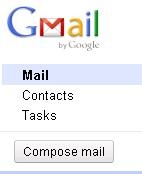
The very first thing to notice was the placement of contacts. Just below the Gmail logo now, along with the  Tasks icon as well. The contacts sure gonna get more attentions and tasks too. There blog post discusses much more about it in details here.

The other place to look for, was the detailed view of any contact that was also redesigned in a very effective and detailed way as given below:

contacts

Even there help page also has been updated to provide info about the new smoother ways with Gmail contacts now.

Sort gmail contacts Gmail

So, if you have not checked it out yet then go and take a look. Its always pleasant, when your one of the favorites get updated. 🙂

Nitish Kumar
http://nitishkumar.net
http://scifireviews.wordpress.com

Digg This

Unboxing Nokia N86

[tweetmeme source=”mrnitishkumar” only_single=”false”]

Like Apple fanboys, there always been many Nokia N82 fanboys all around the globe, those who never given up over this device and same keeping the legend alive even after three years when people have completely forgotten that how first iPhone was. Living three years straight and still roaring to continue the journey that could be only some brave heart, that was our beloved Nokia N82.

Collecting fanboys all around the world, with Nokia N82, all of sudden, Nokia, who always liked to challenge its own device with new variations, found itself against its own device as ‘a rival’ that seemed to be invincible to get challenged. Was hard to challenge the legacy of Nokia N82, but Nokia given a try with Nokia N86 with high pixels and so many other features. Before getting hands on Nokia N8, I thought to just get familiar with evolutions of camera technology with a new trial from WomWorld/Nokia, a successor of the legacy, Nokia N86 and ….. I was not knowing that this going to surprise me this much.

Lets see… Layman’s un-boxing today and some boring blah blah…

After a long wait after requesting a Nokia N86 from Katie, finally yesterday was the day, when that DHL guy arrived at the gate of my office. I am sure that he and my office colleague might have started to think that I am some kind of import/ export guy or smuggler 😉

That’s a tough thing to be a office person. You get a trial device delivered and you know that out of all excitement, you wont get time to open it before the late eve, when you reach home. But, thanks to WomWorld and my office routines, I feel myself much patient person now 😉


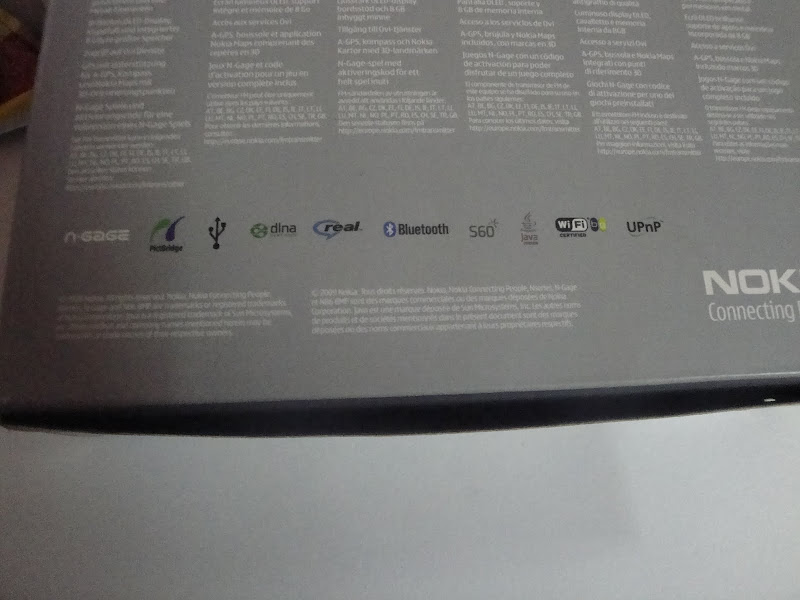
The package: The package shouts camera first even if Nokia N86 now have free ovi navigation as well. All around the name was mentioned as Nokia N86 8MP, sure the first new thing in comparison of Nokia N82 package.

The strange thing was the mention of N-Gage as I didn’t found any N-Gage game icon in the phone, while it was there in my Nokia N82 as well. Is the free game offer with Nokia N86 discontinued? Not sure!! Will try to look into it.


The contents inside the package: A slimmer box than Nokia 5800, Nokia N86 comes with all the usual accessories, we have been familiar over the years except two possible missing components; TV-Out cable and might have been important traditional to USB power converter (it has a mini-USB port for charging).

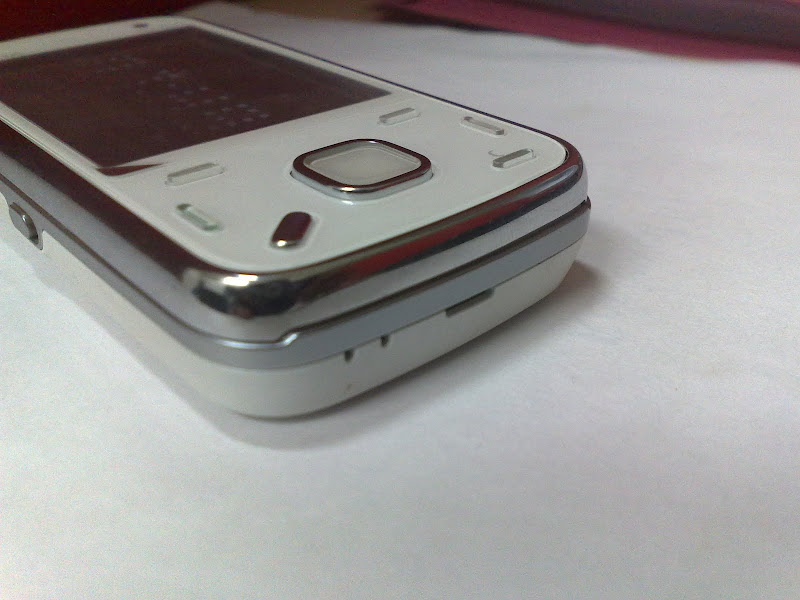
But there was one thing, I was most happy about … it was the first time, I was trialing a pure white device (I wished to have hands on while Nokia E72 in past). What is beauty to watch …

Matching white stereo headphones and upgraded battery 1200 mAh (in comparison of N82) sure going to be treat to me 🙂


Specs: If you start comparing on specs sheet, then you will find that Nokia N86 wasn’t only ahead of Nokia N82 on megapixels, but there were many new things in this worthy successor.

Connectivity

GSM 850 / 900 / 1800 / 1900
HSDPA 900 / 2100
HSDPA 850 / 1900 / 2100 – American version

Size

103.4 x 51.4 x 16.5 mm, 69 cc

Weight

149 g

Display

AMOLED, 16M colors
240 x 320 pixels, 2.6 inches
– Accelerometer sensor for auto-rotate
– Scratch-resistant surface

Speakers

Yes, with stereo speakers
– 3.5 mm audio jack
– Dedicated music/gallery keys

Storage

8 GB storage Internal , 128 MB RAM

Card slot

microSD, up to 16GB

Data

GPRS Class 32
EDGE Class 32, 296/ 177.6 kbits
3G HSPDA, 3.6 mbps
WLAN Wi-Fi 802.11 b/g, UPnP technology

Bluetooth

v2.0 with A2DP

USB

v2.0 MicroUSB

Camera

8 MP, 3264×2448 pixels, wide 28mm Carl Zeiss lens, autofocus, dual LED flash
Variable aperture, geotagging, ISO 800
Video VGA@30fps
Secondary Camera VGA videocall camera

OS

Symbian OS v9.3, S60 rel. 3.2

CPU

ARM 11 434 MHz processor

Radio

Stereo FM radio with RDS; FM transmitter

GPS

A-GPS Support, Ovi Maps 3.03

Others

– Dual slide design
– Digital compass
– WMV/RV/MP4/3GP video player
– MP3/WMA/WAV/RA/AAC/M4A music player
– Document viewer (Word, Excel, PowerPoint, PDF)
– Voice memo
– Kickstand
– Flash Lite 3.1
– TV-out

Battery

Standard battery, Li-Ion 1200 mAh (BL-5K)
Standby Up to 312 h (2G) / 264 h (3G)
Talk time Up to 6 h 18 min (2G) / 3 h 54 min (3G)
Music Play Up to 25 h


Build: Complaints first …

Call it raised expectations due to E72 and N97mini like premium devices, but now I have started expecting more metal in Nokia devices. So, it was disappointing to see a hard to open plastic back.

The other complaint was from the SIM slot. The mechanism of inserting and removing SIM seems prone to scratching SIM due to pure mechanical nature. I was really more happy, if they would have placed the similar tray mechanism as was in Nokia N97mini or even slot mechanism like Nokia N82.

The good points ….

First is the beauty


Though it feel almost the same bulky as was Nokia N82, but addition of kick stand was a fantastic decision and same was the metallic border.


Same way, I think that the new keypad design was to answer the complaint of tiny keys in Nokia N82 (but I loved that design) and dedicated music keys were sure a wish granted people demanding for the same in Nokia N82.

No pen key as its already discontinued withy almost all Nokia phones, but notifications lights on Menu key and a tiny charging light was absolutely making the design ticking all boxes.

The placement of Memory card is under the back cover seems fine, because for inserting/ removing card, you wont be needed to remove battery and also protects from dust etc.

Same way, we find a smooth and improved camera cover with Nokia N86 here


Nokia N82 and Nokia N86

Leave the build and superb camera a side, geo-tagging and FM-transmitter are something that making me excited enough. It looks like Nokia was thinking to remove all the complaints from Nokia N82, when they made Nokia N86.

Though processor and RAM specs are the same, but we got a huge 8GB internal storage than 100 mb internal storage of Nokia N82. With upgraded OS, option of geo-tagging, complaint of dedicated music keys, metal casing, better camera cover mechanism and addition of un-lock button in side.

What I liked after starting the device was the screen saver… well I am sure that there might be a screen saver like this for Nokia N82 as well, but where you will get an Amoled Screen like Nokia N86. I agree with all the talks that might be going around super amoled and all. It rocks.

 scr000007

I also placed both the devices into a macro test and below were the result. Guess yourself that which one is of Nokia N86 and which one is of Nokia N82?


Any differences here?


Though one thing that made me worried was scratches over the lamination of screen. If it was my own device then I should have changed the lamination, but now I have to live with it in next two weeks. Again mind asking the same question, how safe the big screen touch device are from such scratches??

So, this was it … there gonna be many talks around this new member of the family, keep tuned in and guide your questions/ suggestions in my way. What I should do more with Nokia N86?

VLC Player got updated to 1.1.2

[tweetmeme source=”mrnitishkumar” only_single=”false”]

It was July 29, 2010, when I reported that VLC player got updated to 1.1.1 and not one more week passed … here is the another update … I wish other software updates were this much active (e.g. Nokia firmware updates)

image

As per official info

VLC 1.1.2 is a bugfix release of VLC media player. This minor release is aimed at fixing small bugs and improving translations. It mostly fixes TS demuxing, some framerate display, interface issues, and some audio filtering and playback.

Have you updated yet?

MeeGo? Symbian^4? Product demo? Fake? Closer look

[tweetmeme source=”mrnitishkumar” only_single=”false”]

Update: The original video was removed after Nokia claimed it. Re-uploaded for people, who might have missed it. Will be removed soon. Meanwhile, a post from AAS also shown Ovi client being built for N8, I think Ovi store here look similar to that one. Isn’t it?

Web and social sites seen lots of vibes coming from one youtube link that was followed by a short blog post by today only. In last 24 hours the video has seen around 44, 000 hits, which clearly shows that how eagerly people might be waiting for Nokia to rule again.

Though already a post from Mark Guim pushed others from writing anything further on the same video (brilliant post mate), but later on raised doubts and speculations (the original poster says its MeeGo), I thought to contribute few of my own words over the same from a Maemo lover’s perspective. Let’s watch the eye candy first …

There been a huge buzz around the new OS followed by this Meego in last two days and sure experts are holding themselves to say anything on this due to obvious reasons (bad experiences with N97), but something could be said for sure about this.

This is only a presentation video of functionality, running on some simulator, so there should be no talk about snappy performances or anything like that, that would be too good to be true.


Let’s dissect it again …

vlcsnap-2010-08-04-01h03m26s16

Though video was not HD and pics is blurry, but if you look harder then the bottom left line says …

@Nokia 2009/ 2010 Secret

Now that creates doubts as Secret is sure not an official term to be used, companies usually prefer confidential, but leave that here.

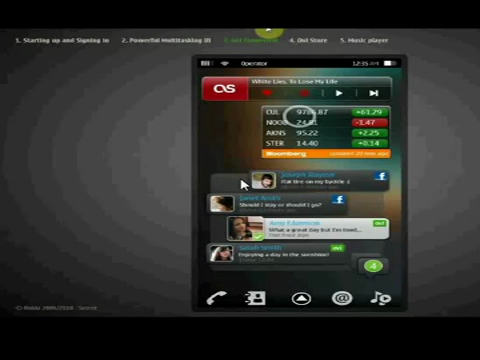
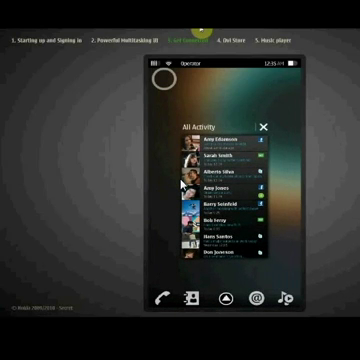
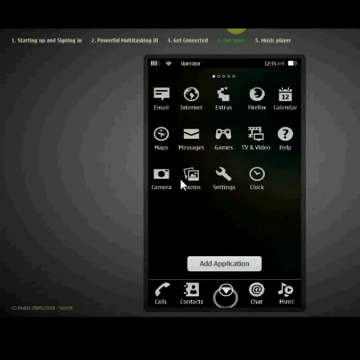
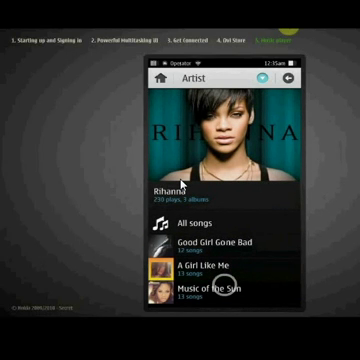
When look at the top, then the video/ presentation clearly aims to demonstrate five chapters in short…

  1. Starting up and signing in
  2. Powerful Multi-Tasking UI
  3. Get Connected
  4. Ovi Store
  5. Music Player

Starting up and signing in:

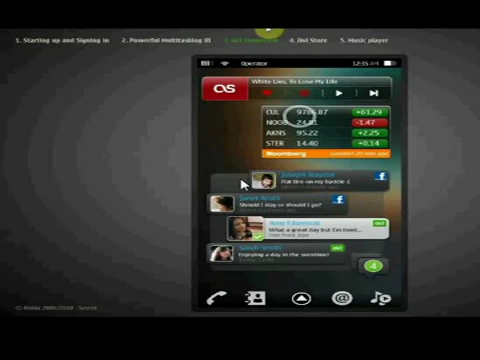
The music widget been the permanent resident of home screen for many and stock updates might be of worth, when you will looking at your mobile screen more than anything else (sure beauties)

We always heard of Nokia-Facebook deals and Nokia-Twitter deals, but the way the screenshot below shows updates from Ovi and Facebook on homepage, when someone touches that green new updates icon in bottom right corner, shows that Nokia is very much planning to push its own Ovi as somewhat a twitter like service and may be wishing to make it as popular one.

vlcsnap-2010-08-04-01h03m26s16 vlcsnap-2010-08-04-01h07m12s113  

Social Networking widget in green  at bottom right shows number of updates, which look cool in popping up bubble way. There are comments, responses and sure like buttons will be as well. Posting is simple like Android or iOS might be doing, but I will also like to see that if it has got any improvement only touch phones (without qwerty).

As this is just a simulation, the poster taken the liberty of not showing the touch keypad as that wasn’t gonna look cool, if was going to take most of the screen like current touch keypad screens do.

vlcsnap-2010-08-04-01h07m22s208vlcsnap-2010-08-04-01h07m25s236

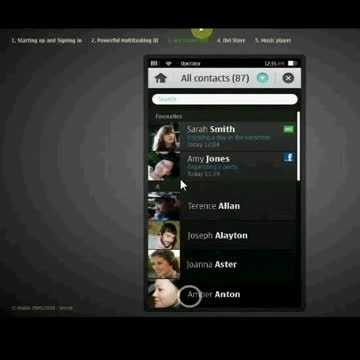
The next cool thing was to see integration of contacts. We already seen the smooth integration of contacts with social services. There were only facebook and ovi updates on home screen, but contacts app shows that twitter integration is there for sure. not only that but it looks too cool (reminds me N900)

vlcsnap-2010-08-04-01h37m12s193vlcsnap-2010-08-04-01h37m15s214

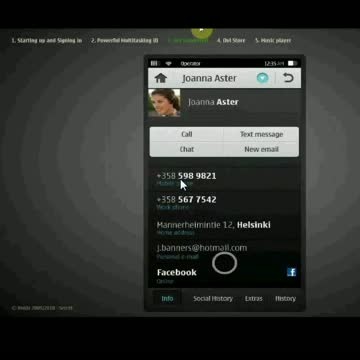
If you look closer then there are 4 tabs in bottom of contact. Info, Social History, Extra and history.

Info must be what being shown on screen
Social history should shows recent status updates.
History should show last call details, last message details or chat details for that person
I still wonder that what would be in Extra, GPS? NFC?

No mention of Video Call here like Nokia N900, neither anything like Facetime in pics, really? Hope we gonna see something like that included in contacts. Meanings of Get Connected going to be changed again.


Powerful Multi-Tasking UI

If you have played with Maemo and N900 for once, then whenever someone talks about Multi-Tasking, your mind start comparing the same with Maemo only.

vlcsnap-2010-08-04-01h07m33s67

Looks similar? Can’t say that it will be card like as in Symbian^3 or Maemo like, but switching seems to be exactly as was in Nokia N900, pretty good reasons to wait for the next OS.. I wonder if they would provide that left top icon and side click kind of innovations we seen with Maemo on N900.

Though at the end, it will all depend on RAM and Application Memory provided. It was pretty neat with N900, but if they are targeting to be cheaper than others, then ….


Ovi Store

Idea of using get Application button seems to be inspired from Add/Remove control panel applet and sure makes the better sense.

vlcsnap-2010-08-04-01h07m44s176

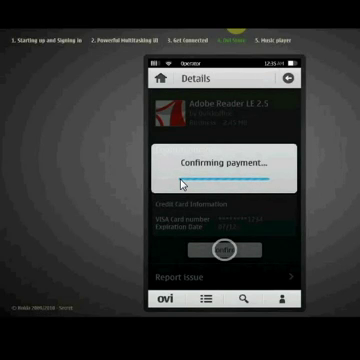
Ovi Store looked neat with surprising entry of Gravity and Acrobat along with Angry Bird. @Janole hasn’t confirmed a Gravity for MeeGo yet and sure the appearance of the same pushed some doubts there, but I think if the apps would be running on Qt runtime, then it will be immaterial that you are on Symbian^3 ^4 or MeeGo.

vlcsnap-2010-08-04-01h07m48s215

Ovi store looks neat and no filters like recommended, applications, games etc.

vlcsnap-2010-08-04-01h07m52s248 vlcsnap-2010-08-04-01h07m55s25

Display page for individual apps also look pretty neat, informatory and well navigated.

 vlcsnap-2010-08-04-01h07m59s66 vlcsnap-2010-08-04-01h08m01s91 

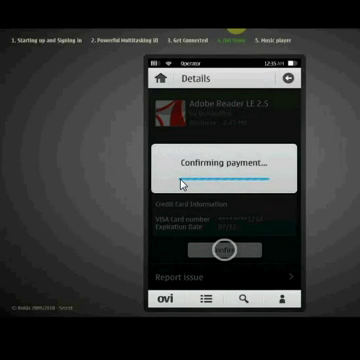
Cool, when it shows the application being installed with short blue status bar under the app icon. Same with the payment method, where you would be having your credit card registered for payments. Are they thinking of debit cards as well? And what about all applications on trial?


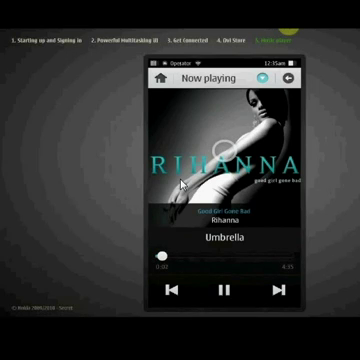
Music Player Strange that why it was not demonstrated like Nokia N8? With cool Album poster display?

vlcsnap-2010-08-04-01h08m11s186 vlcsnap-2010-08-04-01h08m15s227

Seems almost like any of the best music apps out there, if you talk about work.

vlcsnap-2010-08-04-01h08m19s11 vlcsnap-2010-08-04-01h08m23s55

They didn’t went for landscape mode, otherwise, we might have seen some more awesomeness, but it wasn’t displayed that where will be the option to send, share or set as ringtone fo the currently playing song? Is it that blue icon on the top right?

vlcsnap-2010-08-04-01h08m28s104


Pretty neat and awesome? I warn you that don’t make assumptions and expectations like people started with N97 Classic demo videos. Actual speed varies on the basis of final hardware and such a UI will do wonder when gets at least 512 MB RAM and 1GHz processor.  Statius updates will still not be flashy without a very good internet connection or 3G. So, expect the experience to be awesome, but be realistic in opinions. Its the OS, not some particular device.

What you think?

Twitter down for big fat five hours

[tweetmeme source=”mrnitishkumar” only_single=”false”]

I don’t know when was the last time, when you seen some of your favorite service go down for big fat five hours. Imagine if some day Google went down for five hours or WikiPedia? We all love twitter, we really do and somehow know that whatever they might be doing, must be doing for some cause, for making the service more better… but five hours.. they must come up with something really superb.

ttstatus

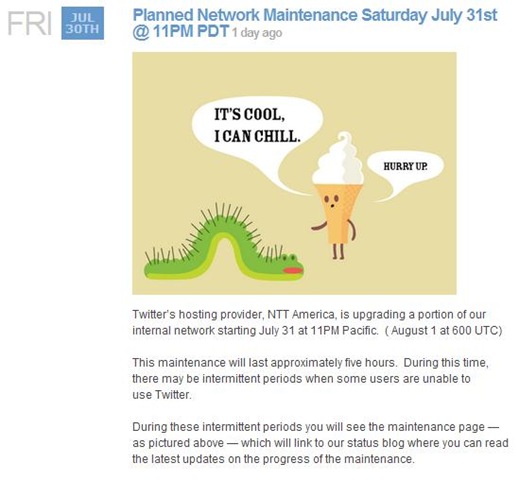
Yes!! Twitter is down again with different image to show off like above. They have made their status clear on Friday itself. Right now, their blog doesn’t say anything on it yet, but their status blog says this ….


Tstatus

I really don’t know if any other service in the world needs to maintain the status blog in this kind of ways. They talked about reliability issues many times like this, but really is the load on them is this much huge that might be impossible to maintain?

In geeky terms, it is in some ways. Yes! there are other services like Google, Gmail, Microsoft updates, Facebook, WordPress that get many requests, but sure there is nothing in the world compared to twitter that might be getting these many requests per second. Could understand that what they might be going through.

What we all could do, is to chill and wish them all the best to come back soon and well,

Jolicloud 1.0 is here

[tweetmeme source=”mrnitishkumar” only_single=”false”]

Received a mail from Jolicloud today that its finally reached to versions 1.0. Readers might be aware of the same Netbook OS that I tested on Nokia Booklet 3G sometimes back. Worth to check out.

Below is the mail, I received …

Jolicloud Computer

Welcome to Jolicloud 1.0!

Hello Nitish,

We are excited to announce that you are now able to upgrade your machine to Jolicloud 1.0, the version of Jolicloud we’ve envisioned since the start.

To upgrade: Open "My Jolicloud" and click on "Updates". Just follow the instructions and restart, making sure that you are connected to the Internet to activate your new Jolicloud. You can get more details and screenshots on the Jolicloud 1.0 Upgrade Guide.

Here are some of the cool new features you’ll get to experience in a few moments:

A Simpler, Customizable Launcher Entirely Built in HTML5
It’s up to you to organize your apps the way you want – your launcher is customizable.

An Exhaustive App Center
Jolicloud has selected 700+ of the best free apps to install and share with your friends.

A Social Stream
Through our new Stream feature, you can feel the pulse of the Jolicloud community and discover the apps that your friends recommend.

A Universal File System
Because everything is in one place, it’s easy to manage your files and data, whether they’re on your machine or in the Cloud.

Experience the Anywhere OS
You can install Jolicloud on as many devices as you’d like, and they will always be automatically synchronized. Any app you download, delete, or move around will be the same on all your other machines with no extra work on your part.

To see more details about the new features, read our blog post.

Please send us your feedback. As usual, for support about the service, you can join one of our many user communities on Twitter, Facebook, and GetSatisfaction.

If you blog or record a video about Jolicloud please let us know and don’t forget to add the ‘jolicloud’ tag on Flickr, or YouTube.

All our users upgrading to Jolicloud 1.0 are tweeting about it, click here to send yours.

Enjoy!

The Jolicloud Team.
http://www.jolicloud.com/

Take a look.. might be something with this new update that may strike you much more.