Laymans taken on the WordPress App for Symbian^3

[tweetmeme source=”mrnitishkumar” only_single=”false”]

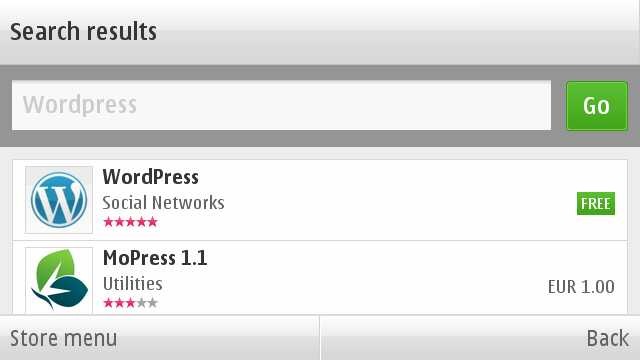
Finally the day has arrived and with arrival of official WordPress App, a long long wait ended for Symbian^3. Over those days, when after looking at names of Blackberry and iPhone on the home page of WordPress, you were feeling like hitting someone.

Scr000166

You must thank people at http://dev.nokia.wordpress.org/ for bringing this on and with this, one more point of my Nokia N900 vs Nokia N8 debate goes down. Now, not only we will be able to watch our movie collection on Nokia N8 without converting it, but also will be able to blog on the go like I did with MaStory on Nokia N900.     


Lets know more on it.

Scr000167Scr000177scr000224 

Definitely when comes to look and functionality, this wordpress app is leaps ahead of the one I seen on Maemo and sure many will prefer it over MaStory, when very soon it will arrive on Maemo as well.

 Scr000178 Scr000187

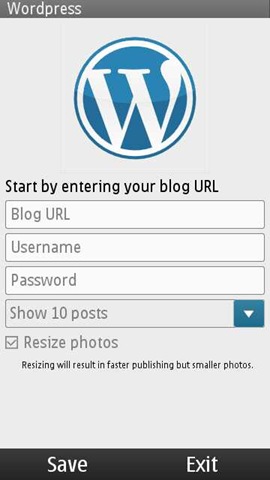
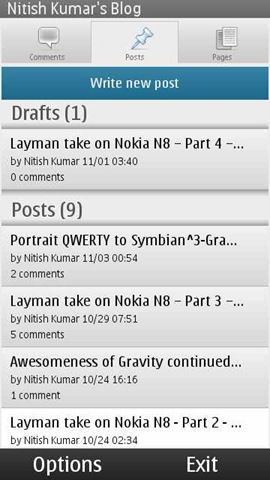
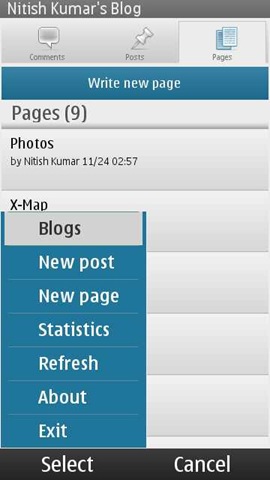
Just finish a few small details and you are ready for dealing with all the basics related to your wordpress.com or wordpress hosted blog. You can not only add new posts, pages or comments, but you can view even stats of your blog by some very easy and sleek looking interfaces.

Scr000180Scr000183 Scr000185

If you want to reply some comment, then you can go from touch and hold on the comment and it will open up another page for posting the comment with some normal rich options like bold, italic, quote or link etc.

Scr000182

Though I do not find posting picture option here, but that also doesn’t exists in desktop version as well easily.

Starting a new post is also simple and with all the options like password protected, draft etc.

Scr000186 Scr000225 Scr000229

It hold all the options like adding tags, categories, photos and even videos.

But also note that typing on a mobile app with not so rich editor meant to the fact that you have to deal with some of the basic HTML tags like the give below

Scr000233

There is an option of adding location to the post, but I think its not implemented well till now as I was not able to add it by detecting automatically.

Scr000234

May be some fault from my handset side.

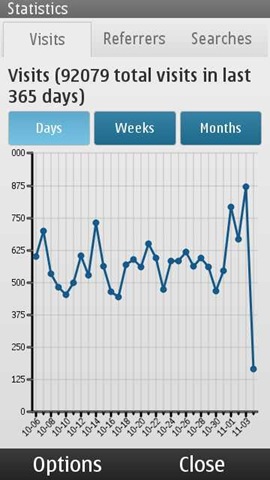
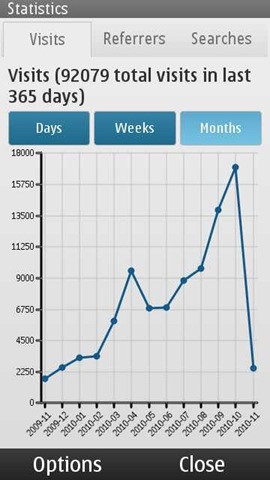
Stats are something that each of the blogger get obsessed about in early days like mine and so its really wonderful to have them always with you on the go.

 scr000237scr000239 scr000239

I must say that the Qt based interface has everything that one needs to get impressed with it and quite handy, if they keep connection and minimal data requirement in mind.


Some big bugs that should have been fixed

Well I must say, I am also not happy about the ways it functions odd times. There are still many bugs that shouldn’t have been here in the real world, when an app officially hits the stores. I understand the eagerness of people to get it as soon as possible, but its part of the job from developer side to test it fully.

Some of the issues are like …

1. It wont open up if you are using WAP connection

I am wrong then someone please correct me, but I have not got it opened yet on WAP connection. May be the reason is, it tries to load last 10 posts in the system. I don’t think that is a good idea. More than a blog managing tool, it also must have been prepared as a blog posting and casual editing tool. That would have made more sense. Definitely for opening only, it must not go to web directly.

Update: It looks like this was the first time glitch, but still even if I am able to view the old cached content now. I am not yet been able to add/ edit. It seems to have removed my account completely though cached entries are still here.

2. I am not sure that if there is an auto save feature yet implemented in it

When you are talking about an app to post blog etc, then Draft feature becomes a must, specially much more big must, when you are talking about a mobile app.

Update: There is no settings for in it for the same at least. Checked that. MaStory has it and they should have taken some good things from there.

3. It freezes kind of too many times without giving a way out 

As of now, the ovi store version doesn’t seem to forgive you, if you made some mistake at some point of time. I found the latest on the development blog a little better in this way. But see what happened with the official Ovi Store version.

scr000236

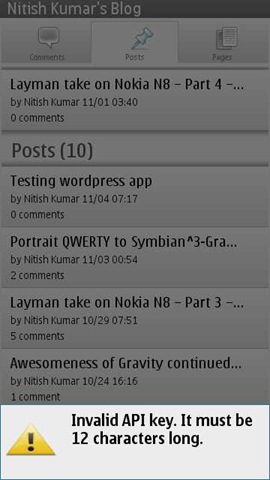
My only mistake was to put the wrong API key and it just freezes right there without giving any other option than going to task manager and kill it, which doesn’t promises that it will start fine in next.

Well!! is it the issue with whole touch UI, when some app go untested thoroughly?

4. To reply a comment, one should not need a whole post

That some kind of stupid design. Why the app needed to load the whole post again, when he has to reply just one of the readers comment? I guess the app is being tested in some environment with cool and strong wifi connections only. The world is bigger than that. Open up please.

5. No advanced editing options

Yes there are basic ones, but nothing like page justification etc. May be I will find out them like I got to see on MaStory on second day only, but as of now. I am not able to. Thanks to connection issues as I am using Vodafone WAP connection only.


So, these were a few early annoyances, I found in first shot. May be I will find some more or may be it will be lesser soon. But sure, there is always scope for improvement.

Please add up in comments, if anything I might have missed. Your tips are always welcome, lets make this place happening.

Digg This

Portrait QWERTY to Symbian^3-Gravity shows that what Symbian can do

[tweetmeme source=”nkumar_” only_single=”false”]

Its very easy to blame things and saying that Symbian is dead, but it takes genuine talent and vision to show that its not the technology, but its what you do with it. The transparent and split keypad design of Gravity that I was talking about in last post, finally arrives in Alpha stage and available for reviewing it, which stands for just another example that its not rocket science to fix the things.

021120101121

If you might have given such a regarded name like Gravity, then it becomes difficult to exceed the expectations from himself and it janole, who always came up to raise the bar. Let’s see, what he doing with Symbian this time ..


What special about this custom keyboard?

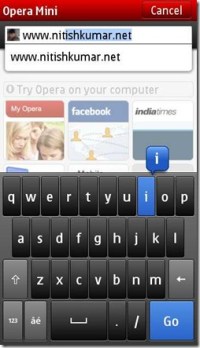
Not the very first time, when someone might have taken the task of creating a custom keyboard for some app only. If you are unable to recall, then let me remind you, you have seen the keypad of opera mobile.

scr000151 scr000146

But when it comes to design something like so native yet so important then usually developers feel out of innovation. While it doesn’t look so in first glance, there are too many minor details that could go bad, when designing a keyboard, like right size of keys (see smaller and almost unusable Opera Keys) or no mention of word count in native Non-QWERTY keypad on Symbian^3 as of now at least. Not only that, but even most basic things that people always taken for granted, when get designed from ground up, the suddenly become a challenge.

scr000109 scr000146

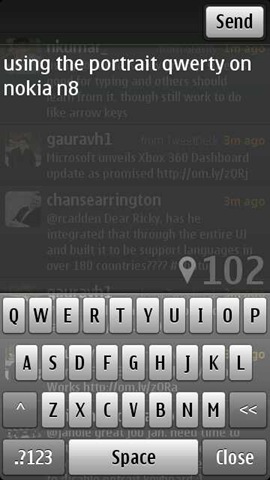
Though its only an Alpha build and still lots of things are missing here, but in the above screen shot, you find the following things special:

1. Transparent design, which don’t let you slip the context for which you were writing
2. A glossy touch in buttons and background behind them
3. Word count and that too in enough big fonts +1 from my side
4. An entire new, generic or Google map kind of Geo Tag sign, look more relevant than earlier now
5. Largest screen real state provided to the text in comparison to others
6. A big space bar in the middle of bottom
7. Send button on top means no accidental sending

Not sure that its the same split keypad design that I was assuming it to be in last post, but its sure look exactly, what I thought touch keypad must have looked like


What are the tricks with this keypad?

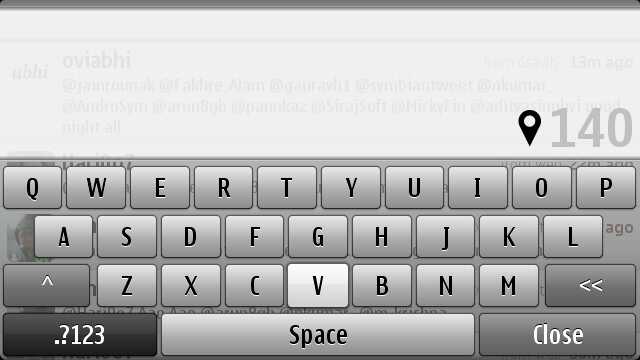
Well, the very first thing you will get comfortable with is gonna be the landscape mode due to bigger room and bigger keys, but for some strange reasons, the send button is missing here (obviously just got now).

scr000150

In the first build that was 1.32 6670, there was a little space remaining on the top, which you can’t really notice easily but could have taken advantage by sliding the finger upside and the tweet was posted. Though it was a annoyance too as caused many accidental tweets by me, when I was trying to adjust some words. Anyway, janole removed the option with second build that is 1.32 6671.

On pressing the close button, then tweet will go in draft mode and then you can use the same old send from there, though same wont be the case when you will be sharing some pics from images section means you have to go to portrait after typing there.

The geo tag get a blue color here, in place of green earlier, dark grey when selected and trying to get a lock, faded grey, when not opted. Though I have not figured out that what color does it take when get a network based lock only, which was orange in case of earlier gravity build. Still I guess Green and Orange were better.

scr000157 scr000154

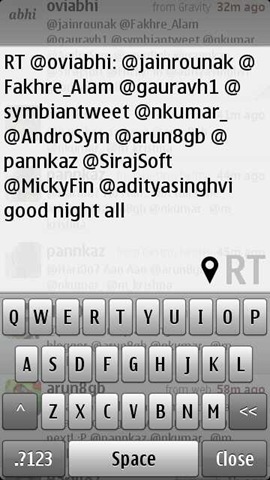
The up arrow icon in left side, works for caps lock and the double arrow in the right works for the backspace (though backspace doesn’t work like Swype for deleting whole world in once), but the most exciting thing is inside the second screenshot if you would have noticed the highlighted V letter. Yes! you guessed right, Janole has not only raised the bar by bringing the split keyboard kind of design, but also the multi-touch (at least for one option) to the keypad.

scr000152 scr000153

You also find the special character support here, like the one shown in first screen shot that appears when you press and hold ‘P’ and similar with some other keys which might bring some variants.

P.S. Forgive for that annoying sign of connection failed due to poor connection at my place.

scr000155 scr000156

Keeping the numeric keypad behind the press of bottom left button might be uncomfortable for people, who might have gotten much used to of Swype, but still I will call this a neat design.

scr000160 

Reply/ Send/ Retweet buttons appearing in portrait mode only as of now. Though, if your retweet exceeds 140 character limit, then you wont be able to see the button, even if touching at the same place will still work for sending off the tweet.


What’s still pending and could be expected in final build?

Not sure that Janole took this task as just an addon to Gravity or really thought since start that how big it could be, but I am sure that initial responses might have given a clue that people really wanted an alternative of default layout. But when we look closer then the smoothness of the design is still without some very basic things.

scr000148

  1. There is no scroll bar kind of thing, which is not a big thing as whole of text box system on symbian is designed that way, but still it may cause problems sometimes like you can see in above screen shot. Last line is just unreadable and you have to go by guesses only. I wonder, if the same has been reason behind the fact that Janole never tried to implement twitlonger inside Gravity as that feature was asking for a scrollbar implementation and hence weight over UI. This has been corrected by @janole with version 6671.
  2. As of now, keyboard is not customizable. No vibration on keys or option to just disable it completely.
  3. Absence of arrow keys is sure a big pain provided there is no predictive mode as well.
  4. You can not select some portion of tweet to delete or copy, which come in contrary of the excitement due to availability of Ctrl + V option.
  5. When Janole is designing this keyboard taking Gravity in mind, then ‘@’ must have been prominent and easily accessible.
  6. As of now, it doesn’t look like Swype gonna integrated in it, while everyone will want so.

Besides, the above, there are something, which we kept on asking from Janole from quite a while like auto completion of names, which sure gonna be possible once the predictive tying and custom dictionary makes the way to here, which will be a toll over the performance as well. Not sure, if it would be an easy thing to do.

Here is the download link for the same Alpha Build of Gravity, give it a try and feel that its not the case that Symbian is dead, its the way its being handled by developers, who are probably confused in fragmentation.


So these are some of my observations and inputs about this Alpha build. Please comment, if you want some more or I missed something important here. Yours words will reach to Janole.

Layman take on Nokia N8 – Part 3 – Symbian Walkthrough – 1

[tweetmeme source=”nkumar_” only_single=”false”]

In case, if you would have missed then first two posts were:

1. Layman take on Nokia N8 – Part 1 – The detailed unboxing
2. Layman take on Nokia N8 – Part 2 – First look over exteriors

And depending on the responses I got over mail, twitter and other social mediums, made me think that everyone wanted more and more about the OS part itself. A big job to cover all those tiny details, but will try to cover things as much possible (fellow bloggers already did excellent jobs to come up with posts on each part, I am just late to the party).


Nokia N8 and Symbian^3 In recent times, we heard a lot on them and unfortunately it seemed negative many times. After giving it sufficient time, I have started to realize that in which way social media acts and what impressions it leaves.

Few big names with their complete bias start something and we find all the community following blindfolded. Such buzzes can create Antennagate from almost nothing or can find people crying on poor battery lives of Android without even giving them a fair try. You can even make someone cancelling out Nokia E5-00 purchase over the absence of Secondary Camera, while he wont be able to answer that when was the last time, when he made a video or was he ever made one?

Scr000017

Its nothing like that there are no flaws, where isn’t, but its the way, it gets presented. A few months before, just a review of some shitty ‘journalist’ and you were all convinced that Nokia N8 just got a special camera .. that’s it and now after few months, you say that its the best hardware from Nokia till date in every sense and that ‘journalist’ was shit?

Guys!! first go through things and then start saying …. and for God sake .. spare me from the utter kindness that “ok.. Symbian is not that bad, its pretty good, even if not that .. “ blah blah… please praise the part in loud what you like and then sure go on criticizing what you didn’t.


Many experts have spoken a lot about their perceptions on it and sure one has reasons to get confused, but I wish to come up with things what actually meant for me or any other laymas like me in real scenario. So.. here it begins… Will cover the customization part in this post, leaving Camera, multimedia and gaming aside.

Nokia N8-00: Booting and switching off

While it was scary for some that no easy battery removal option with Nokia N8, it happened to be rather easy job to live with it. Just press the power button for 8 seconds and it does it like we all live with our Netbooks or Laptop and who is saying that you will be needed to do that? Take Nokia N97 completely off from your mind.

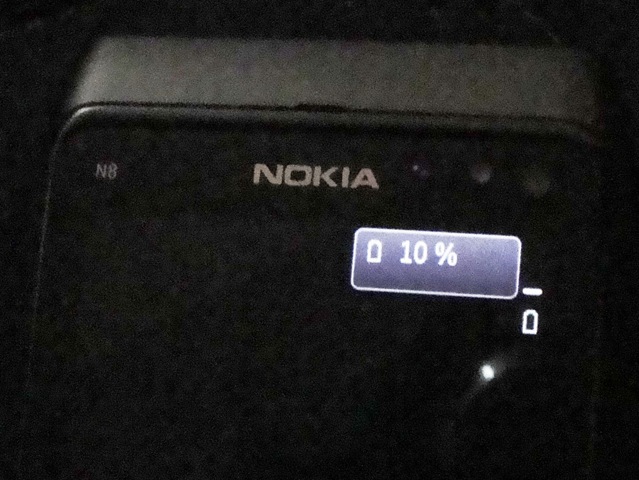
Anyway… Have you noticed or read anywhere else that when complete empty on battery and get plugged into recharge, it shows interesting battery dialogue on black screen for a while, saying 10% ? Is that mean this 10% is minimum level before it switches it off? This practice been here since long, but is it the first time, they kind of showing it?

We see other vendors putting an animated battery pics while charging the empty devices, but somehow I like this minimalistic approach. Why not to keep this percentage thing lit on all the time while charging?

DSC01687 281020101089

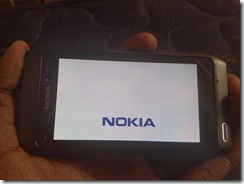
Another observation one can make is the landscape Nokia logo while starting. I am not sure that it was here with old devices, but while most of the time people will see only portrait one, if you switch off the phone with landscape orientation, then you will find it. But while starting up the device, it always go portrait only.

For unfortunate situations, option of hard reset the phone is here by pressing Lower volume button + Camera Button + Menu Button. But not only me, many other around the web, will say no on it as you loose many of the scripts and most importantly default Qt runtime.

Sure, its not a fault of OS itself, but failure of Nokia to bring more developers on board to push things more tightly in same way Nokia design their hardware. Its project management and change management, where Nokia seems to be lacking in past, due to the fact that they wanted to leave Symbian autonomous and truly open. It seems that tight control should have been the case. Is the new regime in charge going to change that? He had been known for this.


Nokia N8-00: The home screen

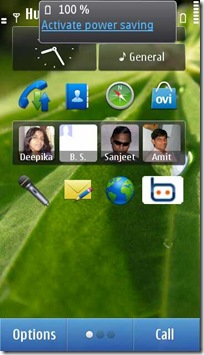
A total of three home screens like it was in Nokia N900, difference is….  in Nokia N8, we find a total of 18 WRT based widgets (like Nokia N97) available spanning across three home pages (6 widgets on each). Unlike Nokia N900 or Androids, these widgets are of fixed width (82 x 312 px). While the smaller width is sure issue for some of the part, a tighter and disciplined home page UI must be welcomed.

And by the way, in actual, 17 of the widgets are customizable as the Date/Calendar/Profile widget is fixed and not customizable/ removable, though you can change the format of clock display by going through the setting->date and time and obviously could change the position of the same, but it will remain on the first home screen only, not on rest two.

date widget datewidget

You will soon notice that Symbian^3 UI doesn’t rotate in all directions like iPad. Like it will remain in portrait mode only, if you turn it into landscape mode keeping the SIM/ MicroSD slot on top. Similarly no change, if you held it down toward the power button side.

So the working orientations are in portrait mode, when you hold it keeping power button upside and in landscape mode, when you hold it camera button up. Not a breaking news, its the same as with all.. just pointing it out, if some start bitching on it. I am marking it here because this was one of the comments that I got from my Company CEO, while presenting this in front of him. He said iPhone scores here, I said, its not about the capability, many games will show that Nokia N8 has it, but its the way, they want to keep the UI disciplined and it makes perfect sense, once you use it.

Scr000076

As you already know, you can drag and drop a widget to change its position on the same home page, though there are no drag and drop of widgets from one page to another as each page a separate entity at least till now, but look like the same gonna change in next coming firmware, probably by next month. Check the video.

As of now, if you have to move a widget from one home screen to another then you will be needed to remove the same from one screen and then manually add into another. Hmmm.. not sure that if the best way, but still I am comfortable with a disciplined UI layout more.
Scr000074Scr000075

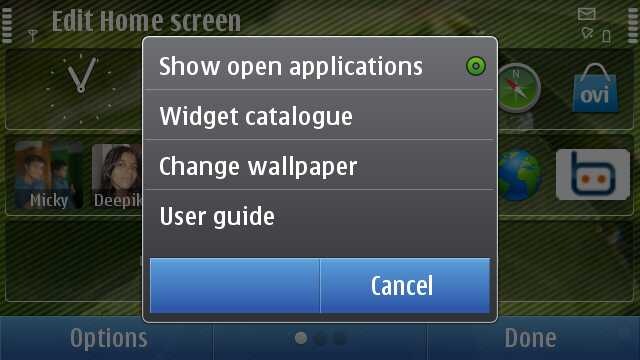
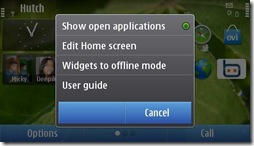
As you can see, you get the option of changing wall paper only when you go to edit mode by long pressing on home screen.

There are options to keep widgets to offline mode or online mode, which stands for all three screen at once, means its not like that you could keep social notifications on at the main homepage and mail widgets off at another (though there are workarounds to do so). I think that could have been a better way, though I know in backend its implemented in way that widgets get hidden only and they are at the same place. So, working that thing out will ask efforts.

While the bottom has tradition two button menu like S60 V5 or Symbian^1, we get a middle button here for switching between the home screens though that works unidirectional obviously from left to right side and I don’t think many of them will be using that in place of swipe that is more natural and work in both ways. But sure presence of that reminds you of the fact that you are on which screen. Handy in that way.

 Scr000062 Scr000086 Scr000063

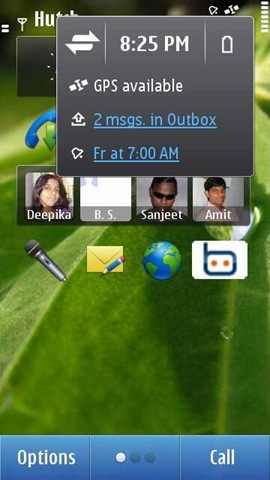
The right top on tapping brings a Menu that show the notifications menu as you can see. Tapping on connections takes you to active connection and tapping on battery, it shows you current battery status and option to change to power saving mode. Many would like to see fancy animated battery icon here, though I would say minimalistic approach is better while you can easily find some widget for same purpose.

Power saving mode is like the same it has been E-Series handsets means on activating, it will put your phone in 2G mode only, will lower down the brightness, will change the screen saver to remain the blank etc. I am coming over Screen saver part just after this section.

I think there are a maximum of three kind of notifications available here at a time, like you can see, when I connect a USB drive, then the notification removes the GPS icon out.
Scr000081Scr000083

Scr000082Scr000080  

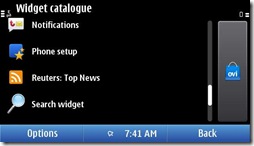
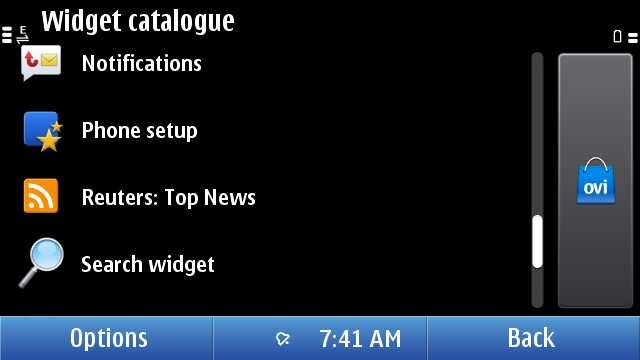
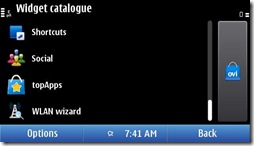
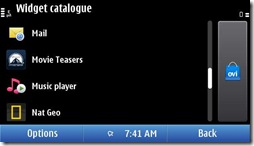
There are a number of widgets to choose from including the RSS feed you create in web app. Also you can always visit the Ovi Store to get some of your choice.

Shortcut widget allow you to put any four applications or bookmarks together in one widget, though I must tell you, if you use four five shortcut widgets with 16-20 app icons on the same home screen, then first loading might be delayed by 2 seconds, not due to symbian fault, but due to third party app implementations.

Social widget, which brings updates from your social networks, didn’t impressed me even if they actually did a good job in designing, otherwise one can’t imagine updates to be detailed in such a small place. Probably that’s the reason that some people saying that Nokia should have thought variable width widgets though its also clear that if they would have chosen that then it was likely to go little undisciplined like Maemo or Android home screen.

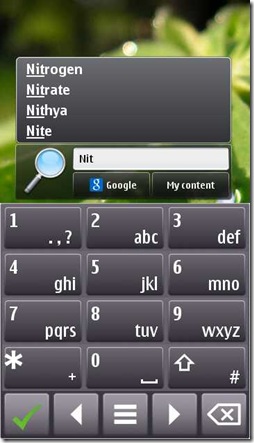
There are mail, music, weather, check-in and many other widgets, but what particularly interested me, was search widget. Though you wont be happy with the performance of search. Its kind of too slow, if you compare it with all other operations on Symbian, but point to notice is, its only Symbian native app with a split keyboard design.
scr000109scr000110

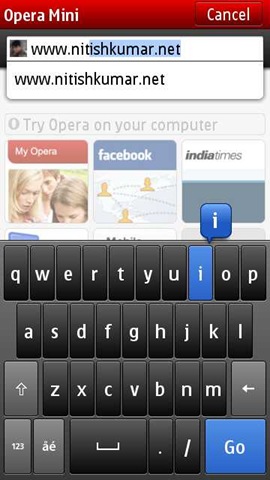
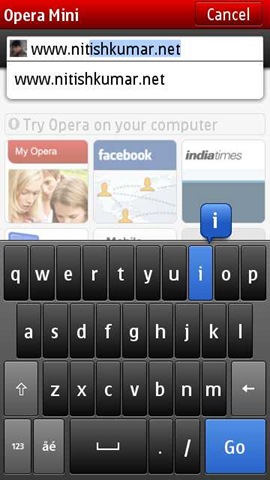
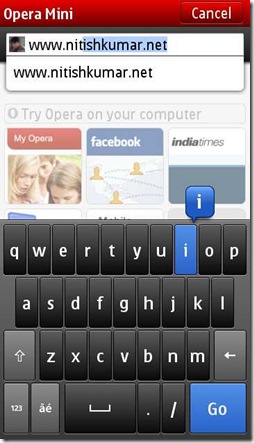
We have seen the similar design with custom keypad of Opera Mini or Opera Mobile as well. Though its not available system wide, may be with next firmware update.


Nokia N8-00: The Screen saver

If you remember, then it was the swf based screen saver of Nokia N86 that attracted me once and now it was the one Nokia N8, which might be in eyes of many. I am pretty surprised because of the fact that at least till now, I am not been able to use a SWF as screen saver on Nokia N8 though I believe its sure supported.
241020101066

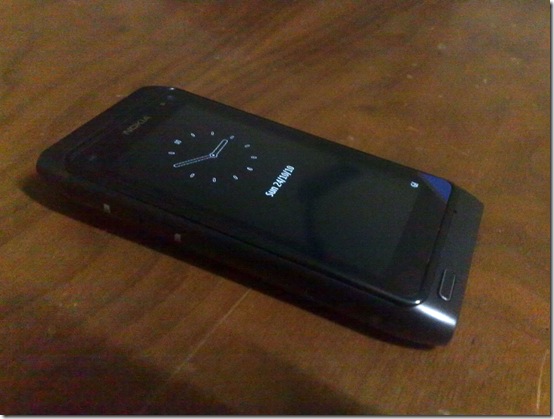
But the default screen saver on Nokia N8 is really really good.  Not only the fact that its extra bright and crisp, but it seems to be ultra low power one as well. You will find many complaining that why no notification icons are here. Even I mentioned once that if Janole could have bring the notification on this screen then why not Symbian, but after going more deeper, I found that this thing also had a purpose.

18102010986 

Its true that its annoying that if you find only a small light blinking at menu button for notifying you of your new SMS or miss calls, but think of another side. Keeping a screen updated and responsive take a toll over battery, when it might not be needed. The analog clock is also designed to tick only once a min. Though still I believe that putting a notification wouldn’t have did much harm, but still its fine from some other perspectives.

Scr000040

Yes! this is the same screen without unlocking. No change in configuration, no hacking. All the info, for what you were complaining till the moment is right there, just you have to press the menu button and not the unlock button. Is that really hard? I guess pressing the power button will also bring this screen. Though its not gonna respond any kind of touch before you bring this screen.

By the way, this screen get updated by each second, not only clock shows seconds ticking, but also battery and network icons are live too.


Nokia N8-00: Task manager and Menus

scr000105We all have seen that awesome looking card based task manager, which open up when you press and hold the menu button for long. The snapshots of the application aren’t real time by the way like Windows Vista and you might have heard complaints on the location of menu button itself. I also think that it was more better to have  a left top menu on touch screen to bring the task manager. Button based approach was fine with non-touch, but probably having an icon like Maemo had was a better way.

At least like Maemo, if you press by side of task manager, then it returns you back to the back screen, though same effect is not there in between the app icons. I think we should blame lower resolution on this. But hey.. we started comparing two different operating systems here.

Scr000073

In portrait, you will get same two menus at the bottom saying options and exit while in landscape the middle button becomes multipurpose with notification place.

Scr000051Scr000052Scr000053

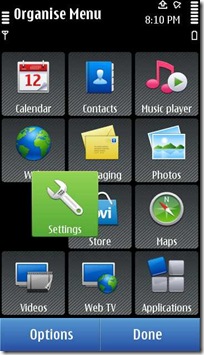
When you move inside the menus, then things seem to be same like earlier, but dig a little deeper.

Scr000054 Scr000057Scr000058

Its the same symbian flexibility that many of us actually loved.

Why to create folder?  Let me tell you my reason that is not related to the organizing only.

Sometimes the third party app don’t go in efficient way about icons. Usually the icons get stored in the mass memory, where we install the apps usually and so if you have so many apps, then opening such a folder that might be having too many icons, will take a little more than instant. So, why not to put games etc in some folder so that those icons wont take a toll, when you want to browse to others.

But these all things are already familiar to  us, isn’t it? You will be surprised with the speed and ease of use with single click operations, which is carefully optimized to avoid accidental clicks.


Nokia N8-00: The connections

With the old Symbian, one of the problem of mine been the performance when I have a weak WAP connection. Problems get worsen, when you use many SIMs, so many connection and many configuration. As a techie, you understand that when you are messing with things, then its not easy to cope up for the software itself.

Scr000064

Even if the above menu look like our very very familiar Symbian, finally, Symbian^3 has came up with a solution: One Click Connectivity (OCC). You should really go through the link to know what changes are employed here and you should have an N8 and N97 side by side to feel that what difference does it make. Now, it automatically tries to find that which connection is on and make ways through it. Obviously, you can customize it (I will say put your working connection on first priority in connection settings) though.
scr000118

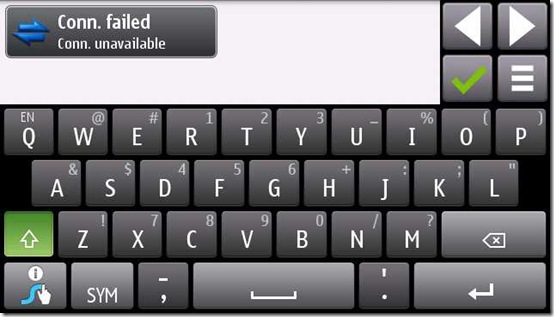
Yes, there will be annoyance like above, like I find with WAP connection, which serve only one connection at a time and so when with Gravity, you want to geo-tag a tweet, then another connection for GPS bring the above scenario. But with Symbian^3, it settles itself automatically.

Definitely connectivity is a way smoother now.


Nokia N8-00: The messaging

The best place to go into details will be our own Rafe @aas always, but I will point out some minor things only here. For full details, read there.

Even if original keypad was so better than earlier, I never got used to it. Swype is what I went for and staying it with even now. Though its disappointing a little that its not available officially for Nokia N8 yet and I have to go through Nokia C7 version only.
scr000119

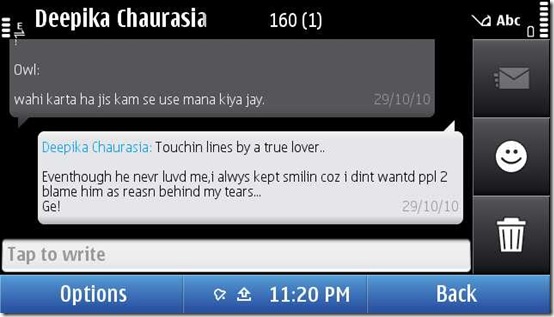
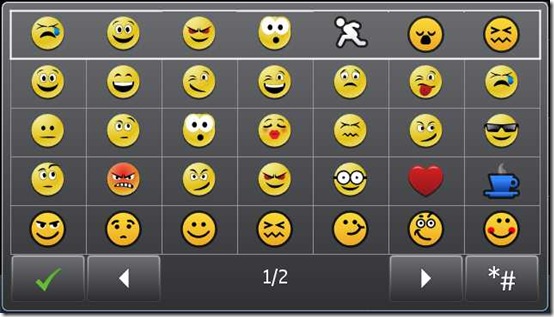
Not going into the typing part and amazingly correct prediction and learning dictionary system there, what you find cool and noticeable here is the conversation mode. When it was introduced as a beta app, I thought it was messy, but after playing with it for a while, I don’t remember that when I am preferring to open an individual SMS. Though what gonna interest some of people is support for emocon, which we always knew as smileys.
scr000120

I remember one of my reader commented that he hate the fact that Nokia E52/ E72 doesn’t support the smileys and I was to convince him that it was not a priority when they were designing a business specific OS version. But now like Nokia always does, the world is moving toward convergence. And yes.. these smileys are animated too.

Option message type

Rest everything seems almost usual as we know Symbian except few differences here and there.

fonts

By the way, I like to keep my fonts smallest, what you prefer?

There are some issues as well.

Usually it automatically decides on basis of content that you are sending a SMS or MMS, but if you reply a MMS, then even if you are sending text only, it will go as MMS with keeping the Re: Subject thing. True.. it seems logical, but it might have been intelligent as well.

Second issue I am facing is with Vodafone and MMS. Don’t know its an operator specific issue or Nokia N8 related, But as I read the same in their support forum as well from other country too, I guess there is something wrong with it. Many times, your MMS will be sent but still will be shown as deferred and then you can’t delete them as they are not actually there, but just being shown. Only remaining option goes to be using PC Suit and delete it (OVI suit wont work for that). Hoping that the next firmware update will resolve this.

Absence of portrait qwerty

As Rafe pointed out, there are differences in T9 layout as well as Landscape QWERTY one from Symbian^1. The tactile feedback and the vibrations on pressing keys work quite well.

input2 (1) inputold

But the thing that bothers many is the absence of QWERTY mode in portrait. So Nokia is continued on the same line that they chosen since existing portrait qwerty from Nokia X6 was removed in last firmware update. The excuse from Nokia was portrait qwerty has way too small buttons that asks for stylus only on capacitive to operate properly and hence destroys user experience.

I am sure that almost 90% will disagree on it. What about keeping the option and let use decide what to choose. Obviously you can provide it with T9 as default setting and qwerty as optional, but when your user base ever asked you to remove that at all?

As about small buttons, then most of us want qwerty there due to swype that is not currently supporting portrait mode because of the very same fact that there is no native support. I don’t think that with swype one needs to bother on smaller size of keys. And by the way, apps like Opera, still have the portrait QWERTY then why to deprive users from the same from your side natively?

scr000110

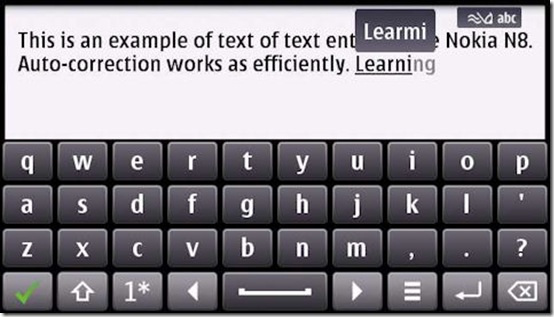
When it comes to landscape, then story is sure nice as Rafe shown in his post, though personally, I have not been used to of predictive inputs on any of the smart phone till now, though seen that my younger brother make use of the same very efficiently. Have to give my Nokia N8 in his hands soon to know this.
input4 (1)

And at last, there is no multi touch support in keypad as of now. I know not many supporting the same, but what about starting the same game?


Nokia N8-00: The Email

Again, I will point toward Rafe’s excellent post on this section for a complete read, but let me come up with some points of my own.
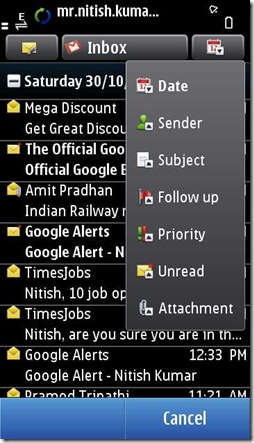
scr000127scr000128

The icons look good here and when you move inside then there is smooth pinch and zoom support as well. Notice the fact that pressing over some link brings the above shown menu, so it becomes easier to copy links from any newsletter and post on twitter with your favourite client.

On the bottom side, there are two transparent looking arrow buttons that are ready to take you to previous or next email, while on the top side, you see that there is a plus icon that brings detail about sender and receiver, while the default is showing sender only. I tried but there seems no options to show the complete header that might be a must to detect forgery emails sometimes though I guess that is not a use case for 90% of people.

scr000131

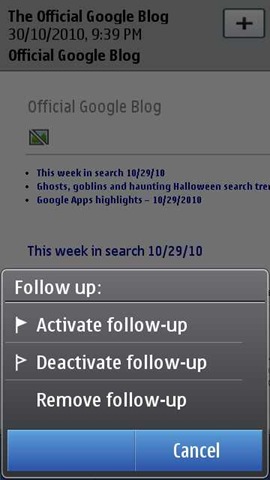
It was interesting to note that they are bringing the desktop level things like follow up etc on mobiles as well.

scr000132scr000133scr000135scr000136

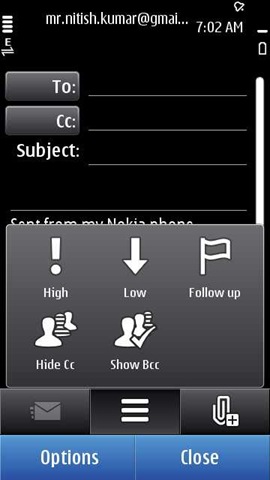
While its still the same non-text rich (font support, bold italic, HTML signature etc), when it comes to type a new mail, options are sure much more than earlier and nicely designed with icons. I guess experience of typing a rich text email is a little far, provided the tiny space.

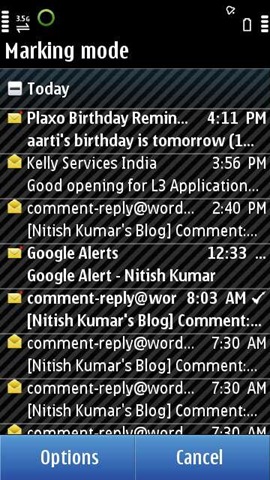
And yes.. have you checked the new mark method?

scr000138scr000139  

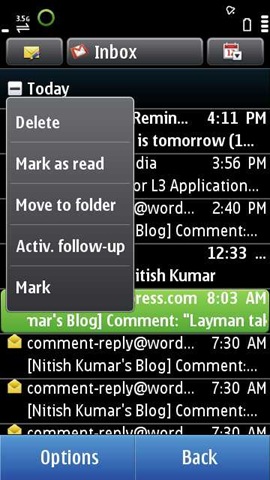
Hold your fingers on some message and then choose mark, it will make rest all mails available for getting marked in next each one click.

Someone also asked me that if we can read some hindi content in Nokia N8 or not? So the answer is given below.
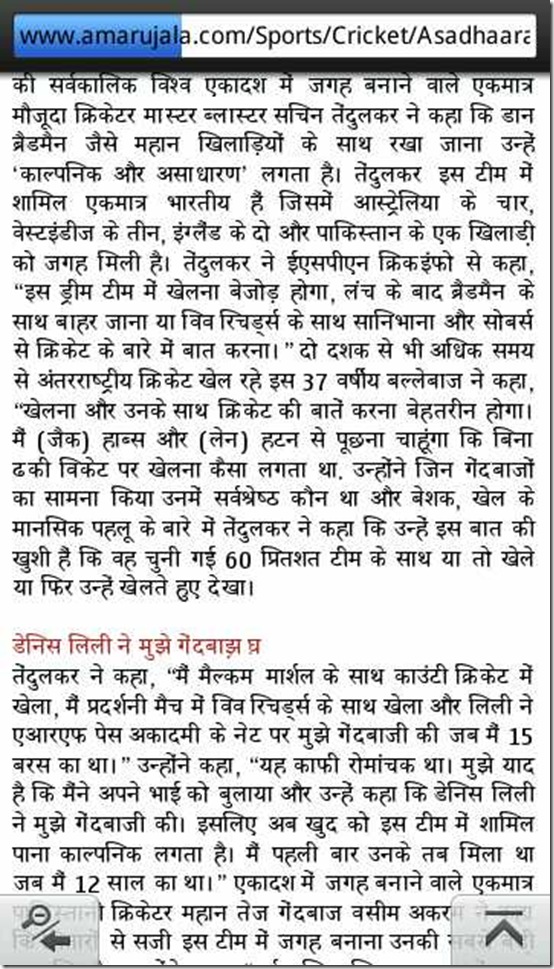
scr000020

But its true that its not supporting languages other than English as of now (so were the case with other high end devices as well). For some, it might be a big deal, but for that there are simple workarounds to install other languages without visiting Nokia Service centers. Find the link here


While I still need to talk over Multimedia, camera and gaming part, but I guess this post getting too long. So, closing it here and soon will come back with another post Symbian Walkthrough -2. Keep tuned in and send me suggestions that what I should look for more or where I should improve on this very post.

Remember, I read each and everyone of you and reply individually as well, I am just a layman like most of you, so be a part of conversation.

Symbian or MeeGo? What’s been wrong with Nokia and what should be done?

[tweetmeme source=”mrnitishkumar” only_single=”false”]

Even after shaky start and complaints about reception issues (even admittance now), big figures from Apple were already a pinch, then rise of Android backed by today’s God Google, Bada from Samsung riding up on some really beautiful pieces like Galaxy-S, had really got us thinking, if Nokia and Symbian lost the battle of making a truly amazingly Advanced OS and attracting developers around. Many hopes are on next coming Symbian^3, MeeGo, Nokia N8 and Nokia N9, E7 etc .. but will Nokia really be able to match the needs this time?

The question I have asked in first para of this post, Ricky Cadden sure thought the answer in negative and decided to express disappointment with Nokia rather than Symbain itself. We should say that besides the bashing from Edlar when we weren’t expecting this (?). Symbian-Guru.com Is Over … that really has came up as a big blow to many of us, who strongly wish to stand on the side of Nokia. I am really left with thinking that …
Are late releases and escalated expectations over Symbian^3, MeeGo, Nokia N8, Nokia N9, E7 etc gonna be fatal for Nokia?


First of all, why there is this much frustration about Symbian and Nokia, when they seems to doing every best thing for consumers? Are you really given up over Nokia or wishing to bargain more?

Let me count a few  issues …

What’s been the biggest damage to Nokia and Symbian? N97?

Not only Symbian-Guru, but there will be thousands around, which will come up with only one name… Nokia N97 Classic. The most infamous part of Nokia legacy perhaps destroyed the years goodwill for Nokia and as much they tried to cover it up, things went worse and its getting worsen now due to only the fact that even today, Nokia N97 making the top of the shelf for Nokia. It might be harsh to say, but somewhere everyone of even Nokia fan now understand that each sold piece of Nokia N97 becoming a nail to coffin for Nokia-Symbian.

The much over priced phone (even now) was seriously underpowered and frustrated hell out of users. Consumers kept on crying for some firmware update to fix the issues, while Nokia’s probably worse understanding of RAM requirements, had already insured that it will never be repaired. 

If Nokia really survived the blow of Nokia N97, then it was Nokia N900… only that bring back the hopes that Nokia could do anything right. Nokia N900 still stands as the best resistive screen of whole planet and it does each and everything right… either it be experience, which was unbelievably natural out of the box, either it be integration with existing services like flicker, skype, Gtalk, Yahoo, MSN etc. or it be hardware design and support. Some think that best choice for Nokia was to exchange all Nokia N97 out there for Nokia N900 in free.


What’s kept developers disappointed with Nokia? Nokia knew that they been terribly late in touch phone segment (that’s being touted as Smartphone segment now days) and Symbian was only trying to adopt the touch, never seemed really built for the same. Some think that best choice would have been for Nokia, if they could have joined hands with Google (they couldn’t as both of them are of Giant and dominating nature) rather than joining hands with Intel, but that’s business and you can’t really blame them for that.

But what about Developers? Aren’t you making them nuts? For what they should program? Symbian? In a mid level language C/C++? Are you real? Symbian^3, Symbian^4, Maemo, MeeGo? Should they get back to college to learn all these?

I really can’t blame them much, Nokia probably got impression from Microsoft vs Apple Vs Linux that its hard to remove impression of something that you been grown up with. They thought if they leave Symbian from here, then they would be needed to start-a-fresh and the fight would be on turf of their opponents and they know that would not be something easy. To complicate things more, there been strong supporters for Symbian itself and legacy of Symbian was kind of unforgettable for even worst rivals, how could Nokia had think of leaving Symbian so easily?

If we talk about reasons, then Nokia was a manufacturer first and still they provide the best of hardware in best of price (leave alone Nokia N97 and Booklet 3G). They were making Good OS for non-touch phones (nothing could be more productive than a Nokia E72 or Nokia E52) and they were adding super excellent things like Ovi Maps and all. They were in a league of their own and been the best for “Phone” market and they are even now.

Then it came the competition with HTC and Apple, when they entered the market with touch phones and same time with RIM, when they grabbed Business with their QWERTY. Note that Nokia didn’t lead, they adopted and reacted. They reacted to RIM with their E-Series/ Nokia Messaging and to Apple with N97, 5800 and all… Like my Boss often said, proactive work make you win and reactive work will only keep you on toe. Nokia seems to be on toe.

You already doing a lot, releasing new handsets back to back, coping up with new technologies being introduced each day and entering new fields every next month, then it happens sometimes that you can’t come up with the tag of being best for everything you do. Nokia winning over RIM in many senses, but touch seems to be sloppy turf to them since start (Nokia N900 is exception) and Apple a hard contender than others.

Its not that Apple is doing great .. high figures of sold iPhone4 handsets involve mostly earlier iPhone3GS users, who are just upgrading their phones for a nominal cost from their provider, obviously in hope that it would get something better than earlier. They obviously have no other choice after living up with Apple till now. The part to worry about is, number of developers being attracted and number of apps being made for them.

Developers making apps for Apple are on smooth turf as even if thing evolve then they have to update themselves in minor ways like VB people evolved for VB .Net, more over, they have to keep only two or at most three devices in mind but with Nokia.. its been complicated due to its wide catalogue and rather tougher development with Symbian and now its seems to be a real nightmare after ‘debacle’ of Symbian.


Is Nokia not aware of this OS dilemma?”

Its not that Nokia has gone under panic completely and just trying out here and there. Its just…  not easy to leave the things which kept you on top over the years and even now. It was hard for them to realize that Symbian might be efficient, could be improved and polished well, but it wont be able lure developers due to its inherent difficulties in developing apps with it, specially due to a larger range of products people expect a Symbian App to support.

The announcement that Nokia N8 is last Symbian based N-Series had its strong reasons and indications, which if would have taken in right sense, then there were not that disappointment all around that someone would be needing to say that they lost hopes with Nokia. Why Nokia?? Your disappointment been with Symbian, isn’t it?

Symbian^3 was announced to be based upon Qt and reasons behind the same were to provide a smooth transfer of existing Symbian developers over Qt, which will be compatible with MeeGo and all…they engineered a brilliant hardware in superb cost (in fact a bit cheaper than they could have afforded), so that more and more people could be attracted to the same and so developers might have their reasons for developing on Symbian^3 due to popularity of N8. That was better to them in longer sense even if they get much lesser margin on Nokia N8 handsets. Later on Nokia N9 and E7 like devices were aligned to be launched with MeeGo, which will already be having as many apps as people might have developed for Nokia N8 already.

You can understand that a Smartphone with superb hardware is of no use till you don’t get developers from all the globe giving nights over developing apps for the same. It really frustrates when now days, we see every second big app saying its available for Android and iOS only (not symbian) take even basic WordPress app for example.

If Nokia haven’t sensed the disappointment about Symbian, then they were not doing it  this way that release Nokia N8 with Symbian^3, advertise it big, create sensations all around and then switch all other high end Smartphones over MeeGo all of sudden. They are not that big fools if you think of it in their shoes. Unfortunately, this was only way to do what we wanted them to do.


What frustrates? Why some of us thought that no hopes left?

Definitely many questions will be raised after closing of Symbian-Guru and World of Nokia as these two been staying on top for long and also were among the few fans in subsidized markets like UK/ USA. Closing of these two really shakes your faith that if really something left here with Nokia.

When someone releases and handles these many products as Nokia does, then you are bound to frustrate if starts making mistakes with even one or two. There is a rule that “Your two good things could be never heard, but one mistake will be known by whole world”. Same with Nokia.. but there are not just a few mistakes.. in fact kind of many..

Just for example, You got overwhelming response on Nokia N82 camera and performance of Nokia E72, but you never thought to make a device with a camera like N82 on E72 with Xenon of course.

I should say, we have seen best of Nokia in pieces. Their catalogue is full of efficient and effectively priced devices. Nothing on this planet could beat a E52 in T9 and same with Nokia E72 in QWERTY.. if you are giving up over Nokia, then either you haven’t seen these two devices or just wish to have fancy things rather than real.

Nokia N900 was something that was exactly the right thing to bet on and it is even now and will be even after release of Nokia N8, but that thing was never backed up by Nokia in the way, they foolishly kept on nailing themselves with promotions of Nokia N97.

N900 reached India by now with a price that would stand higher than upcoming Nokia N8 (without HDMI, without 12 MP, without Xenon, without Capacitive, without Bluetooth 3.0, without that sleek looks). Just thing like this frustrates and made us think if Nokia really understand what a consumer might want. 


Highly frustrating release schedules

No one in the world make as many handsets as Nokia make, but at the same time, no one make people wait for the right things as much long as Nokia does. Either it be N97 or N900 or N8, its always been the same story. We understand that its not Apple that you could keep on hiding something this much long, when your people inside are much excited about their new venture and accomplishments, but still it was better if the time difference announcement and release would have been at most 2 or 3 months.

I don’t accept the pressure due to a biased review, because its the same story with C3, C6 and E5 as well. We are still waiting for an E5 even if they aren’t from some another planet. They are made of just a bit polished things and for no reasons need to be kept away for this much long.

Moreover, what are you trying to achieve by confusing people? India gets an N900 when Nokia N8 around the corner in less price, then it will possibly Nokia N9 with MeeGo, 4” screen and HW keypad (already stunned us by design, check the video)


Now, you tell yourself that what one should buy? Its not a soap that you have to wash away in weeks, its hard earned money and though its true like chicks that there would always one more beautiful around, Nokia could have managed a better time schedule about their devices.

Somewhere I think Nokia being let down by its developers as Hardware of every Nokia either N8 or N9 or E7 seems to be right and perfectly in place, but wait is for developers and developers. Does this really take that long even after years of experience with hundreds of devices and many fan blogs showering opinions on good and bad?


What Nokia still holds as their best?

  1. Best of Hardware: Being technology leader since long, Nokia keeps the advantage of technology for best of the signals, best of the battery and best of the camera.
  2. Best of experience to fit things into pocket of common man: Probably this been their biggest asset and biggest loosing side. Except N97, they never tried hard over big bucks and always kept their prices reasonable. They didn’t made products for people having big money and bashing from top over things that didn’t matter for common man, Layman.
  3. Wide range of products: Either its be cellfone or smartphones, Nokia been synonym for them. Whatever your needs might been, you always looked for one name and it rarely disappointed.
  4. Best of PR: Perhaps even after long trust over Nokia devices, I wasn’t into that much writing over Nokia products, if Womworld/Nokia wasn’t here. They know to engage people, they know to interact, they know to adopt and they know to serve what people ask for. But they do it for mass, not for self acclaimed people asking for things for sake of a cream breed.

What could bring Nokia back again?

The biggest and most important question… and no one could answer exactly …. we just could give our views. Whatever others might be saying, but Nokia seems to be right on path now with N8 and later aligned sets like N9, C7 and E7, but they seriously needs the positive waves from our sides.

  1. The confidence of developers: They seriously need the confidence of developers back and needs to assure them that the market share of Nokia will be unrivaled.
  2. Disciplined releases even if few: Many times some of Nokia device just don’t make any sense like last two designs we seen with Nokia C7 probably and that X5 competing Samsung Corby in looks. I don’t even that much favor devices like X6.. they could have done better. And please either deliver products in short time or don’t let them out in wild for making videos of them.
  3. Choose a proper shape for a series: If designs of Nokia N8 and Nokia N9 are some patterns, then this makes a lot sense. Trying too many designs doesn’t show that you are catering all kind of audiences, but it shows that you lack in confidence to sweep people’s opinion your way. It would be great, if resemblance of Nokia N8 and Nokia N9 may really establish a pattern and I wont mind, if they keep the same looks for all touch devices. Nothing bulkier like X6 please.

Sure, there are personal views and could be added with your comments and conversations as even we don’t exactly know that what would be best for larger audience with contrast tastes.

Thinking to close the post here, but I really want Nokia to surprise us by releasing Nokia N8 with a Keypad variant on the same day .. may be that could make up for the delay and could save people like me from being frustrated.