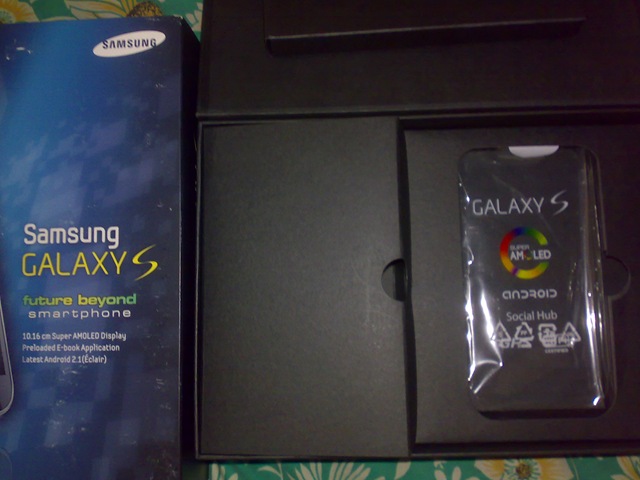
First Interview-Naveen with his Samsung Galaxy S

[tweetmeme source=”nkumar_” only_single=”false”]

naveen

As I promised last day, bringing in the first common man of our smart phone world with his set of opinions and answers to some of my queries and doubts about Android and Samsung Galaxy S.

I met Naveen via twitter only and when this idea of interviewing persons various platform stuck my mind, then from many of the names around Android, I thought to choose him for the purpose to bring some of the raw opinions and perspective of a user, who was with very much with Symbian a time.

So, let’s start with some plain questions …


Naveen, can you tell us something about you  ? like your profession,background etc..blogging\ social life
I’m a Engineering Student,I tweet a lot and follow all kind of tech news. Also maintain my personal blog.

How long do you use Android/ Samsung phones ? Which brand you were using before that (if any ?)
Samsung galaxy S is my First Android Phone, been using it since August (3 Months) ,Nokia E90 before and present.

So should I call you a fan of Samsung or Android or its just a coincidence to be with SGS only ?
I’m a big Android Fan and was not a big fan of Samsung till the SGS came up, not a ardent fan of SGS too.

can you list out the phones you have used for last few years ?
Nokia E61,SE M600, N95,Nokia E90

When did you plan to go for SGS, plan or accident ?
I followed SGS and samsung BEAM right from it’s announcement at February, knew each and every specs of it, chose SGS at last.

What’s your views on touch screens? Do you really feel that they are at par with Non-Touch ones about text entries?
Capacitive Touchscreen Phones are very much easy to use still can’t beat QWERTY phones like my E90.

Which of the device you find closest to SGS in terms of value for money and experience?
Nokia N95 and Nokia E90. Many of my friends use Nokia 5800, I personally find that a good value for money. I feel the same for iPhone4 in a price of 31k.

3

You use SGS most for accomplishing which thing… calls, browsing, navigation, movies, twitter.. which one?
Twitter

How is the touch screen response of SGS? If you have experienced iPhone/iPod earlier and recent Symbian^3 devices, then what’s the difference?
Touch response is Amazing in SGS, among the best. I have used all the generations of iPod touch and iPhones and can say iphone 4 has a similar  touch response as SGS.

What you say about Android? Is it works in the way it should or as of now it has potential only and growing well. 
Android is best when it is used with the best, SGS with android is the most awesome combination,it has very much everything for now and it’s tremendous growth only adds to it’s success.

We heard some bad things about battery life of SGS. Is it correct? Have you compared it in terms of battery life of others?
SGS has a 1500mAH battery but it wont last not more than 15 hours. Phone Display will be On for the most of the time during the 15 hours. Mine is in stock ECLAIR(2.1) firmware , other’s with a custom firmware are surely getting over a day. Future updates would help, I think.

We hear some extra praises for the bigger size screen and though much better texting experience, what your say on it?
4′ inch Screen is just too good to use, doesn’t seem BIG at all, at least for me. Texting in SGS is very much easier like a QWERTY wit a single hand. I think 4′ is ideal for any Proper Smartphone.

Many think that 4" is a big size to hold in one hand and type while in some metro or other such public place with crowd. Is it right? How you carry it with yourself?

4" isn’t BIG but sure it looks large in comparison of others. Should admit that I hate to use it in public transports, because of the people trying to peek into the screen. It’s bit hard to use it in Public, specially crowdy places.

How is swype experience on it? Which mode you prefer while typing, portrait or landscape and why?
Swype is a revolution for Touch screen typing, too good. I prefer portrait since It’s easy to hold the phone in one hand. 

I hope Nokia is listening

What about connectivity? We have not seen lower priced Android at par with Nokia’s level on this, but where SGS stands on it?
SGS has all the Connectivity options available, I use Wireless Tethering and Wifi. It’s the Best in it’s Class of Super phone’s. No complaints.

I hear SGS faces some GPS problems, which is sad thing considering the fact that Google still has much better imagery than Nokia’s in satellite mode at least for India? What you say?
Google Maps and Services are very good for Android, but SGS has the problem of not capturing weak GPS signals. I don’t travel much, even My Nokia E90 doesn’t establish a GPS link at my place due to weak signal. Tried SGS’s GPS while travelling  found it good, tried co-ordinates and Speed check App’s, but SAD it lacks a Navigation option for India like MapmyIndia does for the Galaxy TAB.

Is voice navigation available with SGS? Have you tested it somewhere in some journey etc or in finding some place? What was that experience?
No I haven’t tried the Voice Navigation .

What about the build quality and what you think that could go more better? Like Anodized aluminum etc
Build Quality is very Good and I don’t agree with people saying about the back panel as cheap plastic. It’s a high quality Plastic and shock resistant too. Dropped mine a couple of time and the back panel came to rescue to keep it without dents.

Anodized Aluminum might be good, but I prefer lighter weight more.

Is it loud on calls? What about the music performance?
Call’s Volume is better than my E90, Music performance is very good , tried it against iphone4 ,found mine better than it.

Be honest, if your younger bro ask you for some phone, then considering the price of SGS, will you prefer the same again for him or you have some alternative to it in mind? Which one?
Three of my friend’s have already bought SGS after my feedbacks. I’ll gladly trade my SGS to my Bro to get myself a SGS-2  😉

Do you think SGS can act as a full time phone in your hands or you need some backup phone too .. considering touch screen and battery limitations in mind?
No way , While Travelling , I carry a alternate phone as a backup for Calls. I use Web a lot during travel so can’t risk ending with a dead phone.

What feature(s) are very new and attractive to you on SGS, which you find no where else?
The SAMOLED is one Best thing No other phone has, WIFI-Direct is cool Feature, like the touch screen and Performance 

What you dont like about SGS?
Current Battery Life and sometimes miss the FLASH.

What about Google Services? Obviously most of us love them, but are they data usages efficient? What’s your experience?
Google services are very useful with Android, Gtalk, GMail, Calendar, Maps integration is too good and yes it is data efficient.

Let’s say, you got a SIM with no GPRS and you have to start a fresh piece of SGS without internet, is this really cut then?
Such a world will save a lot of battery for me :). Still I can Use the Awesome Media Features, but that’s true that for SGS is much much more phone with internet, even if not essential.

Gaming Experience.?
Played NFS SHIFT, HAWX, ASPHALT, SANDSTROM. All the big titles are already there. Gaming is fantastic with the large SAMOLED screen and touch response.

Protective Cover..?
No, I don’t use a Screen guard or back panel, but planning to get a back panel to protect accidental scratches. Front screen in other hand is Scratch-Resistant.

Last question, what’s your score about SGS (rating if any..)
9/10


Loved talking to you Naveen. Answers were short and to the point. Some of the doubts got cleared and some get highlighted. Definitely the device in your hands is tempting one when one think of going Android, like you said Android is best when it is used with the best.

Readers, if any questions about SGS, then send them over @rkNaveen on twitter. He is always ready to talk over, when anything comes to Android.


So, this was the first taste of Android from a little distance on Layman’s take (unfortunately I haven’t real hands on SGS yet), a warm start for the interviews. Next coming interview would be a full fledged and insightful session with one on the Apple side (definitely a much longer one). So, keep tuned in. I really want to hear more from you. So, just don’t only visit, be a part of the conversation.

Love your phone? Its time to speak for it now

He is the one, in the name of whom everyone writes and passes the verdict about something.
He is the one, who might not be making buzz on web, but is exactly something that counts.
He is the one, who puts his hard earned money into something to live with that for years later on.common man

Yes, I am talking about the common man/ the layman /  the nob, who might not be having enough time to write blogs to show their experience about their phones, but when you ask them then speaks the truth, which might not be technically perfect but is the actual perception that counts.

The layman, who is not a fanboy of some product, who doesn’t loves all things about some brand blindly (none of us does, do we?) and who doesn’t make a purchase by what is the best out there, but go by that what is the best for him. The usually unheard common man, whose comments we actually watch out for, when reading someone’s tech review to know that how the real things going on about some device.

Whom you believe more? TV Ads, Buzz, long blog posts or the common people like you, me or similar people around us?


From today, I am starting a series of interviews, in which I will ask some of such people about them, their phones and what they think about them. As of now, the series will include people, who are apart from the usual blogger fellows, we know much about; the unheard common men passionate about their phones. I will ask things about them, their associations with the product they love and own and few tricky and personalized questions about their phones.

The aim is to bring the voice of common man on a public board to get heard in loud with their authentic and non-fabricated views about their beloved phones. I am trying to bring perspective of users from entirely different mobile platforms at one place in unedited raw form to know what they feel about their favourite ones.

In the first round, I will be covering the following names and their opinions ….

1. Naveen, an engineering student from Tamilnadu, India about Android and his SGS
2. Deep Ganatra, founder of Web1 Solutions from Mumbai, India about Apple and iPhone 4
3. Yogesh, computer engineer from Mumbai, India about Nokia N8
4. Pankaj Kapoor, Technical Manager of Cowi India from New Delhi, India about Nokia E72
5. Aarti, working in training and writing from Chennai, India about her Blackberry Curve 8520
6. Mukesh, a computer engineer from New Delhi, India about his HTC Windows Mobile

The next around of interviews will involve more experienced users, which might be having experience over close details of more than one mobile OS’s/ brands. Will not be exactly big tech experts, but better than normal users for sure.

While I am going to post all these interviews very soon on my this blog, I wish to invite all of you readers to be part of these interviews with your favourite device. Its the time to stand tall for your favourite phone, your voice will be all heard in loud.

Please drop a comment here or get connected to me on twitter via @nkumar_ if interested in getting interviewed. Even if not then spread the words in loud, you gonna see some interesting stuffs soon.

System Administration-Some simplest scripts for daily tasks

[tweetmeme source=”mrnitishkumar” only_single=”false”]

Its been really a while when I last wrote over System administration, my office job. Might be the reason that you don’t find it enough interesting to write on, if things are not changing much. But let me say it..if we think the small things around us are boring and complicated, then its because we are not thinking about them.

Technology is not a panacea, technology is not some magic, but sure could be magical, if we apply it for solving our cause in intuitive ways. As a popular brand says Its what we do with it.

I am listing some of the simplest troubling tasks on System administration and easiest understandable solutions on them via scripts. Note that all the solutions are just raw and sure better implementations could be found, but its just to push your imagination and then share the same with whole world.

Task 1: Monitoring network connection of some server or some link on hourly/30mins basis and log it too.
Task 2: Taking system state backup of servers on Daily/ Weekly basis.
Task 3: Taking event logs backup of servers on Daily/ Weekly basis.


Task 1: Monitoring network connection of some server or some link on hourly/30mins basis and log it too.
Such scenarios are most common. You will asked to monitor some link on regular basis and obvious way to do the same is ping the same server. But in messy environments like sys admin usually get, its not possible for someone to sit in front of screen and MS DOS windows do not allow to check history of long back. What if one wanted to know that in whole day, when the link went down or might be some alert right then?

Yes there are softwares for doing the same, but why can’t you yourself think a simple solution? Check the script below..

echo off
set Today=%date:~6,4%%date:~0,2%%date:~3,2%
set Period=%time:~6,4%%time:~0,2%%time:~3,2%
mkdir \\172.16.72.72\share\%Today%
sc.exe config "Messenger" start= auto
net start Messenger
echo The time at which the check was done: %time% >>\\172.16.72.72\share\%Today%\log.txt
Ping -n 2 172.16.66.66 | find "Reply" >>\\172.16.72.72\share\%Today%\log.txt
if errorlevel 1 net send 172.16.100.100 failed %time%

Your PC IP here: 172.16.100.100
Monitored IP here: 172.16.66.66
Share location: \\172.16.72.72\share

You just need to save this as a batch file and then put it in Windows scheduled tasks to run in each 10 mins or 20 mins to take the status. It will create date wise folders in any given share location (each new day, a new folder with name like ddmmyyyy) and also will pop up a message on your system (172.16.100.100) via net send in case of failure. Logs will be created in a text file named log.txt, one in each of the date folder accordingly.

Note: you need to change the date/time format of system as DDMMYYYY otherwise, it will create the folders with weird names.


Task 2: Taking system state backup of servers on Daily/ Weekly basis

Yeah you will say that system state backup method doesn’t work most of the time in expected way, but that’s the case due to un-equal hardware configurations most of the time. Best practices always ask you for taking system state backup time to time.

In real world, we usually miss or ignore the task, which were never productive for us, so better scheduling the same via Windows scheduled tasks and your custom script.

REM – Create Date and Time strings
set Today=%date:~6,4%%date:~0,2%%date:~3,2%
net use X: /delete
net use x: \\172.16.72.72\share
mkdir x:\%Today%
ntbackup backup systemstate /f x:\%Today%\AD.bkf
cd C:\Program Files\Windows Resource Kits\Tools
compress -Z x:\%Today%\AD.bkf x:\%Today%\AD.ZIP
del x:\%Today%\AD.bkf

Share location: \\172.16.72.72\share

Like the last one, you just need to save the above as a batch file and put it in Windows scheduled task to run on weekly or daily basis (as your situations permit). Obviously the share location must be accessible\writeable and the script has to be placed in scheduled task of the same server, you want to backup. There should be sufficient disk space in the share to accommodate your needs. One day backup may be around 1-2 Gbs and after compressing (which the script does in last three lines) that will go sufficiently lesser. For using later on, you will be needed to expand the backup from compressed file via expand command in similar way.

Note:
1. you need to change the date/time format of system as DDMMYYYY
2. You need to install Windows Resource Toolkit in the same server for the compress tool.


Task 3: Taking event logs backup of servers on Daily/ Weekly basis

Well going through event logs might be irritating sometimes as Windows many times just skip to provide the info, we might be looking for. But as a compliance thing for Audit reviews or for security reasons, you always wishes to keep the logs for the longest period possible. So, what about backing up them on daily basis and removing them from the server?

The below is the VB script that I got from some forum.

Dim DestServer
‘ Put in the UNC path for where you want the logs to be stored
DestServer = \\172.16.72.72\share\

‘Create the Time variables
sDate=Right("0" & Month(Date),2) _
& "-" & Right("0" & Day(Date),2) _
& "-" & Right(Year(Date),2)

sTime = DatePart("h", Now) & DatePart("n", Now)

set oFSO = CreateObject("Scripting.FileSystemObject")

‘If correct folder doesn’t exist, make it
if Not oFSO.FolderExists(DestServer & sDate) then
   set oFolder = oFSO.CreateFolder(DestServer & sDate )
end if

‘Gets the log files for this machine
strComputer = "."

Set objWMIService = GetObject("winmgmts:" _
    & "{impersonationLevel=impersonate, (Backup, Security)}!\\" _
        & strComputer & "\root\cimv2")

Set colLogFiles = objWMIService.ExecQuery _
    ("Select * from Win32_NTEventLogFile")

‘This section goes out and gets the hostname this is run on for us.

Set objWMIService = GetObject("winmgmts:\\" & strComputer & "\root\cimv2")

Set colItems = objWMIService.ExecQuery("Select * from Win32_ComputerSystem",,48)

For Each objItem in colItems
  strHOSTNAME = objItem.Name
NEXT

‘Now archive the logs and clear them
if oFSO.FolderExists(DestServer & sDate) then
  For Each objLogfile in colLogFiles
    strBackupLog = objLogFile.BackupEventLog _
        (DestServer & sDate & "\"  & strHOSTNAME & "_" & objLogFile.LogFileName & "_" & sDate & "_" & sTime & ".evt")
    objLogFile.ClearEventLog()
  Next
end if

Share location: \\172.16.72.72\share

This time, its not a batch file like last two tasks and you have to save the above text as a .vbs file and then same routine.. put in Windows scheduled tasks. Note that security logs might be huge like some 800 mb – 1GB, so slow down the servers up to almost non-responsive state for a few mins sometime. I have not found any work around over the same yet, but till now, its safe to run the same in a time, where the servers are not in full production.

Note: you need to change the date/time format of system as DDMMYYYY.


Just thought to post the same scripts here, so that other might be benefitted and also to bring awareness that Windows scripts are not something to be completely ignored or to be thought as geeky stuff only. Hope others also will share few of such tricks with me.

Keep tuned in and drop a few words please.

Now you could download the app for this blog on your Nokia (Symbian5) via  this link or widget via this link.

Digg This

Layman Take on Nokia N8 – Part 5 – The New Gaming console

[tweetmeme source=”nkumar_” only_single=”false”]

Hi All, so the journey with Layman take on Nokia N8 reached to its fifth part today. Thanks for all the support, you have shown till now. This is what that keeps me going. You can check back again, if you might have missed any of the four parts of the loooong review.

1. Layman take on Nokia N8 – Part 1 – The detailed unboxing
2. Layman take on Nokia N8 – Part 2 – First look over exteriors
3. Layman take on Nokia N8 – Part 3 – Symbian Walkthrough – 1
4. Layman take on Nokia N8 – Part 4 – Symbian Walkthrough – 2

All of the above are pretty detailed in nature, so sure have some snacks and time, once you wish to read them. May be I have left some of the things here and there, but I tried to cover some of the points that might have missed from eyes of other bloggers. This is a layman take as you know it.


Playing engaging big games on mobiles might be yours choice or not, but no one could claim that they haven’t enjoyed the legendary Snake games, which was there on all Old Nokia. Later on some other games also started popping over Nokia and though people started enjoying them too, but J2ME based games were never a big fun, specially without those funky 3D graphics and hardware accelerations, which we were used to live with on our PCs now.

It was the flood of iPhone and iPod touch, which really changed the face of gaming. When Steve says that the world was changed, then the touch experience was first and gaming experience was making a big second to that. We seen Nokia N95 etc, Nokia tried to partner with N-Gaze etc, but touch screen gamming been a slippery side for Nokia till now.

Now, Symbian^3 has started with really big promises on gaming. With handsets like Nokia N8 and Nokia C7  on very reasonable prices, Symbian^3 seems to adding a new dimension to Nokia with excellent gaming potential and market growth, once people started to realize it.

Why one will buy an iPod touch in 16-18k, when you are getting world’s best signals and best navigation experience on just few thousands higher price? And yes .. that would be a phone rather than just a toy at home, so bound to be with you all the time.


Probably, all talking is useless, unless, I show you some real things. Its sad that people buying Nokia N8, will not find any games pre-installed on it and when they will go through Ovi Store, then will think twice before buying any game in price, due to experiences from older Nokia’s. Someone really need to convince them hard that it worth buying, as Nokia users are not used to purchasing apps like Apple ones.

Let me try… I am writing this specially for some of my readers who complained me about unavailability of games on Nokia N8. Yes! its not shipped with game, but there are many out there like you never might have seen yet.

Angry bird on Nokia N8


When you talk about gaming on Nokia N8 and Apple then Angry Bird comes to be a big name. While the price for the full game is around 2.99 Euro or around 180 Rs., you can get hold of lite version with a few levels from Ovi Store to just take the taste.

Butter smooth performance, almost instant startup and multi-touch pinch and zoom, if they would have make use of accelerometer as well, then Angry Bird was trying all the juice of hardware.

Probably what make a game addictive is its being so simple to play with and yet so hard to achieve the tasks which might seems so simple. Not sure about the replay value of the same, but when there are around 105 levels in the paid version and 45 more is coming soon, then sure it’s a fun of weeks. (I have completed only 21 till now).

Warning: This game is highly addictive and lite version may lead you to buying the full one very soon.

Nokia N8 download link from Ovi Store
Download Size: 6.71 mb
Price: 3 Euro

Asphalt 5 on Nokia N8

You should pardon me as I was my camera man myself, so was playing the game by one hand and was shooting with other, so couldn’t played well, but I hope the video is enough to show the potential. You will find it reasonable fast to load and then so smooth to play with. One fact which you will realize while watching the video that even the mono speakers of Nokia N8 are too loud and yet crisp clear.

There are games like NFS, Rally Master, GT Racing etc, but what I liked about Asphalt is, its being played by finger and touch only rather than accelerometer, obviously others will find that part more awesome, specially if you might have got some gaming wheels like Siraj @LoveMyNokia got. Its totally your choice, which kind of racing cars you prefer.

Nokia N8 download link from Ovi Store
Download Size: 144.45 mb
Price: 3 Euro

War Chess on Nokia N8


Remember those early study days, when we were used to enjoy ChessMaster Pro on our computers… war chess is here to bring similar experience for you with cool 3D animations. Don’t go by my missed touches on the screen as I was handling the camera by one hand, the game is butter smooth and so entertaining for the mind.

Nokia N8 download link from Ovi Store
Download Size: 17.2 mb
Price: 1 Euro 

Galaxy On Fire


Its one of the free games on Nokia N8 that make full use of accelerometer and so I was again finding myself little uncomfortable, but that’s a mind blowing experience for sure.

Nokia N8 download link from Ovi Store
Download Size: 16.15 mb
Price: Free

SIMS 3 on Nokia N8


When SIMS arrived to mobile platform then it was the big news of town and why not.. it was one of biggest name in 3D gaming. It’s still and addiction and another life for many. Deploying 3D animations and still keeping everything going so smooth needs a capable hardware and Nokia just did the same.

Nokia N8 download link from Ovi Store
Download Size: 47.89 mb
Price: 3 Euro

Micro Maze on Nokia N8


The game might be new and might not be that big name yet, but it really rocks. Use of accelerometer and rules of physics are so flawless that you really miss the fact that you are having a mobile in your hands. Though with free version there are only 10 levels, but sure you will wish for more. Though 5 Euro price for full 80 levels might seems on a little higher side as of now comparing prices of Angry Bird or Avtaar like games, but its sure a piece of art. Hope soon we will see some reasonable prices on it. Till then you could enjoy the free lite version.

Nokia N8 download link from Ovi Store
Download Size: 1.16 mb
Price: 5 Euro

Real Soccer on Nokia N8


Playing football, while your friend might be driving the car in the side, technology really has changed the way, people might have thought of their mobile few years back. I am yet a nob about the game, but details, graphics and smoothness are sure sure admirable. One must give it a try for sure.

Nokia N8 download link from Ovi Store
Download Size: 47.46 mb
Price: 3 Euro

Hero of Sparta on Nokia N8


Having an ancient battle in your pocket, oh… don’t race up your dirty mind, I am talking about Hero of Sparta here. Swords, magic and a price fighting its way out in kingdom, sounds interesting… watch it.. its even more.

Nokia N8 download link from Ovi Store
Download Size: 39.66 mb
Price: 3 Euro

Cricket T20 Fever on Nokia N8


It was that I loved most in my Nokia N82, Nokia E72 or Nokia E52. It was kind of default to me installing Gravity, Google Maps and T20 fever on each new mobile I get. I liked the non-touch version more, when I tried its lite version on Nokia 5800. But with Nokia N8, the story was entirely different. The graphics were too amazing and the experience was so so real. Suggestions that you missed the ball.. checking if a ball was really a no ball etc and of course the noise of viewers. Perfect.

Nokia N8 download link from Ovi Store
Download size: 22.62 mb
Price: 1 Euro


When it comes to gaming on Symbian^3, then its a win for all the side.

  1. Consumers They are getting full value of money as they are carrying only one device for all, which can do the best as phone as camera and even gaming. They are so occupied with it all the time and saving money on each of the genre. The same phone has value for each member of your family and with its robust build, you wont mind giving it in hands of your kids.
  2. Symbian They are showing Symbian’s potential via these games that what can you do with your coding skills. Attracting more and more developers is probably the first and most important thing that Nokia and Symbian foundation might be looking for.
  3. Game developers The biggest question for Symbian been that why should a developers spend his hours with C++ to design a game on Symbian when he has to fiddle with more than half a dozen OS platforms of different capabilities. S60 itself had many variant and all running on different capability hardware. With arrival of Qt, Symbian^3 and almost equal base hardware, Nokia seems to hit the nail finally, which Apple was enjoying till now.

For the developers writing games for Apple, a challenge was to reach masses, which they were able to do with iPod touch only as iPhone was sure out of reach for many (talking about Asia). iPod was still a thing of home as no one wishes to carry two devices with him. Symbian^3 and homogeneous hardware platform is like Nokia moving a step towards them and so are they coming back with so many amazing games.


What I love more about Nokia N8 gaming is the fact of having convenience of USB on the GO feature. It’s so easy for one to use their DSL connections to download these hundreds of MB for games and then easily transfer into their Nokia N8.

If you were thinking that Gaming is for only those rich lad.. then your Nokia is back again. This time it is Nokia: Connecting People to Gaming

photo of Nitish KumarNitish Kumar


Layman take on Nokia N8 – Part 4 – Symbian Walkthrough – 2

[tweetmeme source=”nkumar_” only_single=”false”]

Layman’s take on Nokia N8 been through three parts so far. This thing is too big to be handled in one at least in my ways. Thanks for all the support shown by readers out there writing to me. Feel great, when you say that it looked real and common man perspective. That’s what it always about.

Really wanted to say sorry to all readers as there has been insanely long delay due to some personal reasons though meanwhile I tried to fill in with short posts. But this was always in my mind as a guilt pending.

Check out if you might have missed last three, I hope they worth it.

1. Layman take on Nokia N8 – Part 1 – The detailed unboxing
2. Layman take on Nokia N8 – Part 2 – First look over exteriors
3. Layman take on Nokia N8 – Part 3 – Symbian Walkthrough – 1

While the earlier parts were kind of routine ones, here comes the fun part of Nokia N8, Multimedia, maps and gaming capabilities. In this part, I will take a look over Multimedia part.


Nokia N8-00: Music player

Every flagship speaks a language of its own and with every new device of yours, you need to find something big to show off. Something different from others, something that makes an instant connection. With Nokia N900, it was the integrated IM into contacts, while with Nokia N8, the show stopper is the awesome cover flow.

This cover flow on Symbian^3 runs so smooth that one can even ask iPhone or Android users that how easily it pushes theirs off the top. I bet if each and everything of Symbian may go this smooth and awesome looking, then no one wont even dare to say anything against it ever.

scr000251

While people keep on looking over UI part only, they must also consider that how smooth it operates and how much types of media it supports. Being similar to those of earlier in looks doesn’t mean that its the same. There are hundreds of sorting algorithms available in programming world to give the same output, is that mean all are the same?

scr000244

When in landscape mode, then the cover flow arrives by default or if someone might have messed with the settings, then you should choose Artists and Albums from options at bottom left after tapping the arrow key on the right top.

scr000273

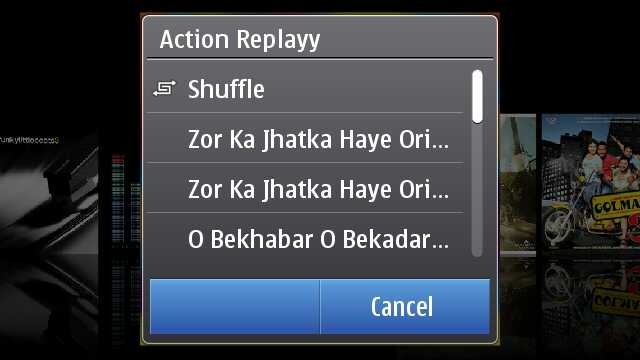
Touch any album and you will get a pop up in the middle of the screen with the choices of songs from that album or just shuffle the album songs to play.

scr000252scr000277


Finding the cover flow in the portrait mode takes another route, where you have to go Artists and Albums and then touch any one album to get into the cover flow mode as shown above. You just slide and list of songs keep on updating in lower part, press on album and it starts playing from the first song. Isn’t portrait mode bit faster than Landscape?

One thing about Nokia that is not getting due credits is Ovi Music unlimited, downloading free music from Ovi Music Store might not be getting such trendy in India as of now, but it will be soon at least after launch of 3G services.

scr000302

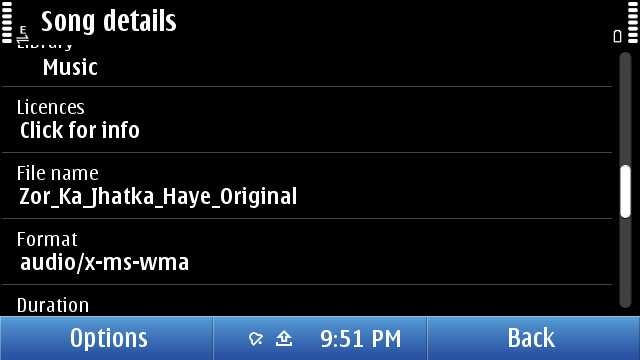
As usual, not only your can sort by genre, artist etc, you can get the details on the song as well. but sadly and strangely, there seems no way to search for some song. Might be a trouble, if someone has a huge collection inside their Nokia N8. I guess they will fix it by next firmware, they should.

Now over DRM, it may be annoying to few that they can not transfer their downloaded music through Ovi Unlimited to some other friend via Bluetooth, but that’s the way, Music Industry wish it to be. There been some confusions due to the post from Ovi Blog, but as much tested by myself, “MP3s downloaded from Ovi Music Unlimited is not DRM free”. May be sad news for some, but that’s the way it is.

Once running, Music player keep itself connected with Volume keys means whatever might be running in front, volume keys will serve only Music player e.g. Gallery.

scr000301

Some readers specially asked me about the Equaliser thing, so putting it here. Though honestly speaking, I am not that advanced Music freak to fiddle much with it. There are some default presets only. Handy, but you can make a custom preset as of now.


Nokia N8-00: Movie player

Movie player on Nokia N8 was something that cleared my dilemma of buying or not buying Nokia N8 in a blink of eye.

111120101152

Specs will say that it supports HD videos now and you say that one more addition. But hold it, do you know how big it is. See the above screenshot, check the resolution 1280×720, check the bit rate 2264 kbit/s, this is such a video that takes more than 50 mb for just 3 mins.

Do you really think that its just a simple addition? If so, then put a 2Gb BDrip file or VOB and try to forward by touch the progress bar. Its almost instant and now go to your PC with 2Gb or more RAM and then try the same on your VLC player with same video. Did you thought mobiles are always less performing that computers? Think again.

But HD video was not the part that won me, it was the support to multiple formats.

Even if it was not clearly mentioned on specs, it plays all your Xvid/ Divx/ Mkv/ mp4/ WMV/ 3GP/ H.264 formats, which covered almost 80% of my legendary collection of movies. What else would I wished for? Addition of USB on the GO means I could try any video instantly after borrowing some from PC of a friend.

Though true, its not a fool proof setup. There were some videos, special dual audio ones which will play without voice on it. There might be some strange or corrupted format that the video player of Nokia N8 cant deal with the way any VLC player of your PC does. There is no subtitles files support either (you can merge subtitles in movie file though via third party apps and play then), neither audio switcher if you are playing some dual audio file.

But hey!! are you talking about some media player on PC, its just a mobile. As of now, its a state of art best possible media support among the leading smart phones out of the box, not only Nokia. Yes! out of the box. You don’t need to install any core player, any smart movie player, you don’t need any converter on your PC to convert files for your Nokia N8. Just touch the file and it is.

041120101129

That’s how it changes everything. I was in a train journey and the above was my complete setup for the theater experience. Movie files if not in your Nokia N8, then USB OTG cable and a flash drive.. then those stereo headphones that come shipped with Nokia N8. That’s it.

061120101147

It was hard to take a snap of movie and forgive me for the blur here, but it was just crisp and clear as it can be.

111120101154

May be its asking a little too much, but there are not many advanced controls like next video, increasing brightness etc. Just a tiny set of controls which hide them smoothly within secs, when you play a video and come back again once, you touch anywhere. But each of them works perfectly.

If you touch and hold forward/ reverse icons then it first goes by steps of 5 secs and then faster. Aspect ratio icon changes the video to fit the screen or 4:3 or usual 16:9. And yes the player will always run in Landscape and will remain full screen always.

I know it sounds weird, but I had a wild dream that what if they give a cover flow like Music player to it? I know its not practical, but I thought.

Though many would be excited, when VLC arrives on symbian finally, but I would say that will also face a great challenge to meet the level of performance with Nokia one. You could understand that how big praise it is. Thumbs up for the guys working for the core of Symbian. Next generation Nokia will sure will define new levels of Multimedia.


Nokia N8-00: Web TV

Sometimes you get hands on a few things that might be ahead of its time. I guess Web TV is something like that for Indian Customers at least as of now, when 3G services are yet to arrive and Indian TV channels not well prepared for Web Contents in the way they should have been.

Scr000304

When it comes to TV on mobile, then I remember my first handset ever. Reliance Moon Light in 2004 that was an entry level LG Handset that was bringing some B/W TV content over CDMA. Definitely, I was expecting to see something like that here. But phones have changes a lot till now.

There is a Web TV Folder, which by default will carry above 6 icons representing 5 Web TV channels and one shortcut to Ovi Store. Unfortunately, some mismanagement here too. If you install a new one, then by default it seems to be going to Application folder rather than Web TV one or may be I might be messing up with something.

scr000306 scr000307

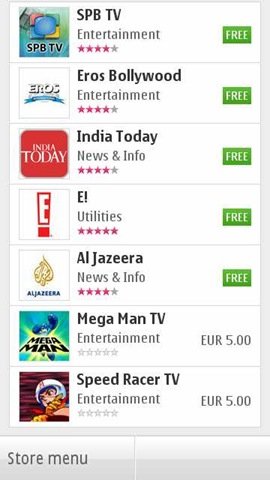
There are not much Web TV apps as of now. I seen two Indian names and downloaded them. Well.. I should say that they are not coping well. The apps are poorly made and neither are they service good quality video contents. And let me remind you, you better have a 3G or WiFi at least, if want an acceptable performance.

scr000310scr000309

Like this EROS one. Shows promise in start and then end up show not so good quality videos. But again, its a perspective of someone, who is so used of watching DVD/ HD quality videos on his Nokia N8 now.

scr000313

But with next app, I find that it was just a wrong apple. This time, its app from India today. Not a great navigation again, but sure, a better UI.

scr000314

I noticed one thing that all of them not using the default player of Nokia, but emulating of their own. Kind of strange to me as I expected the player to be same throughout.

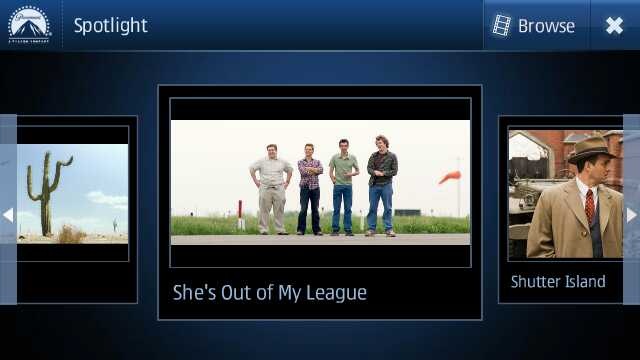
While Nat Geo, CNN etc had good quality video stuff with them (not sure how current the content was), the best UI I found with Movie Teaser app.

scr000328

This sure seems to be designed for touch with Cover flow (that’s what I was talking about default Movie player). Not only UI is great but quality of videos too and this is one of those Web TV apps that like to play the videos in full screen with fit to screen mode.

scr000327

Not only that but it brings some basic level info as well about the movie of course.

So, in all I must say, its a great move and wish that Indian channels and others may adopt it more quickly to make it worth rather than making people watching irrelevant contents from English channels only.


Nokia N8-00: Video Editor

The world changes from here. Big bloggers and experts will say that Nokia did just the same like iMovie of Apple, but its lot bigger than that. First its free of cost, second its shipping with Nokia N8 that still costing half of the price of iPhone 4G. Point is… its gonna reach much more hands than it ever would have with some pricy Apple.

scr000329

Its gonna bring Video editing in hands of people, who would never experienced it ever before, not even on computers. And believe me, their start would be much more awesome than even the people who might consider themselves expert of movie editing now.

Let’s start with the simple option, creating a slideshow. You remember all the old Nokia phones were shipped with a Slideshow mode of showing pictures, we are not talking about just that. We are talking about creating a actual movie out of your chosen snaps and with different effects to choose from.

Scr000333

Sure its one of the most fun stuff on Nokia N8 and could keep you busy for hours if you had many awesome photos inside your Nokia N8 (who wont have) and its very pleasing that the design team behind this did a great job. Not stupid like you choose some pics and then choose some effect and then if not liked output then do whole thing again. You choose pics one and then could go for previewing it with each of the effect almost instantly.

Scr000336Scr000339

Either selecting media or inserting pics or it might be adding movie title (overlay text), everything seems to be so perfect and I would say people should try it by their own hands to see how fast it is. Making full use of hardware acceleration and GPU, it sure will bring those Androids without GPU out of water on this.

Scr000342 scr000332

Not only that the speed to saving the final video is awesomely impressive. Oh.. the output? Here it goes.


And one more

With Video editor, its the same awesomeness. Not only you can crop your videos in length, but could insert your own tracks and overlay effects in between when joining two videos. Most amazing part of it remains the speed. I never seen any of my phone going this much fast and even no desktop software handling video editing with this much ease let alone mobile aside. So intuitive .. so smooth ..


In the above video, I just added two videos in one. There is a lot more one could do with them like we seen in Slideshow.


This went long na.. I feel the same. Hope will be back soon with my review over Gaming part with big titles. Be tuned in and keep writing to me that what more you want me to write on. Nokia N8-00 still has more to write on… just I wish I would have had my hands on Nokia C7 as well to know that what’s more special: Nokia N8 or Symbian^3?

photo of Nitish KumarNitish Kumar

A Diwaali night with Nokia N8

[tweetmeme source=”nkumar_” only_single=”false”]

There are some of the shots that I taken on Diwaali night. Though I am not an expert on photographs, otherwise it would have been better as such lighting conditions as it takes a lot tweaking with settings like exposure conditions etc and I haven’t gone through that.

05112010172

I really want to get in touch with some photographer experts to know that was it better if I would have kept the light exposure settings  on low or high?

05112010170

People across India celebrate this festival in their own ways, but soul of the festival is the same and so the joy is.

05112010182

While in good lighting conditions, taking shots give you sharpness, in night, when you might be shooting without flash, all the points goes on the fact that how steady your hands were and what angle you chosen.

05112010197

Wide angle shot on 9mp.

05112010203

A simple Rangoli …

05112010205

I am really thinking to read some books on lighting conditions and how to play with them.

05112010206      

I have not seen much shots from my fellow bloggers on Diwaali, so I thought to put a tradition #diwaaliN8

05112010207

Without flash night Macro Shot in not so great light conditions.

05112010210

Taken a lot of shots only these only.

05112010217 

The Hindu idols …

05112010219

I am intentionally keeping Flash off all the time.

0511201022105112010222

05112010233

Check the difference between the flash and no flash shots. What about the above idea of lightening?

05112010226 05112010238

 05112010237

These fireworks shots are too difficult to take when you keep the camera on Automatic settings like I did with my Nokia N8.

0511201024805112010249  In one shot, the focus was on one candle and in other, its on another.

05112010252

Anaar shots. Too many sparkles to handle on automatic settings.

05112010254

Fireworks and fumes …

05112010234

So these were my Diwaali shots, how were yours and what you think I should have improved on? Please let me know.

Laymans taken on the WordPress App for Symbian^3

[tweetmeme source=”mrnitishkumar” only_single=”false”]

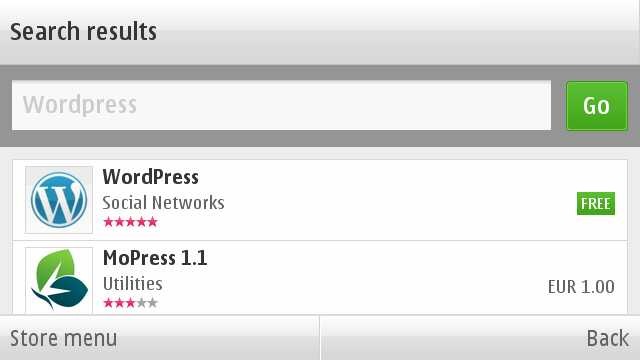
Finally the day has arrived and with arrival of official WordPress App, a long long wait ended for Symbian^3. Over those days, when after looking at names of Blackberry and iPhone on the home page of WordPress, you were feeling like hitting someone.

Scr000166

You must thank people at http://dev.nokia.wordpress.org/ for bringing this on and with this, one more point of my Nokia N900 vs Nokia N8 debate goes down. Now, not only we will be able to watch our movie collection on Nokia N8 without converting it, but also will be able to blog on the go like I did with MaStory on Nokia N900.     


Lets know more on it.

Scr000167Scr000177scr000224 

Definitely when comes to look and functionality, this wordpress app is leaps ahead of the one I seen on Maemo and sure many will prefer it over MaStory, when very soon it will arrive on Maemo as well.

 Scr000178 Scr000187

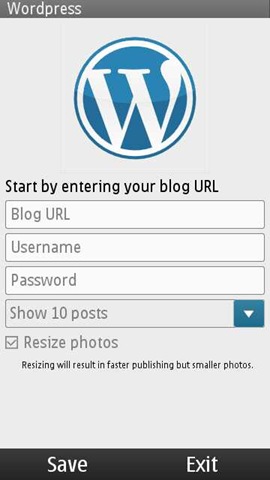
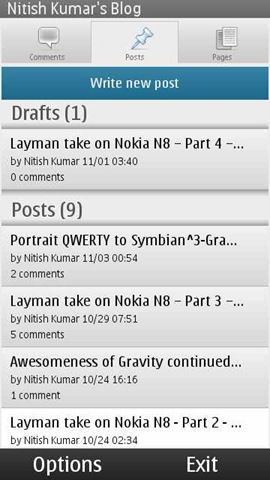
Just finish a few small details and you are ready for dealing with all the basics related to your wordpress.com or wordpress hosted blog. You can not only add new posts, pages or comments, but you can view even stats of your blog by some very easy and sleek looking interfaces.

Scr000180Scr000183 Scr000185

If you want to reply some comment, then you can go from touch and hold on the comment and it will open up another page for posting the comment with some normal rich options like bold, italic, quote or link etc.

Scr000182

Though I do not find posting picture option here, but that also doesn’t exists in desktop version as well easily.

Starting a new post is also simple and with all the options like password protected, draft etc.

Scr000186 Scr000225 Scr000229

It hold all the options like adding tags, categories, photos and even videos.

But also note that typing on a mobile app with not so rich editor meant to the fact that you have to deal with some of the basic HTML tags like the give below

Scr000233

There is an option of adding location to the post, but I think its not implemented well till now as I was not able to add it by detecting automatically.

Scr000234

May be some fault from my handset side.

Stats are something that each of the blogger get obsessed about in early days like mine and so its really wonderful to have them always with you on the go.

 scr000237scr000239 scr000239

I must say that the Qt based interface has everything that one needs to get impressed with it and quite handy, if they keep connection and minimal data requirement in mind.


Some big bugs that should have been fixed

Well I must say, I am also not happy about the ways it functions odd times. There are still many bugs that shouldn’t have been here in the real world, when an app officially hits the stores. I understand the eagerness of people to get it as soon as possible, but its part of the job from developer side to test it fully.

Some of the issues are like …

1. It wont open up if you are using WAP connection

I am wrong then someone please correct me, but I have not got it opened yet on WAP connection. May be the reason is, it tries to load last 10 posts in the system. I don’t think that is a good idea. More than a blog managing tool, it also must have been prepared as a blog posting and casual editing tool. That would have made more sense. Definitely for opening only, it must not go to web directly.

Update: It looks like this was the first time glitch, but still even if I am able to view the old cached content now. I am not yet been able to add/ edit. It seems to have removed my account completely though cached entries are still here.

2. I am not sure that if there is an auto save feature yet implemented in it

When you are talking about an app to post blog etc, then Draft feature becomes a must, specially much more big must, when you are talking about a mobile app.

Update: There is no settings for in it for the same at least. Checked that. MaStory has it and they should have taken some good things from there.

3. It freezes kind of too many times without giving a way out 

As of now, the ovi store version doesn’t seem to forgive you, if you made some mistake at some point of time. I found the latest on the development blog a little better in this way. But see what happened with the official Ovi Store version.

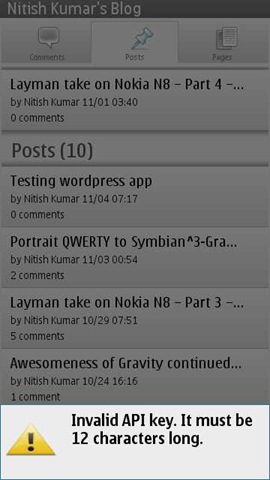
scr000236

My only mistake was to put the wrong API key and it just freezes right there without giving any other option than going to task manager and kill it, which doesn’t promises that it will start fine in next.

Well!! is it the issue with whole touch UI, when some app go untested thoroughly?

4. To reply a comment, one should not need a whole post

That some kind of stupid design. Why the app needed to load the whole post again, when he has to reply just one of the readers comment? I guess the app is being tested in some environment with cool and strong wifi connections only. The world is bigger than that. Open up please.

5. No advanced editing options

Yes there are basic ones, but nothing like page justification etc. May be I will find out them like I got to see on MaStory on second day only, but as of now. I am not able to. Thanks to connection issues as I am using Vodafone WAP connection only.


So, these were a few early annoyances, I found in first shot. May be I will find some more or may be it will be lesser soon. But sure, there is always scope for improvement.

Please add up in comments, if anything I might have missed. Your tips are always welcome, lets make this place happening.

Digg This