Installing WordPress-Website for Dummies

[tweetmeme source=”mrnitishkumar” only_single=”false”]

I have already written over this once, but even that time, I mentioned that “I am not expecting anyone to learn from this article that “How to make A Website out of WordPress” by this website, as my approach was kind of naïve and nursery kid’s learning”, but this topic was something that kept on tempting me and today I am back.

In fact, I was to design a website for my workplace for internal requirements, so I thought to revisit the instructions and pen them down for once, so that people wishing to do something like that could get the job done in one shot without much R & D.


Why a WordPress?

Reasons might be plenty.. from a Company to even a Coffee shop now days wanna have a site and their wordpressopinions on it. Yes!! blogs are here and they get recognition too, but a site is a little different thing look-wise and even bloggers wish to have their full control over their blogs, which online hosting like WordPress and Blogger couldn’t afford to provide for their right reasons.

Reasons are plenty for a WordPress based website. You may want to have a website to show off between your friends on the same LAN in some college like MNNIT, IIT, IIIT or some IIM or you may want to bring a community or even official platform for company insiders.

WordPress because, it seems to be the best solution against its competitors for Installation, Management, controls, scaling and even backup/ migration. In just few mins, even a Layman get a strongest of website running and he wonders that he never knew a single line of HTML.

Simplicity is power” That’s why WordPress. Otherwise technically speaking ..

WordPress is an open source CMS, often used as a blog publishing application powered by PHP and MySQL. It has many features including plugin architecture and a templating system (supports various themes that way). Used by over 300 of the 10,000 biggest websites, WordPress is the most popular blog software in use today.


My requirements this time ..

The purpose was be to build a one-stop website to provide a common platform for sharing information, internal news and more importantly a mean to interact with groups and individuals across the company (via group/ private chat solutions). The additional scope of the website was integrating all of our web modules running for different purposes mostly via web links only (easy way).

Additional features asked for were …

  1. All of the content needs to be secured via passwords and login would be required for access any of the content on website.
  2. Different pages required for different department/ groups, which will host posts from their side only (though all of the content would be subjected to moderation).
  3. Different levels and roles would be required to post/ modify the content like Administrator, Editor, Author, Contributor and reader with their controlled set of privileges.
  4. Intranet Chat facility requires having group/ private messaging support.
  5. Email facility would be limited to contact form that one could use to submit some query to any department and it will be mailed to designate email ID directly without being post on Website. (provided Internet facility available on server).
  6. News flash system that will show significant information scrolling on sidebars all the time.
  7. Integration with our other services (mostly via hyperlinks opening in tab or new windows) like Ticketing system, Training Modules, Monitoring System etc. The target would be to implement a single-sign-on for the similar web services like Training, Helpdesk etc.
  8. There might be possibly different sites for different networks that would be kept in sync5 by end of day or twice a week (based on feasibility).
  9. Optional Documents hosting that could allow viewing Doc, XLS and PDF documents online without converting them into HTML This feature could be utilized for hosting various policy documents or similar things.

I guess very generic yet professional kind of requirements these are, though one can always find what they want with a WordPress.


Installation requirements

You know that installation requirements always vary around what you need and what you could put in. In itself, WordPress isn’t a huge software package that you might be thinking about this side, but yes.. what platform you are going to use, matter more. You can make use of XAMP installation to bring Apache, MySQL and PHP at a place on Windows or you may like to use the natural Linux Platform.

Here I am going to use WordPress MU (separate project build for multi user environment) in place of normal WordPress though requirements and instructions would be the same.

Hardware requirements

RAM Required: Minimum 512 MB (In favour of OS nto WordPress)
Disk space: Installation doesn’t take even 50 MB, but it’s suggested to keep 1-2 GB space at least.

Software Requirements

Operating System: Linux\ Windows (We are using CentOS here)
System Software: Apache with Mod_Rewrite, PHP , MySQL and related components.
WordPress-MU: WordPress-MU package from http://mu.wordpress.org/latest.zip

Note: Internet required for easy Installation of packages and plug-ins, though all the packages could be installed and managed offline as well.

The Basic Installation
halo_wordpress

The way is as simplest as it could be, but still sometimes, people unknown from Linux terms bring mess for them, so even if longer list of steps, I am trying to bring a completely detailed set of instructions .. (obviously assuming though that you got your OS installed right ways)

  1. Type on console yum install httpd php mysql mysql-server mysql-devel php-gd php-mysql
  2. Start the web service, if not started. On server console type service httpd start followed by chkconfig httpd on
  3. Start MySQL service, if not started. On server console type service mysqld start followed by chkconfig mysqld on
  4. Edit /etc/httpd/conf/httpd.conf and search for AllowOverride None and replace the second occurrence of the same with AllowOverride All (essential step for Permalink structure, you will know later on). Restart the httpd service by service httpd restart.
  5. On Server Console type mysql and then on MySQL prompt type create database wordpress to create a blank database to host WordPress database in next steps. You can chose any other name than wordpress as well.
  6. Install FTP by command yum install vsftpd, then chkconfig vsftd on followed by service vsftpd start
  7. Edit /etc/vsftp/ftpusers and /etc/vsftp/user_list to comment out root entry in both. By default root is not allowed to login into ftp.
  8. Download the zip file from http://mu.wordpress.org/latest.zip
  9. Extract the same and rename the folder wordpress-mu to something suitable to the name you wish to have in url (e.g. We have atstoday in our case). We also could install the same in web root but in that case, it might have issues in other web app installations.
  10. Copy the same folder in web root directory /var/www/html and provide appropriate modifications rights the same folder and /tmp folder. (Hint: use WinSCP)
  11. Open http://IP_Address/Folder_Name in any browser, where IP_Address is IP Address of the server, you are installing and Folder_Name is name of the folder, you copied into web root.
  12. If everything is fine, then it will provide you the installation page and will ask for Database Connection details. First select radio button for Sub-directories in Blog Addresses option, then in next keep Database Name as wordpress as we given the same in step 4, User Name will be root, password would be blank or if any password you given for MySQL user named root, Database Host would be localhost, Server Address would be the IP_Address, Site Title would be the text you want to be displayed on title bar and then it requires to give an email id essential for password recovery.
  13. If everything goes fine, then it will show success message and will provide a generated33 password for admin user. Note down the password or copy it.
  14. Press the login button, login into the site, go to users in left pane, edit the user and then change the password as per your convenience.

Customizations – Themes and Plug-ins

The above procedure creates the basic install of WordPress-MU. For customization as per needs, you have to go through themes and various plug-ins available for WordPress.

Theme: If online, then we could use the search facility under Appearance->Theme to search, preview and download themes available on WordPress Database. Once downloaded, it will be available in offline install. There is option for uploading themes as well that could be used if Server not connected to Internet. We are using theme named Atahualpa with a few advanced customizations in code here and there.

Plug-ins: Plug-ins provides extension of capabilities for basic WordPress Install though depends on many factors. Currently we are using a few crucial plug-in like: My Category Order, Announcement ticker highlighter scroller, WP-UserOnline, Dagon Design Form Mailer, WP Customized Login, Members Only, PHPFreeChat, WordPress Database Backup and User Access Manager.

Backup and Restore

wordpress-must-dos

Post/ Categories/ Tags/ Comments Backup/ Restore: For taking backup of these contents, there is option to export all these in form of .xml file, in Tools->Export.

Similar way, Tools->Import could be used for importing the same.

Settings Backup/ Restore: Inclusion of WordPress Database Backup plugin makes the job little easy. As per settings, it could keep on mailing core database files in zipped format (*.bz2) to designated email ID (provided the server is on Internet) or there are options for taking manual backups by pressing button. For restoring from backup, you need to unzip the backup file first that would be some blog.bak.sql and then needed to restore it via command line in following manner.

mysql -h mysqlhostserver -u mysqlusername -p databasename < blog.bak.sql

Enter password: (enter your mysql password)


Migration from one server to another

That’s the toughest part of the work and not suggested to be performed by someone having not proper idea about MySQL, Apache, PHP etc. I am trying to put all the steps in some easy way here. Though there are better ways around to do this and its not suggested to follow these steps for some online site.. I am talking about local installs only. (In fact, only this part of instruction is something I think needs much enhancement as this way is prone to be buggy in complex environment)

Our assumptions are,

  • You have a completely configured and working WordPress based website at one server.
  • You got another server with fresh installation.

First of all, you need to perform the first six steps of basic installation as those are preparing steps. Now, you will have a blank database named wordpress ready in MySQL.

First use core backup file from original server and use the steps mentioned in Settings Backup/ Restore to place the same database (including settings/ post/ username/ passwords everything) in new server. In next, copy all the wordpress files that would be in /var/www/html/Folder_Name, in the similar location at new server.

After the same, you need to edit a few options in /var/www/html/Folder_Name/wp-config.php as per the new environment. Then, you need to manually update the new IP Address inside many tables of new database, provided you always used absolute links in your website all the time.

Here is a list of few crucial tables and values to edit.

  • siteurl value in wp_1_options table (provided you have only one blog under WordPress-MU otherwise change accordinly)
  • domain value in wp_blogs table
  • domain value in wp_site table

So, this is whole thing.. any further question.. you can always come up here and ask. I really miss that while studying, I wasn’t aware of this great thing, neither do I was in my starting job days.. hope many of you starting earlier than me.. good luck..

Now you can read updates from this blog delivered directly to your Nokia Smart Phone, download it here

Android and Chromium OS running on Nokia Booklet 3G

[tweetmeme source=”mrnitishkumar” only_single=”false”]

The bonus day adventures didn’t stopped over Ubuntu only, but I progressed further to get my hands on the other buzz making OS’s around. Chromium, MeeGo and Android are probably the lead generation of modern OS’s and though I failed to get MeeGo running on Nokia Booklet 3G, but for rest of the two at least Installation part was no-brainer.

AndroidChromium OS

I know not only me, but many people out there are surprised over no support of MeeGo over Nokia Booklet 3G. An OS developed by Nokia and Intel is not running over a Nokia designed Netbook that has Intel Processor, Chipset and Graphics hardware. Irony!!! But it is.. my attempts to get MeeGo booting on Nokia Booklet 3G are all going fruitless till now. Thanks the other two OS didn’t disappointed me the same way.


There been many discussions around Android on Netbooks and even the most popular blog over Google Operating system puts a comment over it. Searches point over some very complex installation methods that may scare the hell out of you. But the basic point of all is, currently not many drivers exists in real world to make all the inside components of a Netbook running perfectly with Android.

Yes, it is as disappointing as it sounds, but as much I felt after having hands on it, what I got is this. It was LiveAndroid as even after my tries, I haven’t go the version, ThunderSoft people talking about. May be my opinion will get a change when I come across that version or if get some netbook with complete touch screen support like the first video on this link.

Android on Nokia Booklet

Google Android still seems to be a Mobile Operating System only and Google seems to have no plans about porting it in any form to Netbooks as well. Though may be someday few geeks could come up with their custom solutions around this, but as of now.. check the video given below to know what I am talking about.


It may look snappy, but all the things keeps on crashing. This thing not detecting 3G Modem inside, most of the app as they are related to phone functions and probably made for touch usages seems to be useless here. May be you need to work around a lot to bring some of them running, but as of now, its not in shape of a Netbook OS as much I guess. But somewhere inside, I know the fault is of mine that I didn’t tried more harder as it was just an adventure of short time.

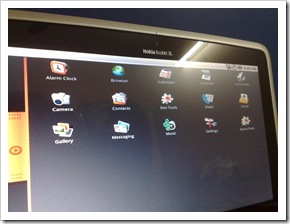
widgets on AndroidAndroid control center

Though as per interface, it sure gives you idea that Mobile OS’s of today sure has a very good chance to make into Netbooks due to their snappy nature and easy navigation styles. Though its true they will always keep you tempted to touch on the screen icons lol !!!


The other attempt was with Chromium OS, Google’s OS targeting to Netbooks only. Though honestly speaking, I didn’t liked the interface much. I mean its nothing more than a Chromium browser built upon some invisible built of Linux, some small icons in top for Network etc, but nothing more.

Chromium OS on Booklet

Though installation was easy and went exactly like the way, I did with Ubuntu, but still my opinion will remain the same that Google will be needed to push much harder to make people familiar with it.


May be I was not happy with Chromium OS more because I was not able to bring Network running over it that is something like essential to Chromium OS. Dear Google India is not ready for all time working Internet till now, its still a rare thing and top of that none of Network here or Wireless Cards of Nokia Booklet seemed to be supporting this OS. So, for me it was a failed attempt like Android. Though there is a console, so I think that there were more things to do for me.. which I didn’t ..

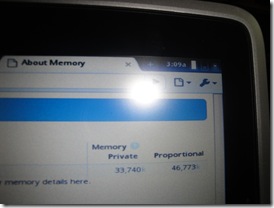
chrome ConsoleChrome Memory

Waiting for your comments, if you can link some positive experiences, I really want to hear some positives about these two OS’s and Nokia Booklet 3G …

Now you can read updates from this blog delivered directly to your Nokia Smart Phone, download it here

Ubuntu on Nokia Booklet 3G-Part 2-Full glory

[tweetmeme source=”mrnitishkumar” only_single=”false”]

I am back again with Nokia Booklet 3G and this time Ubuntu running from HDD 🙂

Though it was the last day of trial and Albertine already had scheduled a pickup with DHL, but it was a saturday and though I kept on waiting whole day, but I didn’t got a call from DHL and it came out as a blessing as not only this post about Ubuntu on Nokia Booklet HDD (No USB) and its multimedia installation, but two more adventures will be posted on this blog very soon; Chrome OS on Nokia Booklet 3G and Google Android on Nokia Booklet 3G.

Ubuntu Install on Nokia Booklet 3G

As I wrote in my last post that there was a hurdle in my complete experience with Ubuntu running Nokia Booklet 3G. I was missing the best of the graphics as the drivers I was using were asking for a reboot and I was not allowed to do as after the reboot the changes I was making over USB boot were getting reset. Sure, there are workarounds for such things, but I am not a Linux Geek that way (now I realize) and neither did I had time as it was 3AM night here and I was to catch up for office on the day next 7:30 AM. So given up over that.

Thanks Kalpesh, for your suggestion about Wubi and in a way thanks to DHL as well for providing me one bonus day trial on Nokia Booklet 3G otherwise, I was going to miss many things.


Wubi was amazing thing about people, who wish to enjoy Ubuntu without altering their original Windows Installation like it was my case as I was not wishing to alter the installation that came from WomWorld on a trial. Here are instructions to have a full fledge Ubuntu Install over Noka Booklet 3G without altering your Windows Installation.

1-2-3 step – Installing Ubuntu on Nokia Booklet 3G with Wubi

Step 1: Download Wubi Ubuntu Installer (1.4 MB) from here.

Step 2: Just run the exe, choose the partition to install and set the Installation Size.

wubi

Partition here means the logical drive over which you want to have your Ubuntu folder, it doesn’t required whole partition and will not format anything of your HDD.

Step 3: Press Install and you are ready to go.

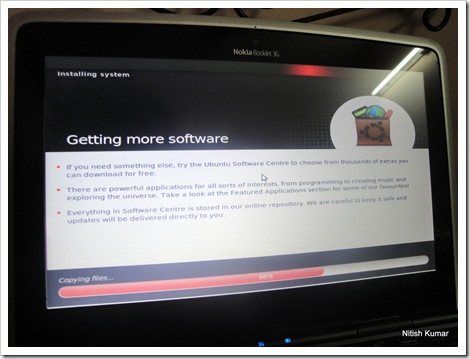
It will create a dual boot and when you will chose Ubuntu then for the first time, it will setup Ubuntu for you. It takes a little time, but not more than 15 mins I guess and pull your sleeves.. full Ubuntu is here in your service without altering your Windows Install. 🙂

installing Ubuntu

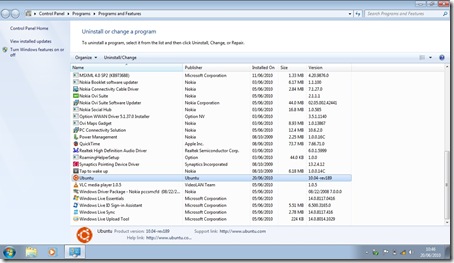
The most special thing about Wubi install is not only its creating easy and very familiar dual boot, but also keeping the option of un-Installing it from your windows at anytime like any normal application.

ubuntu uninstall

Here is the real thing, Ubuntu running on Nokia Booklet in dual boot with Windows 7 Starter. Though it took a 30 secs to start, but I guess the Netbook version of Ubuntu will take a little more less time in booting (Mine one is Ubuntu 10.04 Desktop version).


In the earlier attempt, while I was not able to get hardware acceleration and 3D graphics, there was also that full resolution and I was stuck up with just 800×680 thing.. but not this time…

Ubuntu resolution

There wiki was right on spot and though it mentioned that 3D support on Graphics drivers in Beta stage for 10.04 release, but for 9.10 it was full supported. Just mentioning to keep in mind, if you wish to have older version. Though for a normal user, it doesn’t matter much if its in beta or full till when it works and it works very well here.


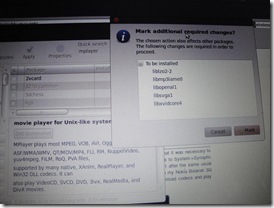
Obviously, before the above video, I was install VLC, Mplayer etc, though for unknown reason, it didn’t worked through command-line for the first time, so I chosen the GUI way and as I earlier mentioned, after choosing Multiverse Repository it was easy as a pie.

vlc player1mplayer

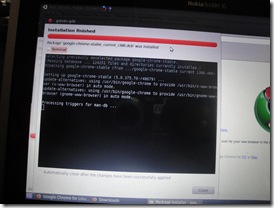
More happy I was to know that Google Chrome now started support Ubuntu from their official install page and now normal user need not to struggle through Wiki pages.

Google Chromegoogle Chrome Installed

Is there anything left to do with my Ubuntu now?? I am waiting for comments from you all.

Now you can read updates from this blog delivered directly to your Nokia Smart Phone, download it here

JoliCloud running on Nokia Booklet 3G

[tweetmeme source=”mrnitishkumar” only_single=”false”]

Though I heard only talks about Ubuntu on Nokia Booklet 3G now, but last night while searching on Intel GMA500 Chipset and its issues with Linux, I got to know via Wiki that there is a Netbook OS based on Chromium and Debian that supports Intel GMA500 natively. Moreover, as a cloud OS, it has own community, you can chat with and a decent App store too for holding even Windows Apps like Skype etc. Well.. it was worth a try for sure.


So, it demonstrate that on Nokia Booklet 3G with JoliCloud out of the box 3G Works, Multimedia works in full force and Windows Key responds to open the menu unlike most of the Linux flavour. I will come back with more updates in the same post after a break.


I should admit that while trying and posting my thoughts for the first time about JoliCloud, I was kind of thinking that I am one of the few to try it, but when collect info from some googling then got to know its not a very new thing, though it was pleasing that I got my video on top, when searched for “Jolicloud nokia”

joliCloud

There have been many mentions about JoliCloud in past like

  1. JoliCloud Compatibility page lists Nokia Booklet 3G as compatible device.
  2. OpenAttitude posted negative sentiments about JoliCloud Install over Booklet in late of January 2010
  3. Not only wiki, but there were mentions at many places that JoliCloud supports Intel GMA500
  4. There been mentions of JoliCloud and Booklet in forums, but saying that 3G doesn’t work over it
  5. Some excellent mentions from Engadget, vodpod and other sources as well.

3g

So, its not a new thing, but the new thing, I would like to mention in loud words, is JoliCloud supports Nokia Booklet 3G’s 3G Modem completely and there is absolutely no issue about that. You could check the above video to confirm the same. This video not even using 3G SIM and I just connected it via a normal Aircel 2G SIM in india, connect was slow as expected but was working flawlessly, so please take your words back that 3G SIM doesn’t work over JoliCloud, it does.

cloud

You can attach your Facebook Account over JoliCloud login and it will search for your friends on JoliCloud (as of now, I didn’t found any, but I am not a facebook hardcore user as well). Once logged in, you could access an App Directory that surprising showcase too manyof useful apps like Gmail, VLC, Skype, Google Reader, Twitter app etc. Cloud is great.


There are many exciting things about this particular operating system, which I will love to keep on exploring more, though today is probably last day of my Nokia Booklet 3G Trial from WomWorld/ Nokia, but still this OS is really really capable and I find it suiting Nokia Booklet better than Ubuntu. Pleasant was to see the option to change the processor settings, don’t know what effect, but having a new thing was cool.

processor

If you are thinking that it took more than a minute in booting, then leave that thought.. Man!! I was booting from a USB Stick, not a full install, so its obviously a limited preview.

kitesrajneeti

xmeniron man

Lovely was to see Multimedia working in full force, even with 3D acceleration out of the box. It played DivX content, Xvid content and .mkv files with dual audio. Just perfect. I was to install Skype from its own App store but got busy in other things, but it sure works over it. Only issue I found was again no default support for UK-79 or US-78 Keyboards. They should have thought of it if making an OS targeting cloud and Netbooks specially.

raM Usage

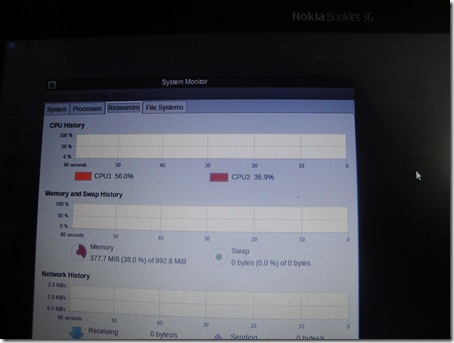
RAM usages were shown a bit extra than Ubuntu (350 MB around), but its providing graphics support out of the box as well. Worth it. Still much lesser than windows one.

Not saying much about this OS here as many details you could find from the site itself or other places, but just wanted to remind you that if you got any Netbook like this, then you have a much better choice. I have shown you just a USB Live Install not actual one, there are many real things still in store, when you install it full fledge.

Did I told you that it supports Multi-touch on touch-pad (though not on Booklet 3G)? 😉 Now think … do you really want to stuck with Windows 7 Starter on Nokia Booklet 3G?

photo of Nitish KumarNitish Kumar

Now you can read updates from this blog delivered directly to your Nokia Smart Phone, download it here

Digg This

Ubuntu 10.04 on Nokia Booklet 3G

[tweetmeme source=”mrnitishkumar” only_single=”false”]

Its always true that in place of complaining about something, one should rather act on behalf of that. Like I always say one doesn’t need to have a super brain, Just do your bit. After complaining hard about having Windows 7 Starter on this very real thing, its time to try the sweet heart Ubuntu (Latest edition 10.04) on it.

ubantu on Booklet3g

This was not new as Iain Wallace already succeeded once and many others might also would have tried out. Now, it was my time for doing the same, though with updated version of Ubuntu that I downloaded just by tonight 10.04.


I already mentioned that I was to try this for sure before this thing may leave me. Tried MeeGo first, but it was a total No-Go after a few of my tries. May be I should have attempted a little more, but it was better to check the thing that already tested before. Was that really much easy?

Ubuntu

Ubuntu didn’t bugged me a lot about the Installation part at least. It was a trial device and I didn’t got a DVD from them (not in package even, if I am right), so I was sure not thinking about going over a HDD Install for sure. I took the USB Stick way.


Install was kind of no-brainer to get it running right. I was to download ISO from this link and also Universal USB Installer (quite a handy tool for other OSs as well) from this link. Install the Universal USB Installer on your Windows, select the ISO and target a USB Stick of adequate size (at least 2GB would do). Follow the wizard and you are ready with bootable USB stick.

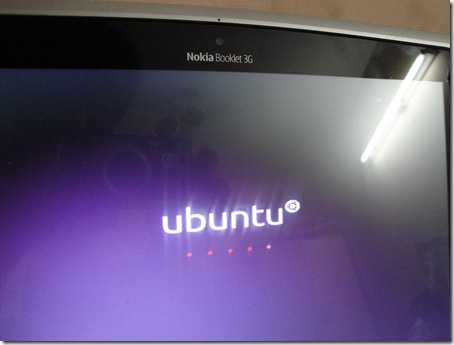
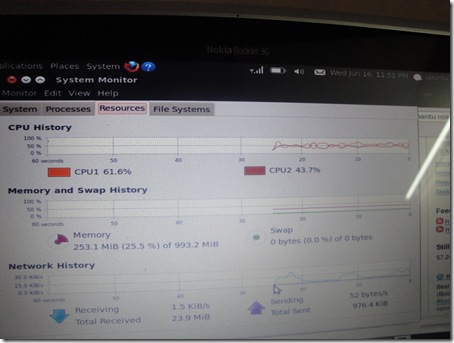
Insert it in Nokia Booklet 3G, press F12 while booting, choose USB Stick as first boot device and then here you go. An operating system that is asking for just 250 MB of RAM in comparison of 700-800 MB of RAM that a Windows 7 Starter takes. Sure, you could feel the instant performance benefits.

RAM

What’s now? You could spot easily that it go everything like perfect, either it be Bluetooth, Wi-Fi, 3G, Battery monitor or anything. What’s more you expect? I even configured my SIM very easily to provide Internet. You haven’t even thought of installing any drive and all till now for sure as everything just going perfect.

MTNL 3G                                                                                                                                                                                                                                                                                                                                                                                                                                                                                                                                                                                                                                                                                                                                                                                                                                                                                                                                                                                                                                                                                                                                                                                                                                                                                                                                                                                                                                                                                                                ..


But yes!! there were few minor issues as well.
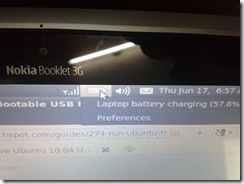
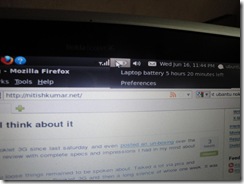
I found that touch pad working but little bit less smooth than Windows 7 Starter, though after a while, I felt like it was only my perception. Next was keypad layout. As Nokia Booklet follow UK-79, while the detected one was US-101, sure the first thing to notice was location of ‘@’, but being a blind typing person, you don’t feel that anything going wrong very soon. Although I didn’t tried much, but there must have been some UK-79 Layout inside as well or it was my fault that I did an Install of Ubuntu Desktop Edition, Netbook one was expected to not having this problem and also would have been more lighter OS.

One more problem I found that Ubuntu or any other OS decreases the claimed 12 hour battery backup and we get a battery backup of around 6-7 hours only.

battery and 3G etcbrowsing and battery backup

Now, the biggest hurdle was as everyone seems to knowing about. The Intel GMA500 graphics chipset that is very famous for its resistance to Linux, even Wiki says that the support is not optimal. In fact, only Ubuntu seems to even trying otherwise all other Linux flavours seem to giving up including their own MeeGo. Funny na!! Chipset is of Intel, Booklet is of Nokia and Meego is of Intel+Nokia, but still MeeGo a no-go for Nokia Booklet 3G. Yes!! I have tried MeeGo on and it didn’t worked.

Next part was to install graphics driver and then VLC, mplayer etc.

Installing graphics over older versions might been a little bit harder, but Ubuntu really have tried hard to provide the support with newer version. May be it was a hard way to Ian Wallace and other to go through script way, but now it seems to be simplified much. Thanks to the Ubuntu Page, it was just so easy.


I tried a while for installing VLC or mplayer, but was struggling. After a while, I came to know that it was necessary to enable multiverse repository, before doing any kind of non-propriety install. Nothing harder, I was to System->Synaptic Update Manager-> Settings-> Repositories and then to enable multi-verse repository there. Just after the same usual sudo yum install mplayer etc worked lke a charm and I was able to watch the movies easily on my Nokia Booklet 3G running Ubuntu 10.04. Even if I don’t install these players, inbuilt player itself was able to download codecs and play such contents (with multiverse repository only).

Media Codecs

As my device was trial, so I was avoiding messing up with the Windows 7 Starter Edition provided with it. The option was to use USB boot only and so were the limitations. May be I was doing something wrong or I was creating USB Boot from a Live CD rather than some Ubuntu Install, whatever.. but I was loosing the changes I make in the OS. Sure, not an issue, if you wish to install OS directly on HDD. But I missed to axctivate 3D acceleration as it was asking for a reboot.

As I said its remarkable to have a light OS running on Nokia Booklet 3G to explore its true potential and as expected this thing is a tank, in build, in performance, if its not in Windows 7 Starter side. So, my complaints with OS end here.


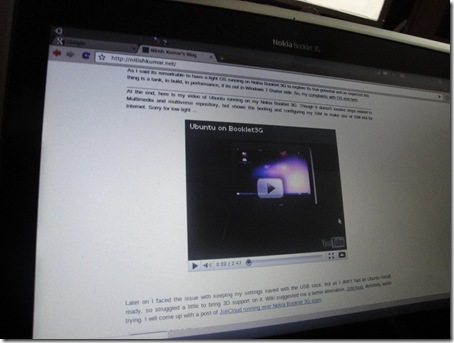
At the end, here is my video of Ubuntu running on my Nokia Booklet 3G. Though it doesn’t involve steps related to Multimedia and multiverse repository, but shows the booting and configuring my SIM to make use of SIM slot for internet. Sorry for low light …


Later on I faced the issue with keeping my settings saved with the USB stick, but as I didn’t had an Ubuntu Install ready, so struggled a little to bring 3D support on it. Wiki suggested me a better alternative, Jolicloud, definitely worth trying. I will come up with a post of JoliCloud running over Nokia Booklet 3G soon.

Now you could download the app for this blog on your Nokia (Symbian5) via  this link or widget via this link.

Three fantasies – three features

[tweetmeme source=”mrnitishkumar” only_single=”false”]

The midnight releases and now days football fever, things always go hard for we Indian Bloggers. The Buzz really don’t get us sleep enough, but when we sleep then..

The Magic Map

See!!! even sleep get followed by the dream of fantasy. Harry Potter’s Magic Map coming in my dreams now days, any guesses why???

1


Futuristic touch

Dreams are really the most effortless UI na?? Arrange the scenes as you want, move the things around your eyes with strain… realizing a dream not always go easy for even best of the science … but still we try … Am I right?


The Slim Beauty

Who says that beauties don’t make part of dreams and fantasies?? Right … no one says so..


Well … why these three videos? Why the subject line “Three Fantasies – three features”? Any one up for answering the puzzle? what dream me and many others are wishing to see tonight and then next many nights?? Something mysterious??

Seen a dream as big as these fantasies .. fantasies going to be true very soon.. watch out…

Comments awaited… more fantasies awaited… will you join?

Nokia Booklet 3G-What I think about it

[tweetmeme source=”mrnitishkumar” only_single=”false”]

As you know that I am with Nokia Booklet 3G since last saturday and even posted an un-boxing over the same. So, this came the time for a full review with complete specs and impressions I had in my mind about this thing.

A big opening review and you loose things remained to be spoken about. Talked a lot via pics and via words in my unboxing post about Nokia Booklet 3G and then a long silence of whole one week. It was works that completely taken over me, but still I feel like some guilty.

new

Before some 20 days or earlier, even I made a post about “Do I need a Nebook? The concerns were what we really from a Netbook like device or why we want to travel with our Laptop? I wished to see more about the genre …

Wiki says “Netbooks (sometimes also called mini notebooks or ultraportables) are a branch of subnotebooks, a rapidly evolving category of small, lightweight, and inexpensive laptop computers suited for general computing and accessing Web-based applications; they are often marketed as "companion devices", i.e., to augment a user’s other computer access.”

Nokia Booklet 3G; Nokia’s surprising entry into the Netbook genre that is still something common people feel confused about, while its getting its pace in Businesses due to its compatibility and heavy duty battery lives. Its still remains to bring common users that much into it, lets take a look what it worth for them.

13062010301

Specs First:

  • ‘Aircraft grade’ Aluminum made super cool and slim body with very well built chassis.
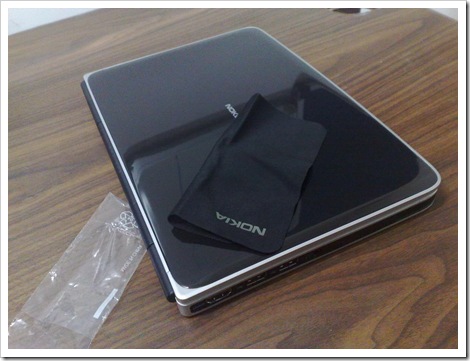
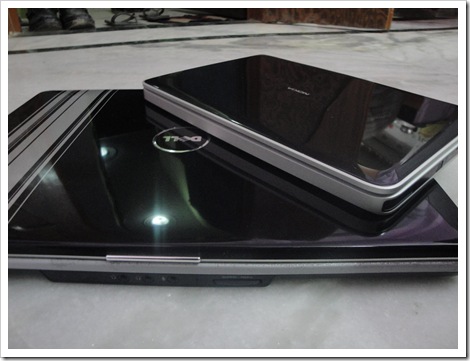
    Am I feeling more affection due to its being the first of its size in my hands? This thing gives you a lock solid feeling like I had with Nokia N900 or my Dell XPS M1530 and the surface is such a shiny thing that you can’t help people getting attracted to it in first sight. Only place you could hurt this is on sharp edges only.

    You could feel the difference if you would have hands on those cheaper Netbooks around like Dell’s or Asus ones. This thing make them feeling total plasticy.  

    7

  • A glossy 10.1” 1280 x 720 HD Display (it has HDMI 1.2 out for HD video).
    Didn’t tested HDMI yet (my 22” LCD Supports DVI only), though extra-ordinary resolution is picture perfect for me. One must feel great about watching movies over it. Its glossy but still has some kind of UV protection layer in-built and even if its a shiny thing, I didn’t see any trouble working with it in much shiny outdoors.

    06062010270

  • A Dimensions of 264 x 185 (with hinge) x 19.9 mm with a Weight: 1.25g 
    Just entirely different world that could be felt only after taking this thing in hands. I remember my super cool Dell XPS, which was lighter and powerful for me then was of 2.6 kg.

    30

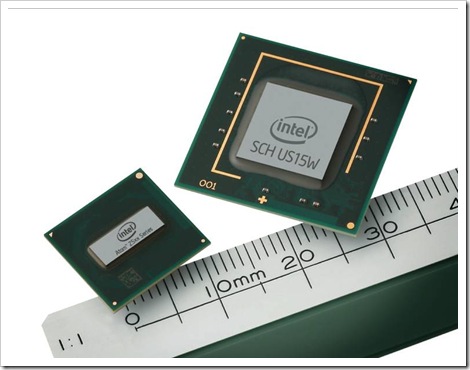
  • Intel® Atom™ Z530 1.6 GHz, Intel® Poulsbo US15W fanless chipset, 1GB DDR2 RAM
    Processor numbers (48kb primary cache and 512kb secondary cache) are very good for a netbook and been a core reason for its long battery life, but like many I am much disappointed with the fixed RAM that can’t be increased. All of us kept on crying that what kind of grudge Nokia has against RAM size? I mean Nokia could have presented this thing with 1GB RAM, but at least should have left the option of increasing the RAM. After all, you have decided to go with the ‘worst’ operating system available, Windows 7 Starter edition. Nokia!!! this shows that you will take at least three four years more for making a serious market presence. Why I am that frustrated? Will show you in later part.

    processor

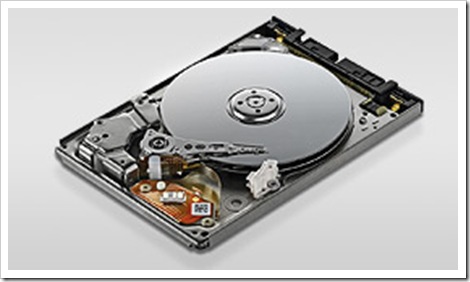
  • Toshiba MK1235GSL 120 GB Super Silent HDD
    Good thing first, being technical I am ware of the fact that how HDD function and seen that however silent Laptops might feel, but still you feel some vibration in lap due to HDD movements. But this thing is damn silent. Probably due to its fan-less design. If you check
    official specifications, then for this 1.8” and 5mm thick, if something disappoint you, then its only 4200 RPM (if I am right), may be technology limitations. But what’s favourable is its being most power conservative hard disk of today.

    hdd

  • Intel Graphics Media Accelerator 500, high definition audio for HDMI
    Obviously you must not been expecting some nVidia or something, after all the priority is lowering power consumption and this thing does a superb job about the same. I really really wish to see some light weight operating system running over it, to measure the real potential of this thing.

    GMA

  • Built-in 3G modem (data calls only): WCDMA 900/2100 or 800-850/900/2100
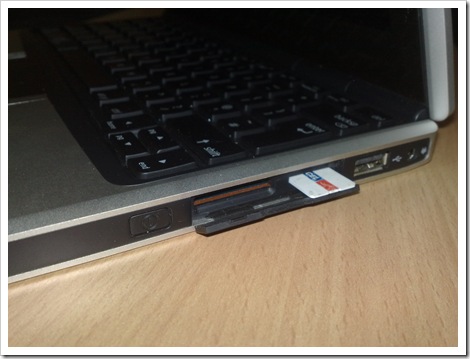
    Yes!! this booklet could hold a SIM/USIM inserted inside directly into it. Probably the biggest selling point of Nokia Booklet 3G and so its even in the name “3G”. Believe me, this is something game changing for otherwise just another new product in market, a blessing to people like me, who were used to connect internet via their phones to PC. That was a double trouble, as even if you go via Bluetooth route, you will remain limited by Battery of Phone as well.

    06062010266
    Nokia tackled this issue from double ways, first was the inclusion of CA-126 connectivity cable that was meant to keep on charging your phone, while its connected to your booklet, no matter it supports USB charging or not and second.. why you even need to attach a phone? Plug the SIM directly to the Booklet.

    16
    And let me tell you one more thing, against the popular belief, this SIM thing works over non-3G SIMs as well means over 2G too. I got Vodafone, Aircel, Airtel and Idea SIM working over it for connecting Internet. Obviously, what’s been the best is my MTNL 3G, not sure, but I felt this thing provided even more speed than I was used to get with tethering with N82 or E72.

  • Integrated GPS and A-GPS
    Its a great piece of hardware and locking capability is as good as Nokia  got in its Navigation Devices, but same, somewhere it seems that Nokia isn’t ready for Laptop market yet or may be our expectations are higher from Nokia. 

    lock
    Well.. problem is that there is absolutely no way to make use of this feature. What you get is only a side widget, which shows the location and if clicked over it, then takes you to the Web Version of Ovi Maps with the same location in center. Though I found out that you could zoom-in and zoom-out over the widget as well by using Ctrl+ and Ctrl-. They should have at least added geo-tagging in their Social-Hub application.

  • Li-Ion 3840 mAh Nokia BC-1S battery for around 12 hours usages
    That’s what we love about Netbooks, longest battery lives, the thing that must have been of prime concern since Laptop genre born in first place. What’s point of calling a device mobile, if it cant go running for even 3 straight hours heavy usages? Though I have heard of MIS Wind and their claims of 15 hours or more battery life, but still 12 hours is longer than most of the netbooks out there. Don’t know that what’s count of cells mean here, but my Dell XPS 1530 has 6 cell battery, while this one is 16 cell.

    6
    For me, this goes the real deal as I could think of going out with this even if I see that the battery remained 20%  (I still have more than 2 hours in hands).

  • Frame keyboard with two physical layouts available: US (78 keys, 17 mm pitch, 1.8 mm stroke) and UK (79 keys, 16.7 mm pitch, 1.8 mm stroke)
    You might feel some troubles with keys locations due to our long term relationship with 101 keys, but still Nokia design team has done a marvellous job with this one. People like me with heavy typing habits knows that how important it is, if keypad is even a little bit uncomfortable, you just cant have a connect with. But this keypad was something like instant-connect to me. Well spaced keys and very comfortable typing. In fact, I loved the inclusion of ‘£’ and ‘¬’ like new characters (I got UK model).

    05062010256
    The only complaint I could make is absence of backlit. True, we don’t see that thing in low priced Netbook of now days, but sometimes, its pointless to have a portable device without backlit keys.

  • Camera and microphone
    Tried a little here and there, but didn’t much over it except it got a normal front facing 1.3 MP Camera built in. Great use with Skype Video calling with inclusion of a micro  phone just above it. Nothing special to talk about this thing as its a standard now.
    14062010312

  • Windows 7 Starter Edition
    I know I am just one more, who started having a grudge against Windows OS after legendary Windows XP era. Their Windows Vista was suicidal and after the same even their efforts with Windows 7 not able to bring back the same trust.

    RAM

    If some OS is taking 80% or more of you RAM without doing anything, then even in your wildest dreams, you not gonna get the performance you need. May be Microsoft assuming that everyone who can afford to buy their OS, can also afford at least 2-3 GB RAM. 1 GB won’t do anything good for the OS, which restricts you from even changing wall paper, not by being incapable of, but by  the license itself.

    026
    Being with such an operating system sure harming your potential and selling. Its keeping the system completely underpowered in comparison with other open source options like Ubantu. Hope Nokia will at least come up with MeeGo or something for Nokia Booklet 3G otherwise its a complete suicide for them with 1GB RAM. Its unacceptable for a decent user experience for otherwise a superbly designed Netbook.

    Note: Even if you wish to upgrade and go for premium etc, then you will face much decreased battery life than Starter one.


Software package: Remarkable is the inclusion of Nokia Booklet Software Updater, probably for the firmware updates, while the other noticeable software’s are F-Secure Internet Security 2010 Trial and Microsoft Office 60 Days Trial.

Nokia presenting a new app called Nokia Social Hub that could also be opened by pressing Hot Keys Fn+F11. A place where you could keep all of your Social updates synced and also could send receive SMS’s via your SIM. Note that you can’t make or receive calls via the SIM inserted in Nokia Booklet 3G. I tried to call, but it shows ringing on other side, but nothing happens on this side.

socialhub

Don’t know about other things, but for twitter, it disappointed me badly. Probably, I am used to Gravity or ChromedBird’s easy and intutive interfaces more, but Nokia has to understand that there are many things required in any application handling Twitter. You don’t have Tab for replies coming for you, no special place for yours only tweets and spoiler is even on being top of a GPS/ A-GPS enabled device, you can’t send a Geo-Tag tweet? Ridicules.. I understand Nokia that you are new for this domain, but that wont make me lenient over wrong thing. You must have thought of such things.


Why to buy Nokia Booklet 3G?

If you really serious about buying some decent Netbook, then Nokia Booklet is very much packed with all the things that will find an instant connect with you.

    • Amazingly superb build that assures you that you have real solid thing in your hand
    • Extra Resolution than opponents enables you to really enjoys the glossy display
    • A battery suitable for day long usages that makes you really mobile
    • Inclusion of SIM/ USIM slot ensures always available Internet connection on your demand
    • Its a Nokia so you never doubt the highest level possible of GSM or Wifi connectivity
    • GPS Unit coupled with Legendary Ovi Services helps you find info about place
    • Very well built and well spaced keypad that makes you comfortable with it in no time
    • One HDMI Out port and 3 USB ports sure it offers best of the things

    Why not to buy Nokia Booklet 3G?

    All of the praises crash down, when we look at the price tag that is ridiculously higher than one can afford for similar features. Even if we think of buying it on the same price then specs of Dell Alienware  M11x in exactly the same price 36k INR blows any chance for it.

      • A much high price tag for the features offered as same sized Netbook range starts from 15k INR.
      • Fixed 1 GB RAM that can’t be upgraded really makes it handicapped and a strict NO NO
      • Windows 7 Starter Edition I’ve shown that even this one is hog down all the memory and leaves an otherwise superb device with just an average performance. That too coming without any Windows 7 Installation DVD included (may be was missing from my trial device only)
      • No Backlit Keys and without scroll Touchpad I agree that most of the Netbooks not provided it, but you already asked for a premium price, so it’s justified to ask the complete high end package.
      • No inclusion of any carry case Nokia should have understand that its a Netbook not Smart Phone and you are expected to offer a carry case. You are not going to keep it in pocket. Its small but not that much small.

      Well… personally I loved the device a lot and if it wasn’t on trial and these busy days, then I sure would have gone for trying a Windows XP and Ubantu Install over it (or may be I will try in next days I already did). It really made me feel that how desperately I want to have a Netbook and what kind of changes a device like Nokia Booklet 3G could bring for me.

      But the biggest fall for the device is a price tag that I just can’t imagine for affording as I know better options are available, even if weaker from here and there. I might loose some of cons but still they will be more value for money than Nokia Booklet 3G as of now.

      I feel sorry for Nokia as could understand that they delivered a superb product, but lack of experience in this market and high expectations are a bit over them. Managing lower prices is easy for someone like Dell or Accer, who have years of expertise in this and have it as their core business. Nokia is still new for the market and keeping the price lower was a bit harder to them.

      Still all of us, believe that with upcoming MeeGo for Netbooks (can’t be installed over current Booklet 3G due to its Graphics chip), a next version of Nokia Booklet 3G could do wonder for Nokia in this new market. So, all I could say, better luck next time Nokia … this time its for pricy kids only as one of my friend sad.

      Now you could download the app for this blog on your Nokia (Symbian5) via  this link or widget via this link.

      Digg This