Layman take on Mobile Documents Vs Nokia Messaging – Good and bad

[tweetmeme source=”nkumar_” only_single=”false”]

Remember Mobile Documents by Visarc, whom Nokia invited to pilot their app on Nokia Beta Labs? The Cloud-boosted push mail and push documents to revolutionize the way, we see heavy attachments now days. Lots been said, lots been praised about it, while this is definitely a new approach, let’s see, if its really going to replace Nokia Messaging?


What Mobile Documents is?

Mobile Documents is the first and only to solve the #1 problem in email: handling of heavy attachments and documents. View and read heavy attachments instantly – without a download – via unconventional use of streaming technology. Save time, bandwidth and roaming cost. Traditional email offers download only but Mobile Documents offers an entire toolbox. On top of this we’re trying to create the best possible user experience to manage emails on your phone including attachments as well as sharing documents.

Let’s see the live demonstration of the app

The apps been here since a while though with arrival of their Symbian^3 version, they came up with two new features as well.

  1. Multi-Touch: Pinch zoom for viewing images, PDFs and Office Documents
  2. Notifications: Home Screen Widgets for all your email accounts plus optional sounds and/or alerts for news emails and/or documents

Installing Mobile Documents, some facts and troubleshooting issues

Continue reading “Layman take on Mobile Documents Vs Nokia Messaging – Good and bad”

Nokia N8 Battery Life – ten useful tips

[tweetmeme source=”nkumar_” only_single=”false”]

I have  written a lot about Nokia N8 till now, it does this, it does that, but while discussing things about Smartphones, we always forget one basic thing; the battery. So, its time to cover that part now and sure one may also relate the same tips with their other phones either Nokia or Non-Nokia.


Apart of various other things it can do, your phone is always of core importance in your life for the incoming calls and SMSs, which sort out your ways in emergencies. That’s why one get irritated, when see a 1200 mAh on specs sheet. I admit, I was irritated. But after spending a little time with it, you started to realize that like the way, you see even 1GHz Androids struggling in front of just 680 MHz of Nokia N8, when it comes to Gallery performance etc, there is just another story around, when it comes to battery performance of Symbian^3 vs Specs. You just need to learn a few basics.

There is already some excellent official posts, which go into details that How can one prolong the battery life on his Nokia N8 device?  and if you don’t want to go online, then its right there ion help files of your Nokia N8 as well. But I thought to explain the things in layman terms here and link them with my own experiences with the Nokia N8 battery life. So, here goes the tips ….

Continue reading “Nokia N8 Battery Life – ten useful tips”

Nokia N8 Continuous Video Auto Focus Hack and much more

[tweetmeme source=”nkumar_” only_single=”false”]

Remember those HX Mods that were enabling you to get the raw images mode from already almighty Nokia N8 camera? He was also talking about the continuous auto focus mode, which he didn’t released for public later on due to some bugs in it. Finally this time some other hacker faenil seems to have done it with a public release. This time, it is not just a camera mode, but does many things more.

Faenil also mentions that he is coding a software to let you edit lots of settings it will take 1-2months, so wait for a lot more if next firmware update doesn’t bring all the goodies that Nokia N8 is really capable of.

He has gone in details about it and coding instructions …

Continue reading “Nokia N8 Continuous Video Auto Focus Hack and much more”

A picture gallery shot entirely by Nokia N8 via @Pannkaz

[tweetmeme source=”nkumar_” only_single=”false”]

This was something I wanted to do since long, but messy office life been too harsh over me to get some extended holidays for such snapping around, I did some of the shots in past like this one, but here comes @pannkaz to prove me that its all my laziness for not showcasing the biggest ornament of our almighty Symbian^3 jewel Nokia N8.


Continue reading “A picture gallery shot entirely by Nokia N8 via @Pannkaz”

Gravity for Symbian got updated to Alpha 6685-All new facebook section and more

[tweetmeme source=”nkumar_” only_single=”false”]

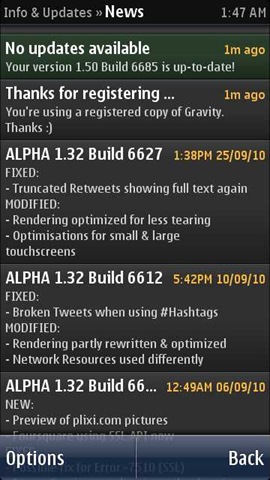
Finally the looong wait ended, when tonight @janole uploaded the alpha build of gravity with polished portrait qwerty, all new facebook section, conversation style DMs and more. This was probably the longest gap between two version (last one was in start of November) and after checking out the various features, it sure seems to worth all the waiting.

Scr000420 Scr000419

If you are not aware what gravity is (which is almost impossible for a Symbian user), then you must check my big review about Gravity. Being a fan of Gravity and @janole for sure, I was also following the development around the split screen and transparent touch keypad inside gravity, which also brings the portrait qwerty over Symbian^3.

Download link here


The complete change log will come from the developer itself by tomorrow, but I am showing you what I find different in my first few mins experiences with new Gravity.

Continue reading “Gravity for Symbian got updated to Alpha 6685-All new facebook section and more”

Nokia Ovi Suit Beta updated to 3.0.0.282

[tweetmeme source=”nkumar_” only_single=”false”]

Developers at Nokia seems to be very busy at the moment. Nokia Ovi Suit Beta just received an update and now reached to version 3.0.0.282 from the last December 08, 2010 version  that was 3.0.0.271.

Ovi Suit Update

No change log available yet except it says the following…

  • Improved feature and performance
  • Updated applications
  • Better stability

You can download it via update feature in Ovi Suit itself or from via Beta Labs link directly.

Be tuned in to know more.

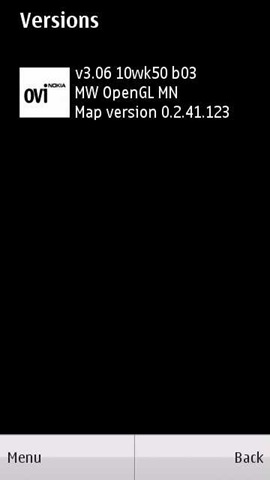
Ovi Maps 3.06 got a little bug fix and stability update

[tweetmeme source=”nkumar_” only_single=”false”]

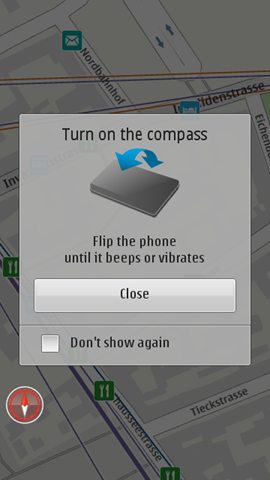
Beta Labs people updated their Ovi Maps 3.06 page by last night to reflect one more minor update to Ovi Maps. Its just two weeks back, when there are the last update to bring a few visible changes and though no change log available for this particular update, it is supposed to bring stability and bug fixes, including fix for "Update" feature not appearing for some users

main_Menu Compass_1

At least for my region update was not available via software updater. May be some issue. You can download the same via the beta labs directly via this link

scr000410scr000411 scr000412

Thanks to @mobileyog for bringing this in my notice


There are still some known issues pending

  • This feature is only currently available in portrait mode
  • Please note that phones without WiFi (e.g. Nokia 5230) will not work.
  • Ensure that you have a memory card (e.g. Nokia 5800) or mass memory in your phone
  • If you haven’t done so already, ensure you WiFi access point is already in your "Internet" destination folder. If not, please add this via Menu > Settings >Connectivity > Settings > Destination (this may differ on other phones)
  • If WiFi is disconnected during download, the map data will not resume and needs to be started again
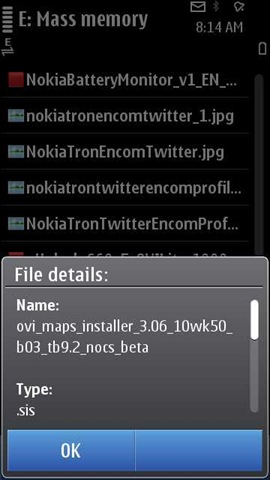
  • "Map Download failed!": Due to changes on the Map data server, you will need to manually delete the following files in order to use the "Update" on your phone. Please delete the following files (e.g. via File Manager on your phone) from your Cities folder (usually on your mass memory E: Drive on your phone).
    \cities\maploader\catalog-00.02.41.123.xml & \cities\maploader\cityindex-00.02.41.123.xml