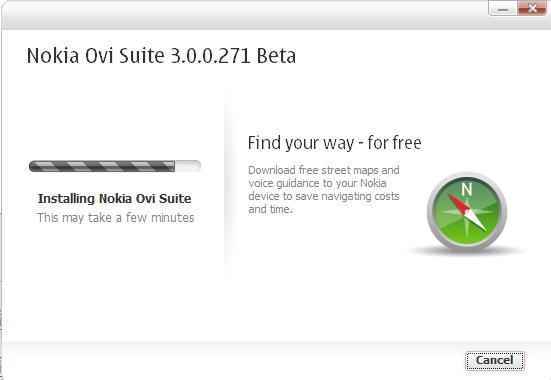
Nokia Ovi Suit beta updated to 3.0.0.271

Admit it, we all love updates even if the software might be working perfectly for us. Who doesn’t like new features and better performance? So, today is the day for updating your Ovi Suit like right now. Ovi Suit

The last version was 3.0.0.254, which is going to be updated for 3.0.0.271.

Update details

As you can see, there are three normal differences from the last one

  1. Improved features and performance
  2. Updated application
  3. Better stability

You can get the update notification over ‘software update’ icon over ‘Ovi Suite Home’ page or you can manually check for the updates, by just clicking on ‘Software Updates’ button at ‘Tools’ Tab. The size of update for Windows XP/ Vista is 73 mb and for Windows 7 its 93 mb (All 32 bit), while if you download from their official website link, then its around 91 mb.

Note: Nokia says that for those users, who have Nokia Ovi Suite 3.0.0.254 installed, we recommend using Nokia Ovi Suite’s own update wizard, but Somehow I found the update via Ovi Suit option slower than downloading via web link. May be temporary connectivity issues.

ovi suit beta

After installation, the first thing you will notice is, no restart required like you were needed in case of last installation of version 3.0.0.254. UI is similar and no visible changes seems to be here yet. Though some have reported that this updates brings Real Golf game of around 140 mb size for Nokia N8 as a free application update, I have yet to connect my Nokia N8 to check the same.

The Official Change Log

Key improvements in this Beta update:

  • Various crash corrections, for example "crash when editing playlists", crash when transferring music to device and many more issues
  • If you birthday information to a contact and don’t specify year of birthday, current year will be used.
  • Fixes to situations, where after update of Nokia Ovi Suite, device was not correctly found via USB cable.
  • Fixed issue in home view, where sometimes music album art and music track name didn’t match
  • Fixed situation, where in restore operation got stuck, if the phone connected to charger, when starting restore operation
  • Windows 7 pinning into Windows 7 task bar fixed
  • Latest translation updates taken into use.
  • Fixed situations, where error message didn’t fit into dialog.

Watch the video about the Nokia Ovi Suit Beta (its the old one)


What is NFC and do we have enough reasons to excited about it?

[tweetmeme source=”nkumar_” only_single=”false”]

A discussion has started that if Google CEO Eric Schmidt’s announcement on Monday about NFC with Nexus S was a shot that Nokia should have taken many days before and if this is again a marketing failure from Nokia part. Is this a sign of weak confidence to attract vendors or the major market of Nokia (not Europe and west but Asian continent) is not ready yet to come strong on NFC?

Let’s take a look over the technology first …

What is Near Field Communication (NFC)?

As per Wiki article

Near Field Communication or NFC, is a short-range high frequency wireless communication technology which enables the exchange of data between devices over about a 10 centimeter (around 4 inches) distance.The technology is a simple extension of the ISO/IEC 14443 proximity-card standard (proximity card, RFID) that combines the interface of a smartcard and a reader into a single device. An NFC device can communicate with both existing ISO/IEC 14443 smartcards and readers, as well as with other NFC devices, and is thereby compatible with existing contactless infrastructure already in use for public transportation and payment.

NFC is primarily aimed at usage in mobile phones.

nfc

A patent licensing program for NFC is currently under development by Via Licensing Corporation, an independent subsidiary of Dolby Laboratories, while a Public, platform independent Near Field Communication (NFC) library is released under the free GNU Lesser General Public License by the name libnfc.


Existing usages in India

The same technology been under trial across the world in many areas since last seven years (even in India Delta Technologies and Citi Tap and Pay – Citibank India trialing it). Many mobile payment technologies making use of it across world including Nokia and Samsung as of now. Even VISA and MasterCard also working on it at some places.

Applications of NFC

The applications of the such a technology are plenty like Electronic ticketing, Electronic money, Travel cards, Identity documents, Mobile commerce and Electronic keys etc. Exciting for many, as it will make the life even more easier as your smart phone will be one device for all your needs, movies, internet browsing, navigation, music and now even used as a credit card or debit card.

How is it different from already popular Bluetooth technology? Limitations ..

Disadvantages over Bluetooth

  1. Lesser data transfer speeds (max 848 kbps)
  2. Shorter range (max 20 cm) than Bluetooth technology.
  3. Upcoming Bluetooth 4.0 low energy protocol will be consuming even lower power than NFC as of now
  4. NFC alone does not ensure secure communications is vulnerable to data modifications. Applications have to use higher-layer cryptographic protocols (e.g., SSL) to establish a secure channel.

Advantages over Bluetooth

  1. Almost instant connection (around 1/10 seconds) in comparison to pairing procedure of Bluetooth
  2. Low power consumption and could work (alternatively) even when one of the device is powerless
  3. NFC is compatible with existing passive RFID (13.56 MHz ISO/IEC 18000-3) infrastructures
  4. Shorter range makes it suitable for crowded area with high interferences

Not sure, if I am concluding right, but then rather than the tech itself, what’s being stressed as advantage of  NFC is the already existing infrastructure for that. I wish to remind people that NFC is not being used in secure payment methods yet, secure means encrypted ones and is very much hack-able.

In other practical limitations, it’s the requirement for compatibility with legacy deployments, including payment systems such as MiFare (used by London’s Oyster cards) which operate at 13.56MHz. MiFare and it’s ilk work over very short ranges, typically a few centimetres, and can be powered by current induced by the reader. NFC, by necessity, shares those capabilities so will operate even if the phone’s battery is dead, but that also means the transmitting at very low power, far too low to break out of a phone casing. This therefore forces NFC to rely on an external antenna to operate.

Why NFC is still half baked technology when it comes to financial usages?

The most dangerous aspects of NFC, which is being skipped while talking about easy financial applications are related to security and unfortunately most of them still open, which puts a big question mark on implementation of such a technology in financial domain at least. This been a kind of dead technology for this domain since years due to some serious limitations. Most of them were mentioned in a paper long back, PDF link here, worth reading once, mentioning a few of them here in my words…

  • Lost property
    The biggest threat to this technology is the simplest phenomenon, loosing your cell. Against the common PIN security mechanisms, NFC one is a PIN-less method, means once someone else gets his hands on your lost phone, there will be no stopping misuse of the same till you get your account cancelled from carrier. Obviously, software running on top will come up with some solution to this.
  • Eavesdropping
    There are already many methods to intercept the communication between two devices over NFC. An Open source device which is able to eavesdrop passive and active NFC communications is the Proxmark instrument.
  • Data modification/ destruction
    Data destruction is relatively easy to realize, while by complex measures one can even modify the bits of data. Though there are methods that an NFC device could employ to avoid such threats and possibilities.
  • Relay attack
    Because NFC devices are usually also implementing ISO/IEC 14443 functionality, the relay attack described are also feasible on NFC. For this attack the adversary has to forward the request of the reader to the victim and relay back its answer to the reader in real time, in order to carry out a task pretending to be the owner of the victim’s smart card. One of libnfc code examples demonstrates a relay attack using only two stock commercial NFC devices.
  • Walk off
    Once lawfully opened access to secure function or data is usually protected with time out closing on pausing the usage. Modern attack concepts may interfere despite the intention to shut down access when the user turns inactive. The distance of a successful attacker to the locus of lawfully granted access is not addressed with any of the described concepts of NFC.


Nokia and NFC

121057286

I was like big time surprised, when I came to know that my oldest handset Nokia 3220 had NFC back in 2004. It was actually the first commercial product including NFC that shows that Nokia is always unbeatable when it comes to adopting the latest tech and bringing to the world.

Nokia was an early backer of NFC and co-founded the NFC Forum in 2004 with the technology’s creators, Philips Semiconductors and Sony Corp. Nokia had earlier introduced four NFC models, the 3220 and companion 5140, the 6131 and the 3G 6216. These phones have accounted for more than half of NFC trials and other NFC projects held since 2005, NFC Times estimates, (see Project Database) and were some of the few available for sale.

Recently in February 2010, they were about to come up with Nokia 6216 model, which was going to be the first NFC SIM phone ever came to market and it was even notified to leading operators, but later on the idea got cancelled.

There is still a pressure from operators to bring this tech early on handset. Not from Nokia, but some of experts even say that built-in NFC inside the SIM cards would be more reasonable than a specialized phone, if the carrier really care about it.

Is NFC gonna pull the market?

While there was much talk about NFC in tech world since long, its sure been Google CEO, who should be credited for bringing it in lime light again, which was fading since Nokia delayed the commercial implementation. But what more turns the technology gonna take?

Definitely, the technology is not about the hardware only due to its current unsecure nature and sure it remains a question that should the big tech leaders put money behind this project, when it will still rely on software implementations or should look over other alternatives like China is trying with their own RF SIMs. 

Pushing NFC Technology on big scales is a risk that was once taken by Nokia in 2003, when they co-founded the NFC forum, but still after 7 years of trials across the world, we don’t see much momentum behind the technology in comparison the development in other wireless technologies like Bluetooth etc. While Nokia still taking risk around their once founded Symbian Forum, sure it stands a hard question that they should take the same risk of pushing NFC on big scales.

I don’t think that Nokia is wrong on it

I think Nokia gonna be silently putting NFC chips in all of its upcoming models and will be observing other big movements like Google’s move. Whenever they find the infra in place, they will be ready to go without doing anything as hardware will be already in place and just a software update and some negotiations will make it. Simple reasoning is Nokia can’t stand behind the name of a failures, while Google is used to face many like their Wave, Buzz etc.

What you think on it? Please tell

Digg This

19 December-Countdown begins-Firmware update PR 1.1 for N8 – Not coming before January

[tweetmeme source=”nkumar_” only_single=”false”]

Update: We just received a tweet from @NokiaIndia that Nokia N8 or Symbian^3 wont receive an update before January 2011, while this is a sure a big disappointment for the users waiting for the update to remove some of the annoyances and some better performance, we could only hope that they will make it a big update in January 2011.

Nokiaindia

But at the end… its sure a disappointment for the users who given a big sales figure to Nokia and also more worse as they still not confirm that its coming even in first two weeks. Usually “sometimes in month” been the last week of month, when it comes to Nokia.

The day coming close.. the day, when our favourite Nokia N8-00 is expected to get the first firmware update. Nothing confirmed from Nokia officials, but high hopes due to some almost confirmed rumors that new firmware will be announced with/ before next coming Nokia release of Nokia E7-00.

I am starting a countdown here for the big date and will be adding the wish-lists and rumors around it.

NokiaN8

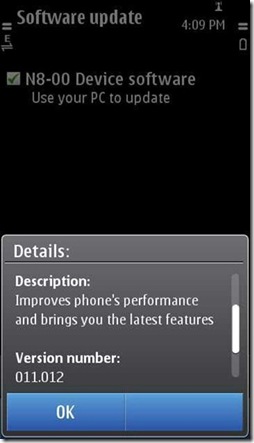
This will be the first firmware update after the current version that is 011.012 and there are many things that could be expected from it other than the bug fixes. Let me list of top 10  …

  1. Very significant improvements in browser, which will bring tabs and new way of loading pages
  2. Draggable four Home Screens bringing smoothness to entire navigation experience
  3. While Split keypad might be a few more weeks far, portrait QWERTY is sure near. Possible Multi-touch
  4. Nokia Situations replacing profiles and becoming a standard from here for Symbian^3
  5. Contacts integrated IM/ conversation like N900 or a entire new thing (less likely)
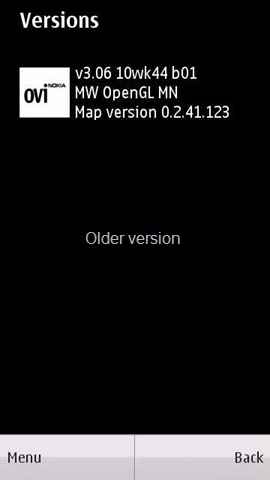
  6. Ovi Maps 3.06 expected to come out of Betalabs
  7. Camera UI reworked, touch to focus and Auto-Focus video option. Pinch to zoom focus
  8. Larger zoom in Camera/ Gallary (more than mere 2x) and also HDR mode like Nokia N900
  9. New Nokia Social with dark theme with special attention to twitter
  10. Much smoother Nokia Messaging along with option of non-HTML mails

Update (Thanks to waloody88):

Adding a few features more in this wish list that are sure worth expecting or wishing from Nokia N8 firmware update PR 1.1

  • Nokia Music player as on Nokia N8 look too good with that very smooth cover flow, but still people seems to be missing a lot of basics here like
    • There should be sorting option for getting your songs by date or recently added.
    • There should be a search option that might be useful in finding your song, when you dont know the album/ movie name.
    • There are a few presets available, but people seems to be missing the customizable Equalizer a lot
    • What about SRS Sound premium on Nokia N8
  • Though there are apps available for the same, but we want Internet Radio and Podcatcher back on Nokia N8

Please write your suggestions to add on this list. May be someone from Nokia might be listening your comments as we seen in past that they do.

Thanks to @mlymehta for the same suggestion.

Ovi Maps for mobile v3.06 got an update

Look like things at Symbian side happening at pace finally. In recent days, we seen them pretty busy updating devices etc. Last night, there was a minor update for Nokia Social and now here in noon, we got an update for Ovi Maps 3.06.

scr000380

scr000379  scr000394

Yes! its still from beta labs and we have not got the version 3.06 pushed into final version, means you wont get this update via OTA or software update and you have to download it via Betlabs only. Though for your help, here is the direct download link.

scr000382 scr000383 scr000384

For the full details of what the update brings for you other than the usual bug fixes, you should head on their official blog post on it. Highlights are ..

Main_Menu

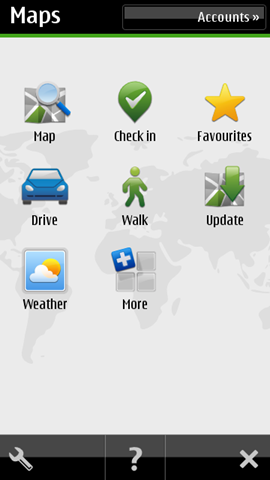
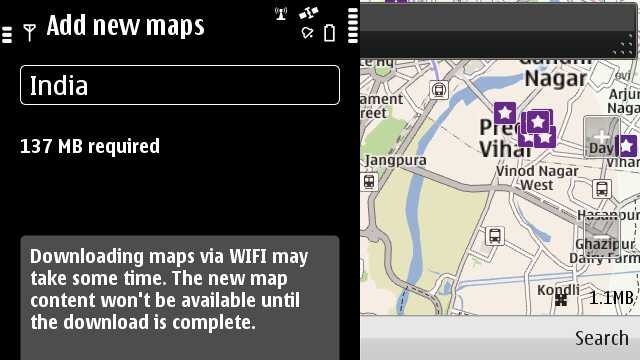
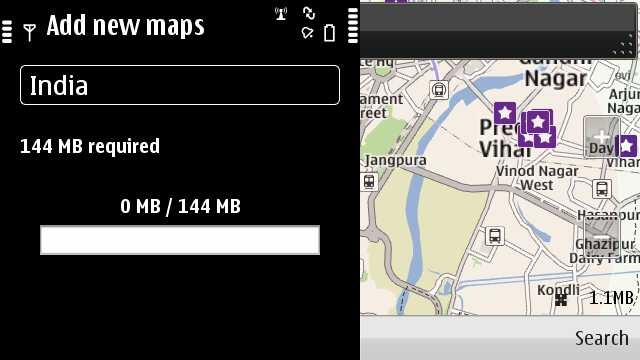
  1. An update icon in the menu to enable the user to download the street maps directly into the device without need of some PC. Though the same feature is available over Wi-Fi only.
    Note: You need to put your Wi-Fi connection in Internet folder.
  2. My Position and Search are now integrated (now called Map). When accessed, it will show your last map view.
  3. Back button in Favourites
  4. Long tap functionality to delete & rename collections & routes
  5. Pop up for first time use – to inform user to download new map data (when upgrading 3.04 > 3.06 for the first time)
  6. Improved behaviours of transit lines settings in map toolbox (no more grey out)
  7. Compass calibration hint
  8. Refreshed place details information view

scr000386scr000388

scr000389scr000392

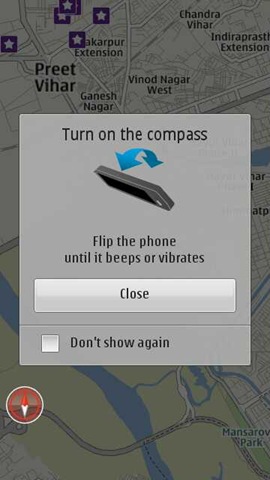
I also noticed the compass notification, which says that flip your phone to use the compass.. cool.. at least over WiFi tethered from JoikuSpot on Nokia E5-00 (MTNL 3G) connection). Following was the compass hint. Cool and simple.

scr000398


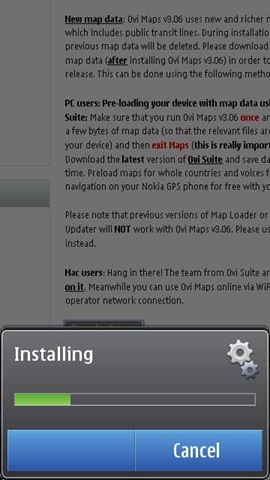
Also note that Ovi Maps v3.06 uses new and richer map data which includes public transit lines. During installation, your previous map data will be deleted, but please note that if you have previously used Ovi Maps 3.06, your Map data will not be deleted after installing the updated release.

Compatibility: Ovi Maps for mobile v3.06 is available on the following devices:

Symbian^3: N8, E7, C7, C6-01
S60 5th Edition: N97, N97 mini, X6, C6-00, 5800XM, 5235, 5230 & 5230 Nuron

Please note that S60 3rd Edition, FP1 or FP2 devices (non-touch) are not supported in this release. Unsure about the platform of your Nokia device? Click here and find out.

The previous versions of Map Loader or Nokia Maps Updater will NOT work with Ovi Maps v3.06. Please use Ovi Suite instead.

So, have you updated yours yet?

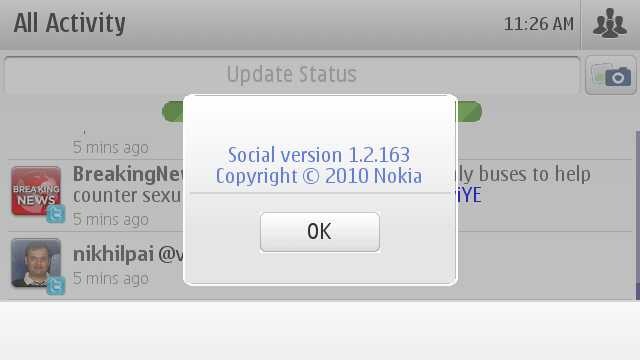
Nokia Social updated to 1.2.163 for Symbian^3-Change Details

Finally some updates arrive to Nokia Social- The social application on Symbian^3 got updated to version 1.2.163. Which seems to be the second update to the same application of size around 2.38 mb. Seems to pushed by last night 2AM Indian time, Its already been reported to appear on Nokia N8-00, Nokia C7-00 and Nokia C6-01, so we could assume that the update is for all Symbian^3 devices.

scr000376

While its hard to notice any of the differences, but it seems to be tweaked from inside to bring many of the changes in the core. Following are some of the changes that I noticed.

  1. Quicker loading of app and better connection handling: Probably due to the fact that its loading the older updates from last session without using internet connection first. Making it possible to finally load, even in absence of reliable network connection, which was taking ages earlier (never loaded on WAP to me). Though I am still unable to update via WAP connections, but with 3G, APN or WiFi, its going smooth, which is a good news for people, who were finding themselves unable to get it loaded even on Wi-Fi.
  2. No arrows back on Home Screen Widget: Some already said that such tiny arrows were of no actual use, but I guess there are so many more people, whom this annoyed a lot, when arrows got missing in last update. Now still, all what you got to wait for the second update to appear on the screen. Not a good thing.

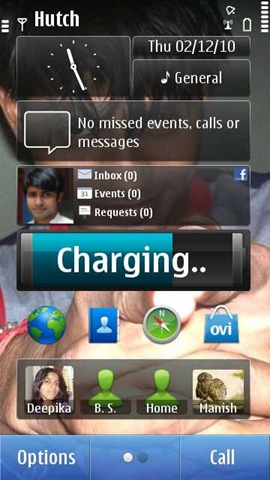
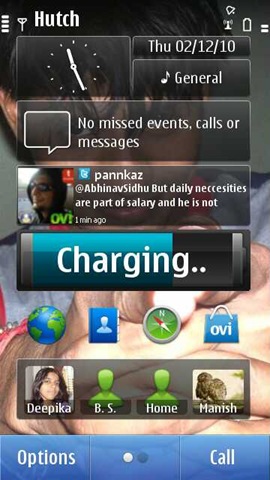
    scr000371scr000372scr000374scr000373

  3. Likes and comment counts on Home Screen Widget: Though I wasn’t able to get a screen shot of the same, but the widget now shows "likes" and comment-count on status updates.
  4. There is no change is color and its still white: For a better battery life, it was being expected that they will make the background darker in next update, but that didn’t happened till now at least.
  5. Facebook part is a lot smoother now: Can’t say about twitter part, but facebook part sure seems to improve on scrolling part. Inline previews of pics and videos are loading quicker (A things that Gravity misses badly). Its loading text first and images at last, a hint for people, who might be complaining on not loading pics.

Well out of many things that people might be wishing from the social app, what most i am wishing is, manual settings for the connections, in the way, those are in Gravity, A darker theme, common options like Reply to All, Re-tweet, geo-tagging available right there in app and list goes long. Let’s see, when will Nokia reach there. Till then we all are calling it a very very minor update.

Manual Download:

For people, who missed to get it in to their OTA updates via Menu–> Application –> SW Update, could download the sisx file from here http://nmota.messaging.nokia.com/clients/Social_1_2_update.sisx

The power in hands of mass-Nokia E5-Unboxing and first impressions

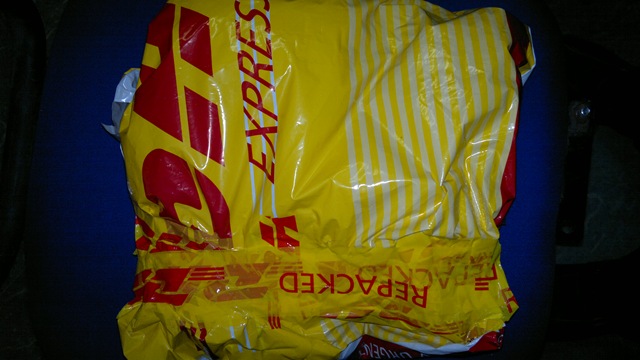
Sir! you got a parcel” – I got a call from the security in-charge of our office and I knew that it came.

27112010761

It would be wrong to say that I was not expecting the same. Great people at @WomWorldNokia and DHL both are transparent in their operations and being in New Delhi always come as advantage because I never had to wait for more than 4 days, once WomWorld people give it a go.

Happy to see a review unit back in house after a little pause. Thanks WOM people, thanks again.


This time, I thought to ask my friend Krishna to come up, so that I could get a fresh hand opinion from someone else as well. So, all the back ground stuff ends here …


So this was the shiny and slim blue box, we got for Nokia E5-00 and this time it was a white one. So it was the second white device to me in a row after Nokia N86.

27112010750 27112010756

After opening the box, I was greeted with the regular Nokia Accessories with white Nokia E5-00 taking the middle place.

27112010758

If you go by the specs, then a 600 MHz processor with 256 MB RAM that too with such a nice QWERTY, so reliable S60 V3 FP2 OS and an extended battery life with 1200 mAh battery sure deserves a price. Still for keeping the prices down, I was not expecting much of the goodies inside the box.

28112010786

Again that small tiny USB cable. I bet no other manufacturer would have been shipping such small cable. Oh! Com’on Nokia, it wouldn’t kill you if you keep on shipping those longer length USB cables.

28112010781

Matching with the colors of the device, we got the white stereo headsets as well, though for a surprise, those adjustable ear buds are not included in the package. May be price compromise. Fine with it.

28112010789 28112010791

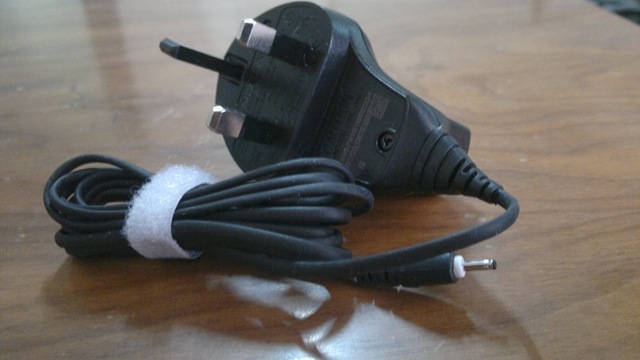
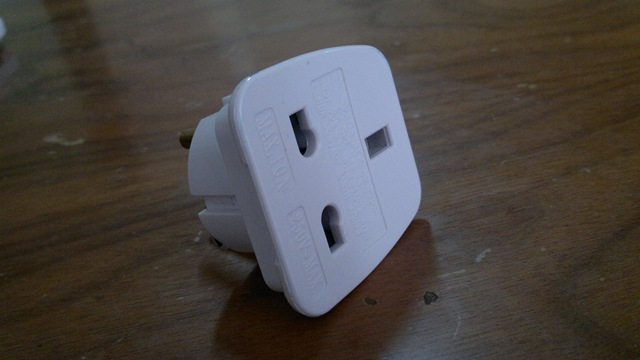
The charger was a UK one (Indian package would be different), but with a socket as well.


When taken out of the box, the white color was a real piece of beauty for my surprise otherwise, I always been a fan of Black/ Dark Gray devices due to rough nature of my work most of the time.

28112010779* Obviously the pics was taken after setting it up but this was a beauty, isn’t it?

28112010818

The front of the device has a nice speaker in front top and a light sensor at its usual place.

28112010817

At the bottom, there is a tiny microphone and obviously none of you might be asking for some noise cancellation second microphone here considering the price of the device that is around 11.3k INR.

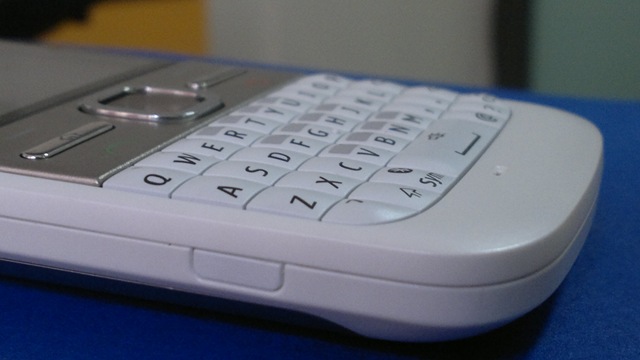
A richer and comfortable QWERTY with a longer space key in the middle and a metal plate featuring six buttons namely Left and Right Selection Keys in first row, Home keys and Messaging key in second row and finally Call key and End\ Power key in last row.

28112010795

I am trying to avoid the comparison, but let me mention few differences between Nokia E72 and this one. For me almost all of them been very positives.

  1. It removes Calendar and Contacts buttons (I wasn’t using them much in Nokia E72 either)
  2. It brings green and red colors to Call and End Call keys, which were plain in Nokia E72.
  3. It brings extra width for space key

If we rest of the device, then Nokia seems to have taken a very minimalistic approach in design.

 2811201081528112010811

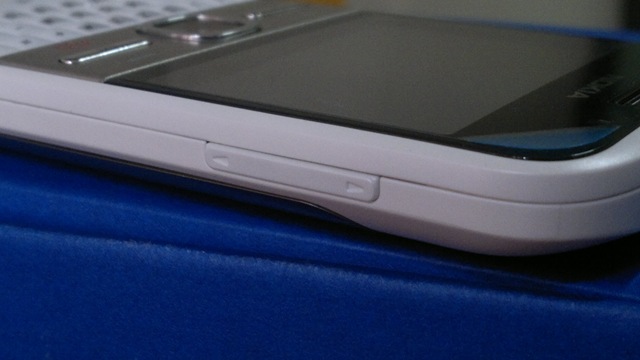
Not many buttons are around and as we already have seen power key been already merged with the Call End key (though I Haven’t been favour of this compromise, but its about habit only). There are two plastic buttons on the sides, which pushes the battery cover out, when pressed. There is no camera/ Gallery buttons neither many would have preferred so for not camera centric device. The Navi Key works as a Camera button as well.

28112010812

Upper portion has the volume key on the right side, for which I will say that the feedback could have been better as current one feels a bit extra tougher.

2811201081301122010047

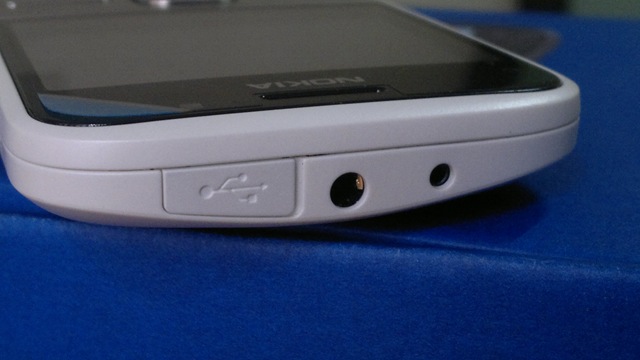
While there is nothing on the curvy bottom side, the top has the 2mm power jack, 3.5mm headset jack and one MicroUSB port covered with a plastic cap. Did I told you earlier that I always preferred devices without the plastic cover as such caps are always susceptible to be broken, but still I understand that many wants this to be in place as well.

28112010808 28112010807

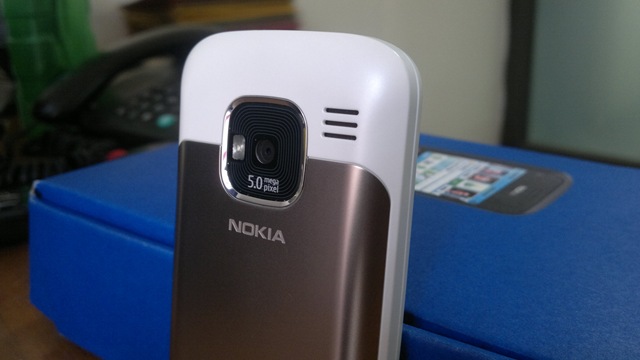
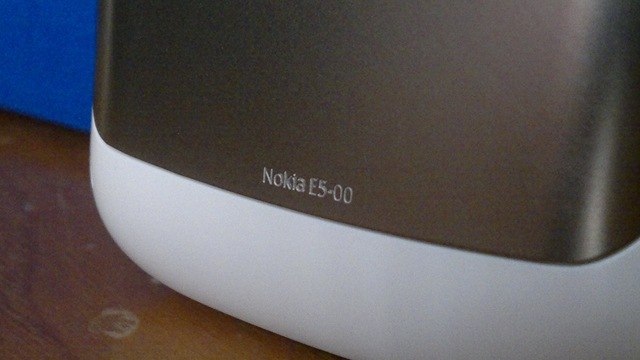
The back of device features the 5MP Full Focus Camera, a single LED flash (works as video light too) and a stereo speaker. Though I would have argued over the placing of speakers on the back, but the volume is such crisp that I still doesn’t mind it. We also find Nokia E5-00 engraved at the bottom of battery cover, that’s cute.

2711201076030112010035

The same 1200 mAh battery that I criticize up to some extent in Nokia N8-00 and E7-00, I seems to be loving in Nokia E5-00 for sure. You can really really rely on this device for the whole day and night too.

30112010033

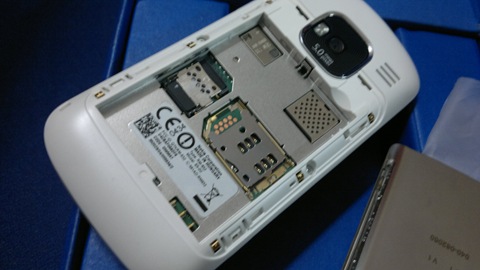
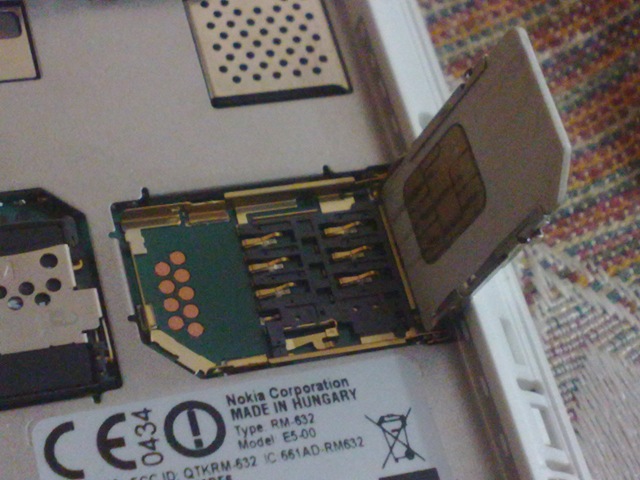
And may be many don’t stress over it, but for me placing of SIM slot always been important. We got exactly the same SIM slot as was there in Nokia N82 means no scratches over the SIM or struggling to put it right at first instance.

28112010800

While there are many arguments over the Full Focus cameras, but one thing is sure. Some casual snappers seems to be even liking it as I took opinion of some. No wait for getting focus right and you just have to keep the hands straight while taking pictures. Unbelievable for me, but many seems to be liking it. By the way, being a S60 V3 FP2 device, it also has advantage of having panorama mode inbuilt in camera.

30112010014

Some of the random shots in day light

28112010006 28112010004

And in night light. Yeah I will post Flash reactions later on.

30112010019

And at the end, let me tell you guys, just for sake of getting exact feeling of Nokia E5-00, I am keeping my Nokia N8-00 as retired and Nokia E5-00 has taken the driver seat. You know its not an easy job, is it?

28112010006

So, these were some of my first impressions on Nokia E5-00. All I can say is, this is a brilliant piece of hardware in a superb and very very well justified price. A device that you could live with for sure and still never regret like you never regretted with most of the E-Series devices.

You should expect some more coming in next coming days. Be tuned in ….

Sixth Interview-Mukesh reckons that Windows Mobiles are the best

[tweetmeme source=”mrnitishkumar” only_single=”false”]

When this idea of interviewing the various users about their phones started, then I wasn’t aware that it gonna be this much fruitful and has even potential of standing on its own in form of some blog dedicated to such question-answer sessions, but after five interviews, even I am feeling that may be we are not giving each platform its proper share of attention (may be diverted in opinions by other users/blogs). Many of the questions answered, some of the doubts cleared a little and now the journey reaching to one more side of the market, which mostly went not well promoted- Windows Mobiles.

Here is Mukesh Nigam, a computer professional from New Delhi talking about his Windows Phone and man! he is really such a strong supporter of his HTC and windows mobile. Some really long answers sometimes and some of the hard statements.

Leaving the show on him from here onward …


Mukesh, Can you tell us something about you ? like your field, profession,background etc..blogging\ social life or anything special. 
Hi All, myself Mukesh Nigam, a computer professional from delhi. I have done MSC (Computer Science), DNIIT from NIIT, Web Page Programming from NIIT, CIC from IGNOU and some other courses on HW and SW from local inst. As well.

You got me by Google buzz that’s pleasant and still quite strange to me as I am not getting enough people engaged on Google Buzz in comparison of twitter. Are you active on twitter too? What’s the handle?
I Do have an account on tweeter with the same handle mukeshnigam2010

Its true that with Windows Phone 7, Microsoft seems to coming back strong in Mobile world. But its also a fact that no one can deny that Microsoft didn’t well with Mobile market. But still you stays with Windows? Any reason? 
Yeah Dear! you are right, winmo 7 has got some more features but here let me clarify you that windows mobile were better from the beginning but people didn’t knew it before. The windows mobile 7 has got more easier to use than its previous versions. Like earlier versions (like 6.0 shows a menu bar just like the Windows of desktop and you can customize the 7 main items, where as windows 6.5 puts u directly into the all program icons just like iPhone & others.

The main reason till Microsoft’s failure was only because the apps factor. Even yahoo messenger was not working well from the yahoo’s own site, But now you can get thousands of apps for your windows mobile for free. Even it got the messenger which works much better than the traditional yahoo messenger as you can chat with multiple account at the same period of time such as yahoo/icq/aim/msn/google/jabber/facebook at a single point of time. You can also share pics while chatting by drag and drop or from cam with this. ( The Messanger name is ‘SLICK’ for windows mobile.

As per my view, the reasons for failure of Windows Mobile till now been –

Its marketing strategy (less margin for dealer & min. marketing) & the lack of apps (which has overcome now in a way as you can have thousands of apps from various site, even Microsoft marketplace is going better and strong, which comes along with the phone. Some of the sites for apps are- htcfreeware.com (with htc winmo), pocketfreeware.com, mobile9.com etc.)

My reasons to stay with Windows Mobiles

  1. The multi-tasking feature of windows is simple gr8, which you hardly find in any other cell because The basic funda of windows is multi-tasking itself.
  2. Windows mobile provide the widest range for apps, functions and portability than any other os available in the market.
  3. You may hardly finds a HTC windows mobile in a mobile store because of less margin, let me share an incident which took place a couple of months back I went to many store to get a new HTC winmo device named HTC HD2 mini (with win 7), but they denied. I went to a mobile shop for the cell, the owner said that “Why don’t u go for a blackberry” I said, ‘Dear, I don’t like the Dubba” he smiled in affirmative way and says to me “It means u have used a HTC mobile”. 

    Later in  our general talk, He confessed that the HTC has lesser profit margin than the blackberry and others so v usually don’t promote it but they got much value for money and that’s for sure & I may get it from a very few shops because of the same reason.

The list goes on & on. I have checked a lot of cells & then came to this conclusion that there’s mainly two types of people around, one who knows fully potential of a HTC winmo ( who knows it and using ) and others who are not aware of its greatness. (Or not using it, or need something else than the features). My friends & relative had it but now most of them are diverting towards HTC because of mine.

While I guess the list might be long, can you list out the phones you have used for last few years ?
Yeah I am using phones since more than a decade now, my earlier cells were Samsung 2400, SS R220, Panasonic d90/92, Samsung T100, Samsung True Eye, sony, Nokia 3200, Nokia 6600, Nokia 7610, Nokia 7210, Nokia N72, Nokia N73, Nokia N92, Nokia N95, HTC 3470, HTC touch 3G, HTC touch 2 (current).

HTC HD2 mini (with win7) or higher (in a near coming months)

When did you plan to go for your first Windows Phone (is it a plan or accident ?) Do you go by the OS, platform (Windows/ Android/ Symbian) or the vendor (Samsung\HTC\Nokia)?
I Got my first winmo abt 4 yr back & it got just happened by chance. My friend Puneet, who lives in U.K. came to India, and by him I came to know that HTC is the most appealing brand there. Things related to HTC got me fascinated about it soon.

I decided to lets have a change from Symbian to Windows mobile. I got a HTC 3470, it had GPS, EDGE, windows 6.0 professional, 200 mhz pro, 128 mb ram, I really got very excited with its speed on net (with edge) as It gave much more speed from my Nokia N95 and was able to open virtually any site with its MS explorer. The HTC freeware came along with, from which I downloaded some of the apps too, such as flash player & Google maps etc.

Whats your views on touch screens? Do you really feel that they are at par with Non-Touch ones about text entries? 
Yeah the Touch screen phone are really great if the makers are pioneer in Touch revolution like HTC or Apple, Nokia seems to be a fresher in this field, but considering the responses to Nokia N8, it seems they are also getting better.

All of these answer were written on my virtual keyboard of HTC Touch2 and its really nice and easy. What I found from my experience in touch phones is that, HTC user interface is much better than the rest with its added feature of ‘TouchFlow’ on its windows or android platforms.

For me, Windows phone didn’t catch up well for keeping a similar approach as they had on Desktop. Pricing vs Hardware ratio were also didn’t went par with the market at right moment. Is it really preferable for someone to buy a Windows phone, if at the same price Nokia etc might be offering much more capable phones?
SURE Buddy… I will recommend HTC more even it comes at much higher price than the rest.

People can do virtually all the thing on the HTC winmo because they provides a good HW quality and  performance than the rest.


htc-touch-pro2-t-mobile

You use your phone for accomplishing which thing most… calls, browsing, navigation, movies, twitter.. which one? Do you use it as main phone or had used? 
I use it for ALL of ABOVE. I use it as my main phone too. But got an another supplement phone too.

When we talk about mobile OS, then things revolve around performance in limited resources, more and more accessibility in limit screen space, always connected smooth signals and finally the longest battery performance. Where HTC stands around it? 
Well. If you keep its LCD contrast a bit low, HTC Touch2 may last for the whole day with high usage such as internet, you tube, and emailing.

I admit that HTC Sense was a nice approach for the home screen, how much it has improved from the earlier versions HTC was trying. Have you used any of the old windows mobiles, if yes then how the things changed from there? 
In earlier versions, it was 2D only then it became 3D along with good animation, later it got more colors and easy to use interface with the exciting UI. Currently it has refined in areas to make it more user friendly with smooth & great animations. Windows mobile experience on a HTC mobile is Above from the Rest. Its like having an IBM computer (pioneer in H/w with quality product) with a Genuine Windows PC (pioneer in good quality s/w product).

When we go for Mobile OS other than Symbian, then often we find ourselves encountering serious limitations that we always took for granted on Symbian? Anything special with Microsoft which Symbian and most common Symbian phones around unable to do or do not that efficiently? 
AS I have told in my earlier answers, it does virtually all the things which are even impossible to do in rest. Can u tell me what the specials which are you talking about?

Battery is something which makes or breaks things for many. Where HTC stands about it?
Batter life is not a big deal in it, if you do simple e-mailing and maps ( w/o GPS) etc. Then it provides a very decent backup of around two days easily. I will give it 8 out of 10

Slim factor is something people talking much about now days. How was the form factor of HTC for you? Some of the models were not liked due to the fact 
Slim factor is also which matters the most for me too. Slim means more comfortable and easy to carry.

There is much of the talk around Camera, Gaming, HDMI etc. Where is HTC and Windows on this?
Camera quality is very good compared to others who got higher resolution it captures the nice quality pics. 3 D gaming is also works gr8 on my touch2 cell, I do play Price of Persia (HD) 3d and works gr8. I find it at par with rest of the market and even better.

Check out the pics given below, taken in day light

IMAG0452

Your phone is total touch only, right? So, Portrait or Landscape.. what you prefer about texting? Whats different about touch keypad here than other platforms you might have tried? I guess there was no swype, right? Have you heard about Swype?
The swype or slideIT is not available in htc touch2 ,but available in HD version of HTC. But you may download it from various site for free. Plz Check http://www.Bestwindowsmobileapps.com for some exciting games & apps

How is the IM, Video experience on it? You need app for that or its like Nokia N900 Maemo or something? SMS/ MMS experience?
Winodows msngr comes by default or may install Slick (described earlier) for free.

Well at some places, smart phone become a bit lesser attractive when loose internet connection. How is it about HTC and Windows? What can keep you engaged when offline?
SURE BUDDY.. you can still be engaged with its GPS apps such as ‘Sports Tracker’ – keeps us footprint records, your travel track, speed, max, min, avg, up(in meter), down (in meter) or ‘Cycle Computer’ or Smart Runner – Provides ur speed and calory burn, ‘Sporty Pal’- Provides & keeps track of all ur activities & calory burns such as driving, swimming, walking, running, flying, cycling etc. or you can play 3D games on it with a lot of cool stuffs, which you may download for free.

How is GPS there on HTC? Which Maps application Windows phones are generally using? How rich they are in comparison of Ovi Maps or Google Maps? Is there any things like free voice assisted navigation etc, which most of the Nokia phones come equipped with now days?
THE GPS of my HTC touch2 Works really gr8. shows the precise and exact location on map too.

Twitter, facebook … been the biggest buzz of town now days and sometimes become the deciding factor to define a mobile platform too for some people. How much you are into these two mediums and which app you used for these? Is there any shipped with the phone out of the box?
Yeah, I do both. The apps are provided in the phone . You may access directly by your phone browser too or can place a bookmark with the logged on on opera mobile 10. where you can always be online and can access at any time just by taping on the linked window.

Now on real things, is it loud on calls? What about the music performance?
FM works great, its decent on calls, music performance is quite fine, but superb in headphone rather than the speakers.

Bluetooth transfer, MicroSD cards etc. How it stands in a world where you find much lesser Windows phones users in comparison? How you work out if some of the friend asks you to transfer some song to his Nokia phones or if your phone ran out of battery and you need to find a charger which is sure not that easy job as easy it is to find a Nokia universal charger?
The Bluetooth transfer is supported and is really fast with it and also the microSD card. It can play virtually any format so no worry about it.

As about charging, then if you don’t have any charger it will still work in case of HTC mobile via USB charging, because you can charge it from virtually any device such as your Car’s Stereo, computer, FM Modular, Laptop, desktop, all you need is a USB cable.

Do you think Your HTC can act as a full time "phone" in your hands or you need some backup phone too .. considering touch screen and battery limitations in mind?
YES it can be used as a full time phone if you don’t watch you tube clips for hours or runs of map with GPS on for several hours, but that’s general situation for every brand.

Where HTC stands in camera battle with likes of Nokia N8, SGS and iPhone 4 with HD recording capabilities? 
Not particularly this model might be very big on video recording, but it does not provide HD recording but you may capture MPEG 4 with CIF (352*288 resolution) format.

How many apps are there in Microsoft Store for their Mobiles? Is HTC provide their own Store too? How many free apps are there and what are prices in general? 
Thousand of apps are available for Microsoft mobile, a good one is www.myphone.Microsoft.com 

What feature(s) are completely different and most attractive to you on Windows, which you find no where else ?
Literally many like …

Microsoft Office 2010, Stability and Performance, Transcriber, MyPhone, You Tube, HTC touchFLo, One Note2010, NET Speed of 384 kbps on Even at 2G (touch2 also supports 3G network), Full mail support as v do in Desktop computer, RSS Hub, Remote desktop Mobile, Qmenu, MSN Weather, Superb Multi-Tasking Environment, Support for Zip files, Quality of HTC

Me: I will say, most of them are available at  other platforms as well though native support for RDP is what always excited me.

What you dont like about Microsoft or HTC?
The Camera Flash is not available in most of the models such as mine (Touch 2), so cant shoot pics in dark, pics in daylight is wonderful.

What about cloud Services? Android betting on Google Cloud, Apple making their own, Nokia with Ovi? What Microsoft is betting on?
Google and other Cloud services could be accessed via Windows Mobiles in the same way, you might be doing with Desktops, so not an issue.

Let’s say, you got a SIM with no GPRS and you have to start a fresh piece of HTC without internet, is this really cut then?
As Described earlier, Can still worthy.

Will you recommend others to buy HTC Touch2? If not all, then any particular segment? Or which other handset?
ha ha!! Do you still need the answer for it, dear? Check out the video given below

Does Windows has a future as per your guessing, when even HTC exploring Android on big scales and it has boosted the number of handsets for them? 
YEAH sure. Because now windows mobile has got thousand of apps too which were lacking before, the future for winmo is bright. People looking for more will go for it.

Your score points to the HTC Touch 2 (rating if any..)
9/10 (1 point less because No cam flash or HD recording like Nokia N8 and others have)


Thanks Mukesh, its been a fun talking to you. You really seems to be a hardcore fan of HTC and Windows mobile. If any of the readers have any queries related to Windows then they sure can leave their comments here.

Please express your views that how much you agree with the points and keep on showing love for this current series of interviews going on.

Digg This