Nokia N900 – Things you never seen before anywhere else

I am back to Delhi. Right now in the train. You may find it funny that I am leaving my hometown on the same day as Holi, but it is and let it be, I am already sad about it.
The fact is I am travelling and have passed more than 8 hours without even noticing, without getting bored, without even talking to strangers, co-passengers. Bad!!! Isn’t it??? A man is supposed to be a social animal, right??? But this thing is addictive, really addictive!!! I’ve to own it or have to own it’s successor ‘MeeGo’ or whatever they are calling it. Just wish that they remove those annoying absences and they’ll win me.

Here I am using MaStory again to post my views, when just finished watching ‘9’, ‘Dark Night’, ‘The Last Legion’ and ‘Visions’ over the same ‘kmplayer’ with my Nokia N900. Yes! It’s batteries are not almighty to last longer than 6 hours movie play over it, but even then 6 hours movie play!!! Isn’t it amazing? I sound like advertising the trial device, I got… Right??? I swear I don’t wanna sound so, but …

Here I am to summarize a few apps and conveniences, I found with only Nokia N900 and will be missing in all device, I will be buying next before I buy this one (or a better version of it based on Maemo or MeeGo.)


1. Qwerty keypad: I read someone out there ranting about keypad that they should have kept the spacebar in middle of all. Spare me plz!!! Suggesting something is different thing and actually putting it to work for most of users is other.

I am literally loving the way, it’s keypad is and kudos to Nokia that they are pushing most of their latest devices with qwerty keypads. Smart phones gonna be like they never before. Earlier you heard that you could do all the things of world with your smart phone, just need to learn a few things about it and now…. You don’t even need to learn, just do the way you were doing with your lappy or PC. Do someone needs Netbook here or that genre will die in same way as Pagers did against cell-phones?


2. 3.5" screen, 16M colors and 800×480 resolution: I thought about such a day when watching movies and browsing web over cells would be that much easier, cell-phone companies thought that soon enough the market of Value Added Services will see a boom, but nothing worked out that much faster as is supposed to happen now with such high resolution/ size devices out there in market (affordable for pocket as well). Watching full movies over it with aid its powerful batteries is so unreal.


3. MaStory: My bad!! Might be the case that I never used any other Blogging apps on smart-phones, but I never had this much bigger and clear screen device is in my hand with a perfect qwerty keypad ever. I really became so much comfortable with its keypad in shortest period of time that now even hours don’t hurt me. I never posted from phones before and even the idea was tiring enough, but this one changed all, really did.


4. KMplayer: Don’t know it’s Mplayer being called as KMplayer here or some entire different movie player, but it works like the same. Those linux freaks out there know much about this player and even some windows enthusiastic too. The VLC player been GOD for many of us movie watchers and when we get a capable phone like this, we always googled if something like VLC out there for it.

Here is your answer. Work like just perfect, no laggings in video and simple enough to catch up with things. I presume that all shortcuts with the linux version are right here like arrow key for forwarding or reversing the play and space for pause/ play meanwhile Ctrl+Back Space to switch across applications in faster ways. I placed .srt and .sub files with the movies in same name and it worked the way it should. The resolution of 800 x 480 makes it actually readable than pulling your eyeballs out only. You must have seen snapshots of move ‘9’ over it, but I’ll post you back some of mine to show that how real it is.


5. Sketch: Again my bad that I don’t play enough with default apps that come with the device itself, but like many other things with device, it was an entire different scenario, when I came across the amazing app named Sketch. I created one sketch through it for time-pass while travelling in train and it didn’t came out that bad. I seen people sketching through paint brush of windows os, but sketching in digital was never a thing of my kind even if I know basics of sketching some ways. With Sketch app starting from the name aided with the resolution/ size of the screen+responsiveness of touch. I really never thought of doing this with a phone. Sure!!! I suggest you to have screen guard ON, but in all, it would be a favourite time-pass to many.


6. Conversations, Gtalk, Skype, IMs: This is something truely about communication. You would find it unparallel in the way it removes the differences between typing on laptop and cell-phone, but also the way it removes the differences between SMSs and IMs. A true communication device in deed. It really has it all without third party apps. I salute you Nokia!! Hats off.


7. The openness: Its been long when we were looking for the ways to go beneath of phones. Lots of ways to hack your smart-phone is available on net, but here came the true control, where hacking is legal and many times even encouraged. With such a true open platform, possibilities are literally countless. May be Android come with a better processor and fully integrated with Google services, but it wont excite you as a platform, as much Maemo does. Its a start of new era in the same way Linux, Solaris or Java was. I really want it grow.


Many things more could be written over my unique experiences with this device, but I am about to reach office and sure I wont look good enough with both hands engaged in typing on cell, so ending the post here. Will love to have your comments about your experiences.


When was finishing my article from Live Writer, I came across an article via twitter, which seems more broader in coverage, I would like to share here. Take a read, it boldly shows how impressive and unique Nokia N900 is as a device.

Nokia N900 – Not only for geeks but for mass as well

“Be it early impressions once it arrived to me, be it my first detailed article mentioning it as definitely geek, be it my article revolving around MaStory or be my criticism about it, I guess most of the time, I sounded like Nokia N900 has everything Geek about it. Is it really so?”


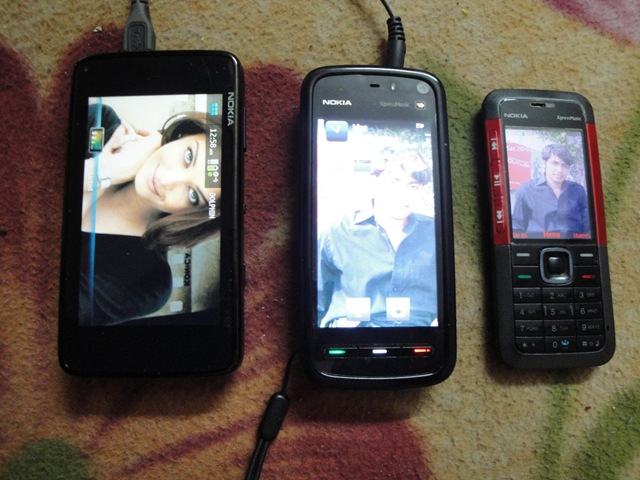
Size comparisonWhy Nokia N900 going to appeal regular mass more than other phones (not just Geeks)?

Let me be honest about it, after loosing my Nokia 5800, being aware of Non-Repairable condition of my Nokia N82, giving my simple yet effectively main Nokia 5310 XpressMusic to home and last few days with trial device Nokia N900, my quest is set between Nokia N900, Nokia N97 and Nokia 5800 XpressMusic and my choice is again Nokia 5800 XpressMusic for the same reasons, I stated earlier.

But I tell you, I am resisting urge of buying Nokia N900 just somehow and the reasons for going Nokia 5800 XpressMusic will be solely because of amazing price tag and inclusion of all the features I require (you cant get this much with that price anywhere else, just Rs. 13,200/-), otherwise Nokia N900 has a lot to market it for mass. Let me discuss a few here.


  1. Powerful like a dream: Insanely powerful ARM Cortex A8 600 MHz, more than enough 256 MBpower RAM, separate PowerVR SGX graphics (can run games like never before and run HD Videos like a charm), 3.5 inches screen with unbelievable resolution of 800×480 (I literally enjoying watching movies all the way in train and web experience, you just can’t match), gigantic internal storage of 32 Gb and still place of MicroSD Card slot to accommodate a max of 16 Gb more (can you believe?). Have you heard of something like this?

  2. Loaded Multimedia device: With XpressMusic series, Nokia seems to be all out for war to take onmultimedia_site music market. Such a powerful device and a full 24 Hrs 30 Minutes Music Play just matches the specifications so well. A perfect fitting 5 MP camera (2576×1936) equipped with Video recordings capability, dual LED Flash, video light, Geo-tagging and not to be forgotten cover over lens. A revamped interface for music player, possibility of playing all available formats videos due to availability of various open source codec and mplayer etc (I am playing all my movie collection that is divx, xvid or wmv and that too with normal srt’s subtitles. Isn’t a VLC player, you always looking for you smart phone?). Top of all, you even have a FM Transmitter means you could stream music from your cell to other devices.

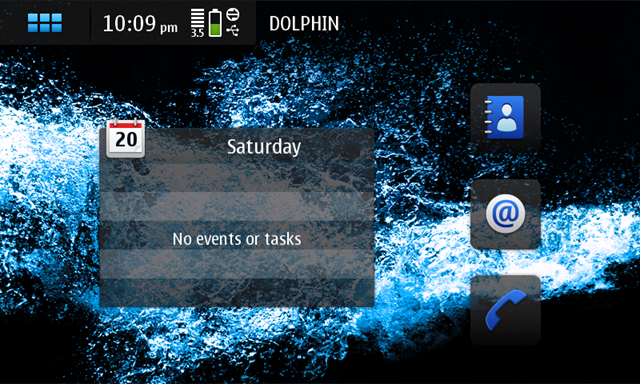
  3. Amazingly sound UI: While the resistive touch screen performs much better than anyone’snokia_n900_ui_2 expectations and widgets enabled desktop can fit into anyone’s requirements, but the show stopper is superb multi tasking of the device. I don’t think that anyone might be thinking to define some “Out of memory” error for this device due to 256 MB of RAM and 700 MB+ Application memory in addition. With such an enormous power, one could really think about so many possibilities.  

  4. Connections that any smart-phone is all about: 2G (GSM 850 / 900 / 1800 / 1900), 3G (HSDPA, 10Mbps; HSUPA, 2Mbps), class 32 GPRS/ EDGE, Wi-Fi 802.11 b/g DLNA, Bluetooth v2.1 with A2DP, Infrared, microUSB v2.0 and A-GPS; look like Nokia decided not to say NO for anything. I guess only remained was a normal USB port or normal LAN Port.. just kidding.

  5. Integration of Gtalk/ Skype and unification of SMS/ IMs: Generations changing and skype technologies adopting the same. Our smart-phones have became as integrated to our lives as social networks and IMs on internet. Integration of Skype and Gtalk opens just another dimension. Provided extremely fast Internet Connections, you never gonna needing headfone for calling from your Laptop, when Gtalk and Skype already there for you. Conversation view of SMS/ IMs might seem a new thing to many, but its gonna be a rule in near future.

  6. Open nature of the device and OS: Are you still thinking about possibilities with Android or openness_sky_sea iPhone OS? Do you still think it would ever gonna take that long to fix some app? Gone those days, with a truly open source OS, you could really expect fast updates and quicker fixes like nothing before. Many a times, you wont be needed to wait for official apps even. Moreover, existing large pool of debian applications is already there that could be ported to your Nokia N900 with some serious efforts. Limit is only where your imagination might took some time to reach.

Its such a capable device that every techie around the globe knows that its still much below its own potential. Still Ovi Support Pending, still Google Apps waiting to join the party, still  some here and there improvements for UI could be thought, but do you think that anything could challenge this device in its capability/ possibilities and openness?

I am still waiting for inclusion of Google Apps, release of this device to India and some amazing price tag like best ever Nokia 5800 has, but even then this device stands as best dream of anyone out there.

Update: Just came across a much detailed article about it


Nokia N900 -Things I don’t like

Visitng home is fun all the times. Azamgarh is not so small city for Uttar Pradesh (been declared as ‘Mandal’), but still it’s disappointing to have such an absurd schedule of power cut. First one is 11.30 AM-4.30 PM and second one after 11.00 PM for whole night. really… No space for me to do anything. Adding the misery, Inverter of home also seems to asking for complete replacement of batteries. Hard time for me like Computer Maniac for sure!!!! Thanks to N900, sure helping me out a lot in this boredum.

Many days had been passed with Trial Device Nokia N900 and I am really feeling something inside, when it will leave me. It’s been a real perfect cellfone for me till now, but still there are quite a many things that still holding me from buying it. Trying to pen down a few, hoping that Maemo could improve in near future:

1. No support for Google Apps: It’s no hidden fact that I like Google’s innovativegoogle and strongly integrated apps a lot. Following the recent incidents, I really don’t want to compromise without Google Maps and Gmail’s native apps in any case.

I hear Nokia’s claims that they are already maintening two-three platforms: series 40, symbian and Maemo nad it would be hard to them to look into one more that is java.

I understand that Google already providing apps for all other platforms and it would be one thing more for them, which is complicated due to no support of Java in Maemo. May be Google holding their hands due to direct threat from Maemo, but still it’s not acceptable situation for me. I want Maemo to grow, I want Google too.

This is sure big holding for me till now about Nokia N900 and Maemo.


2. Some more improvements as a phone itself: There are still many annoyingphone things as a phone itself, though many settled till now, but still … A way to go for sure.

Like USSD number issue!!! I really feel surprised that why Maemo developers take this issue lightly like just a bug only and that too seems to be mentioned as closed. Yes!! A USSD-widget is there for download (which is a pure debian package only) but those who might have started using the same sure think its annoying to keep a widget just for that, which is expected to be native features for a phone.

Same with MMS, we have an apps FMMS for that, but like ussd-widget, it’s also not part of official default repositories. I could understand that for a tablet kind of device that’s expected to be live most of the time should sure feel MMS something kind of outdated technology, but still what’s so hard in keeping the support on?

One more thing, which I specially liked about Nokia N900 is coversations style uniting all IM communications and SMS united at the same place…. Truely qualifying it as an advanced communication device. But somewhere I think that there should have been some optional setting or package to provide traditional ways to look over SMS only. Sometimes its hard to change the habits.


3. Improve Ovi Maps: Yes … I do like Google Maps, but still Ovi Maps were havingovi a few advantages as I mentioned before. But now with current app with Nokia N900, honestly speaking I am not happy. Not many days left, when Google will start offering voice guided navigation and offline maps, till then you really need to improve otherwise forget it ….

Still I’ve to say that it’s a great phone in deed and the above criticism is meant to improvise the naive platform only. There are really a lot of things with it that you wont find in any other phone even in the leading ones and this really makes your life cool than just showing off. Nokia really moved a lot to lead the world again.


4. No Ovi Suit Support: Its really disappoints you about vision of Nokia, when they are ready to launch a device as capable like Nokia N900, which really could make iPhone and others run for their money, but still not accomplished the other marks, which seems obvious now. Ovi Suit and its sync getting well in mass and you launch your best set without any suit at all (Yes! it works with PC Suit, but its just compatibility, not made for it.)? I don’t find it strategically a good step. Are you really serious about Nokia N900? Are you still in hang over of your beloved Symbian? I tell you.. you are making big mistake, if not backing up this device whole heartedly. Its quite a shock!!!


My message: I really wanna to buy this phone, but please improve about these as it’s not that hard practically.

I also found a similar article from Nokia Guide few mins back, which voices the similar concern in a little better words than me, get a read here.

Sorry for not that neat article, just wrote as was getting bored in power cut.

Nokia N900 – here comes my first sketch ever from cell

Don’t laugh over the ill looking sketch, after all its my just first attempt to draw some sketch from Nokia N900’s paintbrush, otherwise I make quite good ones as per my view at least.
 

On womworld, I had seen someone posted many of sketches and I thought to give it a try from my side as well. currently I am in a long 1000 km journey by train, about to reach in half an hour I guess. It’s really great being with a Nokia N900, isn’t it?

Google maps Vs Nokia Ovi Maps

This is the second post, I am typing from MaStory of Nokia N900. Sure, typing from Windows Live Writer is a much better and comfortable thing to do, but I really want to explore this beast Nokia N900 and really enjoying typing from its qwerty keypad.


Something I am kind of hating about Maemo is unavailability of Java Support with it as of now, although their wiki page for java suggest a lot of things, but still I find it frustating for a majority of users. Gmail and Google Maps client is something that people really gonna miss here and unavailability of these gonna be deal breaker even when OS has much potential, but ……


Nokia already provide their implementation of Maps and its free as well, then why one look for Google Maps?

There are many features that Google Maps offer you better than Nokia Maps. listing some of them below:

1. Quicker Locking of location: There might be arguments over this, but by personal experiences still gps find Google Maps quicker about this. Call it quicker and robust servers of Google of something else, but it is. May be the reason is that Google Maps get assisted by a service My Location from Google, which helps you out in finding your location even if your cellfone might not be having a GPS chip at all using your cellular network id. Sure, not exact though (diameter of 300-500 meters depending on nearest tower location). Although there is a my location icon in Nokia Maps, but I dont think it works that way. Working without GPS is sure something great (though not accurate)

2. Imagery of Google Maps is so much richer than Nokia Maps:street
Although Nokia still provides you satelite view, but I still dont see actual imaginary with it like the way Google Maps does. Moreover, recent additions of Street view makes it invincible in a kind. You get a real look over thing in place of looking over just pre-designed maps. Things like
street view could make you go crazy about the way Google Map put it.

3. Integration with other Google services like Lattitude and Buzz now:buzz1
Although it depends on you that what you use, but sure Buzz is here to stay and so Google Maps get one more reason. Lattitude gives you the way to share your location, so that your friends and your circle may find that where are you. Sure, Ovi maps have started the same, if I am right, but still …. Call it my own preference or I lived a lot with Google Maps.

I am not sure that there is any, but should be applications that which might be utilizing your location on more than one account like on Lattitude and Ovi, so that one would be able to see that where their friends are whether they are using Lattitude or Ovi Maps. This is highly crucial as one could find it by my instance.

4. Synchronization with desktop version of Google Maps:starred
If I am right then recently Nokia had tried to cover this issue by providing syncing the starred locations via their ovi accounts implementations, but still it can,t be compared with the level Google has brought it by My Maps. Here in India, we already started getting marriage invitations with routes defined in Google Map. Much convenient is to have the same into your cell.


So, this all was about Google Maps, but Ovi Maps have some dominating advantages and some solid reasons to be with it, specially after covering many flaws with ovi maps now. Let’s see how ….

1. Accurate locking:
Yes!! I said that Google Map seems to locking position quickly that too sometimes without availabilty of GPS signal, but how this actually work? It gets your nearest cellular tower and reports your destination with a good precision. While for actual locking through Satelites requires at least signal from two-three satelites. Nokia Maps might seem late in locking, but they lock you accurately in the same time or better than Google does.

2. What’s you care? Fancy imaginary or efficient navigation:
You might be confused that I am taking whose side? But I am talking about some facts here. Have you noticed the data usages by both the applications? Nokia does it offline and Google rely on live dynamic imaginary, sure fancy and detailed but ten times more costly than Nokia’s kind of offline ways. Checking your location that how it look like from satelite to show off is another thing and daily cost efficient navigation is something else.

3. Voice guided turn by turn navigation:
This is real deal breaker with Nokia Maps. Google’s voice guided navigation still not available for devices other than Android, while Nokia made it free for many of its devices which are sure in pocket of common man. More of that its so accurate and rich that you can imagine only on using the same. A perfect replacement for old GPS base navigation devices. Just put your phone on deck of your car and keep on driving or keep your headphones on and take a walk enjoying turn by turn witty navigation. While Google could provide you data-consuming text kind of navigation only not real time yet (even though directions and alternative routes might be innovative and dynamic, but all comes for a price in terms of data usages that too without any voice). Do one expect to look into cell all the time while driving?

4. Social side:
As I said, I dont see it a distant reality when sharing location could be unified means it’ll of no matter that you are using ovi or lattitude to share your location. If Google shares location live with lattitude then so does ovi with its own implementation and even with recent changes it provides option to share your location with Facebook. So, as Om Malik mentioned, “co-ordinates itself are of no means, but what matters with them is their social context.”

5. Synchronization:
After overhauling of their Nokia map, Nokia really faired enough about covering up many things. One was sync of things like Map locations. So, Nokia too have a solution with an ovi account of yours. Sure, till now No Buzz for ovi map, but who knows there might be apps out there to share your tweets with ovi maps someday.

6. More features are being added:
Though not of that mention, but Ovi stated adding other features like weather reports as per your location, finding nearest happening places etc. I am really looking for a twitter layer for Ovi Maps, it will put some spice in the game.

Conclusion:
So, I think I discuss enough basic points here. What I think Google Map has enough features for people having Unlimited data plans, but if you are asking about accurate and cost effective solution for navigation use then Nokia Map sure a choice. Note that google is not providing you offline maps means if you are low on balance for GPRS use, then forget navigation.

I wish to have more points, if you could offer about this comparison and would love to hear about moments you might have spent with both of these great apps.


photo of Nitish KumarNitish Kumar


Nokia N900 – Definitely Geek

At last, Finally Nokia decided to come out from Symbian shell, at last we are talking about something that would be really Open Source and could be customizable, at last we are talking about a device that would be all; Top of the Internet Tablet with Flash 9 enabled full fledged browsing, Modem/ Wi Fi spot for your computer, Music player, Video player with resolution of 800x 480, Decent Camera (5MP) for still and video recording, Ebook Reader (PDF till now, but Doc viewer could be added soon.)

Earlier here in India, we heard a tagline for Bajaj Pulsor bikes, where they said “Definitely Male” for the killer look and feel the bike possessed. A superbike look with best of the features with affordable price for medium class suddenly changed the whole scenario and sure the tagline always stood tall and true.


Nokia bringing back the similar effect with path breaking Nokia N900 and itsmaemo-raised-the-bar new Open Source counterpart ‘Maemo’. Definitely Geek!!! were the first words in my mind after experiencing the test unit that arrived to me two days back. As I am learning about its features and capabilities, its fascinating me more and more. It stands in its own league and I really want to see till how much time techies will consider The Eye Candy iPhone (packed with all propriety things) something worthy to talk about.

Writing about something is tough, when already much has been written about. I have already read some excellent articles about its features and possibilities and by every hour more are being added, when as of now, its not released in all parts of world (not released in India, if I know right). Its a good sign that Maemo is getting all the deserving attention and many of tech experts rated the platform even more better and stable than Android itself about the features and flexibilities (iPhone not in category). Definitely, its moving well to push Symbian behind, if Nokia places its steps right.


nokia-n900_003

Why its being called a complete tablet device?

Tablet PC was a concept for a lightweight devices, which could be used in environment that are non conducive for keyboard/ mouse usages and provides all kind of connectivity options.

Nokia N900 defines the Tablet PC with both the input options; physical qwerty keyboard and touch screen and continues to offer every kind of connectivity options ranging from GSM to Wifi. (Right now, its not shipped with Handwriting recognition like Nokia N97 or even my Nokia 5800, but its likely to be included in next updates). In addition, its equipped with excellent stereo speakers, a brilliant 800×480 screen and 5MP camera for stills and videos. All this in a package of 181 g.


What so special about Nokia N900?fm radio

Its not first pocketable Nokia device running Linux; N770, N800, and N810 already ran over Nokia’s Debian based Maemo Linux distribution, but what makes its special is updated hardware and most importantly addition of cellular connectivity. So, if you have a data plan or best if 3G one, then you have an always on and connected to internet device in your pocket, which wont make you feeling missing your iPod or Digital Camera. It has the hardware to support FM radio, but as they are still in process of building a perfect FM Radio app, currently no FM radio app is included.Nokia-N900-vs-iPhone-3Gs
It got the same ARM Cortex-A8 processor 600 Mhz with 256 MB RAM, 3D graphics accelerator with OpenGL ES 2.0 support and 32 GB storage as best of iPhone 3GS and arguments about accurate resistive touch screen Vs flashy multi touch capacitive screens will be continued, but real deal breaker for geeks is root/ssh access to the core of the OS (although for security reason, its not enabled by default and requires two packages namely rootsh and OpenSsh) and an open source already known OS to install all kind of apps.


“ Just imagine…. completely unlocked phones with sure better battery life than iPhone 3GS or Android, SSH access for accessing your servers remotely and running services like normal putty access and editing file via VIM, even viewing the desktop sessions via VNC Viewer, accessing even windows desktops in traditional ways with rdesktop, running apt-get to install all kind of software, customizing configurations, writing custom scripts for tasks, incremental updates, reading PDF manuals via PDF reader, watching movies on higher resolution … .. I have tested these all till now and ……. Ohhh!!! I am really excited about possibilities and same time sad that after two weeks this device will leave me 😦 Just check below; remote desktop for Windows/ ssh for Linux “

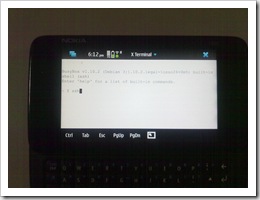
rdesktop to Windows ssh to Linux Server

Yes!!!! I have read somewhere that with more than 1, 40, 000 apps in iStore, one has same number of reasons to go for iPhone, but just imagine, you have a real Linux Phone in your hands. The operating system, we geeks already know much about, the OS which could customized in as many number of ways as we could imagine. Needless to say, 1,40,000 would be a much smaller number, once Maemo gets full attention of Linux Developer communities. Moreover, it already has many packages, which we were used to see on debian linux, just waiting for your apt-get and honestly tell me how many of those ‘140000 apps’ actually get used by people? Just check the link for the facts.


What it offers and for whom?

Over the time, Smartphone users, their requirements and N900 could be classified in some categories like given below:

  1. Trendy Youth: A show off kind of trendy look, seamlessnokiayouth integration with Social Network Clients, IMs, fast typing options, smooth and consistent UI, stereo Music, FM, decent and fast camera, huge storage for mp3 and videos, big screen with high resolution and crisp colors, snappy browsing experience. 
    Nokia N900 offers a high tech and cool look (though a little bit heavier), social networking widgets could be kept on home screen to be always updated about happenings over them, in-built services of Gtalk and Skype, qwetry keyboard and auto complete typing options with intelligent learning dictionary makes typing experience brand new, a glassy UI like never experienced before with Symbian, Stereo speaker with excellent quality, FM Transmitter that will let you even transmit your own songs (FM Radio apps about to come, not yet included), 5 MP Camera with flash, 32 GB Internet Memory/ 256 MB RAM/ 1 GB application memory and option to add storage up to 48 GB more by cards, 3.5” resistive touch screen with 16M colors, 3D graphics accelerator with OpenGL ES 2.0 support and 800×480 resolution, added support of Flash Player 9.4 for exactly desktop like browsing (it runs even flash heavy farmvilla, which I dont think any other Smart Phone runs). Its support for video format could be extended by installing codecs. I was able to play various format movies (popular avi’s) by directly copying into it.

  2. Business Users: Push Mail, Connectivity options likenokia-n900-hands-on-11 Bluetooth, 3G, Wi Fi, qwerty keypad, flawless desktop like browsing, built-in VOIP and IMs, PDF/ Doc viewer, extra-ordinary signal reception and battery life. Top of that a much stable OS and decent backup options, convenient and accelerated charging options.

    Nokia N900 offers extensive mailing options as I found while configuring, push mail for exchange got upgraded by last update, connectivity options are maximized with all the options available, flash enabling, high resolution big screen browsing also got a big push by additional option of installing Firefox for Maemo, PDF Viewer is included, although I have to test yet, but installing Open Office must be possible with touch support, signal reception and battery life has been outstanding even when I was using it on always on Wi Fi and 3G connectivity, impressive is its handling of various connections automatically (it surprises me the way it handles switching between Wi Fi to 3G and then to EDGE), Maemo seems to be not only pretty and glassy but a rock like OS, there is also a backup apps included to take time to time backups, charging could be done by connecting to USB and mini USB charger has also been provided, more is a convertor that could connect older thick charger of Nokia or recent slimmer one to this USB model. Data transfer speed stands amazing. For transferring a 700 MB file in storage made, the time taken by it was less than a minute. 

  3. The Geeks: All the requirement set mention in above two categories, R & D and customization options, programmability of device as per needs, full IMs and uncompromised connectivity options, In all, a device which could be termed a complete in-control PC in their hands.

    Nokia  N900 offers root access for the OS, linux console, same architecture like debian means same way of playing with scripts and services, possibility of altering widgets at low level, possibility of configuring the logs in certain way, built-in VOIP and IMs like Gtalk and Skype could be kept always on, connectivity is automatically handled in very beautiful ways, its equipped with a full broadband speed provided with wireless, adding various apps and options to connect windows/ linux servers via telnet, ssh, scp, vncviewer and rdesktop makes this device something like never seen before. For me, in geeks section, no other cellular device in the world comes near to this one. In someone’s words “It’s a true mobile powerhouse in every sense of this word, wrapped in a very eye-candy and functional UI at that."

    You can see the following video for a glimpse of possibilities with it for geeks, the world is sure about to change:


Things which make me go crazy about it:

  1. Keyboard: Honestly speaking, I never liked Blackberry kind of qwerty keypads and just sight of landscape qwerty keyboard was a treat. Still I was doubtful that if my finger would be able to slide that comfortably on these small button, but the experience was quite amazing day by day. Now, I even could think of typing whole blog post over the same, something which never could have thought with some complete touch screen or somehow adjusted Blackberry kind of keys. Moreover, dictionary and auto complete typing makes your life much easier. I typed a name only once and when next time, I type a few words of the same… it completes the same.. impressive.

    Such a smooth experience with keyboard, I felt only once before with my Dell XPS M1530 Laptop’s keyboard. Although still I wish if I was having some Windows Key to come out of things (although Ctrl+ Back Space works to bring task Manager), some red key to kill all or some combination of keys to serve the same purpose.

  2. Display and touch innovations: Nokia used an interesting way in touch UI navigation. under any screen, if in place of clicking any icon, if you click next to that then it will bring you back on the earlier screen (might be confusing to few in start, but its really convenient style in deed). Its bigger display actually make it possible viewing webpages without compromising anything, a true out of the box browsing experience. I also learned a trick that if you move your finger clockwise, then it zooms in the screen and same way zoom out, if you move anti-clockwise. Smart. Big screen size makes this device a handy ebook reader, while you are travelling. I just come to re-read Three Mistakes of My Life from Chetan Bhagat over it in a journey.

    Screenshot-20100220-222842

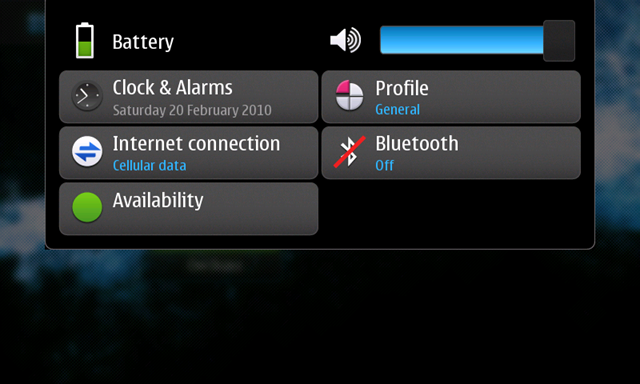
  3. Connectivity and accessibility of the same: Although all the touch screen device from Nokia started the same way that we could access them by tapping on battery icon, but Maemo provides options to change the connection at your fingerprint always in easiest way. If not enough then it automatically switches between connections beautifully to keep you focus on your tasks only.
    Screenshot-20100220-223905
  4. Multiple desktops, multiple widgets: It was new and stylish feature with Maemo, which comes very handy in situations. There are four different desktop and any of them could be bring in or out by just sliding finger left or right. As many widgets could be added to each one of them (limited by widget size) and arranged accordingly. Like one desktop for news, RSS feeds and social network related apps,  other one for music, clock, calendar, temperature etc and so on..  

    Screenshot-20100220-220937 Screenshot-20100220-220805 Screenshot-20100220-220931 Screenshot-20100220-220925

  5. Easy, familiar and very capable apps: It was amazing to play a 700 MB movie copied from PC into it without thinking about format of it. Similarly found and installed many apps is very easy way, which I will cover in next phase in details (e.g. FM Radio app)
  6. Windows/ Linux like usability in your pocket: Its kind of panacea for we sysadmin’s and I bet it would be hard to resist many of us from not buying this considering its still maturing phase. With this, I am always live anywhere for handling any emergency related to my office servers. Just will stop the bile, will look for nearest coffee shop and will be sitting their to handling Windows related issue with help of rdesktop and linux related issue with traditional ssh and scp. qwerty keyboard don’t let you miss your lappy. Travelling much lighter now without laptops.


Things that Nokia N900 still lacks doesn’t has out of the box:

  1. MMS not supported as of now: Yes!! we thought iPhone out of question as it doesn’t support MMS and here we face with Nokia. Shocking!!! Reasons as Nokia people call it “Its first an internet device and second a phone, so was it was not not needed”. They are not clear about adding the capability later on, but there should be some serious reasons behind it. Although a little Googling landed me on the page, which figures out the way out with a package name fmms, although have not tried as it asked for four dependencies, so skipped it. Will try soon.
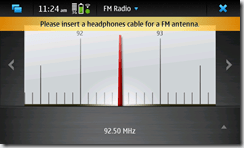
  2. FM Transceiver is here. Good!! But where is my FM Radio App: As I mentioned, its still under development to make it a perfect one, but again why not to launch a decently working one at least. It has the hardware and FM radio could be run by third party apps even now. But still we are in waiting to get some official app from Nokia. Checked out the app store, just needed to search FM Radio and its already there. Surprisingly amazing in clarity and performance with intuitive looks. One just need to slide right or left to change the frequency. Really Wow!!! Still headphone required to be plugged-in, why so?
    Screenshot-20100221-112453
  3. Be ready for bugs like other open source products: Although tested well by Nokia, but still the transition from a Tablet Device to a cell phone seems to be missing a few points here and there. We seen the earlier two issues are due to non development of official apps and here is a bug, which seems to be crucial for Indian market, it does not support USSD numbers like *141# or many like that.  Sometime likely to be resolved in next updates.
  4. Switching between Landscape mode and portrait modes: After being used to of other devices since Nokia N82, it was surprising to see that Nokia N900 remains in Landscape mode always, accept in case of incoming, where it changes to portrait. This feature is not only a style but is handy in cases. Have to see that when it will join back the road.
  5. No Support for Google Apps as of now: Being a new platform makes you suffer a few things. There are almost no Google apps for Maemo, though all apps supports (Google Docs etc) full functionality in their web versions.


The 1012 essential apps (possibilities are infinite though in few days, I figured out these a few), one shouldn’t forget to install on Nokia N900:

  1. Firefox: Although Nokia N900 already provides excellent browsing experience like Firefox and itsfirefox that good that I am not missing Opera 10 Beta here, but still those ones, who wish to have the almighty with them with complete sync with Firefox on their desktop, here is the Firefox for Maemo. Note that its around 12.8 MB.

    Download | Info

  2. FM Radio*: I already mentioned that this app not included in the shipped model as of now. Don’t Screenshot-20100221-112453know what are the exact reasons, but find this app just flawless and like never before. Just check the pics in upper section of this article. Really innovative. I also found the reception even better than my existing Nokia 5310 XpressMusic, Nokia N82 or Nokia 5800.
    Download | Info

  3. rootsh*: In console of Nokia N900, you can run a command “sudo gainroot” for gaining root access, but that requires that you should have enabled R & D mode. A work around is Rootsh package, which allows you to quickly run a command on the same command line without using a root shell (like sudo). Without this, I was not even able to do ping and after this, I am God. That’s what makes Maemo special.

    Download | Info

  4. OpenSSH*: As a surprise to me, SSH package was not included. I searched the app store and found OpenSSH Server and Client. Simple to install and now you are in command of your web servers or other Linux Servers remotely. Note that OpenSSH server will ask you to set a password, set it but don’t forget it.

    Download | Info

  5. rdesktop*: Its just awesome. I thought to have some way to remotely access and recalled my old mate rdesktop. Its here in app store. Install it and it was unbelievably smooth to operate on even 3G connections. I have given a screenshot in upper part of article. Its so cool to see mouse cursor moving along with your finger.

    Download | Info

  6. vncviewer: As I see, its just about recalling our Linux apps and finding their maemo ports. vncviewer vnc is an excellent application to interact/ show with user’s desktop on Windows/ Linux (provided vnc server installed and configured on other side) at the same time, when user is working. You could only watch or could yourself take control of the same or both of the side could work one by one. A must have for specially we Sysadmins.

    Download | Info

  7. JoikuSpot: As I discussed earlier, this is an application, which turns your Nokia N900 in a powerfuljoikuspot Wi Fi spot for your Laptop or even your friend’s at the same time. You know that how handy is that in Indian Scenrio even if 3G not fully available till now.

    Download | Info

  8. Recorder: Till now, I have not been successful in finding something could keep on recording your calls automatically, but this one could be handy to record the calls, although needs you to manually push it while talking.

    Download | Info

  9. OMWeather: Although there is number of widgets, which one might find handy for adding on any omweather of the home screens, but I find this one quite handy. Didn’t got accuweather one, but this one works well. Shortcut to install ForecaWether already there in applications, but I find this one very customizable and efficient.

    Download | Info

  10. Zoutube: The brilliant YouTube Client, which I would be trying to find for Symbian as wellzoutube . Amazing UI and I find it even better than Official YouTube Client. It even provides option for downloading the video being viewed (could be deal breaker for many).
    Download | Info

  11. KOffice: Yes! that’s the beauty of Open Source Products, they can’t let you deprived of convenience of alternatives. Finally, we got KOffice Document Viewer here. Although its a huge 9 MB App and you needed to create an Extras-devel Repository for that. How to do that? Simply create a new repository with web address http://repository.maemo.org/extras-devel and you will find it there with name of FreOffice.

    Download | Info

  12. Google Latitude Updater: Another huge size app, with size of 5.8 MB around. But it brings my beloved Google Latitude to me. May be rough and naive kind of in front of Google’s one, but at least there is something, I could think of updating my location and keep myself tuned in. Like many other useful apps, you will find it right there in your Nokia N900 app manager after enabling Extras-devel.

    Download | Info

I could keep on talking about this amazing set for so long as set of possibilities are just …. but making me stop here. Will update more things like shortcuts, screenshots about it later on.

I am sure that iPhone might be history in front of it due to its openness in Geek community at least. Its not easy to lure, we Indian buyers on basis of EyeCandy only, we want something really solid that’s where Nokia always ruled. Thanks Paul for providing me this set for review. Its already an forgettable journey.

Nokia N900 – So, here arrived test unit for me

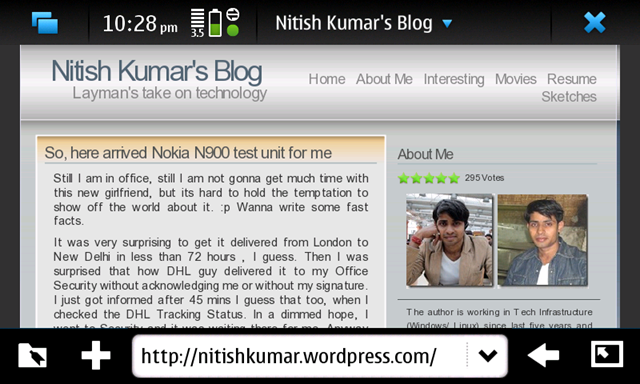
Still I am in office, still I am not gonna get much time with this new girlfriend, but its hard to hold the temptation to show off the world about it. :p Wanna write some fast facts.

It was very surprising to get it delivered from womworld, London to New Delhi in less than 72 hours , I guess. Then I was surprised that how DHL guy delivered it to my Office Security without acknowledging me or without my signature. I just got informed after 45 mins I guess that too, when I checked the DHL Tracking Status. In a dimmed hope, I went to Security and it was waiting there for me. Anyway ….

1902201002119022010020 

Some early observations …

  1. Look like now days, Nokia has started making devices, which are a little harder to open. Took a lot of care and fear to just open it for putting battery in it. I  still love those old device, which were taking half a minute to me for changing the SIM or battery.
  2. I was stupidly thinking that why display is so dark. It was a cover on the screen to protect it.
  3. Have not yet enabled touch screen keyboard. Physical Keyboard itself is fantastic and will never leave you thinking any absence of Touch Keyboard, but even if needed, touch screen keyboard could be enabled from settings and also other apps are available to customize the keyboard layout as well. Moreover, still not checked that the Auto Rotate feature is with it or not. There is no auto-rotate as of now except the calling screen.
  4. Yup, its a little bit heavy, 181 g, where iPhone is 135 g.
  5. Third disappointment new fact to me was USB Charger, although later I checked that there is a converter to connect it from both of the Nokia chargers; old thick one and now days Universal charger.
  6. I checked for the Camera performance and found it pretty good just like my Nokia N82. Good news.
  7. Browser was perfect and what made me smile was the presence of Google Buzz in Gmail. Don’t know why its missing from my Nokia 5800, even when I might be opening in Full View mode (not mobile mode).
  8. I was excited when got to see that its loading farmvilla, but for my disappointment, its hanging the browser and asking me if I wanna close. Not sure what’s wrong, it should work. I checked shockwave plugin is ON. Will check it out in evening. It works like a charm, but as the nature of game is, as much bigger screen you get, as convenient the game will be.
  9. The biggest heart attack to me.. Google Apps not supported over Maemo platform as of now. What?????? No Google Maps, No Gmail Client? I am gonna cry as I am huge fan of Satelite view that Google Maps offer. How this can be? Google … DO SOMETHING.
  10. Its a Linux based OS, could provide you root access and there is a console with it for usual linux tasks. Amazing. This really gonna change something. It was now high required to come out from the shell of Symbian.

Rest I will update later on… only this much could have written after looking over it for 30-40 mins.