Google Namebench to hunt down fastest DNS

Few days back, I wrote over the promising Google product Google DNS and today I am choosing to write over another related utility from Google side.


Tell me!!! How you perform the task of choosing best DNS server? The famous one? The default ISP one? The knowingly reliable one? Don’t you think that its not a good practice to rely on things without self testing. Technically, DNS is one of most crucial point about your browsing experience, so how can you choose a DNS with not-so-well-defined process? Let’s see, what Namebench does here for your in place of just simplest tests, you might have done for testing the best DNS out there.
Google's Namebench

Namebench: One of 20% projects at Google, is basically an Open-Source DNS Benchmarking Utility. It hunts down the fastest DNS Servers available for your computer to use with a detailed method and report. Its written using open-source tools and libraries such as Python, Tkinter, PyObjC, dnspython, jinja2 and graphy.


Namebench runs a fair and through benchmark using your web browser history (after all, browser behaviour changes over what you visit), tcpdump output, or standardized datasets in order to provide an individualized recommendation. It also determine cache-sharing relationships between different IP’s and removes the slowest of these servers to avoid improperly benchmarking them solely on cached results. It also reports on DNS misbehaviour such as DNS hijiacking and censorship. Moreover, its completely free and doesn’t modify anything in your system. 
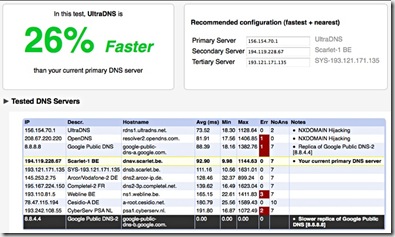
Screenshot


It runs on Mac OS X, Windows and Unix and is available with a graphical interface as well as a command-line interface.

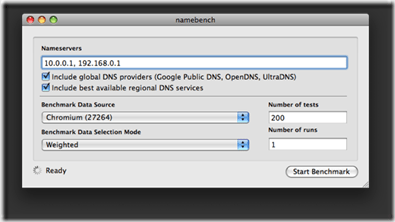
Running the Windows/ Mac Version is kind of simple (and even Linux version, if you have right libraries python-tk in your system), you get greeted with a simplest interface as shown in pics, which is almost perfectly fine to run with default settings it appear with. Although, for more detailed description of the options, you may check the official wiki.

People, who like command-line tools more than GUIs, will get disappointed in case of its Windows version, but rest two versions has a pretty efficient command-line. You could find the info related using Namebench command-line here.


So, what you waiting for? Wanna be a geek? With Namebench, get a reality check yourself that are you in safe hands (right DNS server)? or which DNS is more better and how much better? Download it from here.


Here, I also want to comment over that “What a Google 20% project means?”

Google offers its engineers “20 percent time” so that they are free to work on what they’re really passionate about. Google Suggest, AdSense for content, Orkut and this Namebench are among the many products of this ‘perk’.

🙂

photo of Nitish KumarNitish Kumar

Get back to reading with FeedDemon and Google Reader

online-journalism“ Have you ever noticed that most of us haven’t wrote a full page by pen from long, even if might have tons of tweets/ scraps, thousands of blog posts or hundreds of email of their own. In the same way, have you noticed that how your regular reading habits slowly shifted to web more than the traditional books and then shrinking to headlines from twitters or some random blogs from search results only. If you made the notice then its high time to make yourself managed to get time for more awareness and energy like your early best days. ”


This post is for layman’s like me, who really needs to pick upon basic things.

First of all, its all about how you read web.

Blogs? Obviously!!!
Famous ones?
yeah Sure!!!
Official ones? Definitely, whenever required for authentic info!!!
How many of them you read?
As any info required or have spare time, not a fixed number!!!
How do you manage to remember addresses? Bookmarks!!!


Here I am to introduce a very basic yet most powerful thing about reading web, many of layman’s like me might not have yet started with: web feeds (RSS). Have you ever noticed the very common orange icon Feed-icon.svg, which appear in almost every site you surf to read for. Its the thing called web feed.

A web feed (or news feed) is a data format used for providing users with frequently updated content. Content distributors syndicate a web feed, thereby allowing users to subscribe to it. Making a collection of web feeds accessible in one spot know as aggregation, which is performed by an aggregator (like our Google Reader, newsgator or FeedDemon is).

In Simplest words, web feed brings content to you via an aggregator (generally summaries) and an aggregator brings many feeds means variety of contents to you in their short forms, so that you may take a look over all of them without any need to visit all the sites to just looking for that if anything might have been updated.


feedDemon_logo google-reader-logo

There are many aggregators around like Bloglines, MyYahoo, Windows Live, netvibes, myAOL and Google Reader and sure Google reader like other Google products has taken most of the users attracted towards itself due to its simplicity and intuitiveness. Moreover, with features like reading from Mobile and reading offline, it doesn’t leave much of the space for most of the users to think for any other RSS Reader.


A simple account of how Google Reader works, could be found in video given below:


Lets see what FeedDemon offering more with existing Google Reader Account and subscriptions in it (Courtesy Labnol Article).

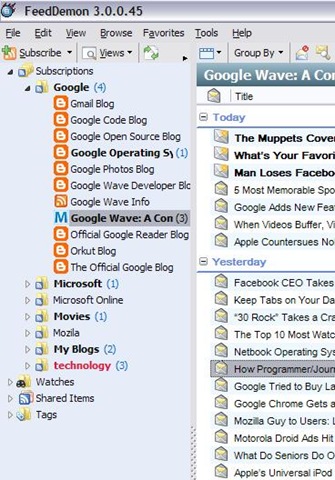
    1. Integration with Google reader: Its close integration with Google reader makes its able to follow you anywhere you  go. You might categorize your subscriptions into folders and as the same change will be passed to Google Reader itself, you will get the same structure everywhere, you use FeedDemon or even Google Reader’s online account (means you might have FeedDemon installed at your Office workstation/ Home one, both of the same will have the same folder structure, same subscriptions).


      feedfolders
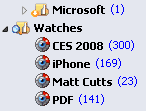
    2. Real Time watches and Desktop alerts: You could set keywords to be watched for, so that any of news item having the same keyword will undergo that watch item and you may easily choose them to read. Moreover, you could put FeedDemon running in tray icons and it could show whenever a new feed appears in your inbox.


      rss-watch
    3. Deleting unused feeds: It shows you subscriptions/ feeds that are not being updated from last 2-3 months, so that you may unsubscribe from them, if you wish so. It also shows feeds, which are in your subscriptions, get updated, but you rarely read them, same could be deleted as well.
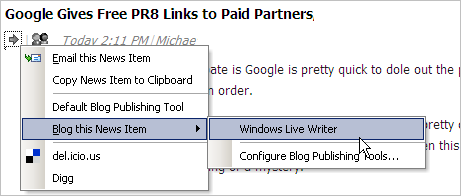
    4. Integration with Windows Live Writer: This is a particularly special feature for blogger. You may directly take any of the feed entry to Windows Live Writer or clipboard from FeedDemon easily.


      windows-live-writer
    5. Offline reading: With FeedDemon, you can choose to download all the unread subscription to be downloaded to your local disk for reading offline later.


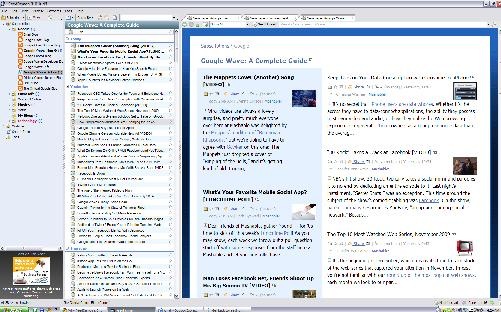
    6. Themes per folder/subscriptions: That’s a particular thing, I like most about FeedDemon. Currently there are six cool themes (Blue Vista, Expando, Outland, Photo Strip, Prince, Surfer) to choose from to set over any folder/subscription and all these theme are particularly useful for reading different type of blogs (like Photo Strip suits better than anything else for Photo Blog). I am also putting a few screen shots for each theme to let you feel, what the experience is.


  1. blue vistaphoto strpsurferexpandooutlandoprince So, what are you waiting for, you will come to feel the power of information management, once you start with something like Google Reader and FeedDemon. Just give it a try, I am sure its worth it.

    Download link

  2. Missed deal hints new plans-Google for music

    google-audio-music-logo“ It seems that the Cloud technology opening its wings one by one, Google’s try to acquire one silicon valley startup La La Media Inc. even after loosing the turf to Apple kind of made a clear announcement in a way, that what might be the next milestone for Google: A Full fledge service like Google Books to cater music only for free (running over ads). ”

    It might be one of the good guess only, but Google has already launched such a service in China with partnering with 110.cn to offer legal MP3 streaming/ download with a large MP3 collection and this shows that its very likely that after getting right deals (like it got in case of Google books with various publishers), Google might move into music as well like iTune.


    If you think that what one uses while using computers, except internet, chatting and searching web, then its editing photos, documents, presentations, watching movies and hearing music etc. Google had already covered many of the points like Picasa for Photos, Google Docs for Documents/ Presentations and YouTube for watching media. What just remains is Music.

    Although there is a YouTube category for music videos, a very limited music search engine, an online music player and a media server for Google Desktop, but currently Google doesn’t has any full-fledged music related service product.


    With Google Chrome, Google wants to start an era, where your every need will be online and will go along with you, no matter where you are or what you are using for your connection, your desktop, your docs, your bookmarks, your web history, your videos, your books and everything else will follow you.

    So before the launch of Google Chrome OS, we could sure expect Google to fill up this gap by acquiring some company in similar domain and in next probably its gonna to be Google online games service. Sure, due to copyrights, its not gonna to be as open and simple like Picasa webs but you may sure hope for products having capabilities like Google Books (limited preview/ full).

    What’s your opinion? please write to me.

    Google making its search result Real-time now

    “ In today’s running world, many a times, the delay in reaching to the information by a fraction of minutes could cause you loose the gears. After Bing and Google both partnered with Twitter and Facebook, the world was waiting for the concept of real time search to appear in ‘real’ and here Google finally joining the race again (with in-depth preparations), by moving into real time search while Bing was already started with it by Twitter Searches since July 01, 2009. ”

    googlelogo_thumb1 bing-logo


    As the phenomenon of Twitter risen up, it given strength to concept of real time information search. In early days, any news before getting pitched up in print or television media was hitting the web first via blogs with sometimes more details than other media, but even then there was a delay of hours/ days in getting the information live. Now, the birth of Twitter changed the scenario and now days, whatever happens around the globe, first hits Twitter, Facebook and Orkut updates first then anything else and people were looking for information there than any of news results or blogs.

    The real time information search for headlines is moving towards Twitter, Facebook and Orkut updates now days and it’s been inviting the searching giant to move into the race sooner or later. Microsoft became the first to hit the chord by Partnering with Twitter and Facebook by Oct 22, 2009, while Google announced on Dec 07, 2009 its collaboration with Facebook, MySpace, FriendFeed, Jaiku, Identi.ca and most importantly with Twitter.


    So, you might be getting the idea that what the real time search is; its the concept of searching for and finding information online as it is produced or in other words it’s the advancements in web search technology coupled with growing use of social media enabled online activities to be queried as they occur.


    Let us know that how to use it:

    Google’s Real Time Search

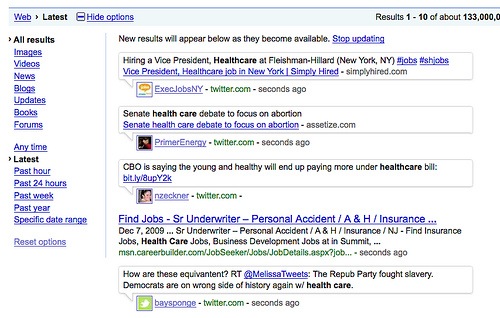
    For reaching to Google’s Real Time Search, You have to go to normal Google Search, after searching some query press Show Options button (its there at left top of the search results) and then press latest as shown in image given below. You could see results are coming up with time given next to them in seconds, minutes. 🙂

    google-bing-search_original1

    Note that as per Google’s usual practice in past, this feature is release as a beta feature only and suggestions are always invited to make more improvements in it.


    Bing’s Real Time Search

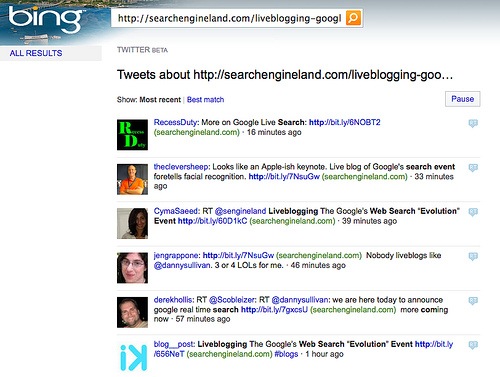
    For search through Bing, you need to go on http://www.bing.com/twitter and then you could make your search within Twitter, while I am not able to figure out yet that how its working with Facebook.

    bing real time search


    Now, there are reasons that why Google Real Time Search is better than Microsoft’s Bing (courtesy CRN) and even if its declared as war between the two, many of us already have declared Google a Winner.

    “ Not only Google has a much better and proven search technology than Bing could have, but also Google has designed its search results more better in visuals than Bing and as a final reason, you can see that sure Microsoft hit the chord first by integrating with Facebook and Twitter, but it couldn’t match the breadth and depth Google’s real time search is going to provide by partnering with wide and diverse range of Social Network Sites. ”

    So, finally we sure has many reasons to look forward that how much more innovation is about to come from this rivalry between Microsoft and Google.

    Now LinkedIn got the makeover for better

    As technology and ajax changing most of the sites for better, after crossing the legendary 50 billion+ users mark, Business Social Networking Giant LinkedIn also made the same move as reflected through their blog post on Dec 09, 2009. Yes! LinkedIn’s new face got live from Dec 09, 2009 to make its appearance more smooth and more productive.

    home 


    It seems that December is not the busy month for only Google, but LinkedIn been in news for keeping its growth rate at 5.68%, while the same is flattening now days with Facebook and Twitter, in fact, last billion took only 12 days to be added, which is sure to show that how its getting pace into organizations and businesses.

    To keep up with the pace, LinkedIn also moved into some deals like integration with twitter and outlook, launching its developer platform and now this makeover. It may be that after logging into LinkedIn from December 09, many of the users wont be surprised as changes are already rolling out since Nov 06, 2009 with a portion of users, Dec 09, 2009 is special as from today, LinkedIn officially rolling the same interface for all the LinkedIn users.


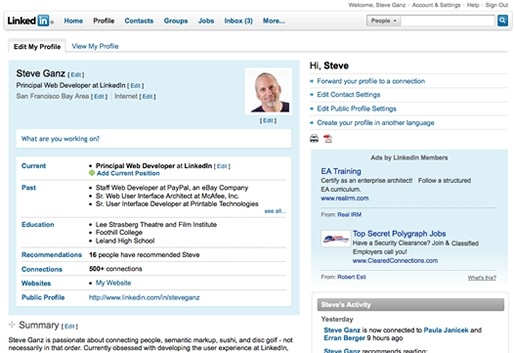
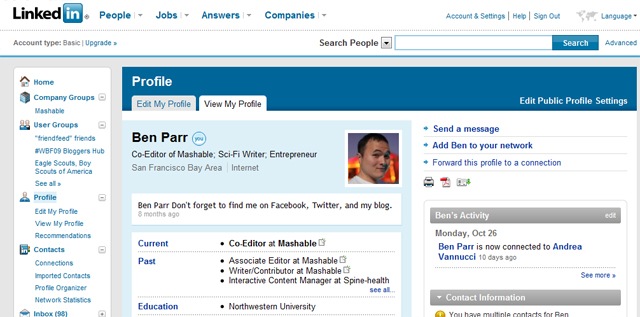
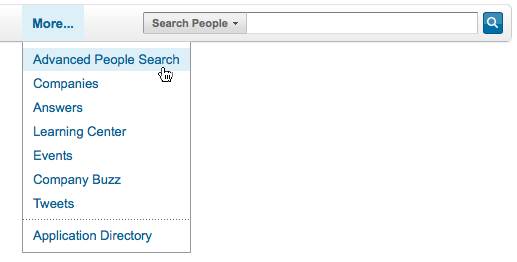
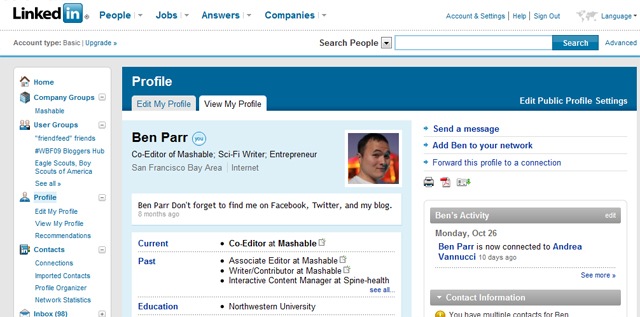
    For rest of the details for UI, you may check the official announcement, while I am putting some screenshots to give you a feel about the change (although you already might have got the taste since last few weeks, if been in those lucky users).

    linkedin-profile

    linked in profile

    linkedin groups

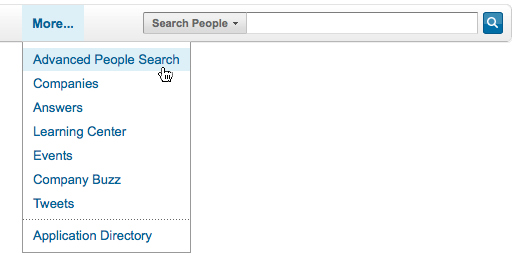
    linked in searcgh  linkedin global

    Windows 2000 and XP SP2 Support ending on July 2010

    So finally the bad news is about to arrive.


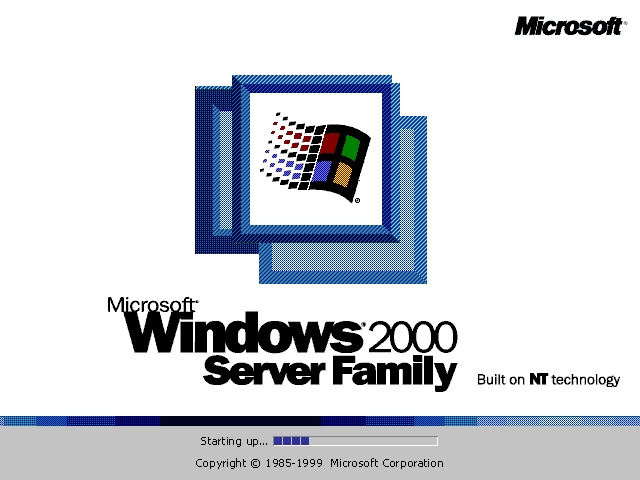
    As per Microsoft Lifecycle of the product, mainstream support for Windows 2000 was already ended on June 30, 2005 and now the extended support is also about to expire on July 13, 2010. The same is for Windows XP SP2 which will end on the same day (although support for Windows XP SP3 will remain continued till April 8, 2014).


     win2000advserv SP2

    XP Users could relax for a little longer as XP SP3 support will remain continued till April 8, 2014 and only the support for XP SP2 is ending by July 13, 2010. If any more service comes then it will be continued to 24 months more.

    windows-xp-services-pakc-3-logo

    Before the headline starts a panic, let us know about how Microsoft Support Life Cycle Policy works and what is going to change with the same date.

    Microsoft Support consists of three phases:

    1. Extended Support (5 More Years)

    With Microsoft Products, once your Mainstream Support expires, you will not be able for claim for warranty support, design changes or new feature requests. Non security hot fixes support will be available via a separate Extended Hot-fix Support Agreement only. Obviously, no more service pack, neither any new license purchase would be available.


    Once, your extended support expires, you will not receive security updates or non security related hot-fixes and although the support knowledge base will remain available on site for self help, but one should not expect the content to be updated any more or MVPs to reply queries related to that product in official forums.


    Its time to get into migration work for those IT managers (although I guess there must be only few), who might not yet migrated their Database Server/ File Servers/ Domain Controllers etc from Windows 2000 to Windows 2003 or Windows 2008 as having a server without updates security fixes meant to lots of vulnerabilities and is also against security compliances of audit requirements. Check the link in above text and also the migration checklist for the migration related information.

    Moreover, it might be a hard time to spend more for those companies, which are yet relying on their older machines with 256MB RAMs and their IT managers are managing the support by keeping the machines with SP2 only for performance reasons.


    Now, about our Windows XP Users, who resisted whole heartedly against Windows Vista and still resistance remained against Windows 7 in some way to keep Windows XP Professional continued, it might be their time to think, as even if away, the time will come when they will be forced to do the switch and sure, there are some good reasons to switch over Windows 7 as well.

    Moreover, one must get used to the product before be forced to do so. Technology changes for better and you cant expect a manufacturer getting programmers new generation involved with the technology that passed on.

    So, the tagline is “Don’t panic right now, but take a step for next future.”

    Offline Gmail – Are you still not using it?

    “ Have you ever been tired of switching to html mode in Gmail, due to your slow internet connection? Have you ever been waited for opening some mail in feature rich ajax based standard version  of Gmail? Have you ever been wished that you would have some email client in same way as Gmail is in its web version? Here is the solution from Gmail side; Offline Feature.

    “ Officially introduced in January 27, 2009 as an experimental Gmail Labs Offline Features, came up to change the capabilities of web-based mail, is now a regular part of Gmail from December 07, 2009. ”

    P.S.: its for good of your personal PC only, not any public one like Office or cafe. 

    Google_Labs_logo gmail-logo


    Google is already making itself as a center of whole Internet World and making the world ready for Cloud Computing. Look like now in place of choosing to develop some email client of its own, and making many of users preferring web version of Gmail over any email client, now has came up with solution of enabling Gmail to work in offline mode. Its expected to work in the same way as their other service Google Reader is already working for Offline mode from long (since May 31, 2007).

    gears

    Web-based emails are great as one could access them from anywhere, but catch is; it’s limited by the internet connection itself. So, Gmail provided the solution to cache the mails to local PC through Gears. As long you are connected to Internet, the local cache keeps itself in sync with Gmail’s Servers and when you loose your connection, it automatically switches to Offline mode and uses the data stored on your computer’s hard rive instead of the information set across the network.


    “ With Offline mode, you can still read messages, star and label them and do most of the things you’re used to doing while reading your webmail online and that too with blazing fast performance (I felt it even more faster than normal Outlook Express or Windows Live Mail, just touch a mail to go). Any messages you send while offline will be placed in your outbox and automatically sent the next time Gmail detects a connection. ”

    Not only this but with now this matured feature, two more in-demand options has been added to Offline Gmail: an option to choose which messages get downloaded for offline use and the ability to send attachments while offline.

    “ Now, it may even replace Outlook express (or any other mail client) for a few users so that they could keep on using Gmail Offline all day long and could connect to internet once or twice a day. ”


    So, what are you waiting for? Start with Offline Gmail. First of all, you would be needed to keep Google Gears ON and obviously the browser you might be using must supports Gears (like Internet Explorer 7.0+, Firefox 2.0+, Safari 3.0+ and Google Chrome) and then follow the instructions as given below:

    1. Click the “Settings”  link in the top-right corner of Gmail.
    2. Click the “Offline” tab.
    3. Select “Enable Offline Mail for this computer”.
    4. Click “Save Changes” and follow the directions from here.

    After the browser reloads, you’ll see a new “Offline” link in the upper right hand corner of your account, next to your username. Click this link to start the offline setup process and download Gears, if you don’t already use it.

    I am also putting some screen shots to let you know it more closely.

    Installing Offline Access

    Google Gears will show a Security Warning

    Creating a desktop shortcut for Access Gmail


    With all the excitements out there, I would also like to remind the differences between normal Email Clients like Outlook express, Thunderbird, Windows Live Mail etc and web-based Offline Solution of Gmail.

    First of all, I am not yet sure about procedures related backing up and exporting data of Google Gears for we like administrators that whether they even exists or not. With a few known issues, Offline Gmail still doesn’t support accessing Contact Manager (although auto-complete feature works), Complete Search Results (for obvious reasons), Access to conversations in Spam and Trash (as they were considered to be less required) and some Gmail Labs features.


    Also those users, who might have using Gmail in https mode always, will feel many glitches with Offline Gmail (although I do think that its not a product for that much security conscious users and I recommend it for home users and personal laptops only)

    But still for most of the Gmail Users Community, its a very welcome feature for already feature-rich Gmail. I am sure that many would like to use it.


    Do you know, many other things could also be used for Offline through Google Gears and other services? Yeah you can use any of website  for reading it offline. Check webnol’s Article.


    photo of Nitish KumarNitish Kumar