The last post was about PR1.1, Wanna see that what PR 2.0 (which seems to be settled for a mid-February release) gonna bring for you? Check this video of portrait QWERTY, new Browser and draggable screen running on PR 2.0 probably.
Not sure about which device it is, but look like Nokia C6-01. I was dumb to call it C6-01 due to shining borders, but when he turns it to Landscape then it’s clearly Nokia N8-00. (Thanks @JosueGimenez and @Camb078 for correcting me).
The portrait QWERTY design as shown in the video might not be the final one as Nokia developers were trying more than one designs as per insiders. Personally I wish they leave the 3D approach and choose a glossy one like @Janole’s Gravity that would be awesome with word correction, dictionary, multi-touch etc, but at the end it would be their decision.
What you think about these changes? Are they big enough? What more you want?
Even if every second blogger seems to be bashing over Nokia and their strategies, there is one thing that everyone seems to be curious about that what are those 50+ improvements that Nokia keeps talking about for first quarter of 2011. What are those 5 incremental planned updates throughout the year 2011 and what they gonna bring for you? Let’s try to catch some butterflies from here and there.
With that old community poll and design competition, we sure have a strong hint that what might be our MeeGo sweetheart hardware exterior design, even if one can neither be confirmed on the interiors hardware nor could be certain about the software UI part at least yet but you can’t deny that by these looks, its set to make people go crazy for sure. If Nokia could take a jump from 15 frames/second to 60 frames/second UI fresh rate while coming from Symbian^1 to Symbian^3, then sure there should be nothing that you can’t expect them to do, even if there would be some reasonable limitations of time and business logic.
Remember Mobile Documents by Visarc, whom Nokia invited to pilot their app on Nokia Beta Labs? The Cloud-boosted push mail and push documents to revolutionize the way, we see heavy attachments now days. Lots been said, lots been praised about it, while this is definitely a new approach, let’s see, if its really going to replace Nokia Messaging?
What Mobile Documents is?
Mobile Documents is the first and only to solve the #1 problem in email: handling of heavy attachments and documents. View and read heavy attachments instantly – without a download – via unconventional use of streaming technology. Save time, bandwidth and roaming cost. Traditional email offers download only but Mobile Documents offers an entire toolbox. On top of this we’re trying to create the best possible user experience to manage emails on your phone including attachments as well as sharing documents.
Let’s see the live demonstration of the app
The apps been here since a while though with arrival of their Symbian^3 version, they came up with two new features as well.
Multi-Touch: Pinch zoom for viewing images, PDFs and Office Documents
Notifications: Home Screen Widgets for all your email accounts plus optional sounds and/or alerts for news emails and/or documents
Installing Mobile Documents, some facts and troubleshooting issues
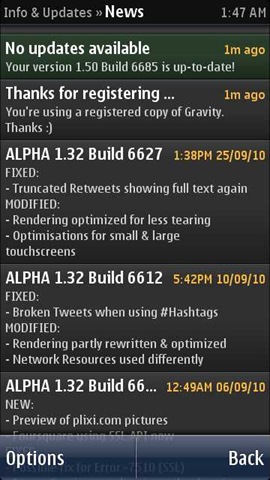
Finally the looong wait ended, when tonight @janole uploaded the alpha build of gravity with polished portrait qwerty, all new facebook section, conversation style DMs and more. This was probably the longest gap between two version (last one was in start of November) and after checking out the various features, it sure seems to worth all the waiting.
The complete change log will come from the developer itself by tomorrow, but I am showing you what I find different in my first few mins experiences with new Gravity.
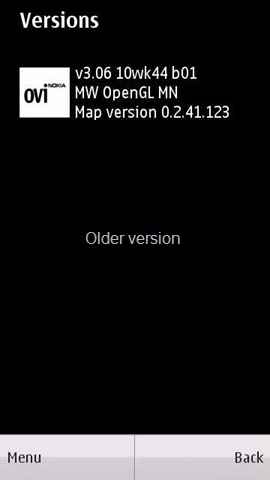
Look like things at Symbian side happening at pace finally. In recent days, we seen them pretty busy updating devices etc. Last night, there was a minor update for Nokia Social and now here in noon, we got an update for Ovi Maps 3.06.
Yes! its still from beta labs and we have not got the version 3.06 pushed into final version, means you wont get this update via OTA or software update and you have to download it via Betlabs only. Though for your help, here is the direct download link.
For the full details of what the update brings for you other than the usual bug fixes, you should head on their official blog post on it. Highlights are ..
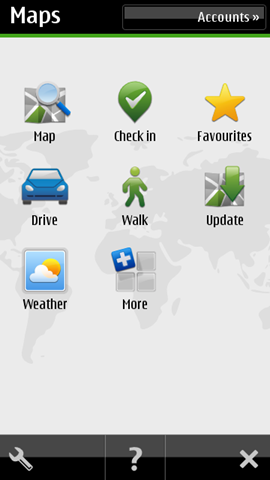
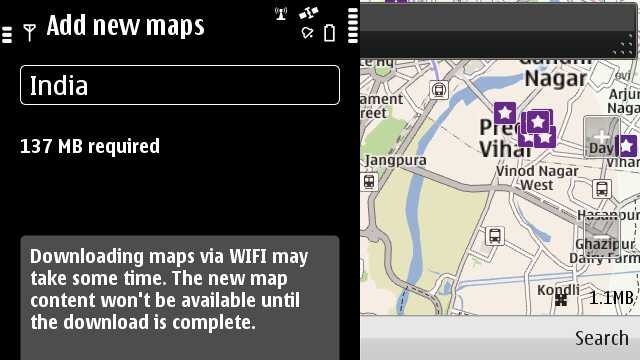
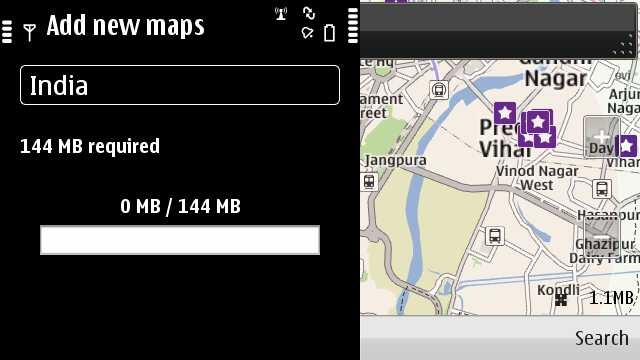
An update icon in the menu to enable the user to download the street maps directly into the device without need of some PC. Though the same feature is available over Wi-Fi only. Note: You need to put your Wi-Fi connection in Internet folder.
My Position and Search are now integrated (now called Map). When accessed, it will show your last map view.
Back button in Favourites
Long tap functionality to delete & rename collections & routes
Pop up for first time use – to inform user to download new map data (when upgrading 3.04 > 3.06 for the first time)
Improved behaviours of transit lines settings in map toolbox (no more grey out)
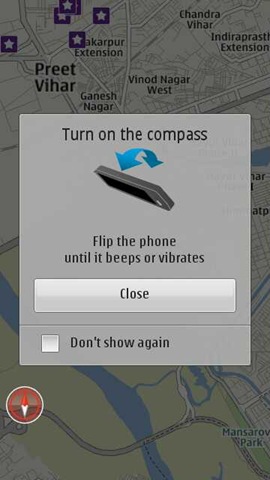
Compass calibration hint
Refreshed place details information view
I also noticed the compass notification, which says that flip your phone to use the compass.. cool.. at least over WiFi tethered from JoikuSpot on Nokia E5-00 (MTNL 3G) connection). Following was the compass hint. Cool and simple.
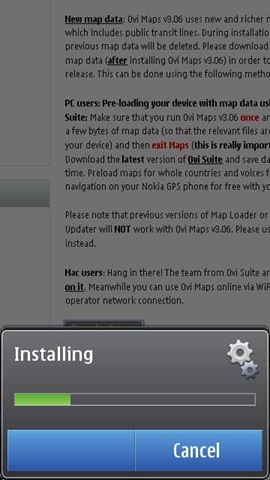
Also note that Ovi Maps v3.06 uses new and richer map data which includes public transit lines. During installation, your previous map data will be deleted, but please note that if you have previously used Ovi Maps 3.06, your Map data will not be deleted after installing the updated release.
Compatibility: Ovi Maps for mobile v3.06 is available on the following devices:
Please note that S60 3rd Edition, FP1 or FP2 devices (non-touch) are not supported in this release. Unsure about the platform of your Nokia device? Click here and find out.
The previous versions of Map Loader or Nokia Maps Updater will NOT work with Ovi Maps v3.06. Please use Ovi Suite instead.
Hi All, so the journey with Layman take on Nokia N8 reached to its fifth part today. Thanks for all the support, you have shown till now. This is what that keeps me going. You can check back again, if you might have missed any of the four parts of the loooong review.
All of the above are pretty detailed in nature, so sure have some snacks and time, once you wish to read them. May be I have left some of the things here and there, but I tried to cover some of the points that might have missed from eyes of other bloggers. This is a layman take as you know it.
Playing engaging big games on mobiles might be yours choice or not, but no one could claim that they haven’t enjoyed the legendary Snake games, which was there on all Old Nokia. Later on some other games also started popping over Nokia and though people started enjoying them too, but J2ME based games were never a big fun, specially without those funky 3D graphics and hardware accelerations, which we were used to live with on our PCs now.
It was the flood of iPhone and iPod touch, which really changed the face of gaming. When Steve says that the world was changed, then the touch experience was first and gaming experience was making a big second to that. We seen Nokia N95 etc, Nokia tried to partner with N-Gaze etc, but touch screen gamming been a slippery side for Nokia till now.
Now, Symbian^3 has started with really big promises on gaming. With handsets like Nokia N8 and Nokia C7 on very reasonable prices, Symbian^3 seems to adding a new dimension to Nokia with excellent gaming potential and market growth, once people started to realize it.
Why one will buy an iPod touch in 16-18k, when you are getting world’s best signals and best navigation experience on just few thousands higher price? And yes .. that would be a phone rather than just a toy at home, so bound to be with you all the time.
Probably, all talking is useless, unless, I show you some real things. Its sad that people buying Nokia N8, will not find any games pre-installed on it and when they will go through Ovi Store, then will think twice before buying any game in price, due to experiences from older Nokia’s. Someone really need to convince them hard that it worth buying, as Nokia users are not used to purchasing apps like Apple ones.
Let me try… I am writing this specially for some of my readers who complained me about unavailability of games on Nokia N8. Yes! its not shipped with game, but there are many out there like you never might have seen yet.
Angry bird on Nokia N8
When you talk about gaming on Nokia N8 and Apple then Angry Bird comes to be a big name. While the price for the full game is around 2.99 Euro or around 180 Rs., you can get hold of lite version with a few levels from Ovi Store to just take the taste.
Butter smooth performance, almost instant startup and multi-touch pinch and zoom, if they would have make use of accelerometer as well, then Angry Bird was trying all the juice of hardware.
Probably what make a game addictive is its being so simple to play with and yet so hard to achieve the tasks which might seems so simple. Not sure about the replay value of the same, but when there are around 105 levels in the paid version and 45 more is coming soon, then sure it’s a fun of weeks. (I have completed only 21 till now).
Warning: This game is highly addictive and lite version may lead you to buying the full one very soon.
You should pardon me as I was my camera man myself, so was playing the game by one hand and was shooting with other, so couldn’t played well, but I hope the video is enough to show the potential. You will find it reasonable fast to load and then so smooth to play with. One fact which you will realize while watching the video that even the mono speakers of Nokia N8 are too loud and yet crisp clear.
There are games like NFS, Rally Master, GT Racing etc, but what I liked about Asphalt is, its being played by finger and touch only rather than accelerometer, obviously others will find that part more awesome, specially if you might have got some gaming wheels like Siraj @LoveMyNokia got. Its totally your choice, which kind of racing cars you prefer.
Remember those early study days, when we were used to enjoy ChessMaster Pro on our computers… war chess is here to bring similar experience for you with cool 3D animations. Don’t go by my missed touches on the screen as I was handling the camera by one hand, the game is butter smooth and so entertaining for the mind.
Its one of the free games on Nokia N8 that make full use of accelerometer and so I was again finding myself little uncomfortable, but that’s a mind blowing experience for sure.
When SIMS arrived to mobile platform then it was the big news of town and why not.. it was one of biggest name in 3D gaming. It’s still and addiction and another life for many. Deploying 3D animations and still keeping everything going so smooth needs a capable hardware and Nokia just did the same.
The game might be new and might not be that big name yet, but it really rocks. Use of accelerometer and rules of physics are so flawless that you really miss the fact that you are having a mobile in your hands. Though with free version there are only 10 levels, but sure you will wish for more. Though 5 Euro price for full 80 levels might seems on a little higher side as of now comparing prices of Angry Bird or Avtaar like games, but its sure a piece of art. Hope soon we will see some reasonable prices on it. Till then you could enjoy the free lite version.
Playing football, while your friend might be driving the car in the side, technology really has changed the way, people might have thought of their mobile few years back. I am yet a nob about the game, but details, graphics and smoothness are sure sure admirable. One must give it a try for sure.
Having an ancient battle in your pocket, oh… don’t race up your dirty mind, I am talking about Hero of Sparta here. Swords, magic and a price fighting its way out in kingdom, sounds interesting… watch it.. its even more.
It was that I loved most in my Nokia N82, Nokia E72 or Nokia E52. It was kind of default to me installing Gravity, Google Maps and T20 fever on each new mobile I get. I liked the non-touch version more, when I tried its lite version on Nokia 5800. But with Nokia N8, the story was entirely different. The graphics were too amazing and the experience was so so real. Suggestions that you missed the ball.. checking if a ball was really a no ball etc and of course the noise of viewers. Perfect.
When it comes to gaming on Symbian^3, then its a win for all the side.
Consumers They are getting full value of money as they are carrying only one device for all, which can do the best as phone as camera and even gaming. They are so occupied with it all the time and saving money on each of the genre. The same phone has value for each member of your family and with its robust build, you wont mind giving it in hands of your kids.
Symbian They are showing Symbian’s potential via these games that what can you do with your coding skills. Attracting more and more developers is probably the first and most important thing that Nokia and Symbian foundation might be looking for.
Game developers The biggest question for Symbianbeen that why should a developers spend his hours with C++ to design a game on Symbian when he has to fiddle with more than half a dozen OS platforms of different capabilities. S60 itself had many variant and all running on different capability hardware. With arrival of Qt, Symbian^3 and almost equal base hardware, Nokia seems to hit the nail finally, which Apple was enjoying till now.
For the developers writing games for Apple, a challenge was to reach masses, which they were able to do with iPod touch only as iPhone was sure out of reach for many (talking about Asia). iPod was still a thing of home as no one wishes to carry two devices with him. Symbian^3 and homogeneous hardware platform is like Nokia moving a step towards them and so are they coming back with so many amazing games.
What I love more about Nokia N8 gaming is the fact of having convenience of USB on the GO feature. It’s so easy for one to use their DSL connections to download these hundreds of MB for games and then easily transfer into their Nokia N8.
If you were thinking that Gaming is for only those rich lad.. then your Nokia is back again. This time it is Nokia: Connecting People to Gaming
Layman’s take on Nokia N8 been through three parts so far. This thing is too big to be handled in one at least in my ways. Thanks for all the support shown by readers out there writing to me. Feel great, when you say that it looked real and common man perspective. That’s what it always about.
Really wanted to say sorry to all readers as there has been insanely long delay due to some personal reasons though meanwhile I tried to fill in with short posts. But this was always in my mind as a guilt pending.
Check out if you might have missed last three, I hope they worth it.
While the earlier parts were kind of routine ones, here comes the fun part of Nokia N8, Multimedia, maps and gaming capabilities. In this part, I will take a look over Multimedia part.
Nokia N8-00: Music player
Every flagship speaks a language of its own and with every new device of yours, you need to find something big to show off. Something different from others, something that makes an instant connection. With Nokia N900, it was the integrated IM into contacts, while with Nokia N8, the show stopper is the awesome cover flow.
This cover flow on Symbian^3 runs so smooth that one can even ask iPhone or Android users that how easily it pushes theirs off the top. I bet if each and everything of Symbian may go this smooth and awesome looking, then no one wont even dare to say anything against it ever.
While people keep on looking over UI part only, they must also consider that how smooth it operates and how much types of media it supports. Being similar to those of earlier in looks doesn’t mean that its the same. There are hundreds of sorting algorithms available in programming world to give the same output, is that mean all are the same?
When in landscape mode, then the cover flow arrives by default or if someone might have messed with the settings, then you should choose Artists and Albums from options at bottom left after tapping the arrow key on the right top.
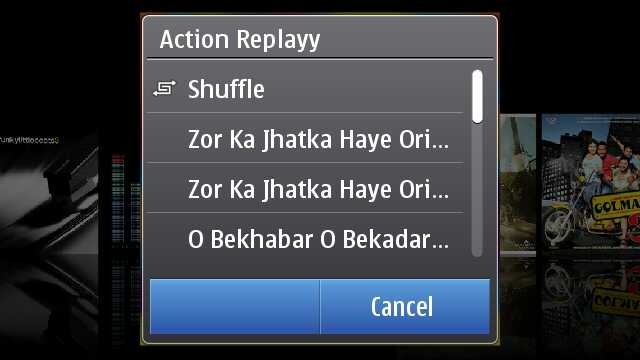
Touch any album and you will get a pop up in the middle of the screen with the choices of songs from that album or just shuffle the album songs to play.
Finding the cover flow in the portrait mode takes another route, where you have to go Artists and Albums and then touch any one album to get into the cover flow mode as shown above. You just slide and list of songs keep on updating in lower part, press on album and it starts playing from the first song. Isn’t portrait mode bit faster than Landscape?
One thing about Nokia that is not getting due credits is Ovi Music unlimited, downloading free music from Ovi Music Store might not be getting such trendy in India as of now, but it will be soon at least after launch of 3G services.
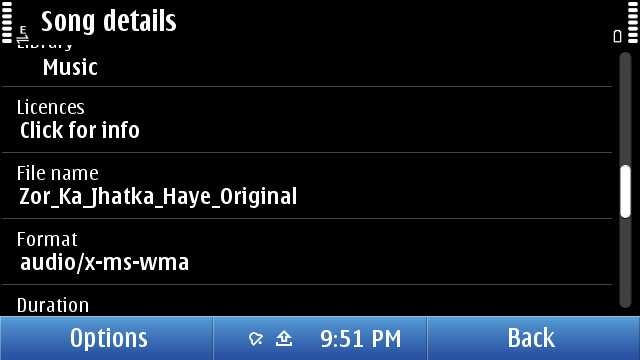
As usual, not only your can sort by genre, artist etc, you can get the details on the song as well. but sadly and strangely, there seems no way to search for some song. Might be a trouble, if someone has a huge collection inside their Nokia N8. I guess they will fix it by next firmware, they should.
Now over DRM, it may be annoying to few that they can not transfer their downloaded music through Ovi Unlimited to some other friend via Bluetooth, but that’s the way, Music Industry wish it to be. There been some confusions due to the post from Ovi Blog, but as much tested by myself, “MP3s downloaded from Ovi Music Unlimited is not DRM free”. May be sad news for some, but that’s the way it is.
Once running, Music player keep itself connected with Volume keys means whatever might be running in front, volume keys will serve only Music player e.g. Gallery.
Some readers specially asked me about the Equaliser thing, so putting it here. Though honestly speaking, I am not that advanced Music freak to fiddle much with it. There are some default presets only. Handy, but you can make a custom preset as of now.
Nokia N8-00: Movie player
Movie player on Nokia N8 was something that cleared my dilemma of buying or not buying Nokia N8 in a blink of eye.
Specs will say that it supports HD videos now and you say that one more addition. But hold it, do you know how big it is. See the above screenshot, check the resolution 1280×720, check the bit rate 2264 kbit/s, this is such a video that takes more than 50 mb for just 3 mins.
Do you really think that its just a simple addition? If so, then put a 2Gb BDrip file or VOB and try to forward by touch the progress bar. Its almost instant and now go to your PC with 2Gb or more RAM and then try the same on your VLC player with same video. Did you thought mobiles are always less performing that computers? Think again.
But HD video was not the part that won me, it was the support to multiple formats.
Even if it was not clearly mentioned on specs, it plays all your Xvid/ Divx/ Mkv/ mp4/ WMV/ 3GP/ H.264 formats, which covered almost 80% of my legendary collection of movies. What else would I wished for? Addition of USB on the GO means I could try any video instantly after borrowing some from PC of a friend.
Though true, its not a fool proof setup. There were some videos, special dual audio ones which will play without voice on it. There might be some strange or corrupted format that the video player of Nokia N8 cant deal with the way any VLC player of your PC does. There is no subtitles files support either (you can merge subtitles in movie file though via third party apps and play then), neither audio switcher if you are playing some dual audio file.
But hey!! are you talking about some media player on PC, its just a mobile. As of now, its a state of art best possible media support among the leading smart phones out of the box, not only Nokia. Yes! out of the box. You don’t need to install any core player, any smart movie player, you don’t need any converter on your PC to convert files for your Nokia N8. Just touch the file and it is.
That’s how it changes everything. I was in a train journey and the above was my complete setup for the theater experience. Movie files if not in your Nokia N8, then USB OTG cable and a flash drive.. then those stereo headphones that come shipped with Nokia N8. That’s it.
It was hard to take a snap of movie and forgive me for the blur here, but it was just crisp and clear as it can be.
May be its asking a little too much, but there are not many advanced controls like next video, increasing brightness etc. Just a tiny set of controls which hide them smoothly within secs, when you play a video and come back again once, you touch anywhere. But each of them works perfectly.
If you touch and hold forward/ reverse icons then it first goes by steps of 5 secs and then faster. Aspect ratio icon changes the video to fit the screen or 4:3 or usual 16:9. And yes the player will always run in Landscape and will remain full screen always.
I know it sounds weird, but I had a wild dream that what if they give a cover flow like Music player to it? I know its not practical, but I thought.
Though many would be excited, when VLC arrives on symbian finally, but I would say that will also face a great challenge to meet the level of performance with Nokia one. You could understand that how big praise it is. Thumbs up for the guys working for the core of Symbian. Next generation Nokia will sure will define new levels of Multimedia.
Nokia N8-00: Web TV
Sometimes you get hands on a few things that might be ahead of its time. I guess Web TV is something like that for Indian Customers at least as of now, when 3G services are yet to arrive and Indian TV channels not well prepared for Web Contents in the way they should have been.
When it comes to TV on mobile, then I remember my first handset ever. Reliance Moon Light in 2004 that was an entry level LG Handset that was bringing some B/W TV content over CDMA. Definitely, I was expecting to see something like that here. But phones have changes a lot till now.
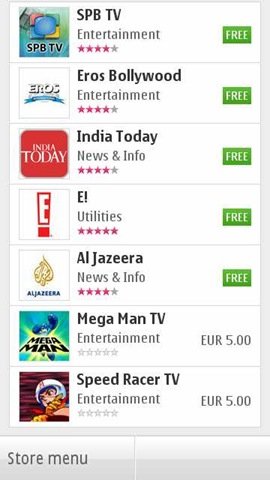
There is a Web TV Folder, which by default will carry above 6 icons representing 5 Web TV channels and one shortcut to Ovi Store. Unfortunately, some mismanagement here too. If you install a new one, then by default it seems to be going to Application folder rather than Web TV one or may be I might be messing up with something.
There are not much Web TV apps as of now. I seen two Indian names and downloaded them. Well.. I should say that they are not coping well. The apps are poorly made and neither are they service good quality video contents. And let me remind you, you better have a 3G or WiFi at least, if want an acceptable performance.
Like this EROS one. Shows promise in start and then end up show not so good quality videos. But again, its a perspective of someone, who is so used of watching DVD/ HD quality videos on his Nokia N8 now.
But with next app, I find that it was just a wrong apple. This time, its app from India today. Not a great navigation again, but sure, a better UI.
I noticed one thing that all of them not using the default player of Nokia, but emulating of their own. Kind of strange to me as I expected the player to be same throughout.
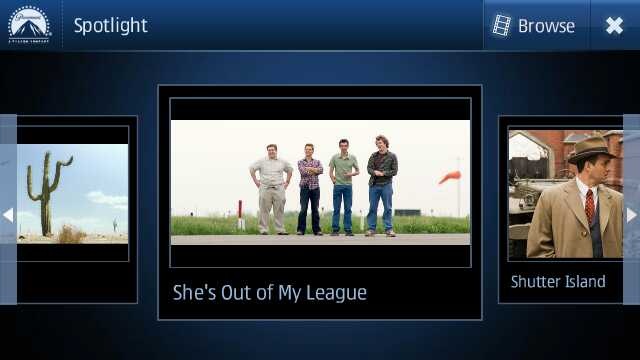
While Nat Geo, CNN etc had good quality video stuff with them (not sure how current the content was), the best UI I found with Movie Teaser app.
This sure seems to be designed for touch with Cover flow (that’s what I was talking about default Movie player). Not only UI is great but quality of videos too and this is one of those Web TV apps that like to play the videos in full screen with fit to screen mode.
Not only that but it brings some basic level info as well about the movie of course.
So, in all I must say, its a great move and wish that Indian channels and others may adopt it more quickly to make it worth rather than making people watching irrelevant contents from English channels only.
Nokia N8-00: Video Editor
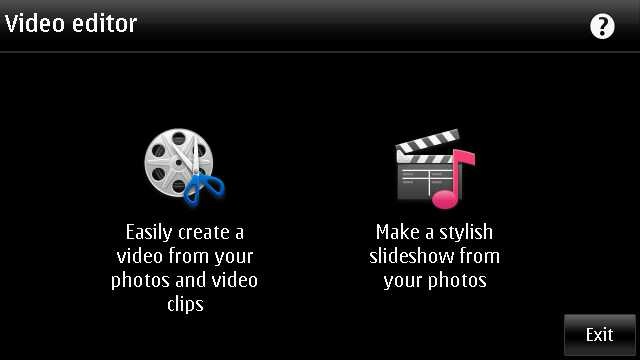
The world changes from here. Big bloggers and experts will say that Nokia did just the same like iMovie of Apple, but its lot bigger than that. First its free of cost, second its shipping with Nokia N8 that still costing half of the price of iPhone 4G. Point is… its gonna reach much more hands than it ever would have with some pricy Apple.
Its gonna bring Video editing in hands of people, who would never experienced it ever before, not even on computers. And believe me, their start would be much more awesome than even the people who might consider themselves expert of movie editing now.
Let’s start with the simple option, creating a slideshow. You remember all the old Nokia phones were shipped with a Slideshow mode of showing pictures, we are not talking about just that. We are talking about creating a actual movie out of your chosen snaps and with different effects to choose from.
Sure its one of the most fun stuff on Nokia N8 and could keep you busy for hours if you had many awesome photos inside your Nokia N8 (who wont have) and its very pleasing that the design team behind this did a great job. Not stupid like you choose some pics and then choose some effect and then if not liked output then do whole thing again. You choose pics one and then could go for previewing it with each of the effect almost instantly.
Either selecting media or inserting pics or it might be adding movie title (overlay text), everything seems to be so perfect and I would say people should try it by their own hands to see how fast it is. Making full use of hardware acceleration and GPU, it sure will bring those Androids without GPU out of water on this.
Not only that the speed to saving the final video is awesomely impressive. Oh.. the output? Here it goes.
And one more
With Video editor, its the same awesomeness. Not only you can crop your videos in length, but could insert your own tracks and overlay effects in between when joining two videos. Most amazing part of it remains the speed. I never seen any of my phone going this much fast and even no desktop software handling video editing with this much ease let alone mobile aside. So intuitive .. so smooth ..
In the above video, I just added two videos in one. There is a lot more one could do with them like we seen in Slideshow.
This went long na.. I feel the same. Hope will be back soon with my review over Gaming part with big titles. Be tuned in and keep writing to me that what more you want me to write on. Nokia N8-00 still has more to write on… just I wish I would have had my hands on Nokia C7 as well to know that what’s more special: Nokia N8 or Symbian^3?



















 Nitish Kumar's Blog